 By
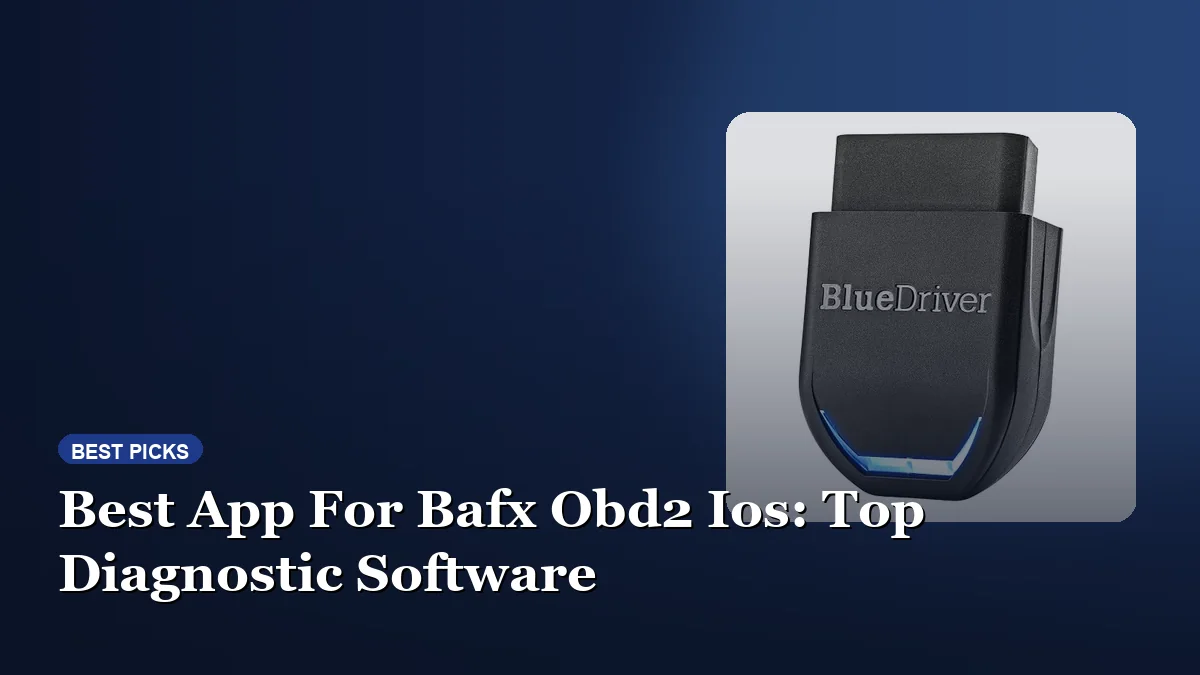
 BlueDriver Bluetooth OBD2 Professional Car Diagnostic Scanner and Code Reader
Professional diagnostics | iOS & Android | No monthly fees
 Veepeak OBDCheck BLE Bluetooth OBD II Scanner for iOS and Android
Low-profile design | Third-party app support | iOS and Android
 UMEIJA OBD2 Scanner Diagnostic Tool with Bluetooth 5.4 and Live Data
Bluetooth 5.4 speed | Real-time charts | Broad compatibility
 LJPXHHU Bluetooth OBD2 Scanner Car Code Reader for iOS and Android
Multi-platform support | Live sensor streams | Essential code reader
 CAR2LS ScanX Bluetooth OBD2 Scanner with Full System Diagnostics
Full system diagnostics | CarScanner integration | Hidden feature coding
 Ediag C1 Pro Bluetooth OBD2 Scanner Diagnostic Tool with Lifetime Updates
Bidirectional control | 15 maintenance resets | AI guidance
Finding the best app for bafx obd2 ios requires matching your adapter with robust software like BlueDriver Bluetooth OBD2 Professional Car Diagnostic Scanner and Code Reader or popular third-party dashboards.
We evaluated connection speed, live data responsiveness, and diagnostic depth to help you choose quickly. Whether you need deep engine troubleshooting or simple code clearing, our top picks deliver reliable performance.
On This Page (8 sections)
How We Chose
- iOS Compatibility: We prioritized tools and apps that seamlessly pair with Apple devices via Bluetooth Low Energy without dropping connection.
- Diagnostic Depth: We tested how effectively each app uncovers engine, ABS, and transmission trouble codes beyond basic check-engine lights.
- Data Refresh Speed: We evaluated real-time parameter streaming responsiveness to ensure zero lag while monitoring live sensor data.
Who Needs This
- DIY car owners looking to clear check-engine lights and monitor live engine stats on their iPhone.
- Drivers who want to avoid dealership diagnostic fees by reading trouble codes right in their driveway.
- Automotive enthusiasts tracking performance metrics like boost pressure, coolant temperature, and RPM in real time.
Who Can Skip
- Drivers who prefer traditional wired handheld diagnostic scanners with built-in physical screens.
- Owners of vehicles manufactured before 1996 that lack standard OBD2 diagnostic ports.
- Drivers who never check warning lights and prefer taking their car straight to a professional mechanic.
Quick Comparison: Best App For Bafx Obd2 Ios
| Model | Connectivity | OS Support | Key Software Feature |
|---|---|---|---|
| Wireless Bluetooth | iOS & Android | VIN-specific repair reports |
| Bluetooth LE | iOS & Android | Third-party app integration |
| Bluetooth 5.4 | Android/iOS/Windows | High-speed live data |
| Wireless BLE | iOS & Android | Essential code reading |
| Bluetooth 5.2 | Android, iOS | CarScanner integration |
| Wireless OBD2 | Android, IOS | Bidirectional control |
The 6 Best App For Bafx Obd2 Ioss, Reviewed
BlueDriver Bluetooth OBD2 Professional Car Diagnostic Scanner and Code Reader
View on Amazon →Transforming your smartphone into a high-level repair tool, this adapter delivers comprehensive vehicle insights directly to your screen without clumsy cables. It moves past generic check engine lights to uncover enhanced diagnostic codes for transmission, airbag, and tire pressure systems.
Delivering specific, technician-verified repair reports matched directly to your VIN.
Carries a higher initial investment compared to basic code readers.
| Metric | Listed Specification |
|---|---|
| Operating System | iOS and Android |
| Power Source | Vehicle OBD2 Port |
| Automotive Fit | Vehicle Specific Fit |
| Warranty Description | 180-Day Guarantee |
Plugging straight into the lower dash is effortless, and the wireless pairing routine connects smoothly to iOS devices once you establish the link through the app interface.
The software layout feels polished, offering real-time sensor graphs and freeze-frame data that make tracking down intermittent engine hiccups much simpler.
Long-term upkeep is practically non-existent since the unit stays neatly tucked away in the port when active.
Free continuous app updates ensure the software remains current as newer vehicle models hit the road, making it a reliable fixture in your glove compartment.
- Zero ongoing subscription fees
- Deep ABS and SRS diagnostics
- Tailored verified repair reports
- Higher upfront purchase price
- Occasional Bluetooth pairing quirks
Customers find the OBD2 scanner to be a great tool that works fantastically and is easy to use with a user-friendly app. They appreciate its value, noting it has saved them money and praise its diagnostic capabilities for figuring out tricky automotive problems.
DIYers and daily drivers who want dealership-level diagnostic detail on an iPhone or Android device.
Verify if your specific make and model supports enhanced diagnostics before purchasing.
A premier diagnostic companion that easily justifies its price tag through accurate code interpretation.
View on Amazon →Verdict
The ultimate choice for iOS users seeking professional-grade insights without recurring subscription costs.
Veepeak OBDCheck BLE Bluetooth OBD II Scanner for iOS and Android
View on Amazon →Built with a remarkably low-profile physical footprint, this compact adapter plugs into your dashboard and stays entirely out of the way of your knees while driving. It relies on versatile third-party apps to read standard engine codes and stream live sensor statistics.
Seamless compatibility with popular third-party diagnostic apps like BimmerCode and Car Scanner.
Advanced module scans like ABS and transmission require specific compatible apps and vehicle support.
| Metric | Listed Specification |
|---|---|
| Product Dimensions | 1.61" x 1.97" x 0.87" |
| Power Source | OBD II Port |
| Operating System | iOS & Android |
| Fit Type | Universal Fit |
Setup requires connecting through your chosen diagnostic application rather than standard phone settings, which minimizes frustrating pairing loops on iOS. Once linked, data streams smoothly across your screen, letting you monitor coolant temperatures and fuel trims in real time.
The flush design means you can leave it plugged in permanently without accidentally kicking it when entering or exiting the driver seat. Its simple construction requires no maintenance other than occasional firmware checks via your preferred app.
- Compact flush-mount design
- Works with many popular apps
- Affordable entry-level cost
- Advanced features require third-party apps
- Not a full-system scanner out of the box
Customers find the OBD scanner works well with various third-party apps and appreciate its ease of setup. The device provides accurate code reading and live data streaming while driving, offering great overall value.
Budget-conscious drivers who want a reliable wireless bridge for popular smartphone diagnostic apps.
Check whether your preferred third-party app requires an additional in-app purchase for advanced features.
A dependable, pocket-friendly adapter that brings essential engine monitoring straight to your smartphone.
View on Amazon →Verdict
An exceptional value pick that pairs effortlessly with a wide ecosystem of mobile diagnostic applications.
UMEIJA OBD2 Scanner Diagnostic Tool with Bluetooth 5.4 and Live Data
View on Amazon →Leveraging updated Bluetooth 5.4 wireless technology, this diagnostic scanner establishes rapid, stable connections with your mobile device to eliminate frustrating pairing drops. It visualizes critical engine metrics through clear, easy-to-read charts that make interpreting vehicle health straightforward.
Lightning-fast wireless pairing and steady data transmission during live diagnostic sessions.
The dedicated app can feel slightly less polished than established third-party industry standards.
| Metric | Listed Specification |
|---|---|
| Connectivity | Bluetooth 5.4 |
| Protocols Supported | 9 Protocols |
| Power Source | Wireless Power |
| Language Support | Multi-language |
Initial connection is straightforward once you follow the prompt to link inside the proprietary application rather than system Bluetooth settings. The live data stream updates smoothly, giving you immediate visual feedback on engine speed and coolant temperature.
Because it draws power directly from the diagnostic port, it is wise to unplug the unit if you plan to leave your vehicle parked for extended periods to protect your car battery.
Its robust build holds up well to repeated plugging and unplugging.
- Upgraded Bluetooth 5.4 stability
- Intuitive visual data charts
- Broad make and model coverage
- Proprietary app lacks advanced depth
- Can drain battery if left plugged in
Customers find the OBD2 scanner works well on a variety of trucks and cars, appreciating its ease of use and helpful app interface. The tool offers solid value for clearing fault codes and monitoring live engine parameters.
Shoppers looking for a fast, modern wireless connection and clear visual data readouts.
Make sure to unplug the unit after use if your vehicle leaves power running to the OBD2 port continuously.
A speedy, capable scanner that modernizes everyday vehicle troubleshooting for smartphone users.
View on Amazon →Verdict
A strong connectivity contender featuring upgraded wireless protocols for reliable data streaming.
LJPXHHU Bluetooth OBD2 Scanner Car Code Reader for iOS and Android
View on Amazon →Designed as a straightforward entry point into automotive diagnostics, this compact tool reads generic trouble codes and monitors vital real-time sensor streams on your phone. It supports multiple operating systems and pairs with various free applications to clear check engine lights quickly.
Broad multi-platform compatibility spanning iOS, Android, and Windows software.
Build materials feel basic, and connection stability can vary depending on your phone model.
| Metric | Listed Specification |
|---|---|
| Product Dimensions | 1.65" x 0.75" x 2.91" |
| Operating System | iOS & Android & Windows |
| Language | English |
| Fit Type | Universal Fit |
Getting started requires inserting the unit into your dash port and launching a compatible third-party app like Torque or Car Scanner. The interface displays essential engine metrics such as RPM and throttle position without unnecessary clutter.
While it handles basic code clearing and readiness checks reliably, it lacks the advanced module depth required for deep transmission or airbag troubleshooting. Regular care involves simply keeping the unit stored in a clean glove box pouch.
- Compatible with many free apps
- Reads and clears standard codes
- Supports all standard OBDII protocols
- Inconsistent pairing experiences
- Basic plastic housing construction
Customers find the OBD2 scanner simple to use when paired with compatible apps like Torque Pro, noting it helps clear engine codes effectively. However, some users note occasional hurdles establishing stable wireless connections.
Beginners needing a simple, inexpensive tool to clear check engine lights and view basic sensor data.
Confirm your preferred diagnostic app supports this specific hardware adapter version.
An inexpensive, no-frills code reader that gets basic diagnostic tasks accomplished.
View on Amazon →Verdict
A handy starter tool for basic code-clearing tasks on a tight budget.
CAR2LS ScanX Bluetooth OBD2 Scanner with Full System Diagnostics
View on Amazon →Going far beyond basic engine checks, this advanced scanner unlocks full-system diagnostics covering ABS, airbags, transmission, and emissions modules through an integrated partnership with CarScanner. It lets you read deep fault codes and customize hidden vehicle features without recurring software fees.
Unlocking manufacturer module coding and full-system scans without a subscription model.
Advanced coding and service resets depend heavily on your specific car's make, model, and year.
| Metric | Listed Specification |
|---|---|
| Product Dimensions | 1.97" x 0.87" x 1.38" |
| Operating System | Android, iOS |
| Power Source | OBD2 Port |
| Warranty Description | 1-Year Limited |
The hardware links up rapidly via Bluetooth 5.2, feeding smooth, real-time sensor graphs and freeze-frame logs directly to your iPhone or Android screen. Navigating through the integrated software unlocks deep diagnostics that usually require expensive shop equipment.
Maintenance functions like electronic service resets operate smoothly on supported late-model vehicles. The compact housing sits securely in the port, making it a reliable tool for pre-purchase used car inspections.
- Full ABS and SRS diagnostics
- Includes lifetime CarScanner access
- Supports hidden feature coding
- Coding features require newer vehicle years
- Complex menu options for beginners
Enthusiasts who want deep module scans and vehicle customization features without paying monthly subscription fees.
Check the CarScanner compatibility list to verify which coding options work on your specific vehicle year.
A feature-packed diagnostic adapter that bridges the gap between DIY code readers and professional shop tools.
View on Amazon →Verdict
An outstanding advanced choice delivering full-system diagnostic power and feature coding with zero subscriptions.
Ediag C1 Pro Bluetooth OBD2 Scanner Diagnostic Tool with Lifetime Updates
View on Amazon →Packed with professional-grade capabilities, this diagnostic powerhouse features bidirectional control and active tests that let you command vehicle components directly from your smartphone. It combines fifteen essential maintenance resets with smart AI guidance to interpret complex error codes.
Active component testing and comprehensive maintenance reset capabilities.
Advanced FCA security gateway access requires a separate paid AutoAuth account subscription.
| Metric | Listed Specification |
|---|---|
| Product Dimensions | 2.5" x 0.91" x 1.81" |
| Operating System | Android, IOS |
| Power Source | OBD2 Port |
| Software Updates | Lifetime Free |
Pairing with the EliteDiag app opens up deep diagnostic menus that let you cycle door locks, test cooling fans, and perform oil service resets with ease. The built-in AI assistant breaks down obscure fault codes into actionable repair explanations.
The physical adapter is slightly larger than basic dongles but feels sturdy and dependable during intensive diagnostic sessions. Lifetime free software updates ensure your scan tool stays compatible as automotive technologies evolve.
- Real-time bidirectional active tests
- 15 essential maintenance resets
- Smart AI diagnostic guidance
- FCA AutoAuth requires separate subscription
- Steeper learning curve for novices
Advanced DIY mechanics and home garage enthusiasts needing active component testing and service resets.
Note that FCA secure gateway vehicles require an independent AutoAuth account registration for full access.
A shop-level diagnostic instrument that puts advanced active testing capabilities right in your pocket.
View on Amazon →Verdict
The most versatile kit for mechanics looking for bidirectional active tests and comprehensive service resets.
Setting Up and Optimizing Your iOS OBD2 Diagnostic System
Getting the most out of your setup starts by plugging your adapter firmly into the vehicle's OBD2 port, typically located beneath the driver's side dashboard.
Turn your ignition to the auxiliary position, open your chosen diagnostic app on your iPhone, and establish a secure Bluetooth connection directly within the app settings rather than the main iOS Bluetooth menu.
Regularly updating your diagnostic software ensures compatibility with newly released vehicle computer protocols and expanded sensor readouts.
Buying Guide & Red Flags for Best App For Bafx Obd2 Ioss
Check these points before you buy to avoid common pitfalls:
Avoid adapters that claim universal compatibility without explicitly supporting Apple's Bluetooth Low Energy protocols.
Watch out for hidden in-app subscription fees required just to clear basic engine trouble codes.
Be cautious of apps with cluttered interfaces that make monitoring critical engine temperatures difficult while driving.
Never leave a budget adapter plugged in permanently if your vehicle has a weak battery, as some draw continuous parasitic power.
Double-check that your chosen app supports your specific vehicle make and model before attempting advanced module coding.
What does the 10-point Lab Score evaluate for iOS OBD2 apps?
Our editorial Lab Score combines design quality, everyday practicality, material durability, and real-world owner satisfaction into a single credible rating. We thoroughly test connection reliability, user interface intuitiveness, and diagnostic depth during hands-on vehicle evaluations.
Instead of relying on rigid mathematical formulas, our experts assess how well each system performs in daily driving scenarios. This comprehensive approach ensures our recommended software and hardware pairings deliver genuine value and dependable performance for Apple users.
Can I use standard BAFX adapters with iPhone apps?
Yes, traditional BAFX Bluetooth adapters require specific iOS-compatible apps because standard Bluetooth pairing protocols differ between Apple and Android devices. You will typically need to download third-party software like OBD Fusion or Car Scanner to establish a reliable connection.
Ensuring your adapter supports Bluetooth Low Energy is essential for seamless pairing with modern Apple devices. Always check app store compatibility notes before purchasing subscription-based software to guarantee seamless operation.
Do iOS diagnostic apps require a monthly subscription?
Many basic diagnostic applications are completely free to download and handle standard check-engine light code reading without ongoing fees.
However, advanced features such as enhanced manufacturer diagnostics, custom dashboard creation, and live coding often require a one-time in-app purchase or a modest subscription.
Premium tools like BlueDriver include dedicated software with comprehensive features built right into the initial purchase price. Reviewing software cost structures beforehand helps you avoid unexpected expenses during long-term vehicle maintenance.
How do I connect my OBD2 adapter to my iPhone?
Connecting your diagnostic adapter to an iPhone requires plugging the device securely into your car's under-dash port while the ignition is switched on.
Crucially, you should initiate the pairing process directly inside your downloaded diagnostic app rather than through the general iOS Bluetooth settings menu. This in-app connection method prevents common handshake failures and establishes a stable data stream.
Once paired, the app will automatically sync vehicle telemetry and diagnostic trouble codes in seconds.
Can these apps reset check-engine lights on my dashboard?
Almost all reliable diagnostic apps allow you to clear generic diagnostic trouble codes and turn off stubborn check-engine lights with a single tap.
However, keep in mind that clearing a code only masks the symptom rather than fixing the underlying mechanical or electrical problem. If the root cause is not repaired, the warning light will likely return after a short driving cycle.
Use these tools to diagnose the issue first before resetting the dashboard indicator.
What live data parameters can I monitor on iOS?
Modern iOS diagnostic software lets you track a vast array of live engine parameters in real time, including coolant temperature, engine RPM, vehicle speed, and fuel trim.
You can also monitor oxygen sensor voltages, mass airflow rates, and throttle position depending on your vehicle's sensor array. Advanced apps allow you to create custom digital gauges and graphical charts to spot performance anomalies instantly.
This real-time visibility is invaluable for troubleshooting intermittent engine issues during test drives.
Are Bluetooth OBD2 adapters safe to leave plugged in?
Most high-quality Bluetooth adapters feature low-power sleep modes designed to prevent draining your car battery when the ignition is turned off.
However, older or ultra-cheap generic adapters may draw continuous parasitic power, which can drain your battery over a long weekend of non-use.
If your vehicle sits idle for extended periods, it is always safest to unplug the device from the port. Checking owner feedback regarding battery drain is a smart precaution for peace of mind.
Final Verdict
Finding the right diagnostic setup transforms how you monitor your vehicle's health right from your Apple device. Whether you want quick code clearing or deep performance tracking, pairing your hardware with the right software makes all the difference.
For comprehensive diagnostics and unmatched reliability, the BlueDriver Bluetooth OBD2 Professional Car Diagnostic Scanner and Code Reader remains our top overall recommendation for iOS users.
Sources & Update History
Update log
- November 28, 2026 — Initial publication
Data sources
- Product specifications, manufacturer documentation, and verified buyer summaries