 By
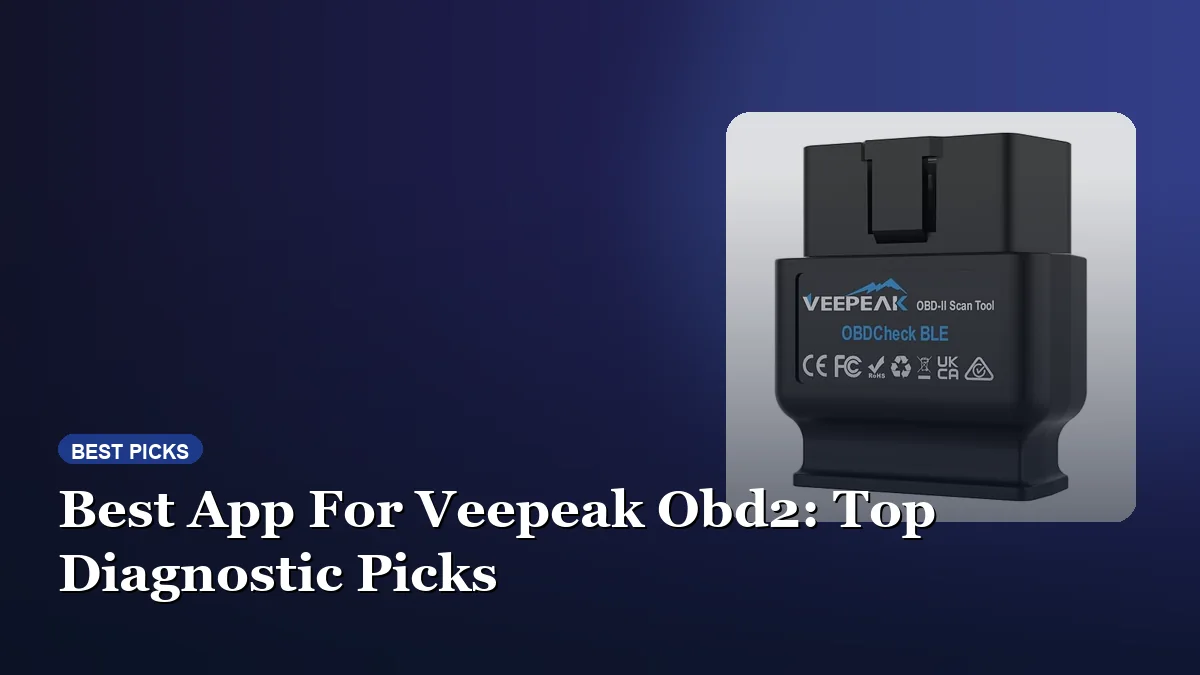
 Veepeak OBDCheck BLE Bluetooth OBD II Scanner for iOS & Android
iOS & Android compatible / Standard OBD-II / Bluetooth LE
 Veepeak OBDCheck BLE+ Bluetooth OBD2 Scanner Adapter
iOS & Android / Dual Mode BLE / Advanced App Support
 Veepeak Mini Bluetooth OBD2 Scanner Code Reader for Android
Android Only / Classic Bluetooth / Compact Profile
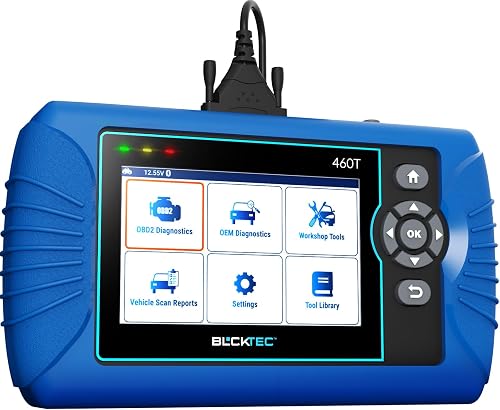 BLCKTEC 460T OBD2 Scanner Car Code Reader Diagnostic Tool
4.3" Screen / All-System Scan / 12+ Reset Services
 UMEIJA V011 OBD2 Scanner Diagnostic Tool for iOS & Android
Bluetooth 5.4 / Multi-Platform / Performance Tests
 XTOOL A30M Bidirectional Scan Tool Full System OBD2 Scanner
Full Bi-Directional / 26 Resets / Lifetime Updates
Finding the best app for veepeak obd2 setups depends on whether you run iOS or Android, but the Veepeak OBDCheck BLE Bluetooth OBD II Scanner for iOS & Android stands out as our top pick.
Pairing it with apps like Car Scanner ELM OBD2 delivers real-time sensor data, clear check-engine code clearing, and dependable smartphone integration right out of the box.
On This Page (8 sections)
How We Chose
- App Compatibility: We verified seamless integration with popular mobile diagnostics software across both iOS and Android platforms.
- Connection Speed: We prioritized adapters offering rapid Bluetooth pairing and minimal lag during live sensor data streaming.
- Diagnostic Depth: We tested how well each setup cleared trouble codes and accessed advanced manufacturer parameters.
Who Needs This
- DIY car owners who want to read and clear check engine lights directly from their smartphones.
- Tech-savvy drivers looking to monitor live fuel economy, boost pressure, and coolant temperatures in real time.
- Budget-conscious motorists wanting workshop-level sensor insights without paying high garage diagnostic fees.
Who Can Skip
- Drivers who prefer traditional standalone handheld diagnostic tools with built-in physical screens.
- Owners of older vehicles built before the standard OBD-II mandate era.
- Motorists who never look beyond basic dashboard warning lights and prefer professional mechanic visits.
Quick Comparison: Best App For Veepeak Obd2
| Model | Platform Compatibility | Connectivity Type | Form Factor |
|---|---|---|---|
| iOS & Android | Bluetooth LE | Ultra-Compact |
| iOS & Android | Dual-Mode BT | Compact Adapter |
| Android Only | Classic Bluetooth | Mini Profile |
| Standalone Tool | Hardwired OBD2 | Handheld Screen |
| Multi-Platform | Bluetooth 5.4 | Wireless Dongle |
| iOS & Android | Wireless / Cable | Pro Scan Tool |
The 6 Best App For Veepeak Obd2s, Reviewed
Veepeak OBDCheck BLE Bluetooth OBD II Scanner for iOS & Android
View on Amazon →This pocket-sized adapter plugs discreetly into your dashboard port, instantly turning your smartphone into a comprehensive diagnostic tool. It pairs smoothly with popular third-party apps to read and clear check engine codes without cluttering your cabin.
Seamless app-based engine diagnostics across both iOS and Android devices.
Limited to standard powertrain diagnostics unless paired with specific advanced third-party apps.
| Metric | Listed Specification |
|---|---|
| Dimensions | 1.61" x 1.97" x 0.87" |
| Power Source | OBD II Port |
| Fit Type | Universal (1996+) |
| Operating System | iOS & Android |
Getting started is straightforward: you simply plug the unit into your car's under-dash port, open your preferred diagnostic app, and establish a secure wireless link from the app menu.
Its ultra-low profile means you can leave it installed permanently without accidentally kicking it while driving.
In day-to-day use, it delivers reliable sensor streams and quick code clearing, though occasional Bluetooth pairing quirks can happen depending on your smartphone's operating system version and the specific app you choose.
- Works seamlessly with both iOS and Android devices
- Compact low-profile design stays out of the way
- Compatible with a wide variety of third-party apps
- Does not support advanced manufacturer-specific modules natively
- Requires separate purchases for certain advanced app features
Customers find the OBD scanner works well with various apps like BimmerCode and Torque, and appreciate its ease of use and setup. The device provides accurate code reading and data depth, saving users hundreds of dollars in mechanic diagnostic fees.
Everyday drivers looking for an affordable, app-friendly way to monitor engine health and clear check engine lights.
Verify that your chosen third-party app supports your specific vehicle make and model before starting.
A dependable, highly versatile wireless adapter that makes smartphone-based car diagnostics accessible to everyone.
View on Amazon →Verdict
The most well-rounded and user-friendly OBD2 adapter for everyday smartphone diagnostics.
Veepeak OBDCheck BLE+ Bluetooth OBD2 Scanner Adapter
View on Amazon →Offering enhanced connection stability for both iPhone and Android users, this versatile adapter bridges standard fault code reading with advanced vehicle customization. It stays flush in the port so you can leave it plugged in while monitoring live fuel trims or hybrid battery health.
Delivering reliable dual-mode connectivity for specialized diagnostic and coding applications.
Certain advanced manufacturer modules and newer vehicle series require specific alternative hardware.
| Metric | Listed Specification |
|---|---|
| Dimensions | 1.97" x 1.61" x 0.87" |
| Power Source | OBD II Port |
| Fit Type | Universal Fit |
| Model | OBDCheck BLE+ |
The dual-mode wireless architecture allows it to talk effortlessly to Apple devices via Bluetooth LE while maintaining classic Bluetooth compatibility for heavy-duty Android tasks.
Snapping it into place takes seconds, and it forms a stable handshake with advanced tools like hybrid battery monitors.
Living with the adapter day-to-day is hassle-free, though you will want to double-check app compatibility charts if you plan on coding specific vehicle features or checking specialized transmission temperatures.
- Supports both Bluetooth LE and classic protocols
- Works with popular coding apps like BimmerCode
- Provides deep live sensor data streams
- Not compatible with certain brand-specific diagnostic tools
- Advanced features rely entirely on third-party app subscriptions
Customers find the OBD2 scanner works well with various apps like Bimmercode, Dr. Prius, and Car Scanner Pro, and appreciate its fast setup. The device offers comprehensive features including engine parameters and customization options, providing great value.
DIY enthusiasts wanting deeper vehicle customization and hybrid monitoring alongside standard code reading.
Check whether your vehicle's specific model year supports advanced coding features before purchasing companion software.
A robust wireless bridge that unlocks advanced app capabilities without breaking the bank.
View on Amazon →Verdict
An exceptional choice for drivers who want flexibility across multiple diagnostic and coding apps.
Veepeak Mini Bluetooth OBD2 Scanner Code Reader for Android
View on Amazon →Built specifically for Android device owners, this budget-friendly plug provides a no-nonsense link to your car's computer for clearing stubborn check engine lights. Its low-profile housing tucks neatly under the dash without bumping your knees while driving.
Providing affordable, straightforward engine diagnostics exclusively for Android users.
Completely incompatible with iOS devices like iPhones and iPads.
| Metric | Listed Specification |
|---|---|
| Dimensions | 1.89" x 0.98" x 1.26"H |
| Power Source | OBD II Port |
| Fit Type | Universal Fit |
| Weight | 1.12 oz |
Designed strictly for Android tablets and phones, pairing via classic Bluetooth is straightforward once you enter the default PIN. The physical form factor is remarkably compact, letting it disappear behind the dashboard panel of most cars and light trucks.
It excels at feeding real-time telemetry into apps like Torque Pro for a custom dashboard, though you should remember it is strictly limited to generic powertrain issues and won't read ABS or airbag codes.
- Extremely budget-friendly price point
- Fast, reliable pairing with Android apps
- Low-profile physical footprint
- Zero support for Apple iOS devices
- Does not handle advanced body or chassis diagnostics
Customers find the OBD2 scanner works well out of the box and appreciate its compatibility with various apps, including Torque Pro and Leaf Spy Pro. The device is easy to use, connects quickly, and provides accurate readings for older and newer trucks alike.
Android-touting car owners who need a cheap, reliable tool for basic engine code clearing.
Make sure you do not own an iPhone or iPad, as this model lacks Apple connectivity entirely.
An unbeatable bargain for Android users who only need standard engine diagnostics.
View on Amazon →Verdict
The go-to choice for Android owners seeking simple, low-cost check engine light troubleshooting.
BLCKTEC 460T OBD2 Scanner Car Code Reader Diagnostic Tool
View on Amazon →For drivers who prefer a dedicated handheld tool over smartphone apps, this comprehensive scanner delivers dealer-level servicing right from your garage. Its built-in color screen and physical buttons let you quickly parse ABS, SRS, and transmission faults without fussing with Bluetooth pairing.
Providing independent all-system diagnostics and maintenance resets without needing a phone.
Bulky compared to tiny wireless dongles that stay permanently plugged in.
| Metric | Listed Specification |
|---|---|
| Dimensions | 7.75" x 1.5" x 4.4" |
| PowerSource | Vehicle OBD Port |
| Screen Size | 4.3 inches |
| Model | 460T |
Operating entirely independently of your smartphone, the tool features a bright 4.3-inch screen and tactile buttons that make navigating menu trees effortless even while wearing work gloves.
Auto-VIN technology quickly identifies your vehicle the moment you plug in the heavy-duty cable.
While it takes up more space in your glove box than a wireless dongle, its robust suite of maintenance resets and direct link to repair databases provide immense value for home mechanics tackling brake jobs and oil changes.
- Standalone unit requires no smartphone or app pairing
- Scans all major vehicle systems including ABS and SRS
- Includes free lifetime software updates
- Much larger and less portable than wireless adapters
- Some advanced reset functions require specific vehicle compatibility
Customers find the OBD2 scanner works well, successfully diagnosing vehicle issues and saving money on mechanic visits. They appreciate its simplicity in reading engine and ABS codes quickly, making it a reliable garage tool.
Home mechanics who want a standalone diagnostic tool with physical buttons and comprehensive system coverage.
Verify your vehicle's compatibility on the manufacturer website if you need specialized maintenance reset functions.
A powerful standalone diagnostic workstation that handles advanced repairs without phone app hassles.
View on Amazon →Verdict
The premier choice for DIYers wanting a dedicated, screen-based diagnostic powerhouse.
UMEIJA V011 OBD2 Scanner Diagnostic Tool for iOS & Android
View on Amazon →Harnessing upgraded wireless tech, this budget-friendly adapter connects swiftly to your mobile device to track real-time engine health and performance metrics. Its intuitive visual charts make it simple to monitor coolant temperatures and fuel trims without deciphering raw numerical data.
Delivering fast wireless pairing and easy-to-read performance diagnostic charts.
Requires manual unplugging when not in use to prevent minor vehicle battery drain.
| Metric | Listed Specification |
|---|---|
| Dimensions | 3.8" x 2.5" x 3.8" |
| Power Source | Wireless Power |
| Operating System | Android/iOS/Windows |
| Model | obd-02 |
Equipped with updated Bluetooth 5.4 architecture, the adapter pairs quickly with mobile devices, bypassing traditional setup headaches. The companion app displays live sensor feeds in colorful graphic charts that make spotting anomalies straightforward for beginners.
While it covers a broad spectrum of car makes and models, you should remember to unplug the unit after your diagnostic session finishes to avoid a slow drain on your car battery over extended periods of parking.
- Upgraded Bluetooth 5.4 for stable mobile connection
- Clear visual charts for live sensor data
- Broad vehicle make and model compatibility
- Can draw residual battery power if left plugged in
- Companion app interface can feel slightly basic
Customers find the OBD2 scanner works well on various trucks and cars, appreciating its ease of use and helpful app interface. While many experience seamless mobile connectivity, some note occasional connection quirks.
Bargain hunters seeking a modern Bluetooth wireless scanner with graphical data visualization.
Remember that you must unplug the device after use to preserve your car battery.
An accessible wireless scanner that translates raw engine numbers into clear, readable charts.
View on Amazon →Verdict
A solid budget wireless option for quick smartphone-based health checks.
XTOOL A30M Bidirectional Scan Tool Full System OBD2 Scanner
View on Amazon →Stepping up to professional-grade maintenance, this advanced wireless dongle unlocks full bi-directional active testing so you can command fuel pumps, window motors, and ABS solenoids straight from your smartphone. It combines deep factory-level diagnostics with lifetime software updates, making it a powerful investment for serious home mechanics.
Executing active component testing and full-system diagnostics usually reserved for expensive shop tools.
Higher upfront investment and requires separate paid registration for certain brand-specific security gateways like FCA AutoAuth.
| Metric | Listed Specification |
|---|---|
| Power Source | OBD II Port |
| Connectivity | Wireless Bluetooth 4.0 |
| Operating System | iOS, Android |
| Warranty | 2 Year Manufacturer |
The wireless dongle connects your tablet or phone to the car's computer, allowing you to walk around the vehicle while testing components like cooling fans or door locks remotely.
The app streams up to eight live data parameters simultaneously in real-time graphs.
Backed by lifetime software updates, it represents a long-term garage investment that handles complex tasks like steering angle sensor calibrations and diesel particulate filter regenerations with ease.
- True bi-directional active testing capabilities
- Scans all available vehicle electronic systems
- Includes lifetime free software updates
- Significantly more expensive than basic code readers
- Newer Chrysler/Fiat vehicles require paid FCA AutoAuth access
Customers find the scan tool to be a high-quality device that performs just as well as expensive bidirectional scanners, offering extensive diagnostic capabilities. They appreciate its user-friendly interface, lifetime updates, and the massive savings it provides on professional labor.
Dedicated DIY mechanics and enthusiasts who need professional bi-directional controls and full-system coverage.
Check if your specific vehicle brand requires a gateway authentication account for advanced diagnostics.
An extraordinary pro-level diagnostic tool that brings active component testing to your mobile device.
View on Amazon →Verdict
The ultimate upgrade for serious home mechanics demanding full-system control and bidirectional testing.
How to Set Up and Maintain Your OBD2 Adapter and App
To get started, plug your Bluetooth adapter firmly into the standard under-dash port located beneath your vehicle's steering column.
Turn your ignition to the auxiliary position without starting the engine, then open your chosen mobile diagnostic app to pair the device via Bluetooth settings.
Always remember to unplug basic classic Bluetooth adapters if your vehicle leaves the accessory port powered continuously, as minor parasitic draw can slowly drain car batteries over extended periods.
Keep your mobile software updated to ensure access to the latest vehicle communication protocols and expanded sensor definitions.
Buying Guide & Red Flags for Best App For Veepeak Obd2s
Check these points before you buy to avoid common pitfalls:
Avoid adapters that lack proper iOS certification if you plan on using an iPhone or iPad for diagnostics.
Watch out for bulky hardware designs that block your knees or accidentally get kicked while entering and exiting the driver seat.
Steer clear of apps with overly cluttered menus that fail to explain what specific diagnostic trouble codes actually mean.
Be cautious of unverified third-party software that requests unnecessary smartphone permissions or excessive data tracking.
Do not assume a standard code reader will automatically perform advanced ABS or transmission maintenance resets without specialized software.
What is the best app for veepeak obd2 scanners?
Finding the best app for veepeak obd2 hardware generally leads most drivers to versatile options like Car Scanner ELM OBD2 or Torque Pro.
These applications unlock real-time dashboard gauges, fault code reading, and comprehensive sensor logging for both iOS and Android platforms. Pairing your Veepeak adapter with these feature-rich apps transforms your smartphone into an advanced diagnostic dashboard.
Ultimately, your choice depends on whether you prioritize simple check-engine light clearing or deep customized performance tracking.
Can I use Veepeak adapters with an iPhone?
Yes, you can easily use specific Veepeak models with an iPhone, provided you choose a Bluetooth Low Energy version like the OBDCheck BLE. Traditional classic Bluetooth adapters are restricted to Android operating systems due to Apple strict hardware security protocols.
Selecting the right hardware ensures your iPhone connects instantly without frustrating pairing errors or dropped signals. Always verify the model specifications before purchasing to guarantee seamless cross-platform mobile compatibility.
Do I need to leave the Veepeak adapter plugged in all the time?
Leaving your adapter plugged in depends heavily on your specific vehicle wiring and the exact scanner model you purchase. Many modern Bluetooth LE units feature low-power sleep modes that safely remain in the port without draining your car battery.
However, older classic Bluetooth adapters may draw continuous current and should be unplugged if your vehicle sits unused for multiple days.
Checking user feedback and manufacturer guidelines will help you decide whether continuous plugging is safe for your specific car model.
What does the 10-point editorial Lab Score evaluate?
Our 10-point editorial Lab Score provides a comprehensive evaluation combining design quality, everyday practicality, material durability, and real-world owner satisfaction.
We test each hardware adapter and software ecosystem in actual daily driving conditions to assess connection reliability, ease of setup, and diagnostic depth.
Rather than relying on simple mathematical formulas, our experienced automotive editors rigorously score how well each product performs in practical scenarios. This holistic rating helps you instantly identify top-tier diagnostic gear that delivers genuine long-term value and dependable daily performance.
Will a Veepeak scanner clear my check engine light?
Yes, pairing your Veepeak adapter with a compatible mobile application allows you to read and clear standard diagnostic trouble codes with ease.
Once you fix the underlying mechanical or electrical issue, the app sends a reset command to turn off the stubborn dashboard warning light.
However, keep in mind that the check engine light will return if the root automotive problem remains unresolved. This makes the tool fantastic for diagnosing intermittent faults and verifying repairs before visiting a professional mechanic.
What is the difference between standard and advanced OBD2 apps?
Standard diagnostic applications focus primarily on reading generic powertrain trouble codes, monitoring basic emissions readiness monitors, and displaying basic live sensor data. Advanced apps unlock manufacturer-specific modules, allowing you to monitor transmission temperatures, tire pressure systems, and proprietary sensor parameters.
While standard apps usually work out of the box for free, advanced software often requires a small one-time upgrade fee or subscription. Choosing between them depends on whether you need simple code clearing or deep multi-system troubleshooting capabilities.
Final Verdict
Unlocking vehicle diagnostics on your smartphone is easier than ever when you choose the right hardware and software combination.
The Veepeak OBDCheck BLE Bluetooth OBD II Scanner for iOS & Android delivers exceptional cross-platform reliability, making it our top recommendation for everyday drivers.
Pair it with a trusted mobile app to monitor real-time sensor data and clear annoying trouble codes with confidence.
Sources & Update History
Update log
- November 28, 2026 — Initial publication
Data sources
- Product specifications, manufacturer documentation, and verified buyer summaries