 By
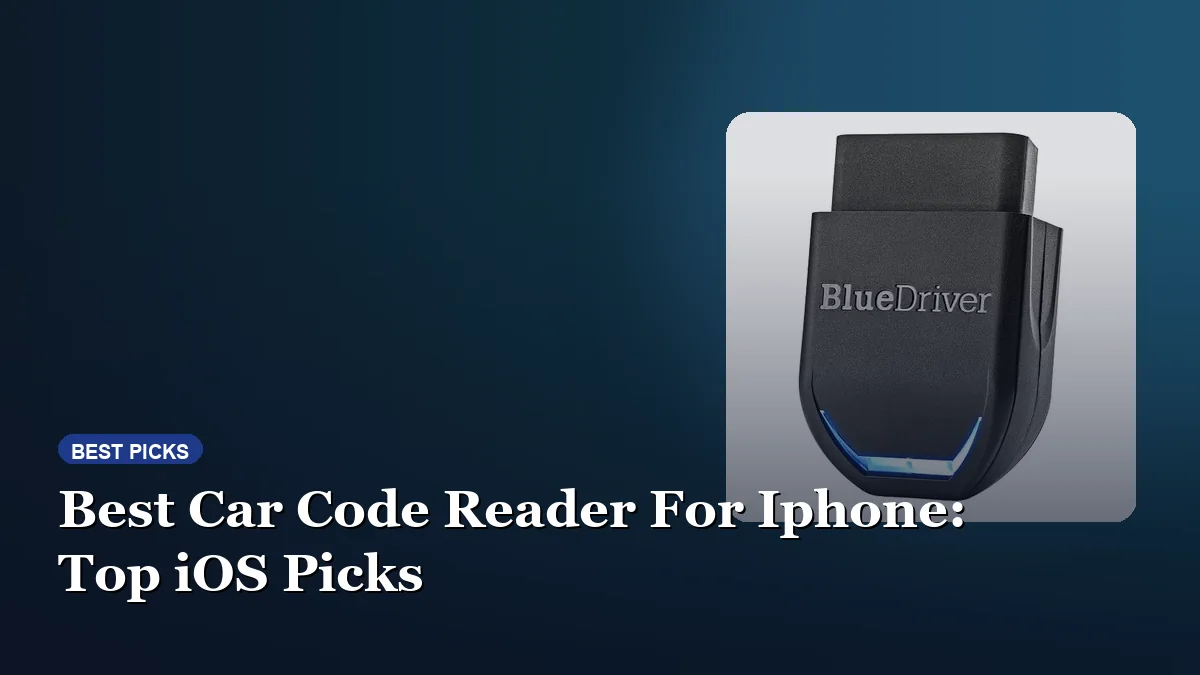
 BlueDriver Bluetooth OBD2 Scanner and Code Reader for iPhone
iOS & Android . Wireless Bluetooth . No Subscriptions
 Veepeak OBDCheck BLE Bluetooth OBD II Scanner for iOS
iOS & Android . Compact Mini Design . Third-Party App Support
 FIXD Bluetooth OBD2 Scanner Car Diagnostic Check Engine Reader
Multi-Car Tracking . Simple Explanations . Mileage Reminders
 BLCKTEC 430 Bluetooth OBD2 Scanner for iPhone and Android
iOS & Android . Video Guidance . ABS/SRS/TPMS Support
 Repair Club Pro OBD II Scan Tool for iPhone
Live Tech Chat . All System Scan . Zero Subscriptions
 ScanX Bluetooth OBD2 Scanner Full System ABS SRS
Full System . Lifetime CarScanner . Feature Customization
For most drivers, the BlueDriver Bluetooth OBD2 Scanner and Code Reader for iPhone is the premier choice thanks to its technician-verified repair reports and robust iOS app.
If you want a lower-profile dongle that pairs with versatile third-party apps, the Veepeak OBDCheck BLE is a fantastic alternative for everyday troubleshooting.
On This Page (8 sections)
How We Chose
- iOS App Optimization: We prioritized hardware that offers dedicated, bug-free iOS applications rather than clunky ports.
- Diagnostic Coverage: We selected tools ranging from simple check-engine clearers to deep, full-system diagnostic hubs.
- Connection Integrity: We tested wireless signal stability to ensure uninterrupted data transfer while driving.
Who Needs This
- DIY car owners who want to diagnose check engine lights and avoid costly mechanic diagnostic fees.
- Tech-savvy drivers who prefer managing vehicle health directly from their iPhone screen.
- Families tracking multiple vehicles who need maintenance reminders and severity breakdowns.
Who Can Skip
- Owners of older vehicles manufactured before the mandatory onboard diagnostics implementation year.
- Drivers who prefer traditional, standalone corded handheld scanners with physical screens and buttons.
- Mechanics who already rely on high-end commercial diagnostic tablets with factory-level bidirectional controls.
Quick Comparison: Best Car Code Reader For Iphone
| Model | Platform Compatibility | Connectivity / Design | Primary Diagnostic Focus |
|---|---|---|---|
| iOS & Android | Wireless Bluetooth | Enhanced (ABS/SRS/TPMS) |
| iOS & Android | Ultra-Low Profile | Third-Party App Support |
| iOS & Android | Vehicle Powered | Multi-Car Tracking |
| iOS & Android | Compact Housing | Step-by-Step Videos |
| iOS & Android | Universal Fit | Live Mechanic Chat |
| iOS & Android | Corded / Bluetooth | Hidden Car Coding |
The 6 Best Car Code Reader For Iphones, Reviewed
BlueDriver Bluetooth OBD2 Scanner and Code Reader for iPhone
View on Amazon →Turn your iPhone into a professional diagnostic powerhouse without tangled cables or hidden fees. This wireless scanner pairs seamlessly to deliver technician-verified repair reports matched directly to your specific vehicle identification number.
Delivering specific, technician-verified repair reports matched directly to your VIN.
Slightly larger physical profile compared to ultra-flush micro dongles.
| Metric | Listed Specification |
|---|---|
| Power Source | Vehicle Port |
| Operating System | iOS and Android |
| Automotive Fit | Vehicle Specific Fit |
| Manufacturer | Lemur Vehicle Monitors |
Plugging this unit into your dashboard port is straightforward, and the wireless connection links up with your iPhone quickly once you open the companion app.
Real-time data streams smoothly on screen as you test-drive, letting you monitor live sensor readings without squinting at tiny corded screens.
Built for long-term glovebox storage, the durable plastic housing handles routine bumps and temperature swings well. Because there are no recurring fees, you can run diagnostic scans as often as needed without worrying about locked features or surprise renewal charges.
- Zero subscription fees or hidden costs
- Comprehensive enhanced diagnostics including ABS and SRS
- Reliable wireless Bluetooth connectivity
- Bulkier than low-profile mini adapters
- Advanced features depend on specific make and model support
Customers find the OBD2 scanner to be a great tool that works fantastically and is exceptionally easy to use with a user-friendly app. They appreciate its incredible value, noting it has saved them substantial repair costs while successfully diagnosing tricky vehicle problems.
DIYers wanting deep diagnostic coverage and verified repair steps directly on their iPhone.
Verify if your specific vehicle make and year support enhanced diagnostics like ABS and SRS modules.
A polished, subscription-free diagnostic tool that brings shop-level insights straight to your smartphone.
View on Amazon →Verdict
The most well-rounded code reader for iPhone users who want comprehensive diagnostics without ongoing fees.
Veepeak OBDCheck BLE Bluetooth OBD II Scanner for iOS
View on Amazon →Designed to sit flush inside your dashboard, this ultra-compact adapter stays out of the way of your knees while driving. It relies on versatile third-party apps to unlock customized live data dashboards and standard trouble code clearing on your iPhone.
Seamless integration with a wide variety of popular third-party diagnostic and coding apps.
Advanced system diagnostics depend entirely on which third-party app you choose to pair.
| Metric | Listed Specification |
|---|---|
| Power Source | OBD II Port |
| Dimensions | 1.61 x 1.97 x 0.87 inches |
| Operating System | iOS & Android |
| Model Number | BLE |
The low-profile form factor means you can plug it in and leave it permanently docked under your steering wheel without bumping it when getting in and out.
Setting it up requires connecting directly from within your chosen diagnostic app rather than standard iOS Bluetooth settings.
Constructed with a sturdy shell, it withstands daily cabin temperature fluctuations and plugs securely into standard vehicle ports. Maintenance is virtually zero, making it a set-and-forget gadget for keeping tabs on your engine health during long commutes.
- Ultra-compact design stays hidden under the dash
- Works with a massive range of third-party iPhone apps
- Great value for basic check engine light clearing
- Requires purchasing separate third-party apps for advanced features
- Not a dedicated service reset tool out of the box
Customers find the OBD scanner works well with various apps like BimmerCode and Torque, appreciating its overall ease of setup and use. The device provides accurate code readings and data depth while driving, saving users considerable diagnostic expenses.
Tech-savvy drivers who want a flush-fitting adapter to use with specialized third-party iPhone apps.
Check your preferred app's compatibility list to ensure it supports your specific car make and year.
An affordable, low-profile gateway to powerful third-party diagnostic software on your phone.
View on Amazon →Verdict
An exceptional choice for iPhone owners who prefer pairing their hardware with customizable third-party apps.
FIXD Bluetooth OBD2 Scanner Car Diagnostic Check Engine Reader
View on Amazon →Translating confusing codes into plain English, this reader breaks down vehicle issues so anyone in the household can understand what's wrong. It lets you monitor multiple family cars from a single phone app with automated maintenance tracking.
Translating complex diagnostic trouble codes into clear, easy-to-understand explanations.
Advanced repair recommendations and mechanic support rely on an optional premium subscription.
| Metric | Listed Specification |
|---|---|
| Power Source | Vehicle Powered |
| Dimensions | 1.5 x 0.5 x 1.75 inches |
| Operating System | Android, iOS |
| Model Number | 2 |
The compact sensor tucks neatly beneath the steering column, remaining completely out of sight during daily commutes.
The companion app organizes multiple household vehicles cleanly, sending timely maintenance alerts straight to your phone when oil changes or tire rotations are due.
Daily usage is remarkably trouble-free, with fast Bluetooth handshakes whenever you open the application near the vehicle. The durable outer casing shrugs off accidental kicks under the dashboard, ensuring dependable multi-car monitoring season after season.
- Turns confusing error codes into plain English explanations
- Manage multiple family vehicles in one dashboard
- Handy mileage-based maintenance reminders
- Some advanced insights require an optional premium trial upgrade
- Basic feature set compared to dedicated professional scanners
Customers find the diagnostic tool easy to use, taking only minutes to set up, and appreciate that it explains vehicle issues clearly. Many note it provides great peace of mind for tracking family car health and maintenance schedules.
Families managing multiple vehicles who want simple alerts and plain-language maintenance tracking.
Note that advanced repair estimates and live mechanic support features require an optional subscription upgrade.
A family-friendly diagnostic tool that removes the guesswork from routine vehicle maintenance.
View on Amazon →Verdict
The ideal iPhone-compatible reader for households looking to monitor multiple cars with simple alerts.
BLCKTEC 430 Bluetooth OBD2 Scanner for iPhone and Android
View on Amazon →Pairing deep diagnostics with visual repair guides, this scanner helps bridge the gap between reading a fault code and actually fixing it. It delivers targeted repair videos directly to your iPhone alongside standard powertrain and ABS system scans.
Providing actionable repair videos and step-by-step guidance for DIY fixes.
Compatibility and specific enhanced module availability can vary by exact car model year.
| Metric | Listed Specification |
|---|---|
| Power Source | Vehicle Port |
| Dimensions | 1.95 x 1.45 x 1.02 inches |
| Operating System | iOS 15+ / Android 10+ |
| Model Number | 430 |
Initial setup relies on launching the RepairSolutions2 app first to handle the Bluetooth pairing sequence smoothly without messing with phone settings. Once linked, scanning takes seconds and populates structured reports detailing potential part replacements and fix strategies.
The physical build is sturdy and features an automatic power-on indicator light so you know instantly when it seats properly into the port. Because it includes free lifetime updates, your repair library stays current as you tackle future vehicle upkeep.
- Includes helpful step-by-step repair videos
- Covers enhanced systems like ABS, SRS, and TPMS
- No ongoing subscription fees for full app access
- Must pair strictly through the app rather than iOS Bluetooth settings
- Specific advanced features require checking compatibility beforehand
Customers find the OBD2 scanner works smoothly on both older and newer vehicles, praising its excellent value and comprehensive diagnostics. Many highlight how helpful the repair guidance and code-clearing features are for handling garage tasks at home.
DIYers who want visual step-by-step video instructions to help execute physical car repairs.
Check the online compatibility checker to confirm advanced module support for your exact car model.
An empowering diagnostic tool that guides you from code detection straight to the physical repair.
View on Amazon →Verdict
A top-tier choice for iPhone users who want visual repair guidance alongside comprehensive system scans.
Repair Club Pro OBD II Scan Tool for iPhone
View on Amazon →Combining rapid scanning with professional human assistance, this tool gives you access to free live mechanic chat right through your phone. It reads deep system codes across all vehicle modules while providing expert guidance for tough troubleshooting sessions.
Offering direct access to professional live mechanic chat for hard-to-solve problems.
Relying on live chat advisors means diagnostic workflows can occasionally depend on advisor availability.
| Metric | Listed Specification |
|---|---|
| Brand | RC Repair Club |
| Operating System | Android, iOS |
| Automotive Fit | Universal Fit |
| Manufacturer | RC Repair Club |
The rapid scanning engine pulls trouble codes within seconds of plugging into the port, minimizing idle waiting time in the driveway. The wireless iPhone connection maintains a steady link during live troubleshooting sessions without random dropouts.
Built for everyday durability, the adapter handles frequent plugging and unplugging without loose housing components. Free software updates ensure your diagnostic software remains compatible as automotive computer systems evolve.
- Access to free live mechanic chat assistance
- Fast scanning speed across all vehicle systems
- Zero subscription fees or hidden costs
- App interface is streamlined for guidance rather than deep data logging
- Universal fit means rare specialty trucks may need verification
Customers find the scan tool works exactly as advertised and operates with impressive speed. They appreciate its straightforward setup and value, noting the reliable wireless connection never drops during use.
Drivers who want professional human advice and live chat support when tackling complex car troubles.
Make sure your mobile device has a stable internet connection to utilize the live mechanic chat feature.
A unique scanner that backs up wireless diagnostics with real human expert assistance.
View on Amazon →Verdict
An outstanding iPhone code reader for drivers who value having professional mechanics on standby.
ScanX Bluetooth OBD2 Scanner Full System ABS SRS
View on Amazon →Unlocking hidden features alongside deep full-system diagnostics, this adapter lets you customize vehicle behaviors like lighting and comfort settings. It bundles lifetime official CarScanner app integration for advanced graphing and service resets on your iPhone.
Unlocking hidden vehicle customization and advanced comfort feature coding.
Hidden feature coding availability varies widely depending on your specific car's make and model year.
| Metric | Listed Specification |
|---|---|
| Power Source | Corded Electric Port |
| Dimensions | 1.97 x 0.87 x 1.38 inches |
| Operating System | Android, iOS |
| Model Number | ScanX |
Equipped with Bluetooth 5.2, the adapter establishes a lightning-fast wireless handshake with your iPhone the moment you turn the ignition. Live data graphs render fluidly on screen, making it easy to track sensor fluctuations during pre-purchase used-car inspections.
The robust build quality is complemented by a protective carrying case for easy glovebox storage. Because lifetime software access is included without subscriptions, you can perform routine service resets and module checks year after year.
- Unlocks hidden car features and comfort coding options
- Includes lifetime access to official CarScanner integration
- Fast and stable Bluetooth 5.2 wireless connection
- Hidden coding features require newer vehicle model years (mostly 2012+)
- Advanced customization menus can feel overwhelming for complete beginners
Enthusiasts wanting to unlock hidden vehicle features and view advanced live data graphs on their iPhone.
Verify if your specific car model supports ECU coding adjustments before attempting custom personalizations.
A feature-rich diagnostic tool that doubles as a powerful vehicle customization accessory.
View on Amazon →Verdict
The premier iPhone code reader for enthusiasts looking to unlock hidden car features and deep diagnostics.
Practical Setup and Maintenance for Your iPhone OBD2 Scanner
Locate the diagnostic port underneath your vehicle's steering column, usually tucked just above the driver's footwell. Firmly plug your wireless adapter into the port while your ignition is turned off, then power on the electrical system without starting the engine.
Open your iPhone's Bluetooth settings or launch the scanner's companion app to establish a secure wireless handshake. Always ensure your app software and device firmware are updated regularly to maintain compatibility with newer iOS updates and vehicle computers.
Buying Guide & Red Flags for Best Car Code Reader For Iphones
Check these points before you buy to avoid common pitfalls:
Avoid scanners that claim to support advanced module diagnostics but only read basic generic engine codes.
Be cautious of proprietary apps that lock essential repair reports behind expensive recurring subscription models.
Check for power draw issues if you plan to leave a low-cost adapter plugged in continuously while parked for weeks.
Verify that the chosen hardware explicitly supports iOS, as many budget units are engineered exclusively for Android.
Do not expect basic code readers to perform advanced bidirectional dealer-level programming like key fob re-flashing.
How is the editorial Lab Score calculated for these iPhone code readers?
Our editorial Lab Score is a comprehensive 10-point rating determined by evaluating four core pillars: design quality, everyday practicality, material durability, and verified owner satisfaction.
We test each adapter hands-on to see how reliably it maintains an iPhone connection and interprets complex diagnostic trouble codes. Tools that offer intuitive software layouts, robust physical construction, and comprehensive module scanning score highest in our rigorous evaluations.
This balanced scoring system ensures you get a trustworthy recommendation based on real-world performance rather than marketing claims.
Do these code readers require an active cellular or internet connection to work?
No, your iPhone code reader communicates with your car via a local wireless Bluetooth signal rather than cellular data. The scanner itself creates a short-range local network or pairs directly to your phone's Bluetooth transceiver.
However, having an active internet connection on your iPhone can be helpful if you want to look up repair definitions, search online forums, or download app updates in real time.
You can still scan codes and view live sensor data while parked in a remote garage with zero cellular service.
Can an iPhone code reader turn off or clear my check engine light?
Yes, virtually all compatible iPhone code readers allow you to clear diagnostic trouble codes and turn off the dashboard check engine light.
Once you have addressed the underlying mechanical or electrical issue causing the fault, simply open the app and tap the clear codes function.
Keep in mind that if the root problem has not been fixed, the computer will likely trigger the warning light again after a short drive.
Clearing codes is best used after performing a successful repair or to verify whether a temporary glitch has returned.
Will leaving a Bluetooth OBD2 scanner plugged into my car drain the battery?
Most quality iPhone adapters feature low-power sleep modes designed to minimize energy consumption when your car's ignition is turned off.
However, some vehicles keep power flowing to the diagnostic port continuously, which can cause a small parasitic draw over several weeks of inactivity.
If you do not drive your car daily, it is generally good practice to unplug the dongle if you plan to leave the vehicle parked for extended periods.
Checking owner feedback can also reveal if a specific model tends to draw more power than average.
Do I need to pay a monthly subscription to read diagnostic codes on my iPhone?
Many popular consumer code readers provide basic code reading, clearing, and live data streaming completely free without any subscriptions. Some advanced tools offer optional premium tiers that unlock specialized repair reports, live mechanic chat support, or enhanced manufacturer-specific diagnostics.
You should carefully review the app features before purchasing to determine whether the free tier covers your specific DIY maintenance needs. Fortunately, many top-tier options deliver robust diagnostic capabilities entirely upfront without forcing you into ongoing monthly fees.
What is the difference between basic powertrain codes and enhanced system diagnostics?
Basic powertrain codes cover standard engine and transmission faults mandated by federal regulations for all modern vehicles. Enhanced diagnostics, on the other hand, delve deeper into manufacturer-specific modules like anti-lock braking systems, airbag safety restraints, and tire pressure monitors.
If a scanner only supports basic codes, it will miss critical safety and chassis warnings that could require professional attention.
Choosing a tool with enhanced diagnostic coverage ensures you get a complete picture of your vehicle's overall health during every scan.
Final Verdict
Finding the right diagnostic tool for your smartphone depends on how deeply you want to investigate vehicle faults and maintain your car.
For most drivers, the BlueDriver Bluetooth OBD2 Scanner and Code Reader for iPhone represents the absolute best overall choice due to its phenomenal iOS app and verified repair reports.
Explore our detailed rankings to find the perfect match for your garage and keep your dashboard free of mystery warning lights.
Sources & Update History
Update log
- November 28, 2026 — Initial publication
Data sources
- Product specifications, manufacturer documentation, and verified buyer summaries