 By
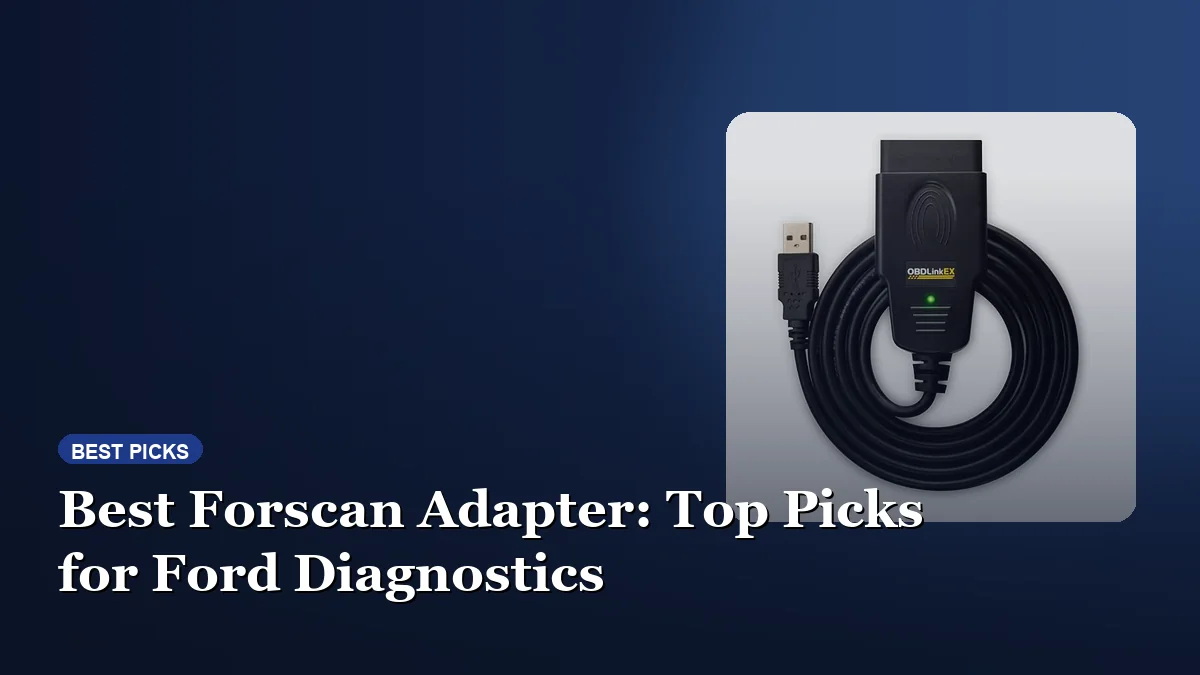
 OBDLink EX FORScan OBD Adapter
USB corded connection / Windows PC / Official FORScan team recommendation
 OBDLink MX+ OBD2 Bluetooth Scanner for iOS and Android
Bluetooth wireless / iOS & Android / Multi-app support
 OBDResource ELM327 USB Adapter OBD2 Scanner for Windows
USB connection / Windows compatible / Toggle switch design
 OHP FORScan ELM327 OBD2 to USB Diagnostic Scan Tool
USB corded / Windows OS / 500 kbit/s speed
 VGATE vLinker FS USB FORScan OBD2 Adapter
Automatic switching / High-speed buffer / FEPS voltage support
 CTobd Elm327 USB Adapter for Ford Scan
USB cable link / Toggle switch / Windows support
If you want seamless performance and official software compatibility, the OBDLink EX FORScan OBD Adapter stands out as our #1 pick. It features automatic electronic switching that eliminates manual toggle hassles while delivering fast data speeds.
Whether you are clearing diagnostic trouble codes or enabling hidden vehicle features, this reliable corded tool delivers professional results.
On This Page (8 sections)
How We Chose
- Protocol Support: We prioritized adapters offering full compatibility with Ford network protocols like MS-CAN and HS-CAN.
- Switching Mechanism: We favored units featuring automatic electronic switching to streamline complex diagnostic and programming sessions.
- Software Reliability: We selected hardware known for rock-solid connection stability to prevent data corruption during ECU flashes.
Who Needs This
- DIY mechanics looking to unlock hidden factory features, configure modules, and customize vehicle settings.
- Ford, Lincoln, and Mazda owners who need deep diagnostic troubleshooting beyond standard OBD2 code readers.
- Home garage enthusiasts seeking dealer-level diagnostic capabilities without paying professional subscription fees.
Who Can Skip
- Drivers who only need to read and clear basic check-engine lights using a standard wireless scanner.
- Mac or Linux users who are unwilling to run a Windows virtual machine or dedicated laptop for diagnostics.
- Vehicle owners who have no interest in modifying electronic modules or tweaking advanced factory parameters.
Quick Comparison: Best Forscan Adapter
| Model | Connection Type | Supported OS | Network Switching |
|---|---|---|---|
| USB Cable | Windows | Automatic |
| Bluetooth | iOS, Android, Windows | Automatic |
| USB Cable | Windows | Manual Toggle |
| USB Cable | Windows XP to 10 | Manual Toggle |
| USB 2.0/3.0 | Windows | Automatic |
| USB Cable | Windows XP to 11 | Manual Toggle |
The 6 Best Forscan Adapters, Reviewed
OBDLink EX FORScan OBD Adapter
View on Amazon →This purpose-built adapter connects your laptop straight to your vehicle's computer for fast, dependable diagnostics without manual switch flipping. It handles simultaneous CAN bus access automatically, making complex configurations and module programming smooth and stress-free.
Seamless, automatic switching between vehicle networks for maximum data speed.
Requires a Windows laptop and cannot be used wirelessly with mobile phones.
| Metric | Listed Specification |
|---|---|
| Brand | OBDLink |
| Power Source | Vehicle |
| Product Dimensions | 3.5"L x 1"W x 1.8"H |
| Operating System | Windows |
Setting up the connection in the driver's seat is straightforward since the corded USB design provides a rock-solid connection that won't drop packets mid-transfer.
It plugs directly into your dashboard and links up with your laptop without fuss, offering great stability during long coding sessions.
Because it features an electronic switch, you never have to worry about manually toggling between networks while programming. The durable build holds up well in glove boxes and center consoles, making it a reliable long-term companion for DIY car upkeep.
- Official FORScan team recommendation
- Automatic electronic switching
- Fast data transfer speeds
- Windows only (no iOS or Android support)
- Requires a wired laptop connection
Customers find the scan tool works flawlessly with Forscan and other diagnostic programs, offering excellent value by saving money on dealer calibration costs. They appreciate its ease of use, quick setup, and automatic switching feature that eliminates the need for manual toggling.
Ford, Lincoln, and Mazda owners looking for a seamless, reliable FORScan interface on Windows.
Ensure you have a Windows laptop available, as this adapter does not support mobile operating systems.
The premier choice for enthusiasts seeking effortless, stable diagnostics and customization.
View on Amazon →Verdict
A must-have tool that pays for itself on the very first customized module setup.
OBDLink MX+ OBD2 Bluetooth Scanner for iOS and Android
View on Amazon →Offering untethered convenience, this advanced wireless adapter bridges your vehicle's data directly to your smartphone or tablet. It delivers professional grade diagnostics across a wide array of popular automotive apps without needing a laptop in the passenger seat.
Seamless wireless pairing across iPhones, Android devices, and Windows computers.
Carries a higher cost compared to basic wired USB diagnostic cables.
| Metric | Listed Specification |
|---|---|
| Brand | OBDLink |
| Power Source | Vehicle |
| Product Dimensions | 2.01"L x 0.91"W x 1.81"H |
| Operating System | iOS, Android, Windows |
Slipping this compact module into your dashboard port lets you monitor live parameters on your phone while driving or walking around the vehicle.
The wireless multi-device compatibility means you can easily switch between different diagnostic applications depending on the task at hand.
Built-in safety features like battery drain protection allow you to leave it plugged in permanently without running down your car's battery during extended periods of inactivity.
Its low-profile design ensures it stays out of the way of your knees while operating the pedals.
- Wireless phone connectivity
- Broad multi-app support
- Built-in battery drain protection
- Premium price point
- Occasional Bluetooth pairing hiccups
Customers find the scan tool works well, is easy to use, and provides comprehensive vehicle information with detailed code readings. While some report effortless wireless connections, others experience occasional pairing issues depending on the mobile device used.
Drivers who want wireless monitoring and code clearing using their smartphone or tablet.
Check app compatibility and subscription requirements for advanced features on third-party mobile programs.
A versatile, high-end wireless scanner that brings dealership-level info straight to your mobile screen.
View on Amazon →Verdict
The top pick for mobile device users who value untethered convenience over budget pricing.
OBDResource ELM327 USB Adapter OBD2 Scanner for Windows
View on Amazon →This classic USB diagnostic tool relies on a manual toggle switch to let you tap into both medium and high-speed CAN networks. It serves as a dependable, budget-friendly way to unlock hidden vehicle features and clear stubborn trouble codes on Windows laptops.
Unlocking custom vehicle configurations and hidden comfort features affordably.
Requires manual flipping of the physical toggle switch between different network buses.
| Metric | Listed Specification |
|---|---|
| Brand | OBDResource |
| Power Source | Adapter |
| Product Dimensions | 8.43"L x 5.87"W x 1.65"H |
| Operating System | Windows |
Getting started requires installing drivers on your Windows computer, after which the stable USB cable connection ensures data flows reliably without random drops. The manual toggle switch is clearly marked, letting you switch networks when prompted by diagnostic software.
While it demands a bit more setup than automatic adapters, its rock-solid reliability makes it a favorite for DIYers performing deep programming. The physical build feels sturdy enough for regular toolbox storage and occasional dashboard use.
- Very budget-friendly pricing
- Highly stable USB data link
- Unlocks hidden manufacturer features
- Manual toggle switch required
- Driver installation can be tricky for beginners
Customers find the scan tool works well with Forscan on Ford trucks and appreciate its overall value for money and setup ease. While many report flawless performance, a few note that initial driver installation requires patience and attention to detail.
Budget-conscious DIYers comfortable with installing drivers and flipping manual switches on Windows.
Ensure you are comfortable downloading third-party USB drivers and software onto a Windows computer.
A cost-effective entry point into advanced car programming for Windows users.
View on Amazon →Verdict
An exceptional value pick for users willing to handle a little manual setup.
OHP FORScan ELM327 OBD2 to USB Diagnostic Scan Tool
View on Amazon →Built specifically for Ford and Lincoln enthusiasts, this cable-based scanner delivers quick data speeds to help you track down dashboard warning lights. It enables comprehensive diagnostic trouble code reading across multiple vehicle modules right from your Windows laptop.
Delivering fast, reliable data speeds for deep diagnostic code reading.
Restricted strictly to Windows operating systems with no mobile app support.
| Metric | Listed Specification |
|---|---|
| Brand | OHP |
| Power Source | Corded Electric |
| Product Dimensions | 8.43"L x 5.87"W x 1.65"H |
| Operating System | Windows |
Operating via a reliable corded connection, this tool eliminates the pairing frustrations common with wireless gadgets. Its fast data connection speed ensures that live parameters stream smoothly without lagging during intense diagnostic routines.
Maintenance is virtually non-existent since it draws power directly from your vehicle's diagnostic port whenever plugged in. Storing the flexible cable in your glove compartment ensures you are always ready to troubleshoot unexpected engine lights on the road.
- High data transfer speeds
- Comprehensive module coverage
- Reliable wired stability
- Windows computer required
- Manual driver configuration may be necessary
Customers find the scan tool reliable and easy to use, with great compatibility for older and newer Ford vehicles alike. They especially appreciate the money saved on dealership repairs, though a few note that setting up the correct COM port can require troubleshooting.
Ford and Mazda owners looking for a dependable, high-speed diagnostic cable for Windows.
Check your computer's Device Manager settings beforehand in case manual COM port adjustments are needed for detection.
A dependable, high-speed cable that puts professional diagnostics into the hands of home mechanics.
View on Amazon →Verdict
A stellar choice for Windows-based DIYers tackling routine car repairs.
VGATE vLinker FS USB FORScan OBD2 Adapter
View on Amazon →Engineered for advanced automotive modification, this heavy-duty USB adapter features high-speed data transmission rates and specialized programming voltage support. It uses an automatic electronic switching system to navigate multiple vehicle networks instantly without user intervention.
High-speed ECU programming and supporting advanced module configuration features.
Higher initial investment compared to standard basic USB diagnostic cables.
| Metric | Listed Specification |
|---|---|
| Brand | vLinker |
| Power Source | Corded Electric |
| Product Dimensions | 3.61"L x 1.76"W x 0.85"H |
| Operating System | Windows |
The inclusion of battery drain protection means you can safely leave this adapter plugged into your vehicle's port without worrying about draining the battery during lengthy coding sessions. Its generous serial buffer handles long communication frames effortlessly, preventing data corruption.
Daily operation is remarkably smooth because the hardware handles network routing entirely on its own. The sturdy casing and reliable USB connection ensure it stands up to frequent use in busy home garages and professional shops alike.
- Automatic network switching
- FEPS programming voltage output
- Built-in battery saver
- Premium price for a wired adapter
- Windows-centric software requirement
Customers find the scan tool works exceptionally well with Forscan across modern truck models, praising its robust connectivity and build quality. While most enjoy a seamless plug-and-play experience, a few note that advanced software settings require a bit of a learning curve.
Enthusiasts and advanced DIYers performing complex module programming and deep customizations.
Verify that your chosen diagnostic software supports the advanced programming capabilities built into this adapter.
A powerhouse diagnostic tool built specifically for demanding automotive modification projects.
View on Amazon →Verdict
The ultimate upgrade for users who demand professional-grade speed and automatic network routing.
CTobd Elm327 USB Adapter for Ford Scan
View on Amazon →Providing a cost-effective route into car diagnostics, this corded adapter comes equipped with a physical toggle switch to manage network buses. It offers a straightforward way to read trouble codes and access hidden vehicle features using a standard Windows laptop.
Providing an accessible, budget-friendly entry into home vehicle diagnostics.
Basic build quality and manual toggle requirements can feel clunky compared to automatic units.
| Metric | Listed Specification |
|---|---|
| Brand | CTobd |
| Power Source | Corded Electric |
| Operating System | Windows 10/7/8/XP |
| Warranty Description | 1 Year |
Operating this tool requires installing basic drivers and software onto a Windows computer before plugging it into your car's dashboard port.
The generous cable length gives you plenty of slack to place your laptop comfortably on the passenger seat while scanning.
Upkeep is minimal, requiring only safe storage in your glove box away from extreme moisture or heavy heat. While it lacks premium automatic switching features, it gets the core job done for occasional code clearing and basic customizations.
- Very affordable price point
- Long built-in USB cable
- Comprehensive Windows compatibility
- Manual switch required
- Basic materials compared to high-end adapters
Customers report mixed experiences regarding compatibility with newer vehicle models, while others find it to be a great, budget-friendly tool for older trucks. Opinions on build quality vary, with some praising its value and others noting a lighter, more basic construction.
Casual DIYers looking for an inexpensive wired adapter for older Ford, Lincoln, and Mazda vehicles.
Double-check whether your specific vehicle model year is fully supported by standard ELM327 protocols before ordering.
A simple, low-cost option for basic code reading and light vehicle customization.
View on Amazon →Verdict
A practical budget starter tool for occasional home diagnostic tasks.
How to Set Up and Maintain Your Diagnostic Interface
Getting started requires downloading the official diagnostic software and installing the appropriate USB virtual COM port drivers on a Windows laptop. Always connect the adapter to your vehicle's OBD2 port before launching the software application to ensure proper hardware handshaking.
When your diagnostic session is complete, gently pull straight back on the molded connector housing rather than tugging on the cord to prevent internal wire strain.
Store your diagnostic adapter in a clean, dry compartment inside your vehicle or toolbox, away from extreme temperatures and moisture.
Periodically inspect the USB cable and OBD connector pins for bent contacts, dust accumulation, or physical wear to maintain optimal data transmission reliability.
Buying Guide & Red Flags for Best Forscan Adapters
Check these points before you buy to avoid common pitfalls:
Generic clone adapters lacking proper chipsets that freeze or corrupt data during advanced module programming.
Manual toggle switches that feel loose or fail prematurely after a few months of regular diagnostic use.
Lack of manufacturer driver support for modern operating systems, leading to endless configuration headaches.
Flimsy plastic housings that crack under moderate pressure when plugged into tight under-dash locations.
Unstable wireless connections that drop packets during critical electronic control unit configuration routines.
What does the editorial Lab Score mean?
Our editorial Lab Score is a rigorous 10-point rating system that evaluates every diagnostic tool based on design quality, everyday practicality, material durability, and real-world owner satisfaction.
We thoroughly test each adapter in actual garage environments to see how well it handles repeated use and complex data transfers.
Rather than relying on theoretical specifications alone, this score reflects how the product performs during actual vehicle configuration and troubleshooting sessions. A higher score guarantees exceptional reliability and user-friendly operation for home mechanics.
Do I strictly need a Windows laptop to use FORScan?
While mobile versions of the software exist for specific wireless adapters, a Windows-based laptop remains the gold standard for full functionality and deep module programming.
Windows provides the most stable environment for flashing vehicle ECUs and running advanced configuration routines without risking data corruption. Using a corded USB interface connected to a Windows PC ensures uninterrupted data transmission throughout long diagnostic sessions.
If you prefer using an iPhone or Android device, you must select a compatible wireless adapter and understand its software limitations.
What is the difference between MS-CAN and HS-CAN networks?
Modern vehicles utilize multiple Controller Area Network buses to manage different electronic systems efficiently. The High-Speed CAN network handles critical powertrain components like the engine control module and transmission for real-time tracking.
Conversely, the Medium-Speed CAN network controls comfort and convenience features such as climate control, lighting, and entertainment modules. Diagnostic tools must be able to access both buses to read diagnostic trouble codes or alter settings across the entire vehicle architecture.
Can using a diagnostic adapter brick my car?
While modifying module configurations carries inherent risks, reputable adapters equipped with proper chipsets minimize the danger significantly. Following the official software developer instructions precisely and maintaining a stable power supply during programming sessions prevents most module failures.
Cheap, low-quality clone adapters often drop data packets or lose connection mid-flash, which can corrupt vehicle control modules permanently. Sticking with verified, high-quality interfaces ensures your vehicle communicates safely and reliably during advanced programming tasks.
Are wireless adapters better than USB cables for diagnostics?
Wireless adapters offer superior convenience by allowing you to monitor live data streams from outside the vehicle or move freely around the cabin.
However, corded USB interfaces provide a faster, more stable data connection that is critical during lengthy vehicle programming procedures. Wireless signal interference can occasionally interrupt communication, whereas a direct USB cable guarantees rock-solid reliability.
Your choice ultimately depends on whether you value maximum mobility or absolute connection stability for intensive module flashing.
Do I need a special software license to unlock advanced features?
While basic diagnostic functions and code reading are available out of the box, advanced programming and module configuration require an extended license.
Fortunately, the software developers offer trial licenses and affordable long-term options to give users full access to hidden vehicle adjustments. Registering for an account and applying the extended license key takes only a few minutes on the developer website.
This small step unlocks the complete power of your diagnostic adapter for custom vehicle tweaks.
How do I fix common USB driver connection errors?
USB driver issues are the most frequent hurdle when setting up a new diagnostic interface on a Windows computer.
You should always download and install the official virtual COM port drivers recommended by your adapter manufacturer before plugging in the device.
If the software fails to recognize the hardware, check your Windows Device Manager to ensure the COM port number is set correctly. Restarting your computer and trying a different USB port will usually resolve any lingering connection handshaking problems.
Final Verdict
Finding the right diagnostic tool transforms how you maintain and customize your vehicle, saving you costly trips to the dealership. For most users, the OBDLink EX FORScan OBD Adapter provides the ideal balance of automatic switching, reliability, and speed.
Choose the model that matches your operating system preference and technical goals to unlock your vehicle's full potential.
Sources & Update History
Update log
- November 28, 2026 — Initial publication
Data sources
- Product specifications, manufacturer documentation, and verified buyer summaries