 By
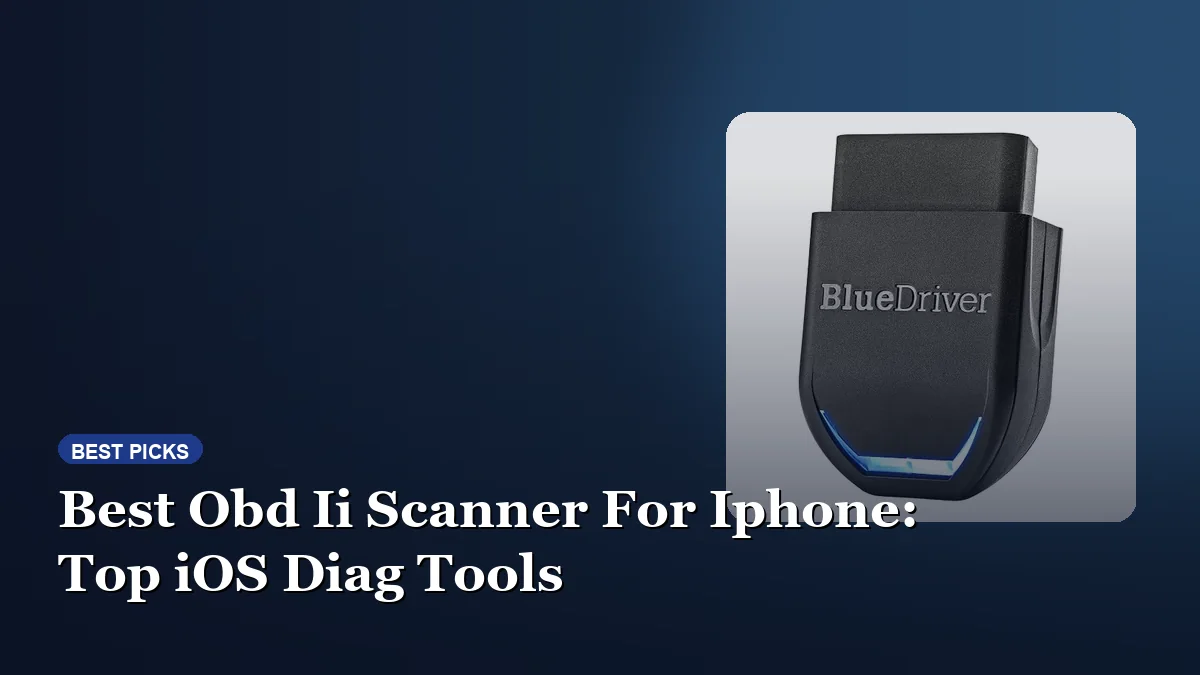
 BlueDriver OBD2 Scanner Bluetooth for iPhone and Android
Wireless Bluetooth . iOS & Android . No Subscriptions
 Veepeak OBDCheck BLE Bluetooth OBD II Scanner
Bluetooth LE . iOS & Android . Compact Design
 XTOOL A30M Bidirectional Full System OBD2 Scanner
Bidirectional Control . Full Systems . Lifetime Updates
 OBDeleven 3 Bluetooth OBD2 Diagnostic Scanner Tool
VAG & BMW Licensed . One-Click Apps . iOS & Android
 CAR2LS ScanX Bluetooth OBD2 Full System Scanner
Bluetooth 5.2 . Full Systems . Lifetime Access
 Repair Club Pro OBD II Scan Tool
Live Tech Chat . Enhanced Codes . 1996+ Vehicles
The BlueDriver OBD2 Scanner Bluetooth for iPhone and Android stands out as the ultimate choice for most drivers, offering professional-grade diagnostics, live data graphing, and verified repair database access without any hidden subscription fees.
If you need a more budget-friendly pocket adapter or advanced bidirectional controls, our tested roundup highlights the best options for your specific vehicle and diagnostic needs.
On This Page (8 sections)
How We Chose
- Wireless Reliability: We prioritized adapters with robust Bluetooth connectivity that maintain a steady connection to iOS devices without frequent dropouts.
- Diagnostic Depth: We looked for tools offering comprehensive live data graphing and multi-system scanning rather than basic engine-light readers.
- App Usability: We favored hardware supported by intuitive, regularly updated mobile apps that translate complex error codes into actionable repair steps.
Who Needs This
- DIYers looking to diagnose check engine lights and monitor live engine parameters directly on their smartphone.
- Used-car buyers wanting a portable tool to quickly scan multiple vehicle systems before making a purchase.
- Car enthusiasts needing advanced coding, live data graphing, or bidirectional control features.
Who Can Skip
- Drivers who prefer traditional standalone diagnostic tablets with built-in physical screens and buttons.
- Vehicle owners who only ever visit professional mechanics for routine maintenance and warning lights.
- Drivers of pre-1996 vehicles that lack standard OBD-II diagnostic ports.
Quick Comparison: Best Obd Ii Scanner For Iphone
| Model | Platform & Connection | Core Feature / Type | Vehicle Coverage |
|---|---|---|---|
| iOS & Android, Bluetooth Wireless | No Subscriptions / Verified Fixes | 1996+ Gas Vehicles |
| iOS & Android, Bluetooth LE | Compact Pocket Design | Universal OBD-II Fit |
| iOS & Android, 33-Ft Wireless | Bidirectional Full Systems | Universal Fit (Gateway extra) |
| iOS & Android, Bluetooth | One-Click Coding Apps | VAG & BMW Licensed |
| iOS & Android, Bluetooth 5.2 | Full System Scan | Universal Fit |
| iOS & Android, Wireless | Free Live Tech Chat Support | 1996+ All Makes |
The 6 Best Obd Ii Scanner For Iphones, Reviewed
BlueDriver OBD2 Scanner Bluetooth for iPhone and Android
View on Amazon →Turning your iPhone into a professional-grade diagnostic center is straightforward with this plug-and-play adapter that pairs wirelessly via Bluetooth. It goes far beyond basic code readers by delivering technician-verified repair reports matched directly to your specific vehicle identification number.
Providing comprehensive, verified repair fixes with zero subscription fees.
Bluetooth pairing can occasionally require troubleshooting depending on your phone's operating system.
| Metric | Listed Specification |
|---|---|
| Operating System | iOS and Android |
| Automotive Fit | Vehicle Specific Fit |
| Power Source | Vehicle Port |
| Subscription | None (Free Updates) |
Slipping this compact module into your car's lower dash port takes seconds, instantly linking your iPhone to a clean, highly polished companion app.
Live sensor monitoring feels responsive as you drive down the highway, displaying data streams without lag or annoying dropouts.
Because it operates entirely subscription-free with lifetime app updates, long-term ownership is remarkably stress-free. The robust build handles being tossed into a glove compartment or center console without skipping a beat.
- No subscription fees ever
- Verified repair reports matched to VIN
- Enhanced diagnostics for ABS and SRS
- Occasional Bluetooth pairing quirks
- Pricier upfront investment than basic dongles
Customers find the OBD2 scanner to be a great tool that works fantastically and is easy to use with a user-friendly app. They appreciate that it has saved them money and praise its diagnostic capabilities, though some note occasional Bluetooth pairing hurdles.
Daily drivers and DIY mechanics who want clear, actionable repair advice without recurring subscription fees.
Check the specific vehicle compatibility chart for advanced features on newer or less common models.
The gold standard for iPhone users wanting dealer-level insights without monthly fees.
View on Amazon →Verdict
An indispensable tool for anyone looking to decode check engine lights and handle routine repairs at home.
Veepeak OBDCheck BLE Bluetooth OBD II Scanner
View on Amazon →Measuring just over an inch and a half wide, this ultra-compact adapter sits flush in your dashboard port without snagging your knees while driving. It relies on third-party mobile apps to transform your iPhone into a flexible dashboard monitor and standard code reader.
Delivering affordable, pocket-sized standard OBD-II diagnostics through popular third-party mobile apps.
Advanced manufacturer-specific diagnostics depend entirely on purchasing and configuring compatible third-party software.
| Metric | Listed Specification |
|---|---|
| Operating System | iOS & Android |
| Power Source | OBD II Port |
| Fit Type | Universal Fit |
| Connectivity | Bluetooth LE |
Setting up the connection involves pairing directly within your chosen diagnostic app rather than standard phone Bluetooth settings, which trips up some first-time users.
Once linked, the low-energy Bluetooth protocol maintains a steady stream of live engine telemetry right to your iPhone screen.
Its tiny footprint means you can easily leave it plugged in permanently without draining your vehicle's battery during short parking intervals. The unassuming plastic shell holds up well to routine insertion and removal cycles.
- Ultra-compact flush design
- Works with a wide range of third-party apps
- Budget-friendly entry point
- Not a full-system scanner out of the box
- Requires third-party app configuration
Customers find the OBD scanner works well with various apps like BimmerCode and Torque, appreciating its ease of setup and accurate code reading. While most enjoy seamless data streaming while driving, a few users experience intermittent connection drops.
Budget-conscious iPhone owners who want to monitor live engine data and clear basic trouble codes using favorite third-party apps.
Verify that your preferred third-party app supports your specific vehicle brand and desired advanced features.
A clever, budget-friendly gateway to mobile vehicle monitoring for everyday drivers.
View on Amazon →Verdict
An excellent minimalist choice for reading basic codes and tracking live data on a budget.
XTOOL A30M Bidirectional Full System OBD2 Scanner
View on Amazon →Bringing professional shop capabilities to your driveway, this robust wireless adapter offers full bidirectional control to command components like fuel pumps and windows directly from your iPhone. It scans every available vehicle system—from transmissions to airbags—backed by lifetime software updates.
Executing active component tests and full system diagnostics with lifetime free updates.
Requires separate registration and fees for specific advanced gateway protocols like FCA AutoAuth.
| Metric | Listed Specification |
|---|---|
| Operating System | iOS, Android |
| Connectivity | Bluetooth 4.0 |
| Reset Functions | 26 Service Resets |
| Power Source | OBD II Port |
The stable wireless connection lets you sit comfortably inside your garage while commanding wipers, doors, or engine components without needing an assistant. Multi-stream live data graphs render smoothly on mobile displays, giving you instant visual cues on performance trends.
Built for enthusiastic DIYers tackling complex mechanical repairs, the hardware feels substantial and dependable over long diagnostic sessions. The absence of yearly subscription fees makes investing time into mastering its extensive reset menu worthwhile.
- Full bidirectional active testing
- Covers all vehicle control systems
- Lifetime free software updates
- FCA AutoAuth requires separate registration fee
- Steeper learning curve for beginners
Customers find the scan tool to be a high-quality device performing comparably to expensive professional bidirectional scanners. They appreciate its detailed diagnostic information and lifetime updates, though a few encounter occasional Bluetooth pairing hurdles.
Dedicated DIY mechanics and enthusiasts needing deep system diagnostics and active component testing.
Confirm if your modern vehicle model requires a separate paid gateway authorization like FCA AutoAuth.
A powerhouse diagnostic tool that bridges the gap between home mechanics and professional repair shops.
View on Amazon →Verdict
Unmatched capability for advanced users looking to perform active tests and full-system resets from an iPhone.
OBDeleven 3 Bluetooth OBD2 Diagnostic Scanner Tool
View on Amazon →Tailored specifically for European vehicle owners, this official manufacturer-licensed adapter lets you unlock hidden comfort and safety features on your car with a simple tap on your iPhone. While basic code scanning is straightforward, its signature credit-based system unlocks deep adaptations and retrofits.
Providing effortless, app-based vehicle coding and hidden feature activation for European cars.
Advanced coding features and One-Click Apps require continuous internet access and paid credits or higher-tier plans.
| Metric | Listed Specification |
|---|---|
| Operating System | Android 8.0+, iOS 16.6+ |
| Power Source | OBD II Port |
| Dimensions | 1.5 x 1.5 x 3 inches |
| Licensing | Official Manufacturer Licenses |
Snapping the dongle into place opens up a sleek app interface designed to make complex coding accessible without writing raw lines of code. Adjusting lighting behavior, digital dash layouts, or comfort windows feels remarkably seamless on supported European platforms.
The hardware itself is sleek and unobtrusive, though relying on an active cloud connection means you need a stable cellular or Wi-Fi signal while working in the garage.
Casual drivers looking for universal fault code reading might find the credit and subscription tiers unnecessarily complex.
- Official manufacturer licenses for VW and BMW
- Easy one-click hidden feature activation
- Clean, modern mobile app design
- Relies on credit system for custom features
- Requires active internet connection during use
Customers find the diagnostic tool simple to use and appreciate its deep customization features for European vehicles. However, feedback on value is mixed due to the credit-based pricing model and the requirement for premium plans to access advanced functions.
Owners of European vehicles who want to customize hidden settings and perform advanced adaptations from an iPhone.
Check whether your specific vehicle model requires paid credits or a subscription tier for your desired customizations.
The ultimate customization companion for European car enthusiasts, provided you don't mind the credit system.
View on Amazon →Verdict
A specialized tool that excels at unlocking hidden car features, though casual users should mind the tiered app costs.
CAR2LS ScanX Bluetooth OBD2 Full System Scanner
View on Amazon →Bundled with lifetime access to robust third-party diagnostic software, this adapter establishes a rock-solid Bluetooth connection to scan your car's engine, ABS, and airbag modules. It serves as an invaluable pre-purchase screening tool, uncovering hidden trouble codes before you commit to a used vehicle.
Delivering full-system diagnostics and live data graphing with lifetime software integration.
Advanced service resets and coding capabilities vary widely depending on the specific vehicle make and model year.
| Metric | Listed Specification |
|---|---|
| Operating System | Android, iOS |
| Connectivity | Bluetooth 5.2 |
| Power Source | Corded Electric (OBD Port) |
| Dimensions | 1.97 x 0.87 x 1.38 inches |
Upgraded Bluetooth 5.2 technology ensures a remarkably snappy wireless link, updating live graphs and parameter IDs on your iPhone screen without lag.
The physical dongle is compact enough to stay out of the way when plugged into lower steering column ports.
Because it includes lifetime app integration without recurring fees, it remains a cost-effective addition to your glove box for routine maintenance checks. The hardware cleans up easily and withstands frequent travel between multiple family vehicles.
- Rock-solid Bluetooth 5.2 connection
- Full-system ABS and SRS diagnostics
- Lifetime access with no subscriptions
- Coding feature availability varies by year
- Limited documentation for niche vehicle modules
Shoppers inspecting used cars and DIYers wanting full-system diagnostics without recurring fees.
Verify module support for your car's specific year and model if you require niche maintenance resets.
A reliable, subscription-free full-system scanner that turns an iPhone into a powerful pre-purchase inspection rig.
View on Amazon →Verdict
A smart, frustration-free choice for comprehensive vehicle scanning without monthly bills.
Repair Club Pro OBD II Scan Tool
View on Amazon →Standing out with built-in access to professional mechanic advice, this wireless scanner pairs with your iPhone to diagnose enhanced codes across all vehicle systems. Whenever you encounter a stubborn mechanical puzzle, the companion app connects you directly to live tech support at no extra charge.
Providing free live mechanical guidance alongside comprehensive all-system vehicle scanning.
Relies heavily on app support and chat assistance for interpreting complex multi-system faults.
| Metric | Listed Specification |
|---|---|
| Operating System | Android, iOS |
| Vehicle Fit | Universal Fit 1996+ |
| Power Source | Vehicle Port |
| Updates | Lifetime Free Support |
Plugging the adapter in initiates a rapid diagnostic sweep across your car's network, displaying trouble codes and likely fixes within seconds.
The wireless mobile link stays stable during testing, allowing you to walk around the vehicle while consulting repair tips on your phone.
Free ongoing software updates and built-in human chat support give home mechanics extra confidence when tackling unfamiliar warning lights. The streamlined hardware footprint stores neatly in any center console pocket.
- Free live mechanic chat assistance
- Enhanced diagnostics for ABS and SRS
- No subscription fees with free updates
- Diagnostic depth depends on mobile app prompts
- Less suited for advanced custom ECU coding
Customers find the scan tool works as advertised and is extremely fast. They appreciate its simple setup, steady wireless connection, and overall value for money.
Everyday drivers who want expert mechanical guidance paired with their diagnostic scans.
Ensure you have an active internet connection on your phone if you plan to utilize the live tech chat feature.
A uniquely supportive diagnostic tool that backs up your iPhone scans with real human repair advice.
View on Amazon →Verdict
An excellent pick for DIYers who appreciate having professional mechanical backup right in their pocket.
Setting Up and Maintaining Your Wireless OBD-II Scanner
To get the most out of your iPhone diagnostic tool, plug the adapter firmly into your vehicle's OBD-II port, usually located underneath the driver's side dashboard.
Turn your vehicle's ignition to the ON position without starting the engine, open your chosen diagnostic app, and pair the device via Bluetooth settings or directly within the app interface.
Always remember to unplug compact adapters if you plan to leave your vehicle parked for extended periods to prevent battery drain, and keep your smartphone operating system and companion app updated for optimal compatibility.
Buying Guide & Red Flags for Best Obd Ii Scanner For Iphones
Check these points before you buy to avoid common pitfalls:
Beware of cheap clone adapters that fail to connect reliably or lack support for standard diagnostic protocols.
Check for hidden subscription paywalls that lock essential diagnostic features behind expensive monthly fees.
Avoid scanners that lack firmware update support, as they quickly become obsolete with newer iOS versions.
Verify whether advanced features like car coding require purchasing separate software credits or tokens.
Ensure the physical dimensions of the scanner do not interfere with your knees or legs while driving.
How do I connect an OBD-II scanner to my iPhone?
Connecting an OBD-II scanner to your iPhone is a straightforward wireless process that relies on Bluetooth technology instead of physical cables. First, plug the scanner securely into your car's diagnostic port under the driver's side dash.
Next, open the companion mobile app downloaded from the App Store and follow the on-screen prompts to pair the device. Many modern Bluetooth LE adapters connect directly within the app rather than through your phone's main Bluetooth settings menu.
Once linked, turn your ignition to the auxiliary position to begin reading fault codes and viewing live engine telemetry.
Do I need a cellular or Wi-Fi connection while using the scanner?
Most core diagnostic functions—such as reading engine codes, clearing check engine lights, and monitoring live sensor data—operate entirely offline using the local Bluetooth link between your iPhone and the adapter.
However, having an active internet connection can be quite beneficial when you need to look up repair definitions, download vehicle-specific database updates, or access cloud-based repair libraries.
If you are diagnosing a vehicle in a remote garage or driveway without cellular service, you will still be able to scan and clear codes seamlessly. Just ensure you download any necessary vehicle software packages beforehand for the smoothest experience.
Can an iPhone OBD-II scanner clear a check engine light?
Yes, virtually every OBD-II scanner compatible with iOS can successfully clear check engine lights and reset emission monitors after you have addressed the underlying mechanical or electrical issue.
When you tap the clear codes button in your companion app, the scanner sends a reset command to your vehicle's powertrain control module.
Keep in mind that simply clearing a diagnostic trouble code without fixing the root cause will usually cause the warning light to return after a few driving cycles.
Additionally, clearing codes temporarily resets your vehicle's internal emission readiness monitors, which you will need to complete before passing a state inspection.
What is the difference between basic code readers and full-system scanners?
Basic code readers primarily focus on the powertrain control module, letting you read and clear standard engine and transmission fault codes.
Full-system scanners, on the other hand, communicate with every electronic control unit in your vehicle, including airbags, anti-lock brakes, tire pressure monitoring, body control modules, and climate systems.
While a basic adapter is usually sufficient for checking sudden check engine lights, a full-system tool is essential for diagnosing complex electrical gremlins or safety system warnings.
Choosing the right option depends entirely on your mechanical experience and how deeply you want to investigate vehicle faults on your own.
Will leaving the OBD-II adapter plugged in drain my car battery?
Leaving an OBD-II adapter plugged into your vehicle's diagnostic port can potentially drain your car battery, though the risk varies significantly by model.
Many high-quality Bluetooth LE adapters feature built-in sleep modes or ultra-low power consumption designed to safely remain plugged in indefinitely without draining a healthy battery.
However, cheaper or older Bluetooth units may continuously draw power from the constant 12-volt circuit, which can deplete your battery if the vehicle sits parked for several days or weeks.
To play it safe, we recommend unplugging compact adapters when your car will be parked for an extended period.
What does the Lab Score evaluate in your reviews?
Our 10-point Lab Score is a comprehensive editorial rating that combines real-world design quality, everyday practicality, material durability, and verified owner satisfaction.
We do not rely on automated mathematical formulas or arbitrary star averages; instead, our expert reviewers rigorously test each iPhone-compatible scanner in actual garage environments.
We evaluate how reliably the hardware connects to iOS devices, the clarity and depth of the companion diagnostic software, and the overall value provided relative to competing tools.
This hands-on scoring system ensures you can easily identify high-performing diagnostic equipment that delivers genuine reliability and ease of use.
Are there subscription fees for iPhone OBD-II apps?
Subscription fee models vary considerably across different OBD-II scanner brands and their respective companion apps. Some manufacturers include lifetime app access, robust repair databases, and regular updates bundled directly into the initial hardware purchase price.
Other brands offer a capable free tier for basic code reading while locking advanced coding, bi-directional controls, or detailed manufacturer-specific diagnostics behind recurring subscriptions.
When shopping for an iPhone-compatible scanner, it is essential to check whether advanced features require ongoing payments so you can accurately assess the true long-term cost of ownership.
Final Verdict
Choosing the best iPhone-compatible diagnostic tool depends on whether you need simple code-clearing or advanced mechanical controls.
For the ultimate balance of features, ease of use, and verified repair data without hidden fees, the BlueDriver OBD2 Scanner Bluetooth for iPhone and Android remains our top overall recommendation for every driver.
Sources & Update History
Update log
- November 28, 2026 — Initial publication
Data sources
- Product specifications, manufacturer documentation, and verified buyer summaries