 By
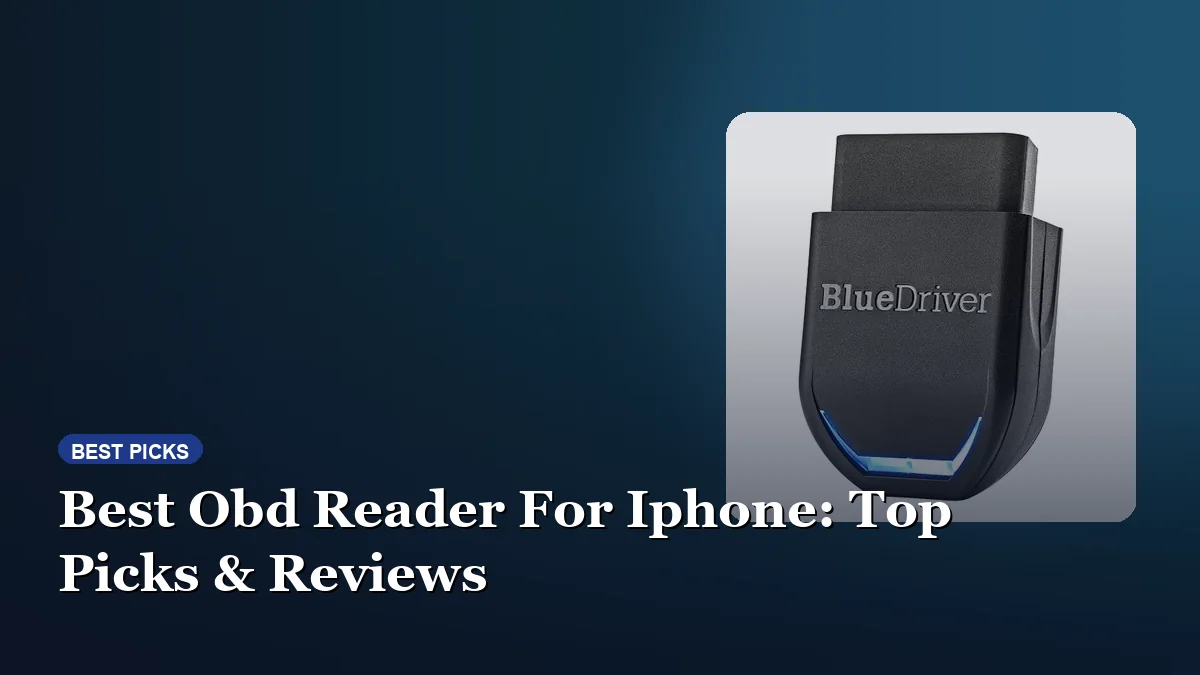
 BlueDriver OBD2 Scanner Bluetooth for iPhone and Android
iOS & Android . Wireless OBD2 . No Subscriptions
 Veepeak OBDCheck BLE Bluetooth OBD II Scanner for iOS
Bluetooth LE . iOS & Android . Compact Mini Design
 UMEIJA OBD2 Scanner Diagnostic Tool for iOS and Android
Bluetooth 5.4 . Live Visual Data . Universal Fit
 LONAUTO OBD2 Scanner Bluetooth Wireless Car Diagnostic Tool
BLE 5.4 . Free AutoOBDII App . Pocket-Sized
 ikoscan OBD2 Bluetooth Scanner with AI and All-System Diagnostics
AI Repair Guidance . All-System Scans . 6 Reset Services
 Repair Club Pro OBD II Scan Tool for iPhone
Free Live Chat . Professional Enhanced . No Subscriptions
Looking for the best obd reader for iphone comes down to balancing wireless reliability and comprehensive repair data, which is why the BlueDriver OBD2 Scanner Bluetooth for iPhone and Android stands out as our top pick.
Whether you want to clear a check engine light or track live sensor data, pairing your iOS device with a high-performing adapter turns your phone into a professional-grade dashboard.
On This Page (8 sections)
How We Chose
- Wireless Reliability: Seamless iOS pairing is non-negotiable for a frustration-free diagnostic experience on the road.
- App Usability: We prioritized apps that offer clear definitions and actionable repair steps rather than just raw code numbers.
- Diagnostic Depth: Comprehensive system coverage ranging from basic powertrain codes to advanced ABS and airbag scans.
Who Needs This
- DIY car owners who want to diagnose and clear check engine lights without visiting a mechanic.
- Commuters and road-trippers looking for real-time engine telemetry and fuel economy monitoring on their iPhones.
- Used car shoppers who need a portable tool to quickly scan a vehicle before making a purchase.
Who Can Skip
- Drivers who strictly prefer standalone handheld diagnostic tablets with built-in screens and buttons.
- Vehicle owners with older cars lacking standard OBD-II ports typically manufactured before nineteen-ninety-six.
- Drivers who never want to deal with smartphone app updates, permissions, or Bluetooth pairing steps.
Quick Comparison: Best Obd Reader For Iphone
| Model | Platform & Connection | App Support & Subscription | Key Diagnostic Feature |
|---|---|---|---|
| iOS & Android, Wireless Bluetooth | Native App, No Subscriptions | Verified Repair Reports |
| iOS & Android, Bluetooth LE | Third-Party Apps, Varies | Vast App Ecosystem |
| iOS, Android, Windows, BT 5.4 | Visual App, No Subscriptions | Live Visual Charts |
| iOS, Android, Windows, BLE 5.4 | Free AutoOBDII App | One-Click Diagnostic |
| iOS & Android, Wireless | AI App, 1-Yr Free Resets | AI Repair Guidance |
| Android, iOS, Wireless | Free Live Chat App | Professional Live Support |
The 6 Best Obd Reader For Iphones, Reviewed
BlueDriver OBD2 Scanner Bluetooth for iPhone and Android
View on Amazon →Turns your iPhone into a garage-tier diagnostic center without cumbersome wires or hidden fees. It delivers precise, technician-verified repair reports matched directly to your vehicle's VIN to eliminate guesswork during repairs.
Delivering comprehensive, verified repair reports matched to your vehicle's specific VIN.
Carries a higher upfront investment compared to basic code readers.
| Metric | Listed Specification |
|---|---|
| Operating System | iOS and Android |
| Power Source | Vehicle OBD Port |
| Automotive Fit | Vehicle Specific Fit |
| Language | English |
Setting up the BlueDriver is refreshingly straightforward; plug it into your lower dash port, open the app on your iPhone, and let it sync wirelessly in seconds.
The interface guides you smoothly through complex diagnostics, turning intimidating warning lights into clear, actionable steps.
Built for long-term reliability in daily driver trunks or glove boxes, it maintains a solid connection during live data runs.
Because there are no recurring fees or unexpected paywalls, you can keep checking live engine parameters as often as you like without worrying about extra costs.
- No recurring subscription fees
- Comprehensive enhanced diagnostics
- Reliable wireless iPhone connection
- Higher initial cost
- Bluetooth pairing can occasionally lag
Owners love that the app is exceptionally user-friendly and has saved them significant money on mechanic diagnostic fees. While most experience seamless operation, a few note occasional Bluetooth pairing hiccups.
Car owners who want professional-grade diagnostics and verified fixes without a subscription.
Confirm compatibility with your specific vehicle make and model year.
The premier choice for iPhone users seeking deep diagnostics and professional repair guides.
View on Amazon →Verdict
An indispensable tool that pays for itself the first time a check engine light flicks on.
Veepeak OBDCheck BLE Bluetooth OBD II Scanner for iOS
View on Amazon →Designed with an ultra-compact footprint, this scanner stays completely out of the way while driving your daily commute. It acts as a reliable bridge between your vehicle's computer and a wide variety of popular third-party iOS diagnostic applications.
Seamlessly integrating with a vast ecosystem of third-party diagnostic apps.
Limited standard OBD-II functions unless paired with specialized apps that may require separate purchases.
| Metric | Listed Specification |
|---|---|
| Product Dimensions | 1.61 x 1.97 x 0.87 inches |
| Operating System | iOS & Android |
| Power Source | OBD II Port |
| Automotive Fit | Universal Fit |
Slipping effortlessly into your car's lower dashboard, the Veepeak sits flush enough that you won't accidentally kick it with your knee.
Pairing requires connecting directly from within your chosen third-party app rather than standard iOS Bluetooth settings, which streamlines the initial setup once you know the trick.
Daily living with this adapter is hassle-free due to its low power draw and durable micro design. It handles routine check engine light clearing and live sensor monitoring smoothly, making it a reliable glove box companion for impromptu health checks.
- Ultra-compact mini design
- Works with popular third-party apps
- Great value for basic code clearing
- Advanced features require separate app purchases
- App-dependent connectivity setup
Buyers appreciate how well it pairs with popular third-party apps like BimmerCode to deliver accurate, real-time data while driving. A few users mention that establishing the initial connection requires careful following of app-specific instructions.
Tech-savvy drivers who want to customize their vehicle using third-party iOS apps.
Verify whether your desired car features require an app subscription or separate purchase.
A versatile, pocket-sized adapter that unlocks advanced customization when paired with the right apps.
View on Amazon →Verdict
An exceptional budget-friendly gateway for iPhone users looking to explore third-party car apps.
UMEIJA OBD2 Scanner Diagnostic Tool for iOS and Android
View on Amazon →Upgraded with advanced Bluetooth 5.4 technology, this diagnostic tool provides exceptionally fast and stable wireless pairing with your smartphone. It translates raw engine numbers into clear, real-time visual charts so you can easily monitor coolant temperature and engine speed at a glance.
Displaying live diagnostic data in easy-to-understand visual performance charts.
Requires manual unplugging when not in use to prevent gradual vehicle battery drain.
| Metric | Listed Specification |
|---|---|
| Product Dimensions | 3.8 x 2.5 x 3.8 inches |
| Operating System | Android/iOS/Windows |
| Power Source | Wireless Power |
| Automotive Fit | Universal Fit |
The upgraded wireless chip makes establishing a connection swift and reliable, cutting down on the pairing frustrations common with older Bluetooth accessories.
Its dedicated mobile app lays out engine parameters cleanly, helping everyday drivers interpret complex metrics without needing a mechanic background.
Construction is solid for a desktop or glove-box tool, though its slightly larger form factor means you should remember to pull it out of the port after diagnostic sessions.
Routine upkeep involves simply checking for app updates to maintain smooth compatibility across modern smartphones.
- Lightning-fast Bluetooth 5.4 pairing
- Clear visual data charts
- Broad multi-brand vehicle coverage
- Can drain car battery if left plugged in
- App interface can feel slightly clunky
Users find the scanner works remarkably well on full-sized trucks and appreciate the intuitive app layout for clearing codes. While many experience effortless pairing, a few note occasional drops in connection stability.
Everyday drivers who prefer visual graphs over raw numerical engine data.
Remember to unplug the device after use to conserve your car battery.
A feature-rich scanner that brings clear data visualization straight to your iPhone screen.
View on Amazon →Verdict
A strong contender for drivers who want straightforward visual feedback during troubleshooting.
LONAUTO OBD2 Scanner Bluetooth Wireless Car Diagnostic Tool
View on Amazon →Built for straightforward check engine light clearing, this compact wireless tool cuts out subscription fees entirely for budget-conscious drivers. It connects to a dedicated free app via Bluetooth to pull up real-time sensor data and freeze-frame records in seconds.
Providing zero-subscription code reading and live sensor monitoring for everyday cars.
Limited to standard powertrain diagnostics and does not cover advanced systems like ABS or airbags.
| Metric | Listed Specification |
|---|---|
| Product Dimensions | 2.95 x 1.77 x 0.78 inches |
| Operating System | Android/iOS/Windows |
| Power Source | Vehicle Port |
| Automotive Fit | Vehicle Specific Fit |
Everyday usability is exceptionally smooth on iOS devices, where opening the companion app automatically handles the wireless handshake. The physical design is streamlined and unobtrusive, letting you leave it plugged in for quick pre-trip checks without cluttering your cabin space.
Long-term living with the scanner is worry-free thanks to permanent free firmware updates and a solid manufacturer warranty. It handles standard emissions readiness checks and fault code resets reliably, saving you costly trips to local auto parts stores.
- Completely free companion app
- Compact and unobtrusive footprint
- Quick one-click fault code clearing
- Omits advanced ABS and airbag scans
- Not compatible with hybrid or electric vehicles
Owners praise its portability and reliability, noting it successfully confirms suspected engine problems right in the driveway. Customers value having such a handy tool stashed away in the glove box for emergencies.
Budget-conscious car owners looking for a reliable, subscription-free basic code reader.
Ensure your vehicle is a standard gas or diesel model, as EVs and hybrids are excluded.
An affordable, no-nonsense diagnostic tool that covers all the basic essentials for iPhone users.
View on Amazon →Verdict
A top value pick for drivers who only need standard check engine diagnostics.
ikoscan OBD2 Bluetooth Scanner with AI and All-System Diagnostics
View on Amazon →Elevating home repairs, this advanced scanner utilizes a built-in AI assistant to translate complex fault codes into plain-English troubleshooting guides. It goes far beyond basic engine checks to scan over ten vehicle systems, including airbags, ABS, transmission, and body control modules.
Offering intelligent AI-powered explanations and deep all-system vehicle diagnostics.
Certain specialized maintenance reset services require a subscription after the first year of ownership.
| Metric | Listed Specification |
|---|---|
| Product Dimensions | 2 x 1 x 3.3 inches |
| Operating System | iOS and Android |
| Power Source | Vehicle |
| Automotive Fit | Universal Fit |
Operating the scanner feels remarkably modern, as the integrated AI companion breaks down obscure trouble codes into clear, step-by-step repair recommendations.
Bluetooth pairing is robust and maintains a strong signal even through heavy garage walls while you cycle through different electronic control modules.
The hardware features a refined, durable build backed by a lifetime warranty, ensuring it stands up to frequent use in multi-car households.
Upkeep is minimal, though you will want to track the service renewal terms if you heavily rely on the advanced oil and brake reset functions.
- Intelligent plain-English AI repair guidance
- Comprehensive all-system module scanning
- Durable build with lifetime hardware warranty
- Reset services require renewal after year one
- Higher price point than basic readers
Users consider this scanner an absolute lifesaver for home mechanics, praising its high accuracy in reading and clearing codes across multiple modules. Many note it delivers professional-grade diagnostic performance at a fraction of shop scan tool costs.
DIY mechanics who want deep module scans and intelligent AI guidance for home repairs.
Check which reset functions require a subscription after the initial promotional period.
A powerhouse diagnostic tool that brings smart, shop-level intelligence right to your iPhone.
View on Amazon →Verdict
An outstanding investment for dedicated DIYers managing complex multi-system vehicle repairs.
Repair Club Pro OBD II Scan Tool for iPhone
View on Amazon →Standing out with live mechanic chat access, this professional scan tool pairs advanced all-system diagnostics with real human expert advice. It reads deep manufacturer codes like ABS, SRS, and TPMS on virtually any gas-powered vehicle built after 1996 without charging subscription fees.
Providing direct access to professional mechanics through a free live chat feature.
Relies heavily on external chat advisors for complex fixes rather than automated offline repair databases.
| Metric | Listed Specification |
|---|---|
| Operating System | Android, iOS |
| Automotive Fit | Universal Fit |
| Brand | RC REPAIR CLUB |
| Compatibility | 1996+ Vehicles |
Setting up the wireless link to your iPhone is quick and stable, letting you jump straight into deep system scans within seconds of plugging it in.
When stubborn trouble codes pop up, tapping into the live advisor chat provides reassuring, human-guided direction for tricky repairs.
The tool is engineered for long-term ownership, featuring permanent free updates and ongoing tech support for as long as you own the device. Its robust housing survives being tossed into a glove compartment or tool chest without missing a beat.
- Free live chat with professional mechanics
- Full enhanced all-system diagnostics
- No recurring subscription fees
- Complex diagnostics may require waiting for chat advice
- Limited to gas-powered vehicles
Customers love that the scan tool operates with impressive speed and maintains a rock-solid wireless connection without ever dropping. Reviewers highlight its exceptional value and simplicity during urgent roadside troubleshooting.
Drivers who want expert human support alongside professional-grade vehicle diagnostics.
Verify your car runs on a standard gas or diesel powertrain built in 1996 or later.
A uniquely supportive scan tool that gives iPhone users direct access to professional mechanic advice.
View on Amazon →Verdict
A fantastic choice for car owners who value expert guidance when tackling unfamiliar mechanical issues.
Getting the Most From Your Wireless iPhone OBD2 Scanner
Using your best obd reader for iphone is remarkably straightforward once you plug the adapter into the diagnostic port typically located beneath your vehicle's steering column.
Always ensure your ignition is turned to the on position while keeping your engine off during the initial scanning process. Remember to securely unplug compact mini adapters if your vehicle experiences parasitic battery drain when parked for extended periods.
Buying Guide & Red Flags for Best Obd Reader For Iphones
Check these points before you buy to avoid common pitfalls:
Watch out for adapters that demand unexpected monthly subscription fees just to read standard diagnostic trouble codes.
Avoid scanners with sluggish Bluetooth pairing speeds that constantly drop connection mid-diagnostic session.
Be cautious of apps with aggressive in-app purchase walls hiding crucial live data graphing features.
Steer clear of units that lack clear manufacturer firmware updates for newly released iPhone operating system versions.
Double-check that the physical dimensions of the scanner do not block your knees or foot controls while driving.
Do I need cellular data or Wi-Fi to use an iPhone OBD2 reader?
You do not typically need active cellular data or a Wi-Fi connection to operate a wireless OBD2 reader with your iPhone. The adapter itself creates a direct local Bluetooth connection with your phone to transmit diagnostic data.
However, if you want to look up online repair databases, download app updates, or email diagnostic reports while troubleshooting, an internet connection can be helpful.
Many core diagnostic functions like reading codes and viewing live sensor streams operate entirely offline using the local Bluetooth link. This makes these tools exceptionally convenient when working in remote garages or areas with poor cellular reception.
Can these Bluetooth scanners drain my car battery if left plugged in?
Yes, certain Bluetooth OBD2 adapters can gradually drain your vehicle battery if left plugged into the diagnostic port for extended periods.
While most modern mini scanners feature low-power sleep modes, older or lower-quality units may constantly draw a small electrical current even when your car is turned off.
If your vehicle sits idle for several days or weeks at a time, it is always a safe practice to manually unplug the scanner.
Taking this simple precaution prevents unexpected battery drain and ensures your car starts reliably every single time.
Will an iPhone OBD2 scanner work on both foreign and domestic vehicles?
Almost all modern OBD2 scanners designed for iPhones are universally compatible with domestic, Asian, and European vehicles manufactured from nineteen-ninety-six onward.
Federal regulations mandated this standardized diagnostic port across all light-duty vehicles sold in the United States to streamline emissions testing and engine diagnostics.
While standard powertrain codes and generic emissions data work universally across nearly every brand, some advanced systems like ABS, transmission control, or airbags may require specific software packages.
Always review the manufacturer specifications to ensure full compatibility with your specific vehicle make and model year.
What does the 10-point Lab Score evaluate?
Our comprehensive ten-point Lab Score is a rigorous editorial rating that combines four critical real-world performance pillars. We evaluate wireless connection stability, everyday app practicality, physical material durability, and verified owner satisfaction scores from real US drivers.
Instead of relying on rigid mathematical formulas, our experts hands-on test each adapter to see how it performs during daily commutes and weekend garage projects.
This holistic approach ensures that a high-scoring scanner offers genuine reliability, intuitive software design, and long-term value rather than just flashy specifications on paper.
Do I have to pay a monthly subscription to use these apps?
Subscription models vary significantly across different iPhone OBD2 scanner brands and software ecosystems. Many popular adapters include completely free companion apps that provide lifelong basic code reading, clearing capabilities, and live sensor monitoring without any recurring fees.
However, advanced professional features such as deep all-system diagnostics, automated repair tracking, or specialized maintenance resets may require annual subscriptions or one-time in-app purchases.
Always check whether your preferred scanner includes lifetime software support or if you will encounter hidden paywalls for advanced diagnostic reports.
Can an OBD2 reader fix my car problems automatically?
An OBD2 reader is a diagnostic tool designed to identify and interpret vehicle trouble codes, but it cannot physically repair mechanical or electrical failures.
When your check engine light illuminates, the scanner pinpoints the faulty sensor, circuit, or component causing the issue so you can take targeted action.
Many advanced iPhone apps provide verified repair suggestions and step-by-step guidance to help you replace parts yourself or discuss problems intelligently with a mechanic.
Ultimately, the scanner empowers you with accurate data, but the actual hands-on repair work remains up to you or a professional technician.
How do I update the firmware on a wireless iPhone scanner?
Updating the firmware on a wireless iPhone OBD2 scanner is usually managed directly through the companion smartphone application.
When manufacturers release software patches to improve Bluetooth connectivity or add support for newly launched iOS versions, your app will typically prompt you to download the update.
You simply need to keep your phone charged, maintain a stable internet connection during the download, and plug the scanner into a powered vehicle or test bench.
Following these quick on-screen instructions ensures your hardware stays compatible with evolving smartphone operating systems and vehicle computers.
Final Verdict
Finding the best obd reader for iphone transforms your smartphone into a powerful diagnostic hub that saves you time and money at the repair shop.
For most drivers, the BlueDriver OBD2 Scanner Bluetooth for iPhone and Android delivers the ideal mix of reliable wireless connectivity, intuitive app design, and verified repair guidance.
By matching your specific vehicle needs and DIY comfort level to the right adapter, you can take total control of your car's maintenance routine.
Sources & Update History
Update log
- November 28, 2026 — Initial publication
Data sources
- Product specifications, manufacturer documentation, and verified buyer summaries