 By
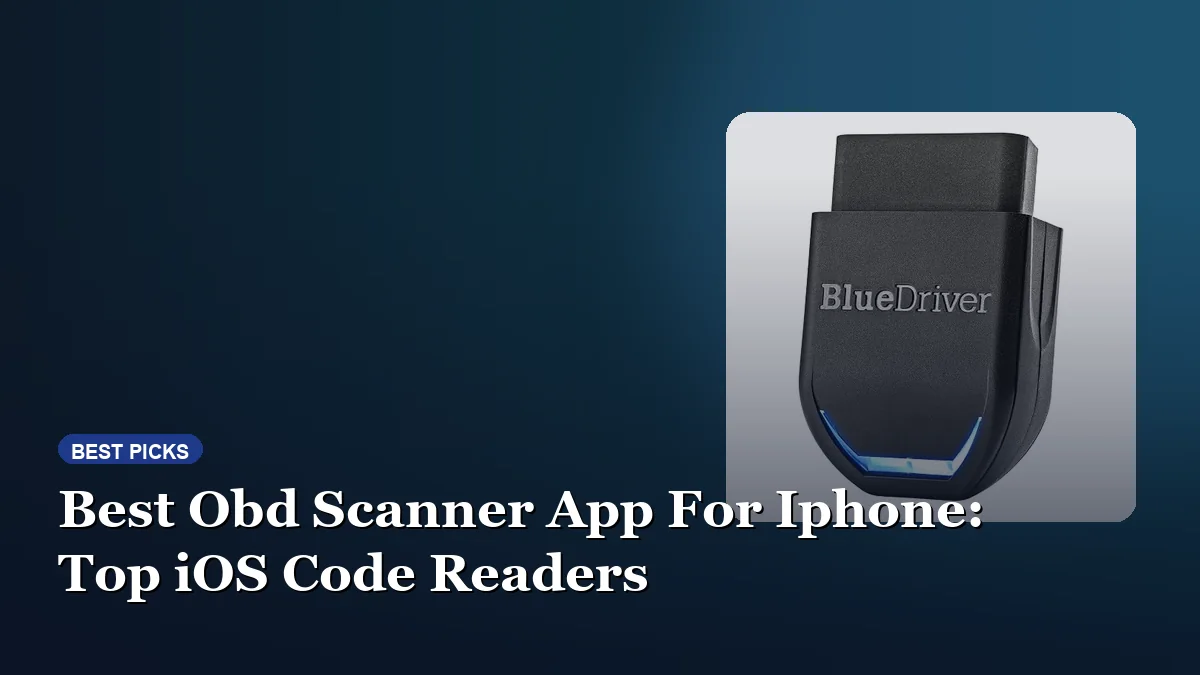
 BlueDriver Bluetooth OBD2 Scanner and Code Reader for iPhone
iOS & Android . No Subscription . ABS & SRS Diagnostics
 Veepeak OBDCheck BLE Bluetooth OBD2 Scanner for iOS and Android
Compact BLE . Third-Party App Support . Standard OBD-II
 OBDLink MX+ OBD2 Bluetooth Scanner for iPhone and Android
Lightning Fast . Enhanced OEM Support . Battery Protection
 XTOOL A30M Bidirectional Scan Tool Full System OBD2 Scanner
Bidirectional Control . 26+ Resets . Full System Scan
 OBDeleven 3 OBD2 Diagnostic Tool Bluetooth Scanner for iOS
VAG & BMW Licensed . One-Click Apps . Deep Coding
 Lonauto Wireless Bluetooth Car Diagnostic Tool OBD2 Scanner for iPhone
BLE 5.4 . Free AutoOBDII App . Standard OBD-II
The BlueDriver Bluetooth OBD2 Scanner and Code Reader for iPhone is our top pick, offering a seamless app interface, comprehensive repair reports, and lifetime free updates without hidden fees.
On This Page (8 sections)
How We Chose
- Seamless iOS Integration: We prioritized adapters with dedicated, regularly updated iPhone applications that connect instantly without complex device pairing menus.
- Comprehensive Diagnostics: We favored tools that go beyond basic check engine lights to uncover manufacturer-specific trouble codes, transmission data, and safety system faults.
- Value and Subscriptions: We analyzed ongoing app costs to highlight options providing complete diagnostic functionality without locking essential features behind expensive monthly paywalls.
Who Needs This
- DIY car owners who want to diagnose check engine lights and clear trouble codes right from their iPhone screen.
- Used car shoppers needing a portable pocket scanner to check readiness monitors and spot hidden fault codes during test drives.
- Mechanic enthusiasts looking for real-time live data streaming and specialized maintenance reset procedures.
Who Can Skip
- Drivers who prefer traditional standalone handheld diagnostic tablets with physical buttons and built-in screens.
- Owners of older vehicles manufactured before standard OBD-II ports became mandatory in vehicles.
- People who never look under the hood and prefer to let professional service centers handle all vehicle diagnostics.
Quick Comparison: Best Obd Scanner App For Iphone
| Model | Platform Compatibility | Connectivity Type | Core Diagnostic Focus |
|---|---|---|---|
| iOS & Android | Bluetooth LE | Enhanced ABS / SRS |
| iOS & Android | Bluetooth LE | Standard OBD-II |
| iOS, Android, Windows | Bluetooth | OEM Advanced Support |
| iOS & Android | Wireless Bluetooth | Bidirectional & Resets |
| iOS & Android | Bluetooth | VAG / BMW Coding |
| iOS, Android, Windows | BLE 5.4 | Beginner OBD-II |
The 6 Best Obd Scanner App For Iphones, Reviewed
BlueDriver Bluetooth OBD2 Scanner and Code Reader for iPhone
View on Amazon →Transforming your smartphone into a garage-tier diagnostic center, this hardware dongle pairs wirelessly to deliver verified fix reports tailored directly to your vehicle identification number. It skips the guesswork by translating obscure dashboard warning lights into plain English while tracking live sensor data as you cruise down the highway.
Delivering technician-verified repair reports and comprehensive ABS and SRS diagnostics without hidden subscription fees.
Bluetooth pairing can occasionally require a couple of reconnection attempts depending on your specific phone model.
| Metric | Listed Specification |
|---|---|
| Operating System | iOS and Android |
| Vehicle Compatibility | 1996+ Gas Vehicles |
| Diagnostic Scope | Full System + ABS/SRS |
| Subscription | None Required |
In day-to-day use, sliding the compact unit into your dashboard port takes seconds, instantly creating a stable wireless link with your iPhone.
The app layout is clean and responsive, letting you monitor live parameters like coolant temperature or fuel trim without awkward hanging wires cluttering your cabin.
Long-term upkeep is virtually nonexistent thanks to free lifetime software updates and a sturdy exterior casing designed to live permanently in your glove box.
The absence of recurring fees makes it a reliable companion for tracking smog readiness or clearing transient codes over years of vehicle ownership.
- Zero subscription fees or hidden costs
- Comprehensive enhanced diagnostics for ABS and SRS
- Tailored repair reports matched to your specific VIN
- Initial Bluetooth pairing can occasionally require troubleshooting
- Higher upfront investment than basic generic code readers
Customers find the OBD2 scanner to be a great tool that works fantastically and is easy to use with a user-friendly app. They appreciate its value, noting it has saved them money on diagnostics, and praise its code recognition capabilities.
Everyday drivers and DIY mechanics who want dealership-level diagnostics and verified repair tips straight to their iPhone.
Verify that your specific vehicle model is fully supported for enhanced diagnostics like ABS and SRS before purchasing.
This powerhouse scanner combines deep diagnostic depth with an intuitive app interface, making it our top recommendation for iPhone users.
View on Amazon →Verdict
An essential glove-box companion that bridges the gap between casual code reading and professional garage insights.
Veepeak OBDCheck BLE Bluetooth OBD2 Scanner for iOS and Android
View on Amazon →Engineered for maximum portability and compatibility, this tiny adapter tucks away seamlessly beneath your steering column. It relies on popular third-party apps to clear check engine lights, check emission readiness, and stream real-time sensor metrics directly to your iPhone screen.
Providing affordable, highly portable standard OBD-II diagnostics through a wide variety of third-party mobile applications.
Advanced diagnostics like ABS and transmission data depend heavily on which third-party app you pair with it.
| Metric | Listed Specification |
|---|---|
| Operating System | iOS & Android |
| Power Source | OBD II Port |
| Vehicle Fit | Universal 1996+ |
| Model Number | BLE |
The ultra-low profile design ensures the unit never bumps against your knees while driving, allowing you to leave it plugged in indefinitely.
Connecting via Bluetooth Low Energy happens smoothly inside compatible apps, letting you check live sensor parameters on the fly without draining your phone battery.
Built for simple, straightforward maintenance checks, the device requires no special care other than keeping it dry in its included mini carrying case.
Its broad ecosystem compatibility means you can switch between different diagnostic applications depending on your exact car brand and troubleshooting needs.
- Incredibly compact low-profile form factor
- Works with a wide range of popular third-party iOS apps
- Excellent budget-friendly entry point for basic diagnostics
- Requires purchasing or setting up third-party apps separately
- Not designed for full-system or advanced manufacturer modules out of the box
Customers find the OBD scanner works well with various apps like BimmerCode and Torque, and appreciate its ease of use and setup. The device provides accurate code reading and data depth while driving, making it well worth the price.
Budget-conscious iPhone users who just want to clear check engine lights and monitor basic engine sensors.
Check whether your preferred third-party diagnostic app requires an in-app purchase to unlock advanced coding features.
A remarkably small and inexpensive adapter that opens up a world of versatile third-party app diagnostics for iPhone owners.
View on Amazon →Verdict
The ultimate minimalist choice for clearing annoying check engine lights without spending a fortune.
OBDLink MX+ OBD2 Bluetooth Scanner for iPhone and Android
View on Amazon →Built for speed and deep system exploration, this robust adapter delivers lightning-fast data refreshing across major domestic and import manufacturers. It features intelligent battery drain protection so you can leave it plugged in overnight without risking a dead car battery.
Unlocking deep manufacturer-specific systems and enhanced parameters for Ford, GM, Toyota, and other major brands.
Carries a higher price tag and requires careful app selection to fully utilize its advanced OEM capabilities.
| Metric | Listed Specification |
|---|---|
| Operating System | iOS, Android, Windows |
| Item Weight | 28 g |
| Power Source | Vehicle Port |
| Model Number | MX201 |
When performing diagnostic sweeps, the processing speed is noticeably brisk, loading complex live parameter lists with virtually zero lag on your iPhone.
The physical build feels solid in the hand, and the protective zipper case makes it easy to toss into a center console or glove box.
The standout internal circuitry includes hardware safeguards against over-voltage and battery drain, offering total peace of mind for daily commuters who want permanent dashboard monitoring.
Free firmware updates ensure the device adapts smoothly to newer smartphone operating system versions over the years.
- Blazing-fast data transmission speeds
- Built-in over-voltage and battery drain protection
- Extensive enhanced OEM module coverage for major brands
- Significantly more expensive than basic generic adapters
- Bundled software features can feel complex for absolute beginners
Customers find the scan tool works well, is easy to use, and provides comprehensive vehicle information. They appreciate its diagnostic capabilities, noting it reads issues in full detail and maintains a stable connection across multiple apps.
Enthusiasts and home mechanics who demand fast, professional-grade OEM diagnostics across domestic and Asian vehicle lines.
Confirm your vehicle's specific make and model are listed under the manufacturer's enhanced support guide.
A lightning-fast, highly durable adapter that brings true enthusiast-grade OEM diagnostics straight to your iPhone.
View on Amazon →Verdict
A premium, lightning-quick tool that pays for itself the first time you diagnose an obscure manufacturer-specific trouble code.
XTOOL A30M Bidirectional Scan Tool Full System OBD2 Scanner
View on Amazon →Stepping far beyond simple code reading, this robust diagnostic tool grants full bidirectional control so you can command vehicle components directly from your iPhone. Whether you need to bleed ABS brakes, re-learn a throttle body, or command fuel pumps during troubleshooting, it acts as a complete shop-level assistant.
Executing active component tests and specialized maintenance resets normally restricted to expensive dealership computers.
Requires a larger hardware footprint and registration for specialized protocols like FCA AutoAuth on newer Chrysler vehicles.
| Metric | Listed Specification |
|---|---|
| Operating System | iOS and Android |
| Protocols | CAN FD & FCA AutoAuth |
| Languages | 22 Supported |
| Updates | Lifetime Free |
Operating the tool wirelessly lets you stand outside your garage while testing windows, wipers, or cooling fans in real time.
The app interface handles up to eight simultaneous live data streams with crisp graphing, making it straightforward to isolate intermittent engine hiccups.
Long-term ownership is supported by lifetime free software updates, eliminating the dread of recurring subscription fees for maintenance resets. The rugged casing withstands regular garage use, easily handling oil changes, electronic parking brake services, and annual battery registrations.
- True bidirectional active testing capabilities
- Over twenty-six essential maintenance reset functions
- Lifetime free software updates included
- Bulkier than tiny plug-and-forget Bluetooth dongles
- Some newer vehicle models require separate gateway authentication fees
Customers find the scan tool to be a high-quality device that performs as well as expensive professional systems, offering extensive diagnostic capabilities and detailed DTC info. They appreciate its user-friendly interface and value for money.
Advanced DIYers and weekend mechanics who need active component testing and oil, brake, and steering reset functions.
Verify if your specific vehicle model year requires a paid gateway subscription like FCA AutoAuth for full system access.
An extraordinary shop-level tool that brings full bidirectional control and maintenance resets to your iPhone screen.
View on Amazon →Verdict
The ultimate upgrade for home mechanics ready to tackle advanced electronic testing and system calibrations.
OBDeleven 3 OBD2 Diagnostic Tool Bluetooth Scanner for iOS
View on Amazon →Officially licensed by major European and Asian automotive groups, this sleek dongle lets you unlock hidden comfort and safety features with signature One-Click Apps. It bridges the gap between basic trouble code reading and advanced vehicle personalization right from your iPhone.
Unlocking hidden vehicle customizations and performing manufacturer-certified coding for European and Asian cars.
Advanced coding features and certain One-Click adjustments require purchasing digital credits or upgrading plans.
| Metric | Listed Specification |
|---|---|
| Operating System | Android 8.0+, iOS 16.6+ |
| Power Source | OBD II Port |
| Protocols | CAN-bus, KWP2000, K-line |
| Model Number | P1048 |
Plugging the device into your diagnostic port establishes a quick Bluetooth link with the mobile app, instantly granting access to basic system scans.
For supported brands like Volkswagen, Audi, and BMW, the app interface makes tweaking dashboard layouts, lighting behaviors, and comfort settings remarkably straightforward.
The hardware is compact enough to stay plugged in during regular driving, though consistent internet connectivity is required to load customization scripts and updates. Upgrading to higher software tiers unlocks manual long coding for deep garage-level adaptations.
- Officially licensed by major European automotive groups
- Intuitive One-Click Apps for easy vehicle customization
- No vehicle usage limits tied to a single account
- Advanced adaptations and unlimited One-Click features require paid credits or plans
- Full advanced diagnostic depth is mostly limited to officially supported brand families
Customers find the diagnostic tool simple to use and appreciate its many features for customization. However, some note that premium features and credits cost extra, making subscription options a point of discussion.
Owners of European and Asian vehicles who want to personalize hidden comfort settings and code electronic accessories.
Check whether your vehicle brand supports full advanced diagnostics or is restricted to standard OBD-II engine scans.
An unmatched tool for European car enthusiasts looking to personalize their vehicle's electronic behavior effortlessly.
View on Amazon →Verdict
The undisputed king of smartphone-based car coding and hidden feature activation for import vehicles.
Lonauto Wireless Bluetooth Car Diagnostic Tool OBD2 Scanner for iPhone
View on Amazon →Designed specifically for everyday drivers and beginners, this straightforward adapter pairs via Bluetooth 5.4 to deliver instant access to standard engine diagnostics. Utilizing a completely free companion app, it lets you check emission readiness and clear annoying check engine lights without any recurring subscription fees.
Providing a completely free, straightforward mobile app experience for basic engine code reading.
Limited strictly to standard OBD-II engine and powertrain diagnostics, excluding ABS, SRS, and transmission modules.
| Metric | Listed Specification |
|---|---|
| Operating System | Android/iOS/Windows |
| Item Weight | 31.6 g |
| Power Source | Vehicle |
| Model Number | OBD2 |
Getting started is as simple as plugging the device into your lower dash and opening the companion app to establish an automatic wireless handshake.
The user interface avoids cluttered professional jargon, presenting live sensor gauges and fault definitions in a clean, digestible format.
The pocket-sized unit easily stays out of the way during daily commutes, requiring no maintenance beyond a quick wipe down if stored in dusty shop drawers.
Its permanent firmware update policy ensures reliable connectivity with evolving iPhone iOS updates over time.
- Completely free mobile app with zero subscription fees
- Upgraded Bluetooth 5.4 for fast, reliable wireless pairing
- Simple, beginner-friendly interface for reading fault codes
- Does not support ABS, airbag, or transmission diagnostics
- Incompatible with fully electric vehicles and hybrids
Customers find the OBD2 scanner works well and is easy to use, with one mentioning it confirmed problems they already suspected. They appreciate its convenient portability, making it a great tool to keep tucked away in the glove box.
First-time car owners and casual drivers who want a simple, no-fuss way to read and clear standard engine fault codes.
Ensure your vehicle runs on a standard gas powertrain, as hybrids and electric vehicles are not supported.
An accessible, budget-friendly code reader that gives everyday drivers basic diagnostic confidence on their iPhone.
View on Amazon →Verdict
A reliable, subscription-free starting point for anyone looking to decode check engine lights without complications.
How to Set Up and Maintain Your iPhone OBD Scanner
Plug your diagnostic adapter directly into the OBD-II port typically located beneath your vehicle's steering column.
Turn your vehicle's ignition to the auxiliary position without starting the engine, open your iPhone's Bluetooth settings, and pair the device following the companion app instructions.
Always close out background apps if you experience connection drops, and store your adapter in a cool, dry glove compartment rather than leaving it exposed to extreme summer heat.
Buying Guide & Red Flags for Best Obd Scanner App For Iphones
Check these points before you buy to avoid common pitfalls:
Beware of cheap adapters that require downloading unverified third-party apps laden with aggressive in-app purchase prompts.
Avoid scanners that claim to support advanced ABS and SRS diagnostics but actually only read basic powertrain emissions codes.
Check whether the companion app locks essential features like live graphing or code definitions behind mandatory recurring subscription fees.
Ensure the physical profile of the dongle does not block your legs or prevent your under-dash fuse box cover from closing.
Watch out for outdated firmware versions that fail to sync properly with newer iOS security updates and modern smartphone operating systems.
How does the 10-point Lab Score work for these iPhone OBD scanners?
Our editorial Lab Score is a rigorous 10-point evaluation combining software design quality, everyday practical usability, hardware durability, and verified owner satisfaction.
We test how effortlessly each adapter pairs with iOS devices and whether the companion app provides clear, actionable repair insights.
A higher score represents superior reliability, transparent pricing without hidden subscription traps, and a polished user experience from setup to troubleshooting.
Do I need a paid subscription to use an iPhone OBD scanner app?
Many adapters include free basic software for reading and clearing standard engine trouble codes. However, advanced manufacturer-specific diagnostics, live data logging, and specialized maintenance resets sometimes require purchasing premium app tiers or digital credits.
Always review the app store details beforehand so you know exactly which diagnostic features are included out of the box.
Can these iPhone scanners read ABS, airbag, and transmission codes?
Standard budget OBD adapters typically focus solely on powertrain and emissions faults tied to the check engine light.
If you need to diagnose anti-lock brakes, airbag warnings, or transmission temperatures, you must choose an advanced model specifically engineered for enhanced module coverage.
Checking the manufacturer specifications before purchasing ensures your chosen tool reads the exact vehicle systems you need.
Will leaving the OBD scanner plugged in drain my car battery?
Most modern Bluetooth diagnostic adapters feature built-in power-saving sleep modes designed to draw minimal current when your vehicle's ignition is turned off.
However, if your car sits parked and unused for multiple weeks, leaving any electronic accessory plugged into the diagnostic port can gradually deplete the battery. For long-term parking, it is always a smart precaution to simply unplug the compact dongle.
Can I use third-party apps like Torque or OBD Fusion with these adapters?
Many popular adapters are designed to work seamlessly with third-party diagnostic software available on the iOS App Store. Universal Bluetooth Low Energy dongles generally offer great flexibility across multiple apps for customized dashboard gauges and tracking.
Keep in mind that proprietary features like manufacturer repair reports often require using the brand's official companion application.
How do I clear a check engine light using my iPhone?
First, establish a stable Bluetooth connection between the adapter and your iPhone diagnostic app with the ignition turned on. Run a full system scan to identify the underlying trouble codes triggering the warning light on your dashboard.
Once you have diagnosed and repaired the root issue, select the clear codes command within the app menu to reset the system.
Final Verdict
Finding the ideal diagnostic tool comes down to balancing your budget with how deeply you want to investigate vehicle troubles.
For most drivers, the BlueDriver Bluetooth OBD2 Scanner and Code Reader for iPhone delivers the best mix of comprehensive diagnostics, intuitive app design, and lifetime free updates.
Choose a simpler budget adapter if you only need basic code reading, or step up to an advanced bidirectional tool for professional-grade maintenance tasks.
Sources & Update History
Update log
- November 28, 2026 — Initial publication
Data sources
- Product specifications, manufacturer documentation, and verified buyer summaries