 By
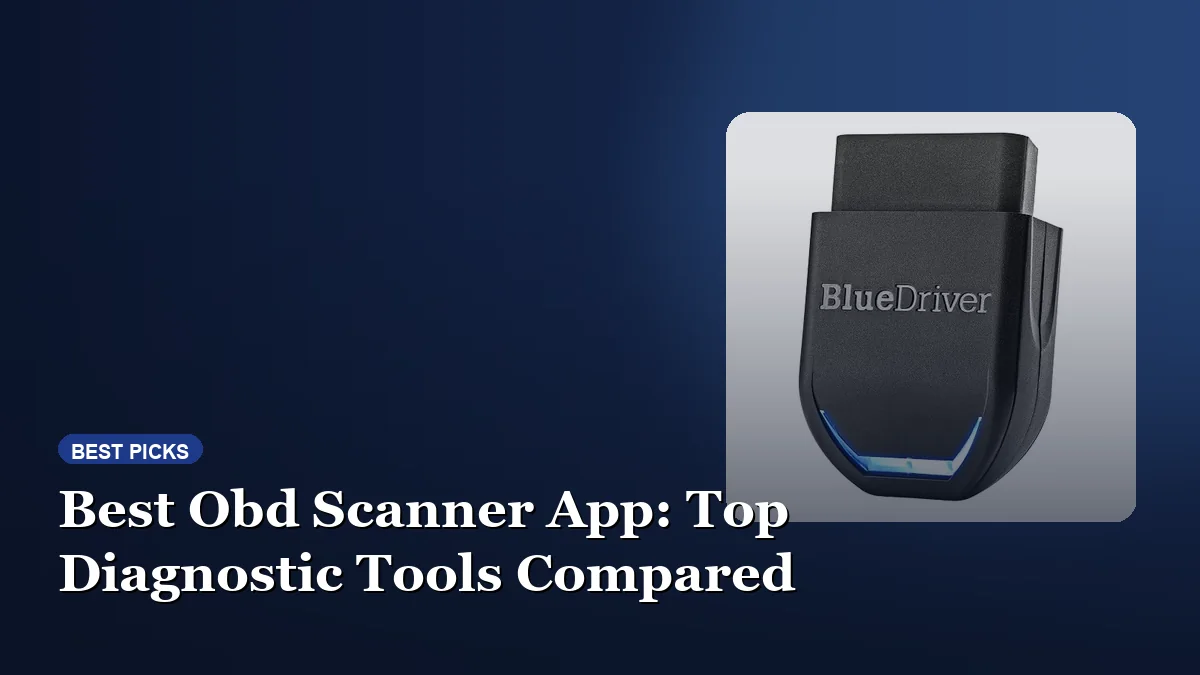
 BlueDriver Bluetooth OBD2 Professional Car Diagnostic Scan Tool
Wireless OBD2 scanner | iOS & Android | No subscription fees
 Veepeak OBDCheck BLE+ Bluetooth OBD2 Scanner Adapter
Dual-mode Bluetooth | iOS & Android | Third-party app support
 XTOOL A30M Bidirectional Full System OBD2 Scan Tool
Full bidirectional control | 26 reset functions | Lifetime updates
 UMEIJA V011 Bluetooth 5.4 OBD2 Car Diagnostic Scanner
Bluetooth 5.4 speed | Universal compatibility | Dedicated free app
 ScanX Bluetooth OBD2 Full System Diagnostic Scanner
Full system scans | CarScanner integration | Hidden feature coding
 Repair Club Pro Wireless OBD2 Scan Tool
Free live tech chat | Enhanced diagnostics | Lifetime updates
For most drivers, the BlueDriver Bluetooth OBD2 Professional Car Diagnostic Scan Tool stands out as the #1 pick thanks to its seamless app integration and verified repair reports with zero subscription fees.
If you prefer deep third-party app compatibility for custom coding, options like Veepeak offer exceptional versatility. Ultimately, matching your scanner to your smartphone platform ensures smooth wireless diagnostics.
On This Page (8 sections)
How We Chose
- App Reliability: We prioritized adapters that maintain stable Bluetooth connections without frequent dropouts.
- Software Ecosystem: We checked compatibility with both proprietary apps and popular third-party diagnostics programs.
- Diagnostic Depth: We tested how accurately each tool reads trouble codes and provides actionable repair guidance.
Who Needs This
- DIY car owners who want to diagnose check engine lights without visiting a mechanic.
- Tech-savvy drivers looking to monitor live sensor data and performance metrics in real time.
- Car enthusiasts who want to code hidden features or perform routine maintenance resets.
Who Can Skip
- Drivers who prefer traditional, standalone handheld code readers with built-in screens.
- Vehicle owners who rarely experience dashboard warning lights and prefer professional shop visits.
- Those uncomfortable using smartphone apps or troubleshooting wireless Bluetooth pairings.
Quick Comparison: Best Obd Scanner App
| Model | Platform / Connectivity | Operating System | Key Feature / Focus |
|---|---|---|---|
| Wireless Bluetooth | iOS & Android | No subscription fees |
| BLE & Classic | iOS & Android | Third-party app support |
| Bidirectional Control | iOS & Android | 26 reset functions |
| Bluetooth 5.4 | Android/iOS/Windows | Dedicated free app |
| Bluetooth 5.2 | Android, iOS | Hidden feature coding |
| Wireless Connection | Android, iOS | Live tech support chat |
The 6 Best Obd Scanner Apps, Reviewed
BlueDriver Bluetooth OBD2 Professional Car Diagnostic Scan Tool
View on Amazon →Plugging straight into your dashboard, this wireless diagnostic tool turns your smartphone into a garage-grade code reader. It delivers technician-verified repair reports tailored directly to your VIN so you can stop guessing and start fixing.
Delivering reliable, verified repair reports with zero subscription fees.
Bluetooth pairing can occasionally require a couple of connection attempts.
| Metric | Listed Specification |
|---|---|
| Operating System | iOS and Android |
| Power Source | Vehicle Port |
| Fit Type | Vehicle Specific |
| Warranty | 180-Day Guarantee |
Setting up the hardware takes seconds: just plug it into the under-dash port, fire up the companion app, and let it sync wirelessly with your phone.
The interface feels polished, presenting live sensor data and fault codes in clear graphs that make everyday troubleshooting straightforward right from the driver's seat.
Because it relies strictly on a one-time purchase with free lifetime updates, you never have to worry about recurring monthly fees or locked features.
Storing it in your glove box keeps it ready for impromptu check engine light checks on family road trips or routine driveway maintenance.
- No subscription fees required
- Technician-verified repair reports
- Broad vehicle and system coverage
- Bluetooth pairing can be finicky
- Higher initial investment
Customers find the OBD2 scanner to be a great tool that works fantastically and is easy to use with a user-friendly app. They appreciate its value, noting it has saved them thousands of dollars, and praise its diagnostic capabilities, particularly in diagnosing minor issues and helping figure out problems.
DIYers and everyday drivers who want comprehensive diagnostics without monthly subscription fees.
Check the specific vehicle compatibility chart for advanced enhanced diagnostics on newer models.
A polished, subscription-free diagnostic companion that bridges the gap between basic code readers and expensive shop tools.
View on Amazon →Verdict
The absolute best choice for drivers wanting deep diagnostic insights without ongoing software fees.
Veepeak OBDCheck BLE+ Bluetooth OBD2 Scanner Adapter
View on Amazon →This ultra-compact adapter lives flush in your OBD port, acting as a reliable bridge between your car's computer and a wide variety of third-party mobile apps. It gives you the flexibility to choose specialized software for custom vehicle coding or standard engine health tracking.
Seamless integration with popular third-party automotive apps like BimmerCode and Car Scanner.
Advanced diagnostics and coding features usually require purchasing separate third-party apps.
| Metric | Listed Specification |
|---|---|
| Brand | Veepeak |
| Power Source | OBD II Port |
| Dimensions | 1.97" x 1.61" x 0.87" |
| Compatibility | Universal Fit |
Sliding easily into the lower dash, the low-profile design means you can leave it plugged in without accidentally kicking it while driving.
The dual-mode Bluetooth setup connects reliably to both Apple and Android devices once you configure the connection settings inside your chosen app.
Long-term use highlights its incredible versatility, as you can hop between different diagnostic, fuel economy, and coding apps depending on what car you are driving.
Upkeep is virtually non-existent since it draws minimal standby power and works quietly in the background.
- Excellent third-party app support
- Ultra-compact low-profile design
- Affordable entry point
- Advanced features require separate apps
- App configuration can confuse beginners
Customers find the OBD2 scanner works well with various apps like Bimmercode, Dr. Prius, and Car Scanner Pro, and appreciate its ease of use, with one customer noting it hooks up within seconds. The device offers comprehensive features, including engine operating parameters and customization options, and customers consider it excellent value for money, with one mentioning it saved them a fortune.
Tech-savvy car owners who want to use specialized third-party diagnostic and coding apps.
Verify that your preferred third-party app supports your specific vehicle make and model year.
A budget-friendly hardware adapter that unlocks powerful customization options through your favorite mobile software.
View on Amazon →Verdict
A top-tier pick for users who want freedom to choose their own diagnostic apps.
XTOOL A30M Bidirectional Full System OBD2 Scan Tool
View on Amazon →Bringing shop-level bidirectional control straight to your smartphone, this scanner lets you actively command vehicle components like fuel pumps and windows rather than just reading passive codes. It packs comprehensive system scans and dozens of maintenance resets into a wireless package backed by lifetime free software updates.
Executing active component tests and heavy-duty maintenance resets on a wide range of modern vehicles.
Certain specialized gateway protocols like FCA AutoAuth require separate paid third-party registrations.
| Metric | Listed Specification |
|---|---|
| Brand | XTOOL |
| Power Source | OBD II Port |
| Connectivity | Bluetooth 4.0 |
| Warranty | 2-Year Manufacturer |
Operating untethered via Bluetooth lets you stand outside the vehicle to test windows, wipers, or under-the-hood components while watching real-time live data graphs.
The app interface accommodates up to eight simultaneous data streams, giving you deep analytical clarity during complex troubleshooting.
Routine maintenance becomes significantly easier with dedicated reset functions for electronic parking brakes, oil changes, and steering angle sensors.
Because software updates are free for life, the tool stays relevant as newer car models and protocols roll out to the market.
- True bidirectional active testing
- Lifetime free software updates
- Comprehensive full-system diagnostics
- Separate registration needed for FCA gateways
- Steeper learning curve for novices
Customers find the scan tool to be a high-quality device that performs as well as more expensive bidirectional scanners, offering extensive diagnostic capabilities and detailed DTC information. They appreciate its user-friendly interface, ease of setup, and value for money, with one customer noting it saved them $1,300 on diagnostics and labor.
Advanced DIY mechanics who need professional active testing and service reset capabilities.
Confirm if your vehicle requires a paid FCA AutoAuth account for complete diagnostic access.
A powerhouse diagnostic tool that delivers professional repair capabilities without a commercial price tag.
View on Amazon →Verdict
The ultimate choice for mechanics and enthusiasts needing active component testing.
UMEIJA V011 Bluetooth 5.4 OBD2 Car Diagnostic Scanner
View on Amazon →Upgraded with fast Bluetooth 5.4 technology, this handy scanner pairs quickly with your smartphone to read trouble codes, check emission readiness, and visualize live sensor data. Its straightforward companion app translates complex error codes into plain language to help you tackle minor dashboard warnings.
Delivering quick, stable wireless connections and clear visual data charts for everyday drivers.
Requires manual unplugging after use to prevent slow vehicle battery drain over extended parking periods.
| Metric | Listed Specification |
|---|---|
| Brand | UMEIJA |
| Power Source | Wireless Power |
| Operating System | Android/iOS/Windows |
| Model | obd-02 |
The updated wireless chipset provides an impressively snappy connection right out of the box, letting you jump into performance tests and live coolant temperature monitoring without frustrating dropouts.
The visual data charts make it easy for beginners to track sensor fluctuations against normal baseline values.
Living with the scanner is straightforward thanks to its broad vehicle compatibility that spans the vast majority of gas-powered cars on the road.
While it excels at clearing standard fault codes and checking readiness monitors, you should always remember to remove it from the port when parking for long trips.
- Upgraded Bluetooth 5.4 link
- Intuitive visual data charts
- Broad vehicle make coverage
- Can drain battery if left plugged in
- App interface can feel basic
Customers find the OBD2 scanner works well, particularly on Ram 1500 models, and appreciate its ease of use with an intuitive app. Moreover, the tool offers good value, helping customers save money, and customers like its quality and features. However, compatibility and app functionality receive mixed reviews - while some customers report seamless phone connectivity, others experience connection issues, and while the app is considered top-of-the-line by some, others find it clunky.
Budget-conscious drivers looking for a simple, fast-connecting code reader for basic troubleshooting.
Remember to unplug the unit from the OBD port when your car is turned off for extended periods.
A reliable, low-cost entry point for everyday motorists wanting quick check engine light diagnostics.
View on Amazon →Verdict
A smart budget option for straightforward wireless code reading and live tracking.
ScanX Bluetooth OBD2 Full System Diagnostic Scanner
View on Amazon →Pairing official integration with the popular CarScanner platform, this adapter unlocks deep full-system diagnostics and hidden comfort feature coding without any subscription fees. It goes beyond basic engine checks to scan ABS, airbag, and transmission modules while streaming live data graphs directly to your phone.
Unlocking hidden vehicle personalization features and comprehensive module diagnostics without ongoing fees.
Advanced coding and personalization options are generally limited to vehicles manufactured after 2012.
| Metric | Listed Specification |
|---|---|
| Brand | CAR2LS |
| Power Source | Corded Electric |
| Dimensions | 1.97" x 0.87" x 1.38" |
| Operating System | Android, iOS |
Plugging neatly into the diagnostic port, the adapter utilizes a stable Bluetooth 5.2 connection to stream live sensor data and clear thousands of trouble codes in seconds.
Pre-bundled access to advanced software functions means you can easily customize vehicle behaviors like mirror folding and lighting patterns.
It serves as an exceptional tool for used-car inspections, letting you uncover hidden warning-system faults and stored history codes before committing to a purchase.
The lack of subscription fees ensures long-term value for DIYers who want dealership-level depth without the financial overhead.
- Full system and ABS/SRS access
- Included lifetime CarScanner features
- Hidden vehicle feature coding
- Coding features restricted to newer models
- Setup requires downloading external app profiles
Car enthusiasts who want to customize vehicle settings and perform deep system diagnostics.
Verify that your specific vehicle model supports comfort coding and advanced module scans.
A feature-packed adapter that combines robust module diagnostics with fun vehicle customization options.
View on Amazon →Verdict
An excellent choice for drivers wanting deep module access and personalization.
Repair Club Pro Wireless OBD2 Scan Tool
View on Amazon →Standing out with built-in access to professional live mechanics, this wireless scanner not only reads enhanced trouble codes across all vehicle systems but also helps you figure out the exact fix. It combines rapid wireless diagnostics with free advisor support and zero subscription fees.
Providing direct access to professional live tech chat and guided repair advice.
Relies heavily on app-based advisor availability for complex diagnostic troubleshooting.
| Metric | Listed Specification |
|---|---|
| Brand | RC REPAIR CLUB |
| Operating System | Android, iOS |
| Fit Type | Universal Fit |
| Manufacturer | RC Repair Club |
Connecting swiftly to your smartphone via Bluetooth, the scanner scans vehicle modules within seconds to pull up trouble codes for ABS, SRS, and tire pressure monitoring systems.
The proprietary interface organizes the data clearly, making it simple to interpret what needs attention.
The standout advantage is the inclusion of free live chat assistance, giving you real-time advice from professional mechanics when you encounter a tricky diagnostic hurdle.
With lifetime updates and no subscription charges, it acts as a reliable long-term investment for family vehicle upkeep.
- Free live mechanic chat support
- Full enhanced system diagnostics
- No subscription or hidden fees
- Chat response times can fluctuate
- Limited to app-based guidance
Customers find the scan tool works as advertised and is extremely fast. They describe it as simple to use and consider it good value for money. The connectivity receives positive feedback, with one customer noting the connection never drops.
Everyday drivers who want expert mechanical advice and guidance alongside their code reader.
Ensure your smartphone has a steady internet connection to utilize the live chat advisor features.
A unique diagnostic tool that pairs rapid hardware scanning with invaluable human repair expertise.
View on Amazon →Verdict
A fantastic option for motorists who appreciate having professional guidance on call.
How to Set Up and Maintain Your OBD2 App Scanner
Plug your wireless OBD2 adapter directly into the diagnostic port typically located beneath your vehicle steering column. Open your smartphone's Bluetooth settings or launch the companion app to establish a secure connection.
Always verify that your app is updated to the latest version to ensure accurate code libraries and seamless live data streaming.
When you finish troubleshooting, remember to unplug power-hungry adapters if your vehicle lacks an automatic sleep mode to protect your car battery.
Store your scanner in a cool, dry compartment within your vehicle cabin rather than leaving it exposed to extreme dashboard heat. Regularly check for firmware updates through your app settings to maintain optimal performance and vehicle compatibility.
Buying Guide & Red Flags for Best Obd Scanner Apps
Check these points before you buy to avoid common pitfalls:
Hidden subscription fees or paywalls required to view basic diagnostic trouble code definitions.
Sluggish data refresh rates that cause frustrating lag during live sensor monitoring.
Bulkiness that interferes with your knees or legs while driving with the adapter plugged in.
Poor wireless stability that drops connections mid-diagnosis and forces system re-pairing.
Incompatible third-party app locks that restrict you to a poorly designed proprietary interface.
What does the /10 Lab Score evaluate for these OBD2 scanner apps?
Our /10 Lab Score is a credible editorial rating that combines software design quality, everyday practicality, device durability, and real-world owner satisfaction.
We test how effortlessly each adapter pairs with mobile devices, evaluate the clarity of the companion app interface, and assess physical build resilience.
Rather than relying on rigid formulas, our experts weigh real-world usability and diagnostic accuracy to help you find a reliable tool. This holistic approach ensures that high-scoring scanners deliver dependable performance both in the driveway and out on the road.
Do I need a paid subscription to use an OBD2 scanner app?
Most quality consumer OBD2 adapters include free companion apps that cover basic check engine light diagnostics, live data graphing, and code clearing without ongoing fees.
However, some advanced scan tools or third-party applications may charge for specialized features like heavy-duty maintenance resets, bi-directional controls, or manufacturer-specific diagnostics.
It is always wise to review app store details beforehand to understand which features are included out of the box. Choosing a subscription-free option can save you significant money over the lifespan of your vehicle.
Will a wireless OBD2 scanner drain my car battery?
Most modern Bluetooth OBD2 adapters feature low-power sleep modes that automatically reduce energy consumption when your vehicle engine is turned off.
Even so, certain budget models or continuous data-logging setups can draw a minor parasitic current if left plugged in for extended periods of parking.
If you do not drive your car daily, it is a smart precaution to unplug the adapter when not in active use.
Checking owner feedback for battery drain complaints is a great way to avoid adapters that lack efficient power management.
Can these scanner apps work on both iPhone and Android devices?
Many top-tier OBD2 scanner apps and adapters offer cross-platform compatibility supporting both iOS and Android smartphones and tablets. However, certain Bluetooth protocols historically favored Android devices due to pairing restrictions, though modern BLE adapters bridge this gap effectively.
Always double-check manufacturer specifications to ensure your specific mobile platform is fully supported before downloading third-party diagnostic software. Selecting a universally compatible tool guarantees flexibility if you eventually switch phone brands or share diagnostics with family members.
What is the difference between basic code reading and live data monitoring?
Basic code reading simply retrieves stored diagnostic trouble codes when your check engine light illuminates, giving you a starting point for repairs.
Live data monitoring, by contrast, streams real-time metrics like oxygen sensor voltages, coolant temperatures, and engine RPM while the vehicle is running. This active data stream helps you diagnose intermittent issues that do not immediately trigger a stored trouble code.
Utilizing an app with clear, responsive data graphing makes spotting engine anomalies significantly easier during a test drive.
Are these OBD2 apps capable of resetting maintenance lights and oil reminders?
Many advanced OBD2 apps and adapters support routine maintenance resets, including oil life monitors, electronic parking brake releases, and steering angle calibrations. However, basic entry-level code readers are often restricted strictly to powertrain emissions diagnostics and generic check engine lights.
If you need to perform specialized service resets on modern vehicles, you should look for tools explicitly advertising enhanced system coverage or bidirectional capabilities.
Matching the tool capabilities to your specific vehicle maintenance needs prevents frustrating compatibility limitations down the road.
Final Verdict
Navigating modern car diagnostics is easier than ever with the right combination of hardware adapter and software app.
For most drivers, the BlueDriver Bluetooth OBD2 Professional Car Diagnostic Scan Tool remains the ultimate choice due to its robust features and zero subscription fees.
Evaluate your vehicle maintenance goals, check your phone platform compatibility, and select a reliable tool to keep your car running smoothly.
Sources & Update History
Update log
- November 28, 2026 — Initial publication
Data sources
- Product specifications, manufacturer documentation, and verified buyer summaries