 By
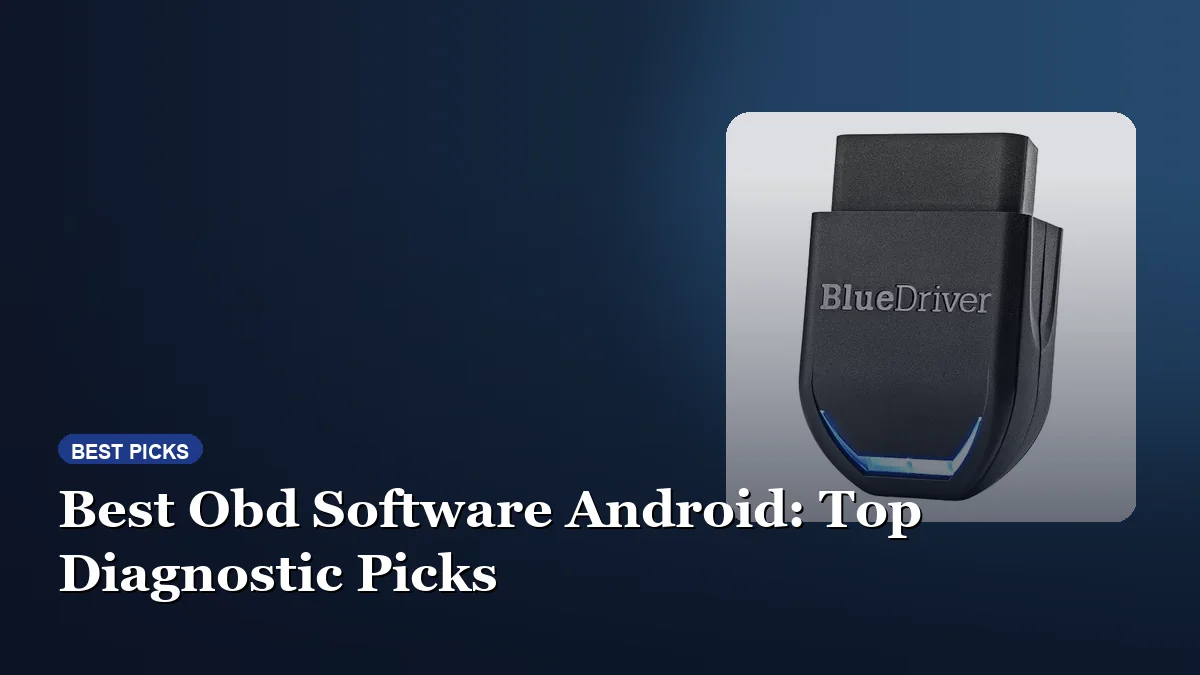
 BlueDriver Bluetooth OBD2 Car Diagnostic Scan Tool
Wireless Bluetooth OBD2 | iOS & Android App | No Subscription
 OBDLink MX+ Bluetooth OBD2 Diagnostic Scan Tool
Multi-Platform Bluetooth Scanner | Enhanced OEM Coverage | Over-Voltage Protection
 Veepeak OBDCheck BLE Bluetooth OBD2 Scanner
Ultra-Compact BLE Scanner | iOS & Android Ready | Essential Code Reader
 XTOOL A30M Bidirectional Full System OBD2 Scanner
Full Bidirectional Control | 26 Reset Functions | Lifetime Free Updates
 UMEIJA V011 Wireless Bluetooth OBD2 Scanner
Bluetooth 5.4 Speed | Real-Time Charts | Universal 96% Fit
 Repair Club Pro OBD2 Scan Tool for Smartphones
Free Live Tech Chat | All-System Scanning | Fast Connection
For most drivers, the BlueDriver Bluetooth OBD2 Car Diagnostic Scan Tool is the ultimate choice thanks to its seamless Android app integration and verified repair reports.
If you need deeper third-party app compatibility, the OBDLink MX+ is an exceptional alternative for power users. Choosing the right Android setup depends on whether you want instant troubleshooting or advanced bidirectional controls.
On This Page (8 sections)
How We Chose
- App Compatibility: We prioritized adapters that pair smoothly with popular Android diagnostic suites without dropping connections.
- Diagnostic Depth: We favored tools capable of reading advanced module codes beyond basic engine check lights.
- Value & Subscriptions: We highlighted options offering robust features out of the box without hidden recurring subscription fees.
Who Needs This
- DIY car owners who want to diagnose check engine lights and clear codes right from their Android phone.
- Tech-savvy drivers looking to monitor live engine data and performance sensors in real time.
- Budget-conscious motorists wanting to avoid pricey mechanic diagnostic fees for minor warning lights.
Who Can Skip
- Drivers who exclusively use Apple iOS devices and have no interest in cross-platform Android software.
- Vehicle owners with pre-1996 cars that lack standard OBD-II diagnostic ports.
- Those who prefer traditional standalone handheld diagnostic tablets over smartphone-connected adapters.
Quick Comparison: Best Obd Software Android
| Model | Operating System | Power Source | Key Specialization |
|---|---|---|---|
| iOS & Android | Vehicle Port | Verified Repair Reports |
| iOS, Android, Windows | Vehicle Port | Enhanced OEM Coverage |
| iOS & Android | OBD II Port | Ultra-Compact Design |
| iOS, Android | OBD II Port | Bidirectional Controls |
| Android/iOS/Windows | Wireless Power | Real-Time Visual Charts |
| Android, iOS | OBD II Port | Live Mechanic Chat |
The 6 Best Obd Software Androids, Reviewed
BlueDriver Bluetooth OBD2 Car Diagnostic Scan Tool
View on Amazon →Turning your phone into a powerful diagnostic hub, this wireless OBD2 scanner connects seamlessly via Bluetooth to deliver detailed trouble codes and technician-verified repair reports. It strips away the guesswork for everyday drivers by pairing your vehicle's specific VIN with actionable, guaranteed fixes.
Provides technician-verified repair reports matched directly to your vehicle's VIN with zero subscription fees.
Initial Bluetooth pairing can occasionally require patience depending on your specific phone model.
| Metric | Listed Specification |
|---|---|
| Operating System | iOS and Android |
| Power Source | Vehicle |
| Fit Type | Vehicle Specific |
| Connectivity | Wireless Bluetooth |
Day-to-day usability is exceptionally straightforward thanks to the cleanly designed companion app that guides you through reading and clearing trouble codes.
Plugging the compact hardware into your dashboard port is entirely hassle-free, allowing you to monitor live vehicle data right from the driver's seat.
Long-term living with this tool is made stress-free by the complete absence of ongoing subscription costs and reliable over-the-air app updates. It handles routine maintenance checks and sudden check engine lights with equal dependability, making it a reliable glove-box companion.
- No subscription fees ever
- Technician-verified repair reports
- Extensive enhanced diagnostics
- Bluetooth pairing can occasionally lag
- Higher upfront investment
Owners frequently praise the user-friendly app and how easily it pinpoints minor mechanical issues, often saving them substantial repair bills. While most enjoy effortless connections, a few note occasional Bluetooth pairing hiccups.
DIYers and everyday drivers wanting professional-grade diagnostics without recurring monthly subscription fees.
Verify that your specific vehicle model is fully supported for enhanced diagnostics like ABS and SRS.
The gold standard for smartphone diagnostics, offering unmatched clarity and zero ongoing costs.
View on Amazon →Verdict
An essential diagnostic tool that pays for itself on the very first cleared trouble code.
OBDLink MX+ Bluetooth OBD2 Diagnostic Scan Tool
View on Amazon →Built for enthusiasts who demand deep vehicle access, this advanced Bluetooth adapter bridges your car's computer directly to popular third-party apps like FORScan and Torque. It delivers lightning-fast data refreshes and robust safety features like battery drain protection so you can leave it plugged in worry-free.
Exceptional compatibility with specialized third-party automotive software and deep OEM module access.
Relies heavily on third-party apps, which may require separate learning curves or purchases.
| Metric | Listed Specification |
|---|---|
| Dimensions | 2.01" x 0.91" x 1.81" |
| Item Weight | 28 g |
| Power Source | Vehicle Port |
| Model | MX201 |
Setting up the hardware takes mere seconds, sliding discreetly into the dashboard port without blocking your knees while driving. Its robust wireless connection maintains a rock-solid link to your phone, streaming live telemetry smoothly across multiple custom dashboard gauges.
Long-term reliability is bolstered by built-in over-voltage protection that prevents battery drain during extended diagnostic logging sessions. Frequent firmware updates keep the adapter compatible with evolving smartphone operating systems and newer vehicle communication protocols.
- Extensive third-party app support
- Built-in battery drain protection
- Fast data refresh rates
- Requires separate apps for advanced features
- Can feel complex for absolute beginners
Customers appreciate the thorough diagnostic capabilities and fast connection speeds when paired with compatible third-party software. Opinions on overall value are mixed due to the need to navigate multiple external apps.
Car enthusiasts and tinkerers who want to use advanced third-party diagnostic and coding applications.
Check which companion apps are required for your specific brand of vehicle before diving in.
A powerhouse adapter that unlocks the true potential of advanced automotive apps.
View on Amazon →Verdict
A versatile powerhouse tailored for drivers who want deep, customizable control over their vehicle data.
Veepeak OBDCheck BLE Bluetooth OBD2 Scanner
View on Amazon →Delivering essential diagnostic power in a tiny package, this low-profile code reader slips effortlessly into your dashboard port and stays completely out of the way. It pairs smoothly with popular mobile apps to let you quickly read and clear check engine lights on almost any modern vehicle.
Affordable, no-nonsense standard OBD-II diagnostics in a remarkably compact form factor.
Limited to standard powertrain diagnostics unless paired with specific, often paid, third-party apps.
| Metric | Listed Specification |
|---|---|
| Dimensions | 1.61" x 1.97" x 0.87" |
| Operating System | iOS & Android |
| Fit Type | Universal Fit |
| Model | BLE |
Everyday usability centers around its diminutive size, which sits flush enough in most cars to let the fuse box cover close completely over it.
Connecting via Bluetooth LE requires initiating the link from inside your chosen app rather than native phone settings, a quirk worth remembering during setup.
Maintenance is virtually non-existent since the unit draws minimal power and features a durable plastic housing designed to stay plugged in permanently. It handles routine emissions checks and sudden warning lights reliably without cluttering your glove box.
- Very budget-friendly price point
- Ultra-compact flush design
- Reliable basic code reading
- Advanced diagnostics require extra apps
- Setup connection can be finicky
Users highlight how easily it connects to popular diagnostic apps and praise its ability to clear check engine lights without breaking the bank. A few note that initial Bluetooth pairing requires following app-specific instructions carefully.
Budget-conscious drivers looking for a simple, reliable way to monitor check engine lights and basic sensor data.
Confirm that your preferred app supports your car model for any advanced or manufacturer-specific functions.
An incredible entry-level tool that brings basic diagnostics to your smartphone on a budget.
View on Amazon →Verdict
A budget-friendly essential that makes monitoring vehicle health simple and affordable.
XTOOL A30M Bidirectional Full System OBD2 Scanner
View on Amazon →Stepping far beyond basic code reading, this bidirectional scan tool lets home mechanics actively command vehicle components like fuel pumps, windows, and cooling fans directly from their smartphone. Backed by lifetime free software updates and extensive reset functions, it delivers workshop-level capabilities to your home garage.
Comprehensive active testing and full-system diagnostics with zero recurring subscription fees.
Steeper learning curve and requires separate registration for certain modern gateway protocols like FCA AutoAuth.
| Metric | Listed Specification |
|---|---|
| Operating System | iOS, Android |
| Connectivity | Wireless Bluetooth 4.0 |
| Warranty | 2 Year Manufacturer |
| Vehicle Coverage | 85+ Brands 1996+ |
Day-to-day operation feels remarkably empowering, allowing you to stand outside the vehicle and test components wirelessly from up to thirty feet away.
The app presents complex telemetry across multiple live data streams with clean real-time graphing that makes tracking down intermittent faults much easier.
Long-term value is heavily secured by the lifetime software update policy, ensuring your tool won't become obsolete as new car models roll out. The robust housing and reliable wireless pairing stand up well to frequent use in busy home garages.
- Full bidirectional active testing
- Lifetime free software updates
- Extensive maintenance reset functions
- Complex interface for beginners
- Additional gateway sign-ups may apply
Customers rave about its pro-level capabilities and how it handles complex resets that typically require an expensive dealership visit. Many note it delivers massive savings on labor costs despite a slightly involved setup process.
Advanced DIYers and weekend mechanics needing full system diagnostics and active component testing.
Check if your specific vehicle model requires a separate subscription gateway like FCA AutoAuth for full access.
A workshop-grade diagnostic powerhouse designed for serious home mechanics.
View on Amazon →Verdict
The ultimate mechanic choice for users demanding full bidirectional control and comprehensive reset capabilities.
UMEIJA V011 Wireless Bluetooth OBD2 Scanner
View on Amazon →Transforming raw engine numbers into intuitive, easy-to-read visual charts, this wireless code reader makes monitoring coolant temperatures and vehicle speeds effortless for beginners. Upgraded Bluetooth 5.4 technology ensures a fast, dependable link to your smartphone the moment you turn the ignition.
Clear, visual data representation that helps novice drivers interpret engine sensor health instantly.
Requires manual unplugging after use to prevent minor battery drain on certain vehicle models.
| Metric | Listed Specification |
|---|---|
| Dimensions | 3.8" x 2.5" x 3.8" |
| Operating System | Android / iOS / Windows |
| Protocols | Supports 9 Protocols |
| Power Source | Wireless Power |
Setting up the hardware is straightforward, plugging into the under-dash port and syncing with the dedicated mobile app through a streamlined connection process.
The interface prioritizes clarity, presenting live engine metrics in graphical layouts that are simple to digest at a glance.
Living with the scanner requires building a small maintenance habit: remembering to unplug the unit when parked to conserve your car's battery. Its broad protocol support ensures reliable compatibility across an exceptionally wide range of domestic and imported vehicle makes.
- Advanced Bluetooth 5.4 connection
- Intuitive visual data charts
- Broad vehicle make compatibility
- Must be unplugged to save battery
- Dedicated app interface can feel basic
Users appreciate the clear data visualization and how easily it reads basic trouble codes on a wide variety of trucks and cars. Some report smooth pairing, while others note that the app can occasionally require patience during initial setup.
Novice car owners who want clear, visual graphs of their engine health without confusing technical jargon.
Remember that you need to unplug the device after your drive to avoid draining your car battery over time.
A user-friendly diagnostic tool that turns complex engine data into simple visual charts.
View on Amazon →Verdict
A great visual tracker that simplifies car troubleshooting for everyday drivers.
Repair Club Pro OBD2 Scan Tool for Smartphones
View on Amazon →Pairing robust all-system scanning with an invaluable safety net, this smartphone scan tool gives you direct access to live chat with professional mechanic advisors right through the companion app. It scans vehicle modules within seconds, delivering manufacturer-level insights for ABS, SRS, and check engine lights without any subscription fees.
Direct access to live professional mechanic chat support alongside fast all-system diagnostics.
Relies on an internet connection for its standout live chat troubleshooting features.
| Metric | Listed Specification |
|---|---|
| Operating System | Android, iOS |
| Fit Type | Universal Fit |
| Manufacturer | RC Repair Club |
| Coverage | All Gas Vehicles 1996+ |
Everyday usability is exceptionally smooth thanks to rapid connection speeds that pull diagnostic codes within seconds of plugging into the dash.
The inclusion of free expert advisor chat transforms a standard code reader into a guided repair experience when you run into tricky mechanical issues.
Long-term ownership is stress-free with guaranteed free software updates and zero recurring subscription fees for as long as you own the tool. The sturdy wireless hardware maintains a dependable link to your phone without dropping connection mid-diagnostic.
- Free live mechanic chat support
- Rapid all-system scanning speed
- No subscription fees ever
- Live chat requires cellular data
- Limited availability for older pre-1996 vehicles
Customers frequently highlight the blazing fast scanning speed and the reassuring simplicity of the companion app. The reliable wireless connection receives consistent praise for never dropping out during troubleshooting.
Drivers who want professional diagnostic insights combined with live expert help for tackling repairs.
Ensure you have an active data connection on your phone if you plan to utilize the live mechanic chat feature.
An innovative diagnostic tool that backs up your garage work with real-world mechanic guidance.
View on Amazon →Verdict
A stellar guided scanner that provides expert backup right when you need it most.
Setting Up and Maintaining Your Android OBD Setup
Locate your vehicle's OBD-II port, typically situated underneath the driver's side dashboard near the steering column, and firmly plug in your chosen wireless adapter.
Enable Bluetooth on your Android smartphone, open your preferred diagnostic application, and follow the on-screen prompts to establish a secure pairing.
Always remember to unplug compact adapters if your vehicle lacks auto-sleep functionality to prevent long-term battery drain, and keep your Android app updated for the latest vehicle database patches.
Buying Guide & Red Flags for Best Obd Software Androids
Check these points before you buy to avoid common pitfalls:
Adapters that fail to maintain a stable Bluetooth connection during active live-data logging sessions.
Android apps plagued by clunky interfaces, intrusive ads, or hidden subscription paywalls for basic code clearing.
Bulky hardware designs that obstruct your knees or feet while driving or entering and exiting the vehicle.
Lack of support for enhanced vehicle modules like ABS, airbag, and transmission control systems.
Poor documentation or missing vehicle compatibility lists that leave you guessing about unsupported makes and models.
What makes an Android OBD app truly stand out for everyday drivers?
The best Android OBD software combines an intuitive, clutter-free user interface with robust diagnostic capabilities that go beyond basic check engine codes.
It should offer clear definitions for diagnostic trouble codes, real-time sensor graphing, and straightforward buttons for resetting warning lights. Furthermore, reliable background connectivity and regular vehicle database updates ensure the app remains useful across multiple vehicle makes and model years.
Ultimately, great software translates complex automotive data into actionable repair insights that save you time and money.
Do I need an internet connection on my Android phone to use an OBD scanner?
Most core diagnostic functions, such as reading fault codes, viewing live sensor streams, and clearing check engine lights, operate entirely offline via local Bluetooth communication between your adapter and phone.
However, an internet connection becomes necessary if you want to look up specific repair reports, access cloud databases, or utilize live mechanic chat support features.
Keeping your Android device connected to Wi-Fi beforehand can also help download large vehicle definition packs and ensure smooth initial app setups.
Will using an OBD adapter on my Android phone drain my car battery?
Most quality Bluetooth OBD adapters feature low-power sleep modes designed to power down automatically when your vehicle's ignition is turned off.
However, some ultra-budget or older models draw a continuous micro-current from the OBD-II port, which can slowly drain your battery if the car sits parked for several days.
If your adapter lacks an auto-shutoff feature or stays powered on continuously, it is best practice to unplug the unit manually when you finish driving.
Can Android OBD software reset oil change lights and service intervals?
Whether an Android app can reset service intervals depends entirely on the sophistication of both the adapter hardware and the software package you choose.
Basic code readers paired with free apps generally focus exclusively on powertrain emissions and generic engine faults.
Advanced diagnostic apps and bi-directional adapters, conversely, often include dedicated service resets for oil life, electronic parking brakes, and steering angle sensors across compatible vehicle makes.
What is the difference between generic OBD-II codes and manufacturer-specific codes?
Generic OBD-II codes, designated by the standard P0 prefix, are mandated across all modern vehicles sold in the US to cover basic emissions and powertrain functions.
Manufacturer-specific codes, on the other hand, provide deep insights into brand-unique systems such as advanced ABS modules, transmission faults, and body control units.
Premium Android diagnostic software unlocks these deeper manufacturer codes, giving you a much more complete picture of your vehicle's overall mechanical health.
How is the 10-point Lab Score calculated for these Android OBD tools?
Our 10-point Lab Score is a comprehensive editorial rating that evaluates every product across four essential pillars of real-world performance. We rigorously test hardware design quality, everyday practicality, material durability, and verified owner satisfaction under daily driving conditions.
Rather than relying on rigid mathematical formulas or online review averages, our expert automotive editors provide a balanced, hands-on assessment of how well each tool performs its diagnostic duties in the real world.
Final Verdict
Finding the right diagnostic setup for your smartphone comes down to balancing app usability with diagnostic depth.
For most drivers, the BlueDriver Bluetooth OBD2 Car Diagnostic Scan Tool is the ultimate choice thanks to its seamless Android app integration and verified repair reports.
Whether you are clearing a stubborn check engine light or monitoring live sensor data, investing in a quality adapter transforms your phone into a powerful shop-grade tool.
Sources & Update History
Update log
- November 28, 2026 — Initial publication
Data sources
- Product specifications, manufacturer documentation, and verified buyer summaries