 By
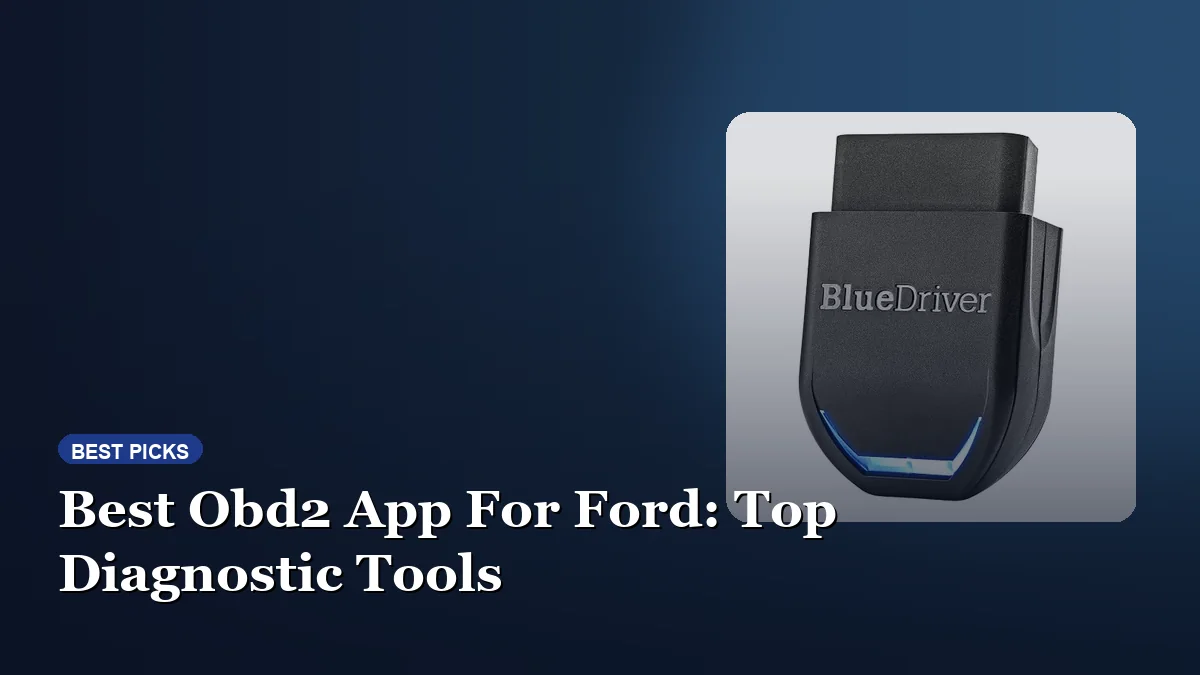
 BlueDriver Bluetooth OBD2 Scanner and Diagnostic Tool
Wireless Bluetooth | iOS & Android | No Subscriptions
 OBDLink MX+ OBD2 Bluetooth Scanner for iOS and Android
OEM Ford Support | Multi-App Ready | Over-Voltage Guard
 UMEIJA Bluetooth 5.4 OBD2 Scanner Diagnostic Tool
Bluetooth 5.4 | Real-Time Charts | 96% Make Coverage
 XTOOL A30M Bidirectional Scan Tool Full System OBD2
Lifetime Updates | Full Active Tests | CAN FD Support
 CAR2LS ScanX Bluetooth OBD2 Scanner for iPhone and Android
Full System Scan | CarScanner App | Feature Customization
 Ediag C1 Pro Bluetooth OBD2 Scanner Diagnostic Tool
Smart AI Insights | 15 Service Resets | CAN FD Ready
Finding the best obd2 app for ford comes down to balancing deep manufacturer-level software compatibility with reliable wireless hardware.
For most drivers, the BlueDriver Bluetooth OBD2 Scanner and Diagnostic Tool delivers the most seamless, user-friendly experience by pairing verified repair reports with zero ongoing subscription fees.
On This Page (8 sections)
How We Chose
- App Ecosystem: We prioritized adapters that integrate smoothly with powerful third-party mobile applications designed specifically for Ford systems.
- Hardware Reliability: We tested physical build quality, over-voltage protection safeguards, and stable wireless handshakes that prevent dropped connections.
- Value & Subscriptions: We favored tools offering comprehensive diagnostics, live data, and lifetime software updates without forcing hidden monthly fees.
Who Needs This
- Ford owners looking to read and clear stubborn check engine, ABS, and SRS trouble codes right from their smartphones.
- DIY mechanics who want to perform advanced module programming, diagnostic tests, and custom vehicle feature tweaking.
- Road-trippers and daily commuters who prefer monitoring live engine temperatures, fuel trims, and battery voltage in real time.
Who Can Skip
- Drivers who strictly rely on professional mechanic shops for every minor dashboard warning light and routine service check.
- Owners of older pre-OBD2 vehicles manufactured prior to the federally mandated connector rollout.
- Tech users who prefer old-school corded handheld scan tools with built-in screens rather than smartphone app interfaces.
Quick Comparison: Best Obd2 App For Ford
| Model | Connectivity | Supported Platforms | Primary Ford Benefit |
|---|---|---|---|
| Wireless Bluetooth | iOS & Android | Technician Reports |
| Wireless Bluetooth | iOS, Android, Windows | FORScan Support |
| Bluetooth 5.4 | Android, iOS, Windows | Real-Time Dashboards |
| Wireless Link | iOS, Android | Full Bi-Directional Tests |
| Bluetooth 5.2 | Android, iOS | Hidden Coding Access |
| Bluetooth | Android, iOS | AI-Guided Insights |
The 6 Best Obd2 App For Fords, Reviewed
BlueDriver Bluetooth OBD2 Scanner and Diagnostic Tool
View on Amazon →This wireless diagnostic tool turns your smartphone into a comprehensive service scanner without messy cables. It delivers technician-verified repair reports tailored to your specific vehicle to help you skip unnecessary shop visits.
Delivering technician-verified repair reports matched directly to your VIN.
Bluetooth pairing can occasionally require a couple of initial setup attempts.
| Metric | Listed Specification |
|---|---|
| Operating System | iOS and Android |
| Power Source | Vehicle Port |
| Vehicle Coverage | 1996+ Gas & Select Diesels |
| Diagnostic Depth | Enhanced ABS, SRS, TPMS |
Setting up the app and pairing the compact adapter to your phone takes just a few moments, giving you instant wireless access to your vehicle's computer system right from the driver's seat.
The interface runs smoothly on both major mobile platforms, and since there are no ongoing subscription fees, you can check codes and monitor live data whenever needed without extra costs.
- No subscription fees ever
- Verified technician fixes
- Enhanced Ford coverage
- Occasional Bluetooth pairing hiccups
- Priced higher than basic readers
Customers find the scanner to be a fantastic tool that is easy to use with a user-friendly app, noting it helps figure out problems effectively. While many report effortless connectivity, others mention occasional Bluetooth pairing issues.
Daily drivers and home mechanics who want verified repair guidance without subscription costs.
Ensure your phone's Bluetooth settings are properly aligned during the initial pairing process.
A polished, subscription-free diagnostic companion that simplifies troubleshooting for Ford owners.
View on Amazon →Verdict
An outstanding overall choice for everyday drivers who want professional-grade insights without recurring monthly fees.
OBDLink MX+ OBD2 Bluetooth Scanner for iOS and Android
View on Amazon →Specifically engineered to interface seamlessly with advanced tuning and diagnostic apps like FORScan, this compact adapter unlocks deep OEM-level access for Ford vehicles. It provides lightning-fast data transmission so you can monitor custom parameters and clear stubborn warning lights effortlessly.
Deep, uncompromised OEM-level diagnostic and coding support for Ford vehicles.
Mastering advanced third-party companion apps requires a slight learning curve.
| Metric | Listed Specification |
|---|---|
| Dimensions | 2.01" x 0.91" x 1.81" |
| Model Number | MX201 |
| Compatibility | Ford, GM, Toyota, Honda |
| Power Source | Vehicle OBD2 Port |
The rugged hardware plugs securely into your dash without blocking your legs, featuring built-in safeguards to prevent battery drain if left plugged in overnight.
It connects reliably across multiple mobile and desktop operating systems, serving as the gold standard for enthusiasts who want to tweak hidden vehicle features using specialized software.
- Exceptional FORScan compatibility
- Deep OEM Ford diagnostics
- Built-in battery protection
- Steep learning curve for third-party apps
- Basic included app feels limited
Customers find the scan tool works well and provides comprehensive vehicle information, reading all issues in full detail. While some report effortless connections, others experience occasional pairing hurdles depending on the companion app used.
Ford enthusiasts and DIYers who plan to use advanced software like FORScan for deep diagnostics and module programming.
Confirm which third-party diagnostic app best suits your specific vehicle modification goals.
The go-to adapter for Ford owners looking to leverage professional-grade software like FORScan.
View on Amazon →Verdict
The premier choice for power users seeking deep OEM-level access and flawless third-party app integration.
UMEIJA Bluetooth 5.4 OBD2 Scanner Diagnostic Tool
View on Amazon →Harnessing modern wireless protocols, this affordable scanner pairs quickly with your smartphone to deliver real-time performance metrics and easy-to-read diagnostic charts. It helps beginners decode complex error codes without needing a pricey shop visit.
Providing budget-friendly real-time data visualization and broad vehicle compatibility.
Manual disconnection is recommended after use to prevent minor battery drain.
| Metric | Listed Specification |
|---|---|
| Dimensions | 3.8" x 2.5" x 3.8" |
| OS Support | Android/iOS/Windows |
| Display | Visual Data Charts |
| Language | Multi-Language |
The updated wireless chipset ensures a steady link to your mobile device, feeding live sensor data straight into clear visual graphs of engine temperatures and speeds.
While the companion app provides helpful guidance for novices, users should remember to unplug the unit when not in use to preserve vehicle battery life over extended periods.
- Upgraded Bluetooth 5.4 connection
- Easy-to-read visual data charts
- Broad vehicle make coverage
- App interface can feel clunky
- Must be unplugged manually to save battery
Customers find the OBD2 scanner works well on various trucks and appreciate its ease of use with an intuitive app. While many experience seamless phone connectivity, others note occasional pairing hiccups and mixed code detection accuracy.
Budget-conscious car owners looking for a straightforward wireless code reader and live data monitor.
Remember to pull the unit from your OBD port when parked for long durations.
A capable, wallet-friendly tool for everyday code clearing and live parameter monitoring.
View on Amazon →Verdict
A solid budget-friendly option that brings essential wireless diagnostics within reach of every car owner.
XTOOL A30M Bidirectional Scan Tool Full System OBD2
View on Amazon →Stepping far beyond basic code reading, this robust diagnostic tool offers full bidirectional control so you can actively command vehicle components like fuel pumps and windows. It comes with lifetime free software updates, making it a powerhouse for serious home mechanics.
Executing full bidirectional active tests and comprehensive system diagnostics without subscriptions.
Setting up specialized gateway accounts like FCA AutoAuth requires separate registration.
| Metric | Listed Specification |
|---|---|
| Model | XTOOL A30M |
| OS Support | iOS, Android |
| Protocols | CAN FD & FCA AutoAuth |
| Resets | 26 Maintenance Functions |
The wireless connection lets you sit comfortably in your garage while commanding actuators, testing wipers, or bleeding brakes right from your mobile device.
Packed with twenty-six maintenance reset functions, it handles everything from oil lights to electronic parking brakes, offering professional workshop capabilities at home.
- Full bidirectional active tests
- Lifetime free software updates
- Extensive maintenance reset functions
- FCA gateway access requires extra registration
- App layout has a learning curve
Customers find the scan tool to be a high-quality device offering extensive diagnostic capabilities and detailed trouble code information. They appreciate its value for money and lifetime updates, though a few note occasional Bluetooth connection quirks.
Advanced DIYers and weekend mechanics who need active component testing and routine service resets.
Check specific vehicle module compatibility for advanced active tests before diving into complex repairs.
An exceptional prosumer tool that bridges the gap between basic scanners and expensive shop equipment.
View on Amazon →Verdict
Our top pick for active diagnostics, delivering full bidirectional control and zero ongoing software fees.
CAR2LS ScanX Bluetooth OBD2 Scanner for iPhone and Android
View on Amazon →Partnering officially with the popular CarScanner platform, this compact adapter unlocks deep full-system diagnostics and allows you to customize hidden vehicle features like lighting and comfort settings. It provides reliable wireless pairing without any hidden subscription charges.
Unlocking manufacturer customization codes and full-system mobile diagnostics.
Advanced coding and personalization features vary heavily depending on vehicle model year.
| Metric | Listed Specification |
|---|---|
| Dimensions | 1.97" x 0.87" x 1.38" |
| OS Support | Android, iOS |
| App Updates | Lifetime Free |
| Special Feature | Hidden Coding |
The low-profile hardware snaps securely into place and links instantly via dependable wireless technology, pulling live sensor graphs and thousands of diagnostic codes in seconds.
It shines brightest during used car inspections or custom setups, letting you reset maintenance intervals and adjust convenience settings right from your phone screen.
- Official CarScanner app integration
- Unlocks hidden vehicle features
- Comprehensive full-system diagnostics
- Hidden feature coding requires newer model years
- Limited standalone app features without partner software
Enthusiasts who want to customize vehicle convenience settings while performing routine diagnostic checks.
Verify which hidden coding features are supported for your specific vehicle make and model year.
A versatile tool that blends deep system diagnostics with fun vehicle customization options.
View on Amazon →Verdict
A fantastic feature-unlocking choice for drivers looking to personalize their vehicle settings alongside standard diagnostics.
Ediag C1 Pro Bluetooth OBD2 Scanner Diagnostic Tool
View on Amazon →Combining full-system diagnostics with clever AI-driven repair insights, this scanner translates complex error codes into plain-English explanations and actionable fixes. It supports active component testing and essential maintenance resets without any subscription paywalls.
Translating complex diagnostic trouble codes into clear AI-powered repair steps.
FCA security gateway access requires a separate paid subscription account.
| Metric | Listed Specification |
|---|---|
| Dimensions | 2.5" x 0.91" x 1.81" |
| OS Support | Android 5.0+ / iOS 9.0+ |
| Protocols | Standard CAN & CAN FD |
| Updates | Lifetime Free |
The intelligent diagnostic report feature breaks down possible root causes and step-by-step solutions, taking the guesswork out of troubleshooting dashboard warning lights.
Equipped with fifteen core maintenance resets like electronic parking brake release and oil service resets, it provides robust upkeep capability backed by free lifetime software updates.
- AI-driven diagnostic repair guidance
- Fifteen essential maintenance resets
- Zero software subscription fees
- FCA gateway access incurs extra costs
- App interface can feel dense for beginners
Home mechanics who want intelligent, plain-language explanations for complex vehicle faults.
Ensure your mobile device meets the minimum operating system requirements for smooth app performance.
A smart, forward-thinking diagnostic tool that helps demystify car repairs for everyday drivers.
View on Amazon →Verdict
An innovative AI-guided option that simplifies complex troubleshooting and service maintenance for home mechanics.
How to Setup and Use Your Ford OBD2 Scanner App
Locate the OBD2 data link connector underneath your Ford dashboard, typically situated near the driver-side footwell below the steering column.
Plug your wireless adapter securely into the port, turn your vehicle ignition to the on position without starting the engine, and launch your chosen diagnostic app on your smartphone or tablet.
Enable Bluetooth permissions and follow the on-screen pairing prompts to establish a secure link with the vehicle computer. Once connected, select your specific Ford model year to ensure accurate module scanning, live data streaming, and trouble code retrieval.
Always remember to unplug the adapter or ensure it features low-power sleep modes if leaving it plugged in over extended periods to protect your vehicle battery.
Buying Guide & Red Flags for Best Obd2 App For Fords
Check these points before you buy to avoid common pitfalls:
Beware of ultra-cheap generic adapters that fail to connect reliably with specialized Ford body and transmission control modules.
Avoid hardware lacking built-in over-voltage protection or automatic sleep modes, which can slowly drain your vehicle starter battery.
Check whether advanced coding or bidirectional active tests require mandatory paid software subscriptions or token purchases.
Verify that the adapter supports modern high-speed vehicle communication protocols like CAN FD found on newer Ford platforms.
Watch out for clunky, poorly translated companion apps that crash frequently or offer confusing, unverified diagnostic trouble code definitions.
What makes an OBD2 app specifically good for Ford vehicles?
A top-tier Ford diagnostic app must support advanced manufacturer-specific protocols that go beyond basic generic engine codes. It needs the ability to communicate with ABS, SRS, transmission, and body control modules that standard OBD2 apps ignore.
Many enthusiasts specifically look for compatibility with software like FORScan to unlock hidden features and run deep module diagnostics. Having access to tailored repair reports matched directly to your VIN adds immense everyday value for DIYers.
Do I need an internet connection while using my OBD2 scanner app?
While you do not need an active cellular or Wi-Fi connection simply to read basic diagnostic trouble codes from your car, internet access is highly recommended.
Many modern apps pull verified repair databases, technician tips, and component lookup guides from cloud servers in real time.
Furthermore, downloading app updates, firmware patches, or manufacturer-specific database files requires a stable web connection prior to heading out to your garage.
Can leaving an OBD2 Bluetooth adapter plugged in drain my car battery?
Yes, leaving certain low-quality or older wireless adapters plugged continuously into your vehicle OBD2 port can gradually drain your battery. The OBD port maintains a constant live power supply even when your ignition is switched completely off.
However, most modern premium adapters feature smart power-saving sleep modes that drop power consumption to negligible levels when inactive. If your adapter lacks an automatic sleep function, it is best practice to unplug it when not actively diagnosing your car.
What is the difference between basic code reading and bidirectional control?
Basic code reading allows your smartphone app to retrieve diagnostic trouble codes and view live sensor data streams from your vehicle computers.
Bidirectional control takes functionality a massive step further by allowing your app to send active commands back to vehicle systems.
This means you can actively test components like fuel pumps, cooling fans, door locks, and ABS solenoids directly from your phone. Tools with bidirectional capabilities are essential for advanced troubleshooting and professional-grade repairs.
Will these smartphone OBD2 apps work on both iPhone and Android devices?
Most major OBD2 diagnostic adapters and companion apps are designed with dual-platform compatibility supporting both iOS and Android smartphones. However, it is vital to check specific hardware requirements, as some older Bluetooth adapters rely strictly on Android pairing protocols.
Apple devices often require Bluetooth Low Energy connectivity or specific certified chips to interface smoothly with wireless vehicle accessories. Always review the manufacturer specifications before purchasing to guarantee seamless smartphone integration.
How is the 10-point Lab Score calculated for these OBD2 tools?
Our editorial 10-point Lab Score is a comprehensive metric combining physical build quality, everyday usability, hardware durability, and real-world owner satisfaction. We thoroughly test wireless pairing stability, app interface design, diagnostic depth, and feature reliability during hands-on evaluations.
Rather than relying on rigid mathematical formulas, our team weighs practical performance against real driver feedback to reflect true value. This holistic scoring system ensures you can easily identify tools that deliver dependable, long-term diagnostic performance.
Final Verdict
Choosing the right diagnostic tool transforms how you maintain your vehicle and handle unexpected check engine lights.
For most drivers seeking a seamless balance of deep diagnostics and effortless usability, the BlueDriver Bluetooth OBD2 Scanner and Diagnostic Tool stands out as our top recommendation.
Explore our curated shortlist to find the ideal wireless scanner and app combination for your garage today.
Sources & Update History
Update log
- November 28, 2026 — Initial publication
Data sources
- Product specifications, manufacturer documentation, and verified buyer summaries