 By
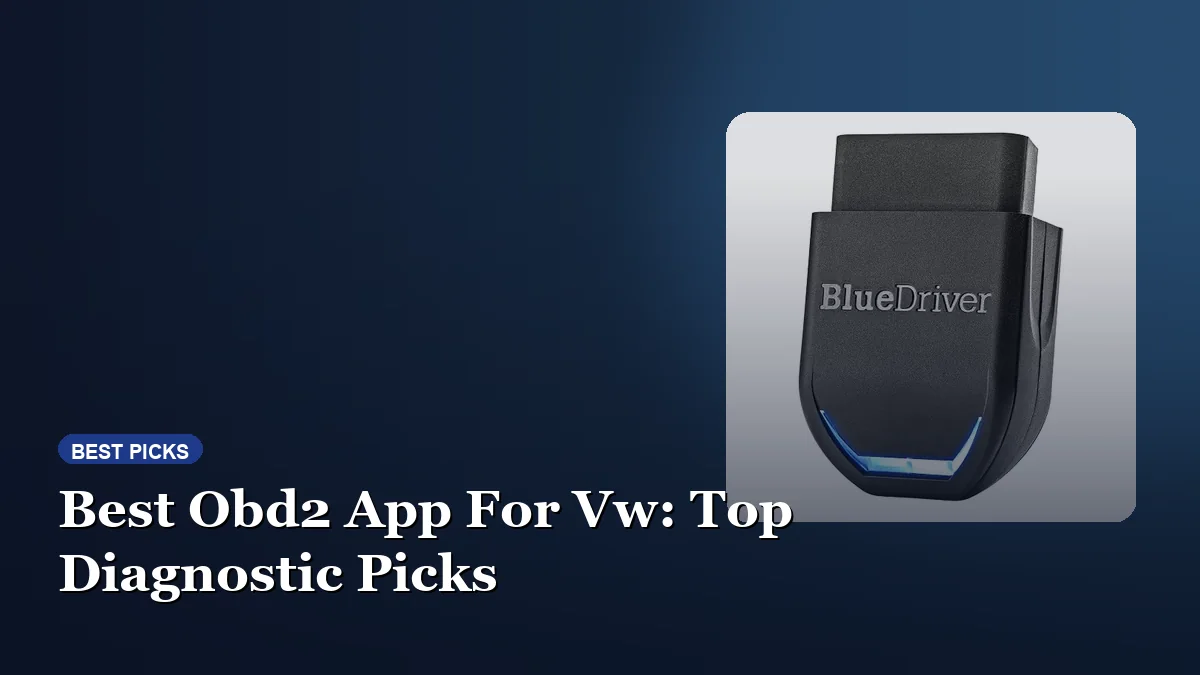
 BlueDriver Bluetooth OBD2 Professional Car Diagnostic Scan Tool
Wireless Bluetooth • iOS & Android • No Subscription
 Veepeak OBDCheck BLE Bluetooth OBD2 Wireless Scanner
Compact BLE Dongle • iOS & Android • Third-Party Apps
 Carista EVO Bluetooth OBD2 Scanner and Diagnostic Tool
SFD-Unlocked • VAG Focused • App Subscription
 UMEIJA OBD2 Scanner Diagnostic Tool with Bluetooth
Bluetooth 5.4 • 9 Protocols • Free Companion App
 OBDeleven 3 Bluetooth OBD2 Diagnostic Tool for VW
Official VAG License • One-Click Apps • iOS & Android
 CAR2LS ScanX Bluetooth OBD2 Full System Scanner
CarScanner Integration • Full System • Lifetime Access
When looking for the best obd2 app for vw, the BlueDriver Bluetooth OBD2 stands out as our top pick for its comprehensive, technician-verified diagnostic reports and wireless reliability.
Depending on your goals—whether you want deep VAG coding or simple code clearing—pairing the right hardware dongle with a dedicated mobile application transforms your smartphone into a powerful garage diagnostic tool.
On This Page (8 sections)
How We Chose
- Platform Compatibility: We prioritized adapters that offer seamless wireless connectivity across both modern iOS and Android mobile operating systems.
- Manufacturer Depth: We favored tools that reach beyond generic OBD-II readouts to access proprietary Volkswagen-specific control modules.
- Software Usability: We evaluated whether companion applications provide intuitive dashboards, clear error code definitions, and straightforward navigation.
Who Needs This
- DIY Volkswagen owners wanting to clear check engine lights and monitor vehicle health at home.
- Enthusiasts looking to unlock hidden convenience features and customize comfort settings on their VAG vehicle.
- Drivers seeking a portable diagnostic tool that lives permanently in the glove compartment without draining the car battery.
Who Can Skip
- Owners of older vehicles who prefer traditional handheld corded scanners with built-in physical screens.
- Drivers who never experience dashboard warning lights and have no interest in tracking live engine performance data.
- Mechanics who already rely on expensive, professional-grade shop master diagnostic tablets.
Quick Comparison: Best Obd2 App For Vw
| Model | Connectivity / Interface | Supported Platforms | Specialty / Feature Focus |
|---|---|---|---|
| Wireless Bluetooth | iOS & Android | Verified Repair Reports |
| Bluetooth LE | iOS & Android | Universal Third-Party |
| Wireless Bluetooth | Android & iOS | SFD-Unlocked Customization |
| Bluetooth 5.4 | Android/iOS/Windows | Graphical Data Charts |
| Wireless Bluetooth | Android 8.0+, iOS 16.6+ | Official VAG Support |
| Wireless Bluetooth | Android, iOS | CarScanner Integration |
The 6 Best Obd2 App For Vws, Reviewed
BlueDriver Bluetooth OBD2 Professional Car Diagnostic Scan Tool
View on Amazon →Transforming your smartphone into a professional diagnostic hub, this wireless adapter eliminates bulky handheld units and clumsy cords. It plugs discreetly into your dashboard and streams comprehensive vehicle health data directly to your mobile device.
Delivering technician-verified repair reports tailored directly to your vehicle's VIN.
It requires a stable Bluetooth connection which can occasionally require a manual re-pair on certain mobile operating systems.
| Metric | Listed Specification |
|---|---|
| Brand | BlueDriver |
| Power Source | Vehicle Port |
| Operating System | iOS and Android |
| Automotive Fit | Vehicle Specific Fit |
Setup is straightforward: plug the compact module into your lower dash, launch the companion app, and let it sync wirelessly with your phone. The interface feels polished, presenting fault codes alongside actionable repair insights rather than just confusing technical numbers.
Day-to-day living with the tool is hassle-free thanks to its subscription-free model, meaning you never face surprise recurring fees for basic or enhanced scans. Long-term updates keep the database fresh for newer car models and evolving diagnostic protocols.
- No recurring subscription fees ever
- Clear technician-verified repair advice
- Deep coverage across major systems
- Bluetooth pairing can occasionally lag
- Higher upfront investment than basic dongles
Customers find the OBD2 scanner to be a great tool that works fantastically and is easy to use with a user-friendly app. They appreciate its value, noting it has saved them money on diagnostics, and praise its reliable code recognition.
Drivers wanting a comprehensive, subscription-free diagnostic tool with clear repair guidance.
Verify your specific vehicle model year is fully supported for enhanced diagnostics before purchasing.
A reliable, feature-packed diagnostic companion that bridges the gap between DIYers and professional mechanics.
View on Amazon →Verdict
The ultimate choice for drivers seeking deep diagnostics and verified repair solutions without ongoing fees.
Veepeak OBDCheck BLE Bluetooth OBD2 Wireless Scanner
View on Amazon →Acting as a reliable bridge between your car and phone, this compact wireless adapter sits flush in your dashboard port. It relies on third-party mobile applications to unlock real-time sensor data and standard trouble code clearing.
Providing affordable, highly versatile wireless connectivity across a vast array of popular automotive apps.
Advanced module diagnostics like ABS and SRS require specific compatible apps and are not guaranteed on every vehicle.
| Metric | Listed Specification |
|---|---|
| Brand | Veepeak |
| Power Source | OBD II Port |
| Dimensions | 1.61" x 1.97" x 0.87" |
| Operating System | iOS & Android |
The low-profile design ensures it won't scrape against your knees or block panel covers while plugged in during regular commutes. Pairing requires initiating the connection from inside your chosen diagnostic app rather than your phone's main Bluetooth settings menu.
Upkeep is virtually nonexistent since it draws minimal power when plugged in, though it is wise to unplug it if leaving the vehicle parked for extended weeks.
Its real strength lies in its flexibility with multiple apps, letting you pick the dashboard layout and diagnostic depth that suits you best.
- Very budget-friendly price point
- Works smoothly with popular third-party apps
- Compact form factor fits neatly out of sight
- Advanced diagnostics depend entirely on your chosen app
- Requires manual in-app Bluetooth connection steps
Customers find the OBD scanner works well with various apps and appreciate its ease of use and setup. The device provides accurate code reading and data depth, with many considering it well worth the price.
Budget-conscious DIYers who want a simple wireless adapter to pair with their favorite third-party car apps.
Check that your preferred mobile app supports your specific car make and model for advanced features.
An inexpensive, pocket-sized gateway to mobile vehicle diagnostics and live data tracking.
View on Amazon →Verdict
A stellar budget pick that pairs seamlessly with versatile third-party apps for everyday code reading.
Carista EVO Bluetooth OBD2 Scanner and Diagnostic Tool
View on Amazon →Tailored heavily toward European vehicle owners, this adapter unlocks deep vehicle personalization and dealer-level settings that normal code readers ignore. It connects via Bluetooth to deliver extensive comfort and lighting tweaks right from your phone.
Unlocking locked software settings and custom comfort features on Volkswagen Group vehicles.
Accessing advanced diagnostic depth and customization options requires an ongoing app subscription.
| Metric | Listed Specification |
|---|---|
| Brand | Carista |
| Power Source | Corded Electric |
| Operating System | Android, iOS |
| Model Number | COBD-EVO |
Getting up and running takes just minutes, as the hardware establishes a solid wireless link with both iOS and Android devices.
The app interface guides you through complex adaptations clearly, making tasks like turning off annoying chime sounds or adjusting window behaviors straightforward.
While the hardware is built solidly for regular glove-box storage, living with the system means accounting for the subscription cost if you plan to use its advanced features regularly.
For enthusiasts who love tweaking hidden car settings, the depth of control compensates for the software fee.
- Official license for VAG SFD-locked settings
- Easy-to-use vehicle personalization menus
- Fast and reliable wireless pairing
- Advanced features require a paid app subscription
- Basic hardware capabilities are limited without the app plan
Customers find the OBD2 scanner works perfectly and is super easy to use, getting up and running in minutes. While many appreciate the customization options, others express frustration regarding the recurring subscription model required for advanced tools.
Volkswagen and Audi owners looking to easily customize hidden comfort and lighting features.
Factor in the required app subscription cost if you plan on utilizing advanced customizations and service resets.
A powerful customization tool for European car enthusiasts who don't mind a subscription model.
View on Amazon →Verdict
The ideal customization tool for VW drivers wanting deep software tweaking capabilities.
UMEIJA OBD2 Scanner Diagnostic Tool with Bluetooth
View on Amazon →Equipped with upgraded wireless communication, this diagnostic scanner delivers fast data streaming and intuitive visual charts directly to your phone screen. It covers a broad spectrum of standard automotive protocols for everyday car owners.
Translating complex sensor readings into easy-to-read graphical charts for novice users.
It functions primarily as a standard OBD-II reader and may lack deep proprietary manufacturer module access.
| Metric | Listed Specification |
|---|---|
| Brand | UMEIJA |
| Power Source | Wireless Power |
| Operating System | Android/iOS/Windows |
| Dimensions | 3.8" x 2.5" x 3.8" |
The inclusion of modern Bluetooth connectivity ensures the tool links up quickly without dropouts during live data sessions. Its companion app organizes coolant temperature, engine speed, and voltage into clear visual graphs that help beginners spot anomalies quickly.
Maintenance is simple since the unit is lightweight and easy to store in a center console, though you should remember to unplug it after long trips to protect your car battery.
The broad vehicle make compatibility makes it a handy household tool for multiple family cars.
- Upgraded Bluetooth 5.4 for stable pairing
- Clear visual charts for live sensor data
- Broad compatibility across most car brands
- Can drain battery if left plugged in indefinitely
- Limited advanced manufacturer-specific diagnostics
Customers find the OBD2 scanner works well on various truck and car models, appreciating its ease of use and intuitive app. The tool offers solid value and helpful features, though a few note occasional app connectivity quirks.
Everyday drivers looking for an affordable, easy-to-read wireless code reader with live charting.
Remember to manually unplug the device from your OBD port after use to prevent slow battery drain.
A dependable, user-friendly diagnostic gadget that simplifies check engine lights for everyday motorists.
View on Amazon →Verdict
A great value option featuring fast Bluetooth pairing and clear graphical data streams.
OBDeleven 3 Bluetooth OBD2 Diagnostic Tool for VW
View on Amazon →Built specifically with European car owners in mind, this officially licensed tool provides dealer-level access for Volkswagen Group vehicles. It blends robust system diagnostics with signature micro-adjustments powered by simple in-app activations.
Delivering official, deep diagnostic control and One-Click adaptations for Volkswagen and Audi models.
Advanced coding and certain convenience features require purchasing in-app credits or upgrading to a paid tier.
| Metric | Listed Specification |
|---|---|
| Brand | OBDeleven |
| Power Source | OBD II Port |
| Operating System | Android 8.0+, iOS 16.6+ |
| Dimensions | 1.5" x 1.5" x 3" |
Plugging the dongle into your dash opens up an ecosystem designed meticulously for VAG platforms, allowing you to reset service intervals and register new batteries effortlessly.
The wireless Bluetooth link maintains a steady connection to your smartphone while scanning multiple control modules simultaneously.
Living with the tool requires an active internet connection on your phone, as cloud databases handle the heavy lifting for advanced adaptations. Its One-Click app system makes complex coding accessible to drivers who have no background in professional automotive programming.
- Officially licensed by Volkswagen Group
- Convenient One-Click app adjustments
- Comprehensive full-system diagnostic depth
- Requires active internet connection to function
- Credits required for certain pre-made app tweaks
Customers find the diagnostic tool simple to use and appreciate its deep feature set for European vehicles. While many love the customization potential, some users note frustrations regarding internet requirements and credit purchases for premium tweaks.
Volkswagen, Audi, and Skoda owners who want deep diagnostic control and easy software tweaks.
Understand how the credit and subscription system works if you intend to use advanced One-Click apps extensively.
The premier diagnostic and coding tool for serious Volkswagen Group enthusiasts.
View on Amazon →Verdict
The absolute best choice for VW owners demanding deep factory-level diagnostics and custom coding.
CAR2LS ScanX Bluetooth OBD2 Full System Scanner
View on Amazon →Pairing native hardware with official integration for a popular third-party diagnostics platform, this tool provides full-system scanning without locking features behind recurring monthly fees. It dives deep into ABS, airbag, and transmission modules out of the box.
Providing full-system diagnostic depth and coding features with zero ongoing subscription costs.
Advanced coding availability varies significantly by vehicle make, model, and manufacturing year.
| Metric | Listed Specification |
|---|---|
| Brand | CAR2LS |
| Power Source | Corded Electric |
| Dimensions | 1.97" x 0.87" x 1.38" |
| Operating System | Android, iOS |
Installation is quick: plug the compact adapter into your OBD port, pair via Bluetooth 5.2, and sync with the designated app for instant module access.
The wireless link remains impressively stable, allowing you to monitor live sensor graphs while inspecting used cars or diagnosing stubborn warning lights.
Upkeep is remarkably straightforward because the package includes lifetime access to supported features within the companion app without hidden software fees. It doubles as a fantastic tool for used-car pre-purchase inspections by uncovering hidden historical trouble codes.
- Lifetime access with no subscription fees
- Full-system diagnostics covering ABS and SRS
- Fast and stable Bluetooth 5.2 connection
- Coding features depend heavily on car model year
- Requires third-party app familiarity
DIY mechanics wanting full-system diagnostics and lifetime app access without monthly fees.
Verify whether your vehicle supports advanced coding and service resets within the companion app platform.
A powerful, subscription-free full-system scanner that delivers professional insights at a fraction of the cost.
View on Amazon →Verdict
A top-tier subscription-free option offering deep full-system scanning and reliable wireless performance.
How to Set Up and Maintain Your VW Diagnostic Tool
To get the most out of your setup, plug the Bluetooth OBD2 adapter securely into your Volkswagen's under-dash port, which is typically located beneath the driver-side dashboard.
Turn your vehicle's ignition to the on position without starting the engine, open your smartphone's Bluetooth settings, and pair the device following the manufacturer instructions.
Always download official companion software through legitimate app stores to ensure your firmware stays updated and your security protocols remain secure.
Buying Guide & Red Flags for Best Obd2 App For Vws
Check these points before you buy to avoid common pitfalls:
Avoid adapters that fail to maintain a stable Bluetooth connection during lengthy live data logging sessions.
Be cautious of apps that hide basic diagnostic code definitions behind unexpected paywalls or restrictive subscriptions.
Check compatibility before purchasing, as certain adapters cannot communicate with older pre-CAN bus Volkswagen models.
Never force an adapter into an OBD-II port if it feels misaligned, as bent diagnostic pins can cause costly electrical damage.
Steer clear of unbranded software clones that lack developer support or fail to provide security updates for mobile operating systems.
What does the 10-point Lab Score evaluate for these VW diagnostic tools?
Our 10-point editorial lab score provides a balanced assessment combining hardware design quality, everyday software practicality, physical durability, and real-world owner satisfaction.
We thoroughly test how quickly each adapter pairs with mobile devices, how clearly diagnostic trouble codes are presented, and whether the companion application offers genuine value for Volkswagen owners.
A top-tier score requires both a reliable physical connection and an intuitive, feature-rich software interface that simplifies vehicle maintenance for everyday drivers.
Do I need a special app to diagnose a Volkswagen check engine light?
While generic OBD-II apps can read basic powertrain fault codes on almost any modern vehicle, a dedicated Volkswagen tool is far more effective. Volkswagen vehicles utilize proprietary communication protocols that control advanced systems like ABS, transmission, and airbag modules.
Using an app specifically optimized for the VAG ecosystem ensures you can read manufacturer-specific codes and perform essential service resets properly.
Can I use these wireless adapters on multiple cars?
Yes, nearly all modern wireless OBD-II adapters are universal when it comes to standard engine diagnostics. You can plug the same dongle into non-Volkswagen vehicles to read generic check engine lights and stream basic live sensor data.
However, advanced manufacturer-specific coding, adaptations, and deep module scanning features are typically restricted to the specific brand ecosystems supported by the companion app.
Will leaving the OBD2 adapter plugged in drain my car battery?
Most reputable Bluetooth adapters feature low-power sleep modes that activate automatically when the vehicle ignition is turned off. If you drive your vehicle regularly, a quality adapter can safely remain plugged into the port without causing battery drain issues.
If you plan to store your vehicle for extended periods, however, it is always a best practice to unplug the unit entirely.
What is the difference between basic code scanning and VAG coding?
Basic code scanning simply reads and clears diagnostic trouble codes that trigger dashboard warning lights like the check engine light. In contrast, VAG coding and adaptations allow you to modify underlying software parameters within your car's computer modules.
This enables you to customize comfort features, alter lighting behaviors, disable seatbelt chimes, and personalize your driving experience.
Are software subscriptions necessary to use these mobile diagnostic apps?
Subscription requirements vary significantly depending on the brand and the depth of features you want to unlock. Some adapters include lifetime access to basic diagnostic functions and live data graphing at no extra charge.
Advanced features like one-click comfort customizations and deep module coding often require ongoing app subscriptions or in-app credit purchases.
Final Verdict
Finding the right diagnostic tool for your car comes down to balancing software depth with everyday ease of use.
For most drivers, the BlueDriver Bluetooth OBD2 Professional Car Diagnostic Scan Tool delivers the most reliable, comprehensive experience with technician-verified repair reports.
If you prioritize deep customization and convenience modifications, explore our specialized VAG-focused picks to get the most out of your vehicle.
Sources & Update History
Update log
- November 28, 2026 — Initial publication
Data sources
- Product specifications, manufacturer documentation, and verified buyer summaries