 By
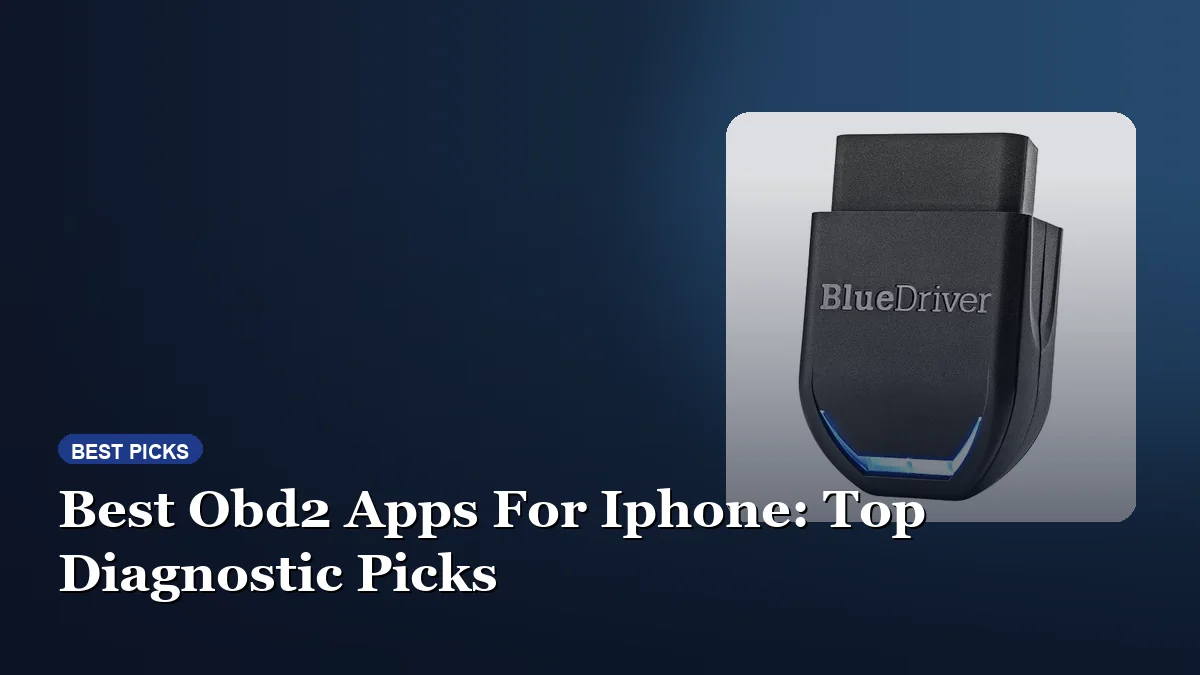
 BlueDriver OBD2 Scanner Bluetooth
Wireless Bluetooth OBD2 / No Subscriptions / iOS & Android
 Veepeak OBDCheck BLE Bluetooth OBD II Scanner
Low-Cost BLE Scan / Third-Party App / iOS & Android
 XTOOL A30M Bidirectional Scan Tool OBD2 Scanner
Bidirectional Control / Lifetime Updates / Full System
 C1 Pro Bluetooth OBD2 Scanner Diagnostic Tool
AI-Assisted Repair / Zero Subscriptions / 15 Resets
 ScanX Bluetooth OBD2 Scanner Full System ABS SRS
CarScanner Partner / Full System / Feature Coding
 Repair Club Pro OBD II Scan Tool for iPhone
Free Tech Chat / Full System Scan / No Subscriptions
The BlueDriver OBD2 Scanner Bluetooth stands out as our top pick for iPhone users, offering an intuitive app interface, comprehensive repair reports, and zero subscription fees.
If you need a more budget-friendly adapter to pair with third-party apps or advanced bidirectional controls for deep system resets, our curated testing highlights the right tool for your specific vehicle and diagnostic needs.
On This Page (8 sections)
How We Chose
- iOS App Reliability: We prioritized adapters that maintain stable, lag-free Bluetooth connections with popular iPhone diagnostic applications.
- Comprehensive Coverage: We selected tools capable of scanning full systems beyond basic engine codes, including transmission, ABS, and airbag modules.
- Value and Subscriptions: We favored hardware options that eliminate costly recurring subscription fees for core diagnostic and live data features.
Who Needs This
- DIY car owners who want to diagnose and clear check-engine lights directly from an iPhone.
- Drivers looking to monitor live engine parameters and fuel economy in real time while commuting.
- Home mechanics needing advanced bidirectional controls or active tests without buying bulky professional tablets.
Who Can Skip
- Drivers completely uninterested in vehicle maintenance who prefer taking every minor dashboard light straight to a mechanic.
- Owners of older vehicles manufactured prior to nineteen-ninety-six that lack standard OBD2 diagnostic ports.
- Advanced professional technicians who already rely on high-end, dedicated multi-thousand-dollar shop diagnostic terminals.
Quick Comparison: Best Obd2 Apps For Iphone
| Model | Connectivity | Platform Support | Key Feature |
|---|---|---|---|
| Wireless Bluetooth | iOS & Android | No Subscriptions Ever |
| Bluetooth LE | iOS & Android | Compact Mini Design |
| OBD II Port | iOS & Android | Bidirectional Control |
| OBD2 Port | iOS & Android | AI-Assisted Repair |
| Bluetooth 5.2 | Android, iOS | CarScanner Partner |
| OBD II Port | Android, iOS | Free Live Tech Chat |
The 6 Best Obd2 Apps For Iphones, Reviewed
BlueDriver OBD2 Scanner Bluetooth
View on Amazon →Turns your iPhone into a powerful diagnostic hub without monthly fees. It delivers technician-verified repair reports matched directly to your VIN so you can skip the guesswork.
Providing clear, verified repair reports with zero ongoing subscription costs.
Enhanced diagnostics depth can vary depending on your specific vehicle make and model year.
| Metric | Listed Specification |
|---|---|
| Operating System | iOS and Android |
| Power Source | Vehicle Port |
| Fit Type | Vehicle Specific |
| Manufacturer | Lemur Vehicle Monitors |
Setup is remarkably straightforward; just plug the compact unit into your dashboard port, launch the app, and let it sync wirelessly. Navigating through live data streams and checking smog readiness feels intuitive on an iPhone screen.
Built for reliable everyday use, it requires zero upkeep or battery charging since it draws power directly from your car. The lack of hidden subscription fees makes it a long-term investment you can keep in your glove box indefinitely.
- No subscription fees ever
- Verified repair reports
- Easy wireless setup
- Bluetooth pairing can occasionally lag
- Advanced features vary by make
Customers find the OBD2 scanner to be a great tool that works fantastically and is easy to use with a user-friendly app. They appreciate its value, noting it has saved them thousands of dollars, and praise its diagnostic capabilities, particularly in diagnosing minor issues and helping figure out problems.
Everyday drivers who want reliable engine diagnostics and verified fixes without recurring fees.
Check the online vehicle compatibility chart to ensure enhanced diagnostics support your exact make and model.
A top-tier diagnostic tool that pairs seamless iPhone convenience with comprehensive repair data.
View on Amazon →Verdict
An essential glove-box companion that pays for itself by turning dashboard warning lights into clear, actionable steps.
Veepeak OBDCheck BLE Bluetooth OBD II Scanner
View on Amazon →This ultra-compact adapter acts as a dependable bridge between your car's computer and your iPhone. By pairing with popular third-party diagnostic apps, it lets you read and clear trouble codes right from the driver's seat.
Delivering reliable standard OBD-II diagnostics at a fraction of the cost of dedicated handheld tools.
Advanced manufacturer-specific functions require compatible third-party apps which may involve separate purchases.
| Metric | Listed Specification |
|---|---|
| Dimensions | 1.61"L x 1.97"W x 0.87"H |
| Power Source | OBD II Port |
| Operating System | iOS & Android |
| Fit Type | Universal Fit |
Slipping discreetly into your vehicle's lower dash port, the mini profile ensures it never gets in the way of your knees while driving.
Connecting via Bluetooth LE requires initiating the handshake strictly through your chosen diagnostic app rather than standard phone settings.
Day-to-day operation is stable, quietly reading live sensor data and monitoring fuel trim or coolant temps in real time. It requires no physical maintenance, staying permanently plugged in ready for the next check engine light.
- Extremely compact form factor
- Works with diverse apps
- Affordable entry price
- App setup can be tricky
- Advanced features need extra apps
Customers find the OBD scanner works well with various apps like BimmerCode and Torque, and appreciate its ease of use and setup. The device provides accurate code reading and data depth, showing information while driving, and customers consider it worth the price, with one mentioning it saved them hundreds of dollars in diagnostic costs.
Budget-conscious drivers who want a simple hardware dongle to pair with their favorite iPhone diagnostic apps.
Verify that your preferred third-party app supports your car's specific make and model year before purchasing.
An affordable, pocket-sized hardware gateway that unlocks powerful third-party car apps on iOS.
View on Amazon →Verdict
A brilliant value dongle that gives you flexible app choice without cluttering your dashboard.
XTOOL A30M Bidirectional Scan Tool OBD2 Scanner
View on Amazon →Stepping far beyond basic code reading, this professional-grade tool offers full bidirectional control so you can actively test vehicle components like fuel pumps and windows. It combines deep diagnostics with lifetime free software updates.
Executing active component tests and comprehensive system resets from an iPhone.
Advanced features and special protocols like FCA AutoAuth require separate registrations or subscriptions.
| Metric | Listed Specification |
|---|---|
| Connectivity | Bluetooth 4.0 |
| Power Source | OBD II Port |
| Operating System | iOS, Android |
| Reset Functions | 26 Maintenance |
The wireless Bluetooth connection gives you the freedom to step outside the cabin while testing wipers or listening to engine components under the hood. The companion app manages complex multi-system scans smoothly without dropping connection during active tests.
Designed for serious home mechanics, the unit handles everything from routine oil resets to complex electronic parking brake service. Its sturdy build withstands regular garage storage, and lifetime software updates ensure compatibility with newer vehicles.
- Full bidirectional active tests
- Lifetime free software updates
- Comprehensive system coverage
- Setup has a learning curve
- Some protocols need extra setup
Customers find the scan tool to be a high-quality device that performs as well as more expensive bidirectional scanners, offering extensive diagnostic capabilities and detailed DTC information. They appreciate its user-friendly interface, ease of setup, and value for money, with one customer noting it saved them $1,300 on diagnostics and labor.
Enthusiast DIYers and home mechanics who need workshop-level active testing capabilities on their smartphone.
Check if your vehicle requires a paid manufacturer authorization account for advanced service resets.
A powerhouse diagnostic tool that brings pro-level bidirectional control straight to your iPhone.
View on Amazon →Verdict
An unmatched investment for serious DIYers who want dealership-level testing power without ongoing fees.
C1 Pro Bluetooth OBD2 Scanner Diagnostic Tool
View on Amazon →Combining full-system scanning with smart AI guidance, this tool translates cryptic trouble codes into straightforward repair advice. It features zero subscription fees and supports essential maintenance resets right through your phone.
Translating complex error codes into plain-English repair steps using built-in AI insights.
Specific reset procedures and FCA gateway access require model-specific checks and separate manufacturer verification.
| Metric | Listed Specification |
|---|---|
| Dimensions | 2.5"L x 0.91"W x 1.81"H |
| Power Source | OBD2 Port |
| Operating System | Android, iOS |
| Model | Ediag C1 Pro |
The physical dongle is compact enough to stay plugged in discreetly while you drive and monitor live parameters. Setting up the companion app takes minutes, and AutoVIN technology quickly identifies your vehicle specifics to streamline diagnostics.
Maintenance tracking is simplified thanks to fifteen built-in reset options covering oil changes, electronic brakes, and steering angle sensors. Saving and sharing diagnostic reports via the app makes it easy to consult professional mechanics when needed.
- Smart AI diagnostic guidance
- No subscription fees ever
- Full-system module scanning
- Reset functions vary by car
- FCA gateway requires registration
Drivers who want plain-English explanations and AI-backed advice alongside comprehensive vehicle diagnostics.
Confirm compatibility for advanced reset functions on your specific vehicle year and model.
A clever diagnostic adapter that uses AI insights to make car repairs less intimidating for everyday owners.
View on Amazon →Verdict
A smart, modern scanner that removes the guesswork from troubleshooting dashboard warning lights.
ScanX Bluetooth OBD2 Scanner Full System ABS SRS
View on Amazon →Built around official integration with the popular CarScanner app, this tool lets you unlock hidden car features and scan deep into ABS, SRS, and transmission modules. It provides extensive live data graphing without any hidden subscription charges.
Unlocking vehicle customization and deep module coding through seamless third-party app integration.
Vehicle coding and specialized personalization options depend heavily on your car's make and model year.
| Metric | Listed Specification |
|---|---|
| Dimensions | 1.97"L x 0.87"W x 1.38"H |
| Power Source | Corded Electric Port |
| Operating System | Android, iOS |
| Model | ScanX |
Powered by a fast Bluetooth 5.2 link, the hardware snaps into data ports effortlessly and establishes a stable connection with iPhones in seconds. Live sensor graphs update smoothly, giving you immediate visual feedback on engine parameters.
Daily living with the device is seamless since it draws steady power from the port and requires zero battery upkeep. The absence of subscription fees ensures you can inspect used cars or monitor your fleet whenever necessary.
- Official CarScanner integration
- Unlocks hidden car features
- Fast Bluetooth 5.2 link
- Coding features need newer cars
- Module support varies by brand
Tech-savvy drivers who want to customize hidden vehicle settings and run deep module scans using preferred apps.
Check if your car supports specific coding features, as customization options usually require vehicles manufactured after two thousand twelve.
A versatile wireless adapter that maximizes popular car software features for advanced iPhone users.
View on Amazon →Verdict
A feature-rich scanner that delivers deep module access and fun customizations without recurring fees.
Repair Club Pro OBD II Scan Tool for iPhone
View on Amazon →Combining rapid hardware scanning with free live mechanic chat, this tool ensures you never tackle tricky dashboard lights alone. It reads enhanced codes across all major vehicle systems without locking you into subscriptions.
Providing direct access to professional mechanic advice alongside standard diagnostic scans.
Live chat troubleshooting depends on advisor availability and complex mechanical tear-down issues may still require a physical shop.
| Metric | Listed Specification |
|---|---|
| Power Source | Vehicle OBD2 Port |
| Operating System | Android, iOS |
| Fit Type | Universal Fit |
| Manufacturer | RC Repair Club |
Connecting wirelessly to your iPhone within seconds of plugging into the dash, the tool streamlines the diagnostic process. The companion app presents clear code definitions and links directly to support advisors for difficult repair questions.
Designed for hassle-free long-term ownership, it includes free ongoing updates and requires no periodic fees or battery maintenance. Its durable, compact housing slips easily into a center console or glove box.
- Free live mechanic chat
- Fast code recognition
- No subscription fees
- Advisor response times vary
- Advanced repairs still need tools
Customers find the scan tool works as advertised and is extremely fast. They describe it as simple to use and consider it good value for money. The connectivity receives positive feedback, with one customer noting the connection never drops.
DIYers who want expert human guidance backing up their phone-based car diagnostics.
Verify your vehicle's port location to ensure the compact adapter sits flush under your steering column.
A uniquely supportive diagnostic kit that pairs wireless scanning with real professional guidance.
View on Amazon →Verdict
A standout diagnostic tool for drivers who value having expert human backup ready in their pocket.
Practical Tips for Using Your iPhone OBD2 Scanner
Locate your vehicle's OBD2 port, typically tucked beneath the driver-side dashboard near the steering column, and firmly plug in your chosen Bluetooth adapter.
Turn your ignition to the auxiliary position without starting the engine, open your iPhone's Bluetooth settings to pair the device, and launch the companion diagnostic application.
Always ensure your iPhone operating system and the scanner's firmware are updated to the latest versions to maintain stable Bluetooth protocols and access newly added vehicle databases.
When finished diagnosing or logging live data, remember to unplug the adapter if your vehicle experiences parasitic battery drain from continuous port power, and store the unit safely in your glove box out of extreme direct sunlight.
Buying Guide & Red Flags for Best Obd2 Apps For Iphones
Check these points before you buy to avoid common pitfalls:
Watch out for adapters that require expensive monthly or annual subscription fees just to read basic fault codes.
Avoid hardware with spotty iOS Bluetooth pairing history that frequently disconnects mid-diagnostic scan.
Be cautious of generic adapters lacking ABS and SRS module support if you need comprehensive safety diagnostics.
Steer clear of apps with clunky, ad-laden interfaces that make finding specific live sensor data frustrating.
Check compatibility carefully if your vehicle requires specialized manufacturer protocols like FCA AutoAuth gateways.
What does the 10-point Lab Score evaluate?
Our 10-point Lab Score is a credible editorial rating that combines design quality, everyday practicality, material durability, and real-world owner satisfaction. We test each adapter's Bluetooth stability, app interface responsiveness, diagnostic depth across multiple vehicle modules, and long-term hardware reliability.
This holistic evaluation ensures our top-ranked tools deliver genuine value and dependable performance for everyday iPhone users. You can trust that a high score reflects exceptional real-world usability rather than arbitrary spec sheet metrics.
Do I need an internet connection to use an OBD2 app on my iPhone?
You do not need an active cellular or Wi-Fi connection simply to read or clear basic diagnostic trouble codes from your car's computer. The Bluetooth adapter communicates directly with your iPhone via local radio frequencies.
However, having an internet connection is very helpful if you want to look up fault code definitions online, download software updates, or access cloud-based AI repair databases while troubleshooting in your driveway.
Will these OBD2 adapters drain my car battery if left plugged in?
Many modern Bluetooth adapters feature low-power sleep modes designed to minimize current draw when the vehicle is turned off.
Despite this, leaving any electronic device plugged into the OBD2 port for extended periods can risk draining your battery, especially on older vehicles or during prolonged storage.
It is always a good habit to unplug the scanner if you plan on leaving your car parked for more than a few days.
Can I use third-party apps with these hardware scanners?
Many Bluetooth adapters are designed to work seamlessly with popular third-party applications like CarScanner or Torque in addition to their proprietary apps.
This flexibility allows you to choose an app interface that best fits your personal preference for live data dashboards and gauge customization.
Always verify specific app compatibility before purchasing if you prefer a particular diagnostic software ecosystem for your daily driving habits.
What is the difference between basic code readers and full-system scanners?
Basic code readers typically focus only on powertrain and engine emission errors that trigger the standard check-engine light. Full-system scanners, by contrast, communicate with all major vehicle computers including ABS, SRS airbags, transmission, and body control modules.
Choosing a full-system scanner provides a much more thorough diagnostic picture, helping you catch hidden safety faults before they turn into costly mechanical repairs.
Are bidirectional features necessary for everyday car owners?
Bidirectional controls allow your iPhone to send commands back to the vehicle's computer to active-test components like fuel pumps, cooling fans, or ABS bleed sequences.
While casual drivers checking simple error codes rarely need bidirectional testing, DIY mechanics tackling complex garage repairs will find these active features invaluable. They save significant time by letting you isolate faulty parts directly from your smartphone screen without guesswork.
Final Verdict
Finding the right diagnostic tool for your smartphone comes down to balancing ease of use with the depth of troubleshooting you need.
For most iPhone owners, the BlueDriver OBD2 Scanner Bluetooth delivers the ideal combination of intuitive software, verified repair reports, and zero subscription costs. Explore our top-rated selections above to match your specific diagnostic goals and garage budget.
Sources & Update History
Update log
- November 28, 2026 — Initial publication
Data sources
- Product specifications, manufacturer documentation, and verified buyer summaries