 By
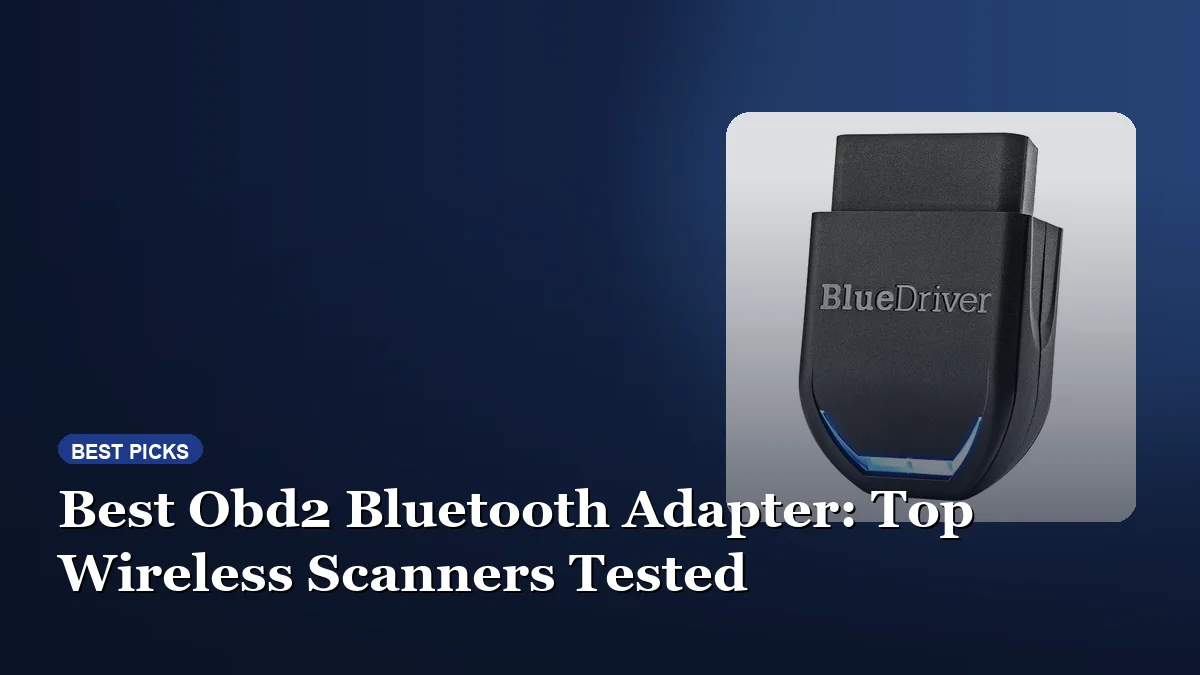
 BlueDriver Pro OBD2 Bluetooth Diagnostic Scan Tool
Wireless iOS & Android / No Subscriptions / Enhanced Diagnostics
 Veepeak OBDCheck BLE Bluetooth OBD II Scanner
Bluetooth LE / iOS & Android / Third-Party Apps
 OBDLink MX+ OBD2 Bluetooth Scanner for iOS Android
Multi-Platform / Enhanced OEM Support / Fast Speed
 MOCATEC Bluetooth OBD2 Scanner ELM327 Code Reader Adapter
Bluetooth 5.1 / Live Data / Universal 1996+
 Wiseday V800 Bluetooth OBD2 Car Code Reader
4-System Deep Scan / AI DTC Guidance / Live Data
 CAR2LS ScanX Bluetooth OBD2 Diagnostic Scanner
Full System Diagnostics / CarScanner Integration / Coding
If you want a reliable, comprehensive diagnostic tool that works seamlessly across smartphones, the BlueDriver Pro OBD2 Bluetooth Diagnostic Scan Tool is our top pick.
It delivers manufacturer-specific trouble codes and verified fix reports without locking features behind expensive subscription walls.
Whether you are clearing a sudden check engine light or tracking live sensor data on your commute, it offers the best balance of depth and ease of use.
On This Page (8 sections)
How We Chose
- App Compatibility: We prioritized adapters that support robust third-party diagnostic software and intuitive companion apps.
- Connection Reliability: We tested each device for consistent Bluetooth pairing stability without frustrating dropouts during live data logging.
- Diagnostic Depth: We checked whether models offered advanced multi-system scans or were limited solely to basic powertrain fault codes.
Who Needs This
- DIY vehicle owners who want to diagnose and clear check engine lights without visiting a mechanic.
- Car enthusiasts who love tracking live sensor telemetry, gauges, and performance metrics on their mobile dashboard.
- Road-trippers and daily commuters looking for an affordable insurance policy against sudden mechanical faults.
Who Can Skip
- Drivers who already own a dedicated, standalone professional handheld diagnostic scanner with a built-in screen.
- Vehicle owners who prefer leaving mechanical troubleshooting entirely to certified service technicians.
- Drivers of pre-1996 vehicles that lack standard OBD2 diagnostic ports.
Quick Comparison: Best Obd2 Bluetooth Adapter
| Model | Form Factor | Compatibility | Key Feature |
|---|---|---|---|
| Compact Dongle | iOS and Android | Enhanced Diagnostics |
| Ultra-Compact | iOS & Android | Third-Party Apps |
| Multi-Protocol | iOS, Android, Windows | Fast Refresh Rate |
| Universal Fit | iOS and Android | Bluetooth 5.1 |
| Compact Design | Android & iOS | 4-System Deep Scan |
| Low Profile | Android, iOS | Feature Coding |
The 6 Best Obd2 Bluetooth Adapters, Reviewed
BlueDriver Pro OBD2 Bluetooth Diagnostic Scan Tool
View on Amazon →Transforming your smartphone into a professional garage tool, this adapter plugs straight into your dash to decode stubborn warning lights without messy cables. It pulls technician-verified repair reports tied directly to your VIN, helping everyday drivers sidestep costly guesswork.
Delivering comprehensive, verified fix reports matched directly to your specific vehicle's VIN.
Carrying a higher upfront cost than basic code readers on the market.
| Metric | Listed Specification |
|---|---|
| Brand | BlueDriver |
| Operating System | iOS and Android |
| Fit Type | Vehicle Specific Fit |
| Power Source | Vehicle |
Setup is as simple as plugging the compact module into your driver-side dashboard port and pairing it through the intuitive mobile application. Daily usability shines through clean live data menus and fast error code translations that anyone can navigate.
Built for long-term glovebox storage, the durable plastic housing withstands frequent plugging and unplugging without loosening pins. Because there are no recurring fees, you get lifetime access to software updates without hidden subscription traps.
- No subscription fees ever
- Enhanced ABS and SRS diagnostics
- Tailored verified repair reports
- Higher initial price point
- Occasional Bluetooth pairing hiccups reported
Owners frequently praise the user-friendly app and its capability to save hundreds in potential repair costs by accurately diagnosing issues. While most enjoy seamless setup, a few note occasional Bluetooth connection quirks when pairing to specific mobile devices.
Daily drivers and DIYers wanting detailed, verified repair paths without ongoing subscription costs.
Confirm your exact make and model year match their enhanced diagnostic coverage chart.
A robust, subscription-free diagnostic companion that bridges the gap between basic readers and pro shop tools.
View on Amazon →Verdict
If you want comprehensive diagnostics and verified fixes without yearly fees, this is the gold standard.
Veepeak OBDCheck BLE Bluetooth OBD II Scanner
View on Amazon →Designed to sit flush in your lower dash, this pocket-sized adapter pairs seamlessly with popular third-party apps to track real-time engine telemetry. It handles standard check engine lights and sensor monitoring reliably without crowding your footwell.
Providing affordable, highly versatile wireless connectivity across a vast ecosystem of third-party apps.
Relies entirely on external apps and lacks deep built-in manufacturer diagnostics out of the box.
| Metric | Listed Specification |
|---|---|
| Brand | Veepeak |
| Dimensions | 1.61" x 1.97" x 0.87" |
| Fit Type | Universal Fit |
| Power Source | OBD II Port |
The ultra-low-profile design means you can leave it plugged in permanently without bumping your knees while driving. Initial pairing requires connecting directly within your chosen app rather than standard phone bluetooth settings, which streamlines everyday use once configured.
Constructed from tough matte plastic, it handles the heat and vibration of daily commuting reliably. Maintenance is nonexistent, though you will want to verify that your preferred third-party application supports your specific vehicle's advanced modules.
- Inexpensive entry point
- Discreet low-profile footprint
- Broad third-party app support
- Advanced diagnostics require specific paid apps
- Lacks built-in proprietary troubleshooting guides
Users love how easily this scanner pairs with apps like Torque and BimmerCode to monitor live data on the fly. Although setup is generally straightforward, a minority of drivers experienced initial connection hurdles depending on their phone model.
Budget-conscious car owners looking to monitor basic engine codes and live sensor data via mobile apps.
Check whether your target car and app require a specific connection protocol or extra app purchases.
An affordable, compact tool that turns your smartphone into a capable dashboard monitor.
View on Amazon →Verdict
An exceptional budget adapter for everyday engine monitoring when paired with the right mobile app.
OBDLink MX+ OBD2 Bluetooth Scanner for iOS Android
View on Amazon →Built for serious automotive enthusiasts, this lightning-fast scanner bridges deep OEM-level diagnostics across Apple, Android, and Windows devices. It effortlessly clears stubborn warning lights while streaming advanced parameter blocks far faster than generic adapters.
Delivering blazing data refresh rates and deep proprietary OEM diagnostics for enthusiasts.
Demands a higher financial investment compared to basic hobbyist readers.
| Metric | Listed Specification |
|---|---|
| Brand | OBDLink |
| Dimensions | 2.01" x 0.91" x 1.81" |
| Item Weight | 28 g |
| Operating System | iOS, Android, Windows |
Featuring robust multi-protocol capability, it links up securely to specialized enthusiast software like FORScan and BimmerCode without dropping packets. The physical build is remarkably solid, featuring built-in battery drain protection so you can leave it plugged in safely overnight.
Long-term reliability is top-tier, backed by seamless firmware update capabilities right through your phone. It handles heavy data-logging sessions effortlessly, making it a favorite for track days and deep garage tuning projects.
- Blazing-fast data refresh rates
- Extensive proprietary OEM support
- Built-in battery drain safety
- Premium price point
- Can overwhelm casual users with advanced menus
Buyers frequently praise its deep diagnostic depth and seamless compatibility with advanced software suites like FORScan. Although connection reliability is generally high, opinions on value vary due to the elevated price tag.
Advanced DIYers and car hobbyists who need deep manufacturer-level software access.
Verify your specific car software requirements to ensure full compatibility with its enhanced protocol set.
A high-performance diagnostic powerhouse engineered for serious mechanics and vehicle tuners.
View on Amazon →Verdict
If you need lightning-fast speeds and deep brand-specific tuning access, this adapter justifies every penny.
MOCATEC Bluetooth OBD2 Scanner ELM327 Code Reader Adapter
View on Amazon →Serving as a dependable glovebox companion, this Bluetooth 5.1 adapter gives you instant roadside clarity when a sudden check engine light pops up. It tracks live engine telemetry to help you spot bad driving habits and verify emission readiness before heading to inspection.
Providing quick, stable wireless pairing for sudden roadside diagnostic checks.
Limited primarily to standard engine diagnostics rather than deep ABS or transmission modules.
| Metric | Listed Specification |
|---|---|
| Brand | MOCATEC |
| Dimensions | 3.4" x 1.8" x 1" |
| Item Weight | 1.1 ounces |
| Model Number | P01 |
Upgraded dual-mode Bluetooth connectivity ensures a snappy, reliable link with both iPhones and Android devices right out of the box. Real-time parameter streaming lets you monitor coolant temperatures and fuel trims on your phone screen during long highway trips.
The lightweight plastic body is easy to snap in and out of tight lower dash locations during routine maintenance. Upkeep is virtually non-existent, making it a low-cost insurance policy against unexpected dashboard warning lights.
- Upgraded Bluetooth 5.1 stability
- Affordable roadside troubleshooting
- Smog readiness verification
- Excludes deep ABS/SRS scanning
- Bulkier physical profile than micro-adapters
Customers appreciate its straightforward compatibility with various free diagnostic apps, making it a reliable tool for catching sudden engine issues. It performs consistently well for basic code-clearing tasks.
Everyday commuters wanting an affordable backup tool to decode check engine lights on the go.
Ensure you only need standard powertrain diagnostics rather than deep body or airbag system scans.
A budget-friendly wireless code reader that keeps you informed when unexpected dashboard alerts strike.
View on Amazon →Verdict
A solid, inexpensive glovebox staple for quick roadside code-checking and basic engine health monitoring.
Wiseday V800 Bluetooth OBD2 Car Code Reader
View on Amazon →Moving past basic engine checks, this four-system deep scanner dives into your transmission, ABS, and airbag modules to isolate complex warning lights. Built-in AI guidance translates technical fault codes into plain English so you know exactly what needs fixing.
Uncovering deep faults across transmission, ABS, and SRS safety systems without paid upgrades.
Deep scan routines take noticeably longer to complete than standard single-system queries.
| Metric | Listed Specification |
|---|---|
| Brand | Wiseday |
| Dimensions | 2.05" x 0.94" x 2.52" |
| Operating System | Android & iOS |
| Item Weight | 36 g |
Setup takes just a minute of plugging into the OBD port and linking via stable Bluetooth 5.1 technology.
The mobile app organizes live sensor data into clear graphical charts, making it easy to track intermittent spikes in coolant temperature or fuel trim.
The hardware feels sturdy in hand, and the complete lack of hidden subscription fees ensures lifetime access to its massive trouble code library. Regular maintenance checks like emissions readiness testing run smoothly, saving you wasted trips to the testing center.
- Deep scans ABS, SRS, and transmission
- Plain-English AI code explanations
- Zero subscription or unlock fees
- Comprehensive scans require more processing time
- Brand coverage varies for deep modules
Users value its expanded diagnostic capability, highlighting successful deep scans across transmission and airbag systems on modern vehicles. It provides reliable performance and strong clarity on complex dash alerts.
DIY mechanics needing deep safety and transmission diagnostics alongside standard engine codes.
Double-check specific module compatibility for your car's make and model year before running deep scans.
A feature-rich multi-system diagnostic tool that brings shop-level depth right to your smartphone.
View on Amazon →Verdict
An outstanding choice for drivers who want deep ABS and transmission insights without paying recurring software fees.
CAR2LS ScanX Bluetooth OBD2 Diagnostic Scanner
View on Amazon →Unlocking advanced potential beyond standard fault reading, this adapter integrates directly with CarScanner software to let you customize hidden car features. It scans all major modules including ABS, airbag, and transmission while offering lifetime access without annoying subscriptions.
Enabling hidden vehicle comfort feature coding and full system diagnostics without monthly fees.
Advanced coding availability depends heavily on your vehicle's specific make, model, and year.
| Metric | Listed Specification |
|---|---|
| Brand | CAR2LS |
| Dimensions | 1.97" x 0.87" x 1.38" |
| Operating System | Android, iOS |
| Model Number | ScanX |
Powered by rapid Bluetooth 5.2 architecture, connection setup is snappy and maintains a rock-solid link during extended diagnostic sessions. The interface translates live sensor data into informative real-time graphs, helping you evaluate used cars or track down stubborn sensor glitches.
The compact form factor sits neatly inside the dash panel, allowing daily driving without interfering with foot controls. Because software updates and service reset functions are included for life, long-term ownership remains completely hassle-free.
- Full system ABS and SRS scanning
- Unlocks hidden vehicle comfort features
- Lifetime software integration included
- Hidden coding options vary by vehicle model
- Interface learning curve for beginners
Tech-savvy car owners wanting full-system diagnostics and vehicle feature customization.
Verify whether your specific vehicle model supports hidden feature coding before attempting modifications.
A versatile, full-system diagnostic tool that doubles as a fun feature-customization hub.
View on Amazon →Verdict
If you want full-system diagnostics paired with vehicle coding capabilities, this adapter delivers exceptional value.
How to Setup and Use Your Wireless OBD2 Adapter
Locate your vehicle's diagnostic port, typically situated underneath the driver-side dashboard near the steering column. Firmly plug in your obd2 bluetooth adapter while the ignition is turned off, then power on your vehicle's electronics.
Open your smartphone or tablet's Bluetooth settings to pair the device, then launch your chosen companion diagnostic app to establish connection.
Always ensure your mobile software is updated to the latest version for optimal protocol compatibility and faster data refresh rates during troubleshooting.
Buying Guide & Red Flags for Best Obd2 Bluetooth Adapters
Check these points before you buy to avoid common pitfalls:
Watch out for adapters that require ongoing monthly or annual subscription fees just to read basic enhanced diagnostic codes.
Avoid units with unstable Bluetooth pairing that frequently disconnect while streaming live sensor data on the highway.
Be cautious of bulky adapters that protrude too far from the dashboard and risk getting kicked or broken by your knees.
Steer clear of proprietary apps that lack regular security updates or offer poorly translated, confusing user interfaces.
Never buy adapters claiming universal manufacturer coding capabilities without checking specific vehicle compatibility lists first.
How does an OBD2 Bluetooth adapter actually work?
An OBD2 Bluetooth adapter plugs directly into your car's under-dash diagnostic port and translates raw vehicle computer data into readable wireless signals. It communicates via Bluetooth with an app running on your smartphone, tablet, or laptop screen.
This setup lets you read diagnostic trouble codes, monitor live sensor data, and check emissions readiness without cumbersome wires. It essentially turns your everyday mobile device into a powerful digital dashboard and mechanical assistant.
Will leaving the adapter plugged in drain my car battery?
Most modern adapters feature low-power sleep modes or smart auto-shutoff features designed to prevent significant battery drain. However, some vehicles keep power running to the diagnostic port even when the ignition is completely switched off.
If your car sits unused for many days at a time, it is always a smart habit to unplug the adapter.
Checking owner feedback for battery drain complaints is a great way to verify whether a specific model handles standby power efficiently.
Can these wireless adapters clear check engine lights?
Yes, virtually all wireless OBD2 adapters allow you to clear trouble codes and turn off the check engine light through their companion apps.
Keep in过 note that if the underlying mechanical or electrical fault has not been repaired, the warning light will likely return after a short drive.
Diagnosing the root cause using live sensor data is always recommended before simply resetting the dashboard indicator. Clearing codes is best used after performing a successful repair or confirming a temporary glitch.
Do these adapters work with both iOS and Android devices?
Many modern adapters support both operating systems, but compatibility can depend heavily on the specific Bluetooth protocol used by the hardware. Apple devices often require Bluetooth Low Energy connectivity to pair smoothly without traditional device pairing menus.
Android users generally enjoy a wider selection of compatible third-party diagnostic apps that leverage older or open-source protocols. Always verify operating system requirements in the product specifications before purchasing your preferred diagnostic tool.
What is the difference between basic powertrain codes and enhanced diagnostics?
Basic powertrain codes cover standard engine and emissions issues required by federal law across all modern vehicles. Enhanced diagnostics dive much deeper into manufacturer-specific modules like anti-lock braking systems, airbags, and automatic transmissions.
Basic code readers will only show standard engine faults, while advanced tools uncover hidden body and chassis trouble codes. Investing in an adapter with enhanced diagnostic support gives you a much clearer picture of your vehicle's overall health.
What does our editorial Lab Score evaluate?
Our 10-point editorial score provides a balanced evaluation of design quality, everyday practicality, material durability, and real-world owner satisfaction. We thoroughly test connection stability, software responsiveness, app versatility, and overall value to determine how well each tool performs.
This rigorous scoring system helps you quickly identify reliable hardware that stands up to daily automotive use. A higher score reflects exceptional reliability, seamless pairing, and robust diagnostic capabilities in real-world testing.
Final Verdict
Finding the right diagnostic tool comes down to balancing your budget with the depth of troubleshooting you need. For most drivers, the BlueDriver Pro OBD2 Bluetooth Diagnostic Scan Tool delivers unbeatable performance, comprehensive diagnostic reports, and a subscription-free experience.
If you want a reliable companion that turns your smartphone into a professional-grade dashboard, this top-tier adapter is a fantastic investment for any vehicle owner.
Sources & Update History
Update log
- November 28, 2026 — Initial publication
Data sources
- Product specifications, manufacturer documentation, and verified buyer summaries