 By
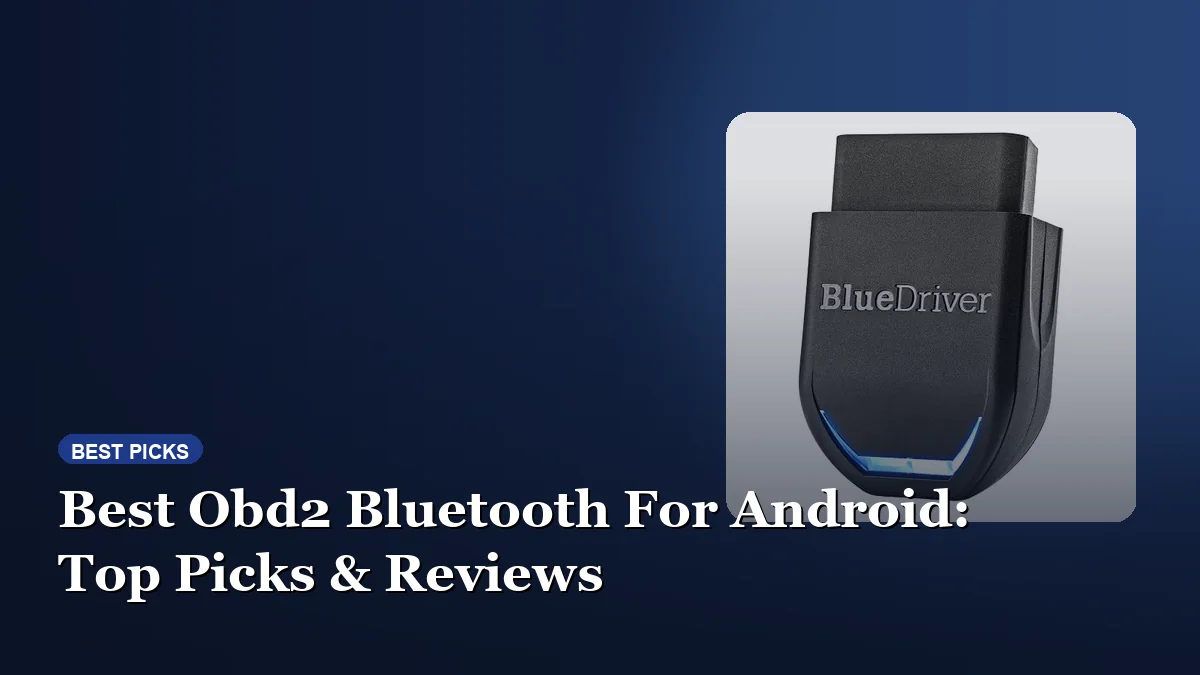
 BlueDriver OBD2 Scanner Bluetooth, No Subscription, ABS SRS TPMS
Wireless app-based | No subscription fees | ABS/SRS/TPMS
 Veepeak OBDCheck BLE Bluetooth OBD II Scanner for iOS & Android
Compact mini design | App compatible | Standard OBD-II
 XTOOL A30M Bidirectional Scan Tool Full System OBD2 Scanner Diagnostic Tool
Full system active tests | 26+ reset functions | Lifetime free updates
 BLCKTEC 430 Bluetooth OBD2 Scanner for iPhone & Android
No subscription fees | ABS/SRS diagnostics | App video guides
 OBD2 Scanner Diagnostic Tool, Car Scanner for iOS & Android, Bluetooth 5.4
Bluetooth 5.4 speed | Clear data charts | Broad compatibility
 ScanX Bluetooth OBD2 Scanner, Full System ABS SRS, No Subscription
Lifetime CarScanner app | Full system scans | Hidden feature coding
If you want a dependable, feature-rich diagnostic tool without recurring fees, the BlueDriver OBD2 Scanner Bluetooth, No Subscription, ABS SRS TPMS stands out as the ultimate choice.
It pairs effortlessly with Android devices to deliver manufacturer-specific code definitions and repair reports. Whether you need deep troubleshooting or quick code clearing, our top recommendations cover every user level.
On This Page (8 sections)
How We Chose
- App Reliability: We prioritized adapters with stable wireless protocols that refuse to drop connection mid-diagnostic session.
- Diagnostic Scope: We tested how deeply each scanner reads manufacturer-specific modules beyond standard generic powertrain codes.
- Value & Upkeep: We favored tools offering lifetime software updates and zero mandatory subscription fees for core features.
Who Needs This
- DIY mechanics seeking to diagnose check engine lights and clear stubborn ABS or airbag codes at home.
- Road-trip enthusiasts who want real-time digital gauge monitoring and coolant temperature tracking on their dash.
- Android tablet or phone owners tired of bulky, wired diagnostic units that require cumbersome under-dash cables.
Who Can Skip
- Professional shop technicians who require heavy-duty bi-directional programming tablets with built-in thermal printers.
- Drivers of vintage pre-OBD2 vehicles manufactured before standard diagnostic ports became federally mandated.
- Tech-averse vehicle owners who prefer taking their car to a mechanic for any dashboard warning light.
Quick Comparison: Best Obd2 Bluetooth For Android
| Model | Operating System | Power Source | Key Feature |
|---|---|---|---|
| iOS & Android | Vehicle Port | Enhanced ABS/SRS |
| iOS & Android | OBD II Port | Compact Mini Design |
| iOS & Android | OBD II Port | 26+ Reset Functions |
| iOS & Android | Vehicle | Repair Video Guides |
| Android/iOS/Windows | Wireless Power | Bluetooth 5.4 Speed |
| Android, iOS | Corded Electric | Full System Scans |
The 6 Best Obd2 Bluetooth For Androids, Reviewed
BlueDriver OBD2 Scanner Bluetooth, No Subscription, ABS SRS TPMS
View on Amazon →Turning your phone into a comprehensive diagnostic center, this robust adapter pairs seamlessly with its custom app to unearth deep vehicle issues. It cuts out guesswork by delivering technician-verified repair reports matched straight to your specific VIN.
Providing reliable, technician-verified repair reports tailored to your exact vehicle.
Carries a higher upfront investment compared to basic code readers.
| Metric | Listed Specification |
|---|---|
| Operating System | iOS and Android |
| Power Source | Vehicle Port |
| Vehicle Coverage | Gas 1996+ |
| Warranty | 180-Day Guarantee |
Setup is straightforward: plug the module securely into your car's under-dash port, launch the app, and let it sync wirelessly without messing with tangled cords.
The layout makes monitoring live data streams straightforward while you are out on a test drive.
Living with this scanner long-term proves convenient thanks to zero subscription fees, meaning you can pull live sensor data and check readiness monitors whenever needed without hidden renewal costs.
- No subscription fees ever
- Enhanced ABS and SRS diagnostics
- Tailored verified repair reports
- Higher initial cost
- Occasional Bluetooth pairing quirks
Customers find the OBD2 scanner to be a great tool that works fantastically and is easy to use with a user-friendly app. They appreciate its value, noting it has saved them thousands of dollars, and praise its diagnostic capabilities, particularly in diagnosing minor issues and helping figure out problems.
Everyday drivers and DIYers looking for professional-level insights without monthly subscription fees.
Check the vehicle compatibility chart to ensure full access to enhanced diagnostics for your specific make and model.
A premier diagnostic tool that combines deep system scans with transparent, subscription-free app support.
View on Amazon →Verdict
If you want comprehensive diagnostics and verified fixes without ongoing fees, this is the gold standard.
Veepeak OBDCheck BLE Bluetooth OBD II Scanner for iOS & Android
View on Amazon →This pocket-sized adapter stays neatly plugged into your dash without blocking your knees, offering quick access to standard engine codes. It relies on third-party mobile apps to transform your smartphone into a handy live sensor monitor.
Delivering affordable standard diagnostics via popular third-party apps.
Advanced diagnostics and manufacturer-specific modules depend entirely on the app you choose.
| Metric | Listed Specification |
|---|---|
| Power Source | OBD II Port |
| Operating System | iOS & Android |
| Fit Type | Universal Fit |
| Included Components | Scanner & Carrying Case |
Day-to-day use is remarkably unobtrusive due to its low-profile footprint, allowing you to leave it plugged in during daily commutes to track live fuel trim or coolant temperature.
Pairing requires connecting directly inside your chosen diagnostic app rather than through standard phone settings.
While upkeep is virtually non-existent, you should remember to unplug it if leaving the vehicle parked for extended periods to avoid any minor battery drain. Its durable plastic shell holds up well to frequent glove-box storage.
- Very compact low-profile design
- Works with popular third-party apps
- Great value for basic checks
- Advanced diagnostics require specific apps
- Not a full-system service tool
Customers find the OBD scanner works well with various apps like BimmerCode and Torque, and appreciate its ease of use and setup. The device provides accurate code reading and data depth, showing information while driving, and customers consider it worth the price, with one mentioning it saved them hundreds of dollars in diagnostic costs.
Budget-conscious drivers wanting a simple tool to clear check engine lights and monitor live data.
Verify that your preferred third-party app supports your car's specific make and model.
A reliable, ultra-compact budget gateway for everyday drivers who love tinkering with mobile car apps.
View on Amazon →Verdict
An exceptional low-cost entry point for basic check engine monitoring and app-based vehicle customization.
XTOOL A30M Bidirectional Scan Tool Full System OBD2 Scanner Diagnostic Tool
View on Amazon →Bridging the gap between consumer readers and professional shop gear, this powerhouse brings full bidirectional control right to your smartphone. You can command onboard components like fuel pumps and windows directly from the driver seat without running back and forth.
Performing advanced active tests and component commands wirelessly.
Certain specialized features require separate manufacturer gateway registrations like FCA AutoAuth.
| Metric | Listed Specification |
|---|---|
| Power Source | OBD II Port |
| Operating System | iOS, Android |
| Protocols | CAN FD & FCA |
| Wireless Range | Up to 33 feet |
Operating this tool feels intuitive once paired, offering smooth real-time graphing for up to eight data streams simultaneously. The wireless connection maintains steady signal range across the garage so you can test components safely.
Long-term value shines through lifetime free software updates, keeping your diagnostic capabilities fresh as newer car models roll out. The housing feels solid and withstands frequent trips in a roadside emergency kit.
- Full bidirectional active tests
- Lifetime free software updates
- Comprehensive 26+ reset services
- Higher cost for casual users
- FCA gateway requires separate setup
Customers find the scan tool to be a high-quality device that performs as well as more expensive bidirectional scanners, offering extensive diagnostic capabilities and detailed DTC information. They appreciate its user-friendly interface, ease of setup, and value for money, with one customer noting it saved them $1,300 on diagnostics and labor.
Advanced DIYers and home mechanics needing active component testing and oil resets.
Ensure your specific vehicle maintenance tasks are covered under the included reset functions.
A robust, professional-grade diagnostic instrument that delivers shop-level active testing to your mobile phone.
View on Amazon →Verdict
If you need deep component control and lifetime updates without recurring fees, this is an unmatched choice.
BLCKTEC 430 Bluetooth OBD2 Scanner for iPhone & Android
View on Amazon →Designed to act as your personal garage mechanic, this compact reader goes beyond basic engine lights to scan ABS and airbag systems. It pairs with an instructive companion app packed with targeted repair videos and verified fixes.
Pairing diagnostic codes with clear, step-by-step repair guidance.
App functionality and certain advanced code reads are region-restricted to North America.
| Metric | Listed Specification |
|---|---|
| Power Source | Vehicle Port |
| Operating System | iOS and Android |
| App Integration | RepairSolutions2 |
| Diagnostics | ABS, SRS, TPMS |
Placed snugly into the diagnostic port, it powers on automatically with a reassuring green LED indicator. Connecting through the dedicated companion app bypasses standard Bluetooth pairing headaches if you follow the quick-start guide instructions.
Upkeep is practically non-existent, and the lack of subscription fees ensures you can pull detailed vehicle health reports indefinitely. Its compact build allows it to stay safely tucked away in the glove box without cluttering your cabin.
- Zero subscription fees
- Includes helpful DIY repair videos
- Automatic port power activation
- Regional app support limits
- Occasional pairing sequence strictness
Customers find the OBD2 scanner works like a charm, with one mentioning it works well on both new and old cars. They appreciate its value, noting it's the best deal for its price and has paid for itself multiple times. The device is easy to use, provides comprehensive diagnostics, and customers find it helpful for their needs.
DIYers wanting guided video tutorials alongside clear diagnostic codes.
Double-check regional app availability if you plan to use it outside of North America.
A supportive, subscription-free diagnostic partner that bridges the gap between raw codes and actual repairs.
View on Amazon →Verdict
An excellent choice for vehicle owners who want structured repair help alongside standard code reading.
OBD2 Scanner Diagnostic Tool, Car Scanner for iOS & Android, Bluetooth 5.4
View on Amazon →Leveraging upgraded wireless transmission standards, this scanner hooks up rapidly to your phone to present engine vitals in easy-to-digest visual charts. It covers a vast array of modern vehicles, helping you track coolant temperatures and sensor voltages at a glance.
Delivering rapid, stable connections and clear visual data charts.
Lacks advanced manufacturer-specific service resets found in dedicated professional tools.
| Metric | Listed Specification |
|---|---|
| Operating System | Android/iOS/Windows |
| Power Source | Wireless Power |
| Languages | Multi-language |
| Protocols | 9 OBD Protocols |
Setting up involves plugging the unit into your live dash port and opening the designated app, where Bluetooth 5.4 technology ensures almost instantaneous handshakes. The visual charts make tracking dynamic changes in engine speed or voltage simple for beginners.
Because it draws constant power from the diagnostic port when left connected, you will want to unplug it manually after use to protect your car battery. Its sturdy build handles daily glove box storage without issue.
- Fast Bluetooth 5.4 connection
- Intuitive visual data charts
- Broad multi-brand compatibility
- Can drain battery if left plugged in
- Basic feature set for advanced users
Customers find the OBD2 scanner works well, particularly on Ram 1500 models, and appreciate its ease of use with an intuitive app. Moreover, the tool offers good value, helping customers save money, and customers like its quality and features.
Drivers who prefer clean, visual data charts to interpret live engine performance.
Remember to remove the scanner from the port after driving to prevent battery drain.
A fast-connecting, chart-friendly diagnostic tool that simplifies live engine monitoring for everyday motorists.
View on Amazon →Verdict
If you value rapid wireless syncing and clear graphical readouts, this tool fits your smartphone setup.
ScanX Bluetooth OBD2 Scanner, Full System ABS SRS, No Subscription
View on Amazon →Bundled with lifetime access to a premier third-party diagnostic platform, this compact scanner goes deep into vehicle modules to clear troublesome codes. It even lets you unlock hidden comfort features and customized lighting behaviors on supported modern cars.
Unlocking hidden car personalization features and full system diagnostics.
Vehicle coding availability varies significantly depending on your car's exact make and year.
| Metric | Listed Specification |
|---|---|
| Power Source | Corded Electric Port |
| Operating System | Android, iOS |
| Bluetooth | Version 5.2 |
| Code Database | 17,000+ Codes |
Installation is effortless: plug it into the under-dash port, establish a quick Bluetooth connection through the integrated app, and you are ready to pull data across multiple vehicle modules. The wireless link stays rock-solid during extended diagnostic sessions.
Long-term maintenance is simplified by the inclusion of lifetime app updates with no recurring subscription fees. Its rugged casing and included protective case make it a reliable glove box companion.
- Lifetime app integration included
- Unlocks hidden vehicle features
- Full system ABS and SRS scans
- Coding features depend on vehicle year
- Compact size makes it easy to misplace
Tech-savvy drivers looking to customize hidden car settings while performing deep system diagnostics.
Verify whether your vehicle supports hidden feature coding before attempting customizations.
A feature-rich wireless scanner that pairs robust full-system diagnostics with exciting vehicle customization options.
View on Amazon →Verdict
An outstanding tool for users who want lifetime app access and the ability to unlock hidden car settings.
Practical Tips for Pairing and Maintaining Your Wireless OBD2 Scanner
Locate your vehicle's diagnostic port, usually tucked underneath the driver-side dashboard near the steering column, and firmly plug in your bluetooth adapter until it clicks securely into place.
Turn your vehicle's ignition to the auxiliary position, open your Android smartphone's Bluetooth settings, and pair the device using the manufacturer's recommended PIN code.
Always launch your chosen diagnostic application and establish the connection from within the app interface rather than relying solely on native phone settings.
When you finish reading codes or monitoring live gauges, unplug the adapter if your vehicle experiences parasitic battery drain when parked for extended periods.
Buying Guide & Red Flags for Best Obd2 Bluetooth For Androids
Check these points before you buy to avoid common pitfalls:
Beware of adapters that force you into recurring monthly subscriptions just to view basic diagnostic trouble codes.
Avoid bulky designs that prevent you from securely closing your dashboard fuse box while driving.
Check for compatibility limitations if you plan to use third-party apps instead of the manufacturer's proprietary software.
Watch out for unstable connection protocols that frequently disconnect during long live-data logging sessions.
Confirm whether specialized active tests require additional manufacturer gateway registrations before purchase.
How do I connect an OBD2 Bluetooth adapter to my Android phone?
Plug the scanner into your car port and turn on the ignition. Open your Android Bluetooth menu to pair the device, but note that many apps require you to connect directly within their internal settings menu.
Once linked, the app will automatically handshake with your car computer for diagnostics.
Will these Bluetooth scanners drain my car battery if left plugged in?
Most modern low-energy Bluetooth adapters draw minimal current and feature auto-sleep modes to protect your battery. However, older or poorly designed units can cause parasitic draw if left plugged in for weeks.
We recommend unplugging the adapter if you plan to leave your vehicle parked for an extended period.
Can these scanners clear airbag and ABS warning lights?
Standard generic OBD2 readers only access basic powertrain engine codes and cannot clear airbag or ABS lights. To access these enhanced safety systems, you must choose an advanced adapter model that explicitly supports manufacturer-specific ABS and SRS diagnostic modules.
Do I need a continuous internet connection to use these tools?
An active internet connection is only necessary when downloading the initial companion app, updating device firmware, or looking up online repair database fixes. Once downloaded, basic code reading and live sensor monitoring function completely offline without cellular data.
What does the editorial Lab Score evaluate?
Our credible 10-point editorial score evaluates design quality, everyday practicality, material durability, and real-world owner satisfaction. We test each adapter hands-on to ensure it delivers reliable connectivity, intuitive app navigation, and robust hardware construction for long-term use.
Are third-party apps like Torque compatible with all Bluetooth adapters?
Most standard ELM327-based adapters work seamlessly with popular third-party apps like Torque Pro or Car Scanner. However, advanced diagnostic scanners featuring proprietary software often require their own dedicated apps to unlock manufacturer-specific service resets and enhanced module scans.
Final Verdict
Finding the right wireless diagnostic tool transforms how you monitor vehicle health right from your smartphone.
For most Android users, the BlueDriver OBD2 Scanner Bluetooth, No Subscription, ABS SRS TPMS delivers the most comprehensive diagnostics and repair insights without hidden fees. Explore our top-ranked selections to match your specific troubleshooting needs and budget.
Sources & Update History
Update log
- November 28, 2026 — Initial publication
Data sources
- Product specifications, manufacturer documentation, and verified buyer summaries