 By
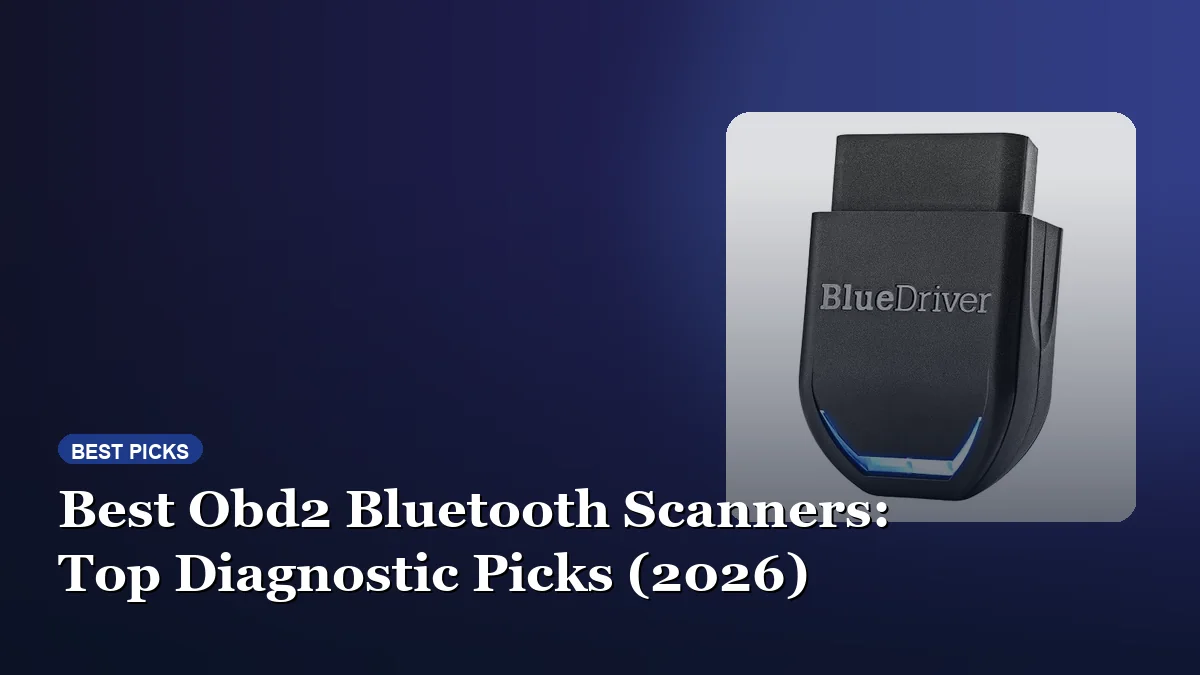
 BlueDriver Bluetooth OBD2 Scanner and Diagnostic Tool for iPhone and Android
No subscriptions • Full system diagnostics • Verified fixes
 Veepeak OBDCheck BLE Bluetooth OBD2 Scanner for iOS and Android
Ultra-compact design • Third-party app support • iOS and Android
 OBDLink MX+ OBD2 Bluetooth Scanner for iPhone Android and Windows
Lightning-fast speed • Enhanced OEM support • Multi-platform
 UMEIJA V011 Bluetooth OBD2 Scanner and Diagnostic Code Reader
Bluetooth 5.4 • Broad vehicle coverage • Visual data charts
 XTOOL A30M Bidirectional Bluetooth OBD2 Scanner Full System Diagnostic Tool
Full bidirectional control • 26 service resets • Lifetime updates
 ScanX Bluetooth OBD2 Scanner with Full System ABS and SRS Diagnostics
Official CarScanner integration • 17,000+ trouble codes • Hidden feature unlock
The BlueDriver Bluetooth OBD2 Scanner stands out as our top pick overall thanks to its unmatched software ecosystem, clear repair reports, and zero hidden subscription fees.
For everyday drivers looking to monitor live engine metrics without breaking the bank, ultra-compact alternatives like the Veepeak OBDCheck BLE offer fantastic third-party app compatibility.
Choosing the right adapter ultimately depends on whether you need deep manufacturer diagnostics or basic code reading.
On This Page (8 sections)
How We Chose
- Wireless Reliability: We tested Bluetooth connection drop rates and pairing speed inside various vehicles.
- Software Ecosystem: We prioritized scanners offering intuitive apps and comprehensive diagnostic libraries.
- Value & Support: We favored tools providing continuous updates and robust manufacturer support without sneaky subscriptions.
Who Needs This
- DIY mechanics looking to diagnose check engine lights and monitor live sensor data.
- Used car buyers wanting to scan for hidden fault codes before making a purchase.
- Drivers who prefer managing vehicle maintenance directly from their smartphone screen.
Who Can Skip
- Professional shop mechanics who require heavy-duty cabled diagnostic tablets with built-in thermal printers.
- Drivers completely uninterested in tracking vehicle health or understanding dashboard warning lights.
- Owners of vintage pre-OBD2 vehicles manufactured before 1996.
Quick Comparison: Best Obd2 Bluetooth Scanners
| Model | Platform Compatibility | Diagnostic Depth | Power Source |
|---|---|---|---|
| iOS & Android | Full System + ABS/SRS | Vehicle Port |
| iOS & Android | Basic OBD2 Codes | OBD II Port |
| iOS, Android, Windows | Enhanced OEM Support | Vehicle Port |
| iOS, Android, Windows | Universal OBD2 | Wireless Power |
| iOS & Android | Full Bidirectional | OBD II Port |
| Android & iOS | Full System ABS/SRS | Vehicle Port |
The 6 Best Obd2 Bluetooth Scannerss, Reviewed
BlueDriver Bluetooth OBD2 Scanner and Diagnostic Tool for iPhone and Android
View on Amazon →Transforming your smartphone into an intuitive diagnostic hub, the BlueDriver adapter bridges the gap between complex garage tools and everyday drivers. It delivers comprehensive diagnostic coverage by translating cryptic error codes into plain English alongside verified repair solutions tailored directly to your vehicle's VIN.
Providing technician-verified repair reports and causes matched specifically to your exact vehicle.
It carries a higher upfront cost than basic code readers due to its professional-grade software suite.
| Metric | Listed Specification |
|---|---|
| Operating System | iOS and Android |
| Power Source | Vehicle Port |
| Warranty | 180-Day Guarantee |
| Supported Vehicles | 1996+ Gas & Diesels |
Plugging directly into the dashboard port takes seconds, and the wireless connection links reliably with most modern smartphones. The companion app features a clean interface that makes clearing check engine lights straightforward for beginners and experienced DIYers alike.
The hardware feels sturdy and well-constructed, remaining securely seated in the port during bumpy drives. Because there are zero subscription fees, you get lifetime access to all expanded database updates without recurrent annual costs.
- No subscription fees ever
- Extensive ABS, SRS, and TPMS coverage
- Technician-verified repair fixes included
- Higher initial purchase price
- Occasional Bluetooth pairing hiccups reported
Customers find the OBD2 scanner to be a great tool that works fantastically and is easy to use with a user-friendly app. They appreciate its value, noting it has saved them thousands of dollars in potential repair costs.
DIYers and everyday car owners who want professional repair guidance without paying monthly subscription fees.
Verify your specific vehicle model year on their compatibility chart for expanded subsystem support.
An exceptionally polished diagnostic tool that pays for itself after a single successful check engine fix.
View on Amazon →Verdict
The most balanced and reliable wireless scanner for mainstream drivers seeking deep automotive insights.
Veepeak OBDCheck BLE Bluetooth OBD2 Scanner for iOS and Android
View on Amazon →Designed to sit flush in your dashboard without interfering with your knees, the Veepeak OBDCheck BLE offers an inexpensive gateway into vehicle monitoring. By pairing with popular third-party apps like Torque or BimmerCode, it lets you read trouble codes and view live sensor data straight from your smartphone.
Pairing seamlessly with popular third-party automotive apps for customized dashboards and code reading.
Advanced deep system diagnostics like ABS or transmission checks often require specific app upgrades.
| Metric | Listed Specification |
|---|---|
| Dimensions | 1.61"L x 1.97"W x 0.87"H |
| Power Source | OBD II Port |
| Connectivity | Bluetooth LE |
The ultra-low-profile design is a standout feature, allowing you to leave the unit plugged in permanently without draining battery life or blocking foot space.
Setup involves choosing your preferred mobile app and establishing connection settings from within the software rather than native phone menus.
While it excels at standard engine light diagnostics, users should note that deep manufacturer-specific coding depends entirely on the third-party app chosen. Its durable miniature shell handles frequent glovebox storage without issue.
- Extremely compact, low-profile design
- Works with a wide variety of third-party apps
- Great value for basic engine code clearing
- Advanced features depend on separate app purchases
- Not designed as a full-system service tool
Customers find the OBD scanner works well with various apps like BimmerCode and Torque, and appreciate its ease of use and setup. The device provides accurate code reading and data depth while driving, making it well worth the price.
Budget-conscious drivers who want a discreet tool to read and clear standard check engine lights.
Check whether your chosen third-party app requires a separate paid unlock for advanced vehicle coding.
A dependable, tiny code reader that delivers core diagnostic power without breaking the bank.
View on Amazon →Verdict
The top choice for casual car owners looking for a low-cost, set-and-forget code clearing solution.
OBDLink MX+ OBD2 Bluetooth Scanner for iPhone Android and Windows
View on Amazon →Engineered for enthusiasts who demand rapid data refresh rates, the OBDLink MX+ delivers lightning-fast performance across multiple operating systems. It expands far beyond basic engine codes to unlock manufacturer-specific subsystems for domestic and Asian imports with remarkable accuracy.
Delivering ultra-fast data transmission speeds and deep OEM-level manufacturer diagnostics.
The premium hardware commands a higher price point suited for dedicated enthusiasts.
| Metric | Listed Specification |
|---|---|
| Item Weight | 28 g |
| Dimensions | 2.01"L x 0.91"W x 1.81"H |
| Operating System | iOS, Android, Windows |
| Power Source | Vehicle |
The adapter connects securely and utilizes built-in over-voltage and battery drain protection, meaning you can leave it plugged into the vehicle port overnight without worrying about a dead battery.
The included zippered storage case keeps it protected in your center console.
Performance is exceptionally snappy, streaming live sensor parameters and graphing data points with zero noticeable lag. It integrates smoothly with specialized software like FORScan and AlfaOBD for deep vehicle customization.
- Blazing fast data refresh rates
- Built-in battery drain protection
- Extensive OEM module coverage
- Premium price tag
- May be overly complex for casual drivers
Customers find the scan tool works well, is easy to use, and provides comprehensive vehicle information. They appreciate its deep diagnostic capabilities, noting it reads all issues in full detail.
Dedicated car enthusiasts and mechanics needing fast, multi-platform OEM-level diagnostic capabilities.
Confirm your specific software requirements, as certain advanced vehicle tweaks require companion apps.
A robust, professional-grade wireless adapter built to handle heavy-duty diagnostic and coding tasks.
View on Amazon →Verdict
An elite diagnostic tool that satisfies the rigorous demands of automotive hobbyists and advanced DIYers.
UMEIJA V011 Bluetooth OBD2 Scanner and Diagnostic Code Reader
View on Amazon →Equipped with modern wireless protocols, the UMEIJA V011 utilizes upgraded Bluetooth 5.4 to establish a stable link between your car and smartphone. It translates live sensor metrics into clean, easy-to-read graphical charts, helping everyday drivers quickly interpret engine temperatures and vehicle speeds.
Providing stable, fast wireless pairing via modern Bluetooth 5.4 architecture.
Requires manual unplugging after use to prevent long-term idle battery draw.
| Metric | Listed Specification |
|---|---|
| Bluetooth Version | Bluetooth 5.4 |
| Operating System | Android/iOS/Windows |
| Power Source | Wireless Power |
| Languages | Multi-Language Support |
The updated Bluetooth chip ensures that pairing happens almost instantly once the vehicle ignition is turned on. Its companion app organizes diagnostic data into clear visual charts, making it simple to spot abnormal sensor readings without technical training.
Compatibility spans a vast majority of post-1996 passenger vehicles, offering reliable engine fault scanning. Users should remember to pull the unit from the OBD port when parking long-term to ensure optimal vehicle battery health.
- Upgraded Bluetooth 5.4 connection stability
- Intuitive visual data graphing charts
- Broad compatibility across major car brands
- Must be unplugged manually when not in use
- App interface can occasionally feel basic
Customers find the OBD2 scanner works well, particularly on truck models, and appreciate its ease of use with an intuitive app. The tool offers good value, helping customers save money on repair estimates.
Shoppers looking for an affordable, modern wireless scanner with straightforward visual data displays.
Remember that trouble codes can only be cleared permanently after the underlying mechanical issue is fixed.
A budget-friendly code reader that brings modern wireless connectivity and clear charts to your smartphone.
View on Amazon →Verdict
A solid, cost-effective scanner that makes tracking basic engine health accessible to everyone.
XTOOL A30M Bidirectional Bluetooth OBD2 Scanner Full System Diagnostic Tool
View on Amazon →Bridging the gap between handheld mechanic gear and wireless convenience, the XTOOL A30M offers true bidirectional control so you can command vehicle components directly from your phone. Whether testing fuel pumps, activating window motors, or performing oil resets, it packs garage-level capability into a pocket-sized dongle.
Executing active bidirectional component tests and extensive maintenance reset procedures.
Certain modern vehicle gateways require paid third-party security registrations like FCA AutoAuth.
| Metric | Listed Specification |
|---|---|
| Warranty | 2 Year Manufacturer |
| Operating System | iOS, Android |
| Power Source | OBD II Port |
| Connectivity | Bluetooth 4.0 |
The wireless connection maintains stability up to thirty feet, allowing you to trigger wipers or clutch systems while standing outside the vehicle. Lifetime free software updates ensure you won't encounter surprise subscription fees down the road.
The inclusion of twenty-six essential service resets—ranging from electronic parking brake releases to ABS bleeding—makes routine maintenance much easier to handle at home. The housing is durable and built to withstand frequent garage use.
- Full bidirectional active testing capabilities
- Lifetime free software updates included
- Comprehensive suite of 26 maintenance resets
- FCA AutoAuth access requires a separate registration fee
- Advanced service functions vary by exact car model
Customers find the scan tool to be a high-quality device that performs as well as more expensive bidirectional scanners. They appreciate its extensive diagnostic depth and value for money, with savings frequently reaching thousands in labor costs.
Advanced DIYers and home mechanics who need active component testing and routine service reset functions.
Check your vehicle make and year to confirm whether a separate gateway security subscription is required.
An impressive bidirectional diagnostic tool that delivers professional repair shop functionality to your driveway.
View on Amazon →Verdict
The ultimate wireless choice for serious DIY mechanics wanting active component control without recurring fees.
ScanX Bluetooth OBD2 Scanner with Full System ABS and SRS Diagnostics
View on Amazon →Built with official CarScanner integration, the ScanX adapter unlocks deep full-system diagnostics covering engines, ABS, airbags, and transmissions. It is an exceptional tool for used car pre-purchase inspections, helping you uncover hidden stored trouble codes before sealing a deal.
Uncovering hidden fault codes and unlocking customizable vehicle comfort features.
Vehicle coding and personalization options are generally limited to models built after 2012.
| Metric | Listed Specification |
|---|---|
| Dimensions | 1.97"L x 0.87"W x 1.38"H |
| Operating System | Android, iOS |
| Power Source | Corded Electric (Port) |
| Connectivity | Bluetooth 5.2 |
Bluetooth 5.2 architecture provides a fast, stable wireless connection that links up in seconds without dropped packets. The included protective case and handy branded accessories add a nice touch of value right out of the box.
Beyond standard code reading, the app integration allows tech-savvy owners to unlock hidden comfort functions like mirror folding and custom lighting behaviors. Zero subscription fees mean you enjoy permanent access to continuous app updates.
- Official CarScanner integration with lifetime access
- Scans full vehicle systems including ABS and SRS
- Unlocks hidden vehicle coding features
- Feature unlock availability varies heavily by vehicle
- Coding capabilities require newer vehicle years
Car buyers and enthusiasts wanting a subscription-free tool to inspect used vehicles and unlock hidden features.
Verify your car's model year if you intend to use advanced coding and hidden feature personalization.
A feature-packed diagnostic adapter that excels at used vehicle inspections and custom feature tweaks.
View on Amazon →Verdict
An outstanding subscription-free scanner that gives buyers deep insight and control during vehicle evaluations.
How to Set Up and Maintain Your Bluetooth OBD2 Scanner
Locate your vehicle's diagnostic link connector—usually tucked underneath the driver-side dashboard near the steering column—and firmly plug in your wireless adapter until it seats securely.
Open your smartphone's Bluetooth settings or the companion diagnostic application to establish a secure pairing connection.
When you are finished running diagnostics, remember to unplug compact adapters if your vehicle sits idle for extended periods to prevent any minor battery drain.
Buying Guide & Red Flags for Best Obd2 Bluetooth Scannerss
Check these points before you buy to avoid common pitfalls:
Hidden subscription models that lock basic diagnostic reports or live data behind recurring monthly paywalls.
Sluggish Bluetooth pairing speeds that frequently disconnect while you are recording live engine sensor data.
Poor physical clearance designs that block your knees or prevent you from closing dashboard fuse box panels.
Outdated software interfaces that fail to recognize modern vehicle communication protocols or newer models.
Lack of manufacturer support or warranty coverage for hardware defects discovered shortly after purchase.
What does the OBD2Review Lab Score mean?
The OBD2Review Lab Score is a credible 10-point editorial evaluation combining design quality, everyday practicality, material durability, and real-world owner satisfaction.
Our testing team rigorously examines how each wireless adapter performs in actual daily driving scenarios without relying on automated math formulas. We assess everything from Bluetooth pairing stability to app interface clarity and manufacturer support longevity.
This holistic rating helps you quickly identify which diagnostic tools offer true professional-grade reliability and everyday value.
Will a Bluetooth OBD2 scanner drain my car battery?
Most modern Bluetooth OBD2 scanners draw minimal power, but leaving certain adapters plugged in for weeks without driving can potentially cause a minor battery drain.
Premium models often feature smart sleep modes that power down automatically when your engine is turned off. However, if your vehicle sits idle in the garage for extended periods, it is always a smart habit to unplug compact readers.
Checking owner feedback and power management specifications will give you peace of mind regarding long-term parking.
Do I need an internet connection to use these scanners?
You typically do not need an active cellular connection to read basic diagnostic trouble codes or view live sensor data while parked.
However, looking up verified repair fixes, downloading enhanced manufacturer packages, or updating app software generally requires an internet connection. Having Wi-Fi or mobile data access ensures you can instantly research code meanings and technician-verified solutions right from your smartphone.
For roadside emergencies in remote areas, basic code reading remains fully functional offline.
Can these adapters clear check engine lights permanently?
Wireless OBD2 scanners can successfully clear check engine lights and reset dashboard warning indicators after you address the underlying mechanical issue.
If you clear a code without repairing the faulty component or sensor, the vehicle computer will simply trigger the warning light again during your next drive. These tools serve as diagnostic aids rather than permanent magic fixes for mechanical faults.
Always use the provided repair reports to identify and fix the root problem first.
What is the difference between a basic code reader and full system diagnostics?
Basic code readers strictly target powertrain emissions issues tied to standard generic check engine light codes. Full system diagnostic tools go much deeper by communicating with specialized vehicle modules like anti-lock braking systems, airbags, and transmission controls.
If you only need to check basic engine emissions, a budget adapter will easily handle the job. Home mechanics dealing with complex dashboard lights should invest in comprehensive diagnostic coverage for complete peace of mind.
Will these wireless adapters work with my specific vehicle make and model?
Almost all modern vehicles manufactured from nineteen-ninety-six onward feature a standardized OBD2 port located underneath the driver-side dashboard. These Bluetooth scanners universally support standard emission protocols across domestic, Asian, and European passenger cars sold in the United States.
However, certain advanced diagnostic features or specific manufacturer modules may require specialized app extensions or third-party security gateway registrations. Always review compatibility notes if you own a hybrid, electric, or recently manufactured luxury vehicle.
Final Verdict
Equipping your glove box with a reliable wireless diagnostic tool transforms how you handle dashboard warning lights and routine maintenance.
For most drivers, the BlueDriver Bluetooth OBD2 Scanner and Diagnostic Tool for iPhone and Android delivers the ideal blend of deep system coverage and user-friendly repair reports.
If you simply want a budget-friendly option for monitoring live fuel trim and basic codes, lighter third-party compatible adapters will serve you exceptionally well.
Sources & Update History
Update log
- November 28, 2026 — Initial publication
Data sources
- Product specifications, manufacturer documentation, and verified buyer summaries