 By
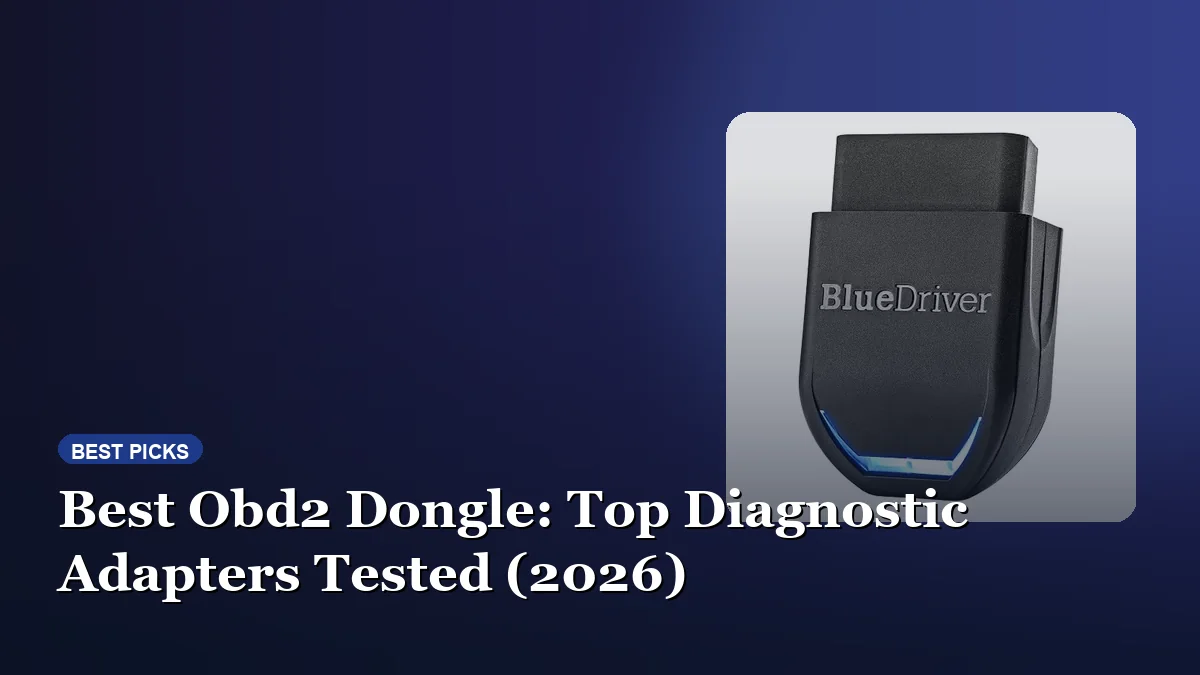
 BlueDriver Bluetooth Pro OBD2 Car Diagnostic Scan Tool
iOS & Android | No Subscription | Enhanced ABS/SRS
 Veepeak OBDCheck BLE Bluetooth OBD2 Code Reader for iOS Android
iOS & Android | Standard OBD2 | Compact Design
 XTOOL A30M Bidirectional Full System OBD2 Scanner Diagnostic Tool
Full System | Bidirectional Control | Lifetime Updates
 BLCKTEC 430 Bluetooth OBD2 Scanner for iPhone and Android
iOS & Android | RepairSolutions2 App | ABS & SRS
 UMEIJA V011 Bluetooth 5.4 OBD2 Scanner Diagnostic Tool
Bluetooth 5.4 | Multi-Protocol | Visual Charts
 CAR2LS ScanX Bluetooth OBD2 Scanner with Full System Diagnostics
Full System | CarScanner Integration | Feature Coding
The BlueDriver Bluetooth Pro OBD2 Car Diagnostic Scan Tool takes our top spot for its unmatched blend of comprehensive system coverage, zero subscription fees, and reliable technician-verified repair reports.
Whether you need a quick code reader for a check engine light or advanced live data streaming, choosing the best obd2 dongle transforms your smartphone into a professional-grade dashboard.
On This Page (8 sections)
How We Chose
- Diagnostic Depth: We prioritized adapters capable of scanning not just standard engine codes, but also ABS, SRS, and transmission systems.
- App Ecosystem: We favored devices that pair seamlessly with robust companion apps providing verified fix reports and clean live graphing.
- Hardware Reliability: Our 10-point scoring model heavily weighted compact dongles engineered to sit flush in the dashboard port without draining the vehicle battery.
Who Needs This
- DIY car owners wanting to diagnose and clear check engine lights without visiting a mechanic.
- Tech-savvy drivers who love monitoring real-time fuel economy, boost pressure, and coolant temperatures on their phones.
- Budget-conscious shoppers seeking professional-grade diagnostic insights without hefty recurring subscription fees.
Who Can Skip
- Drivers of pre-1996 vehicles that lack standard OBD-II ports.
- Mechanics who already rely on dedicated, heavy-duty standalone diagnostic tablets with integrated thermal printers.
- Car owners who prefer taking their vehicle straight to a professional shop at the first sign of any dashboard warning light.
Quick Comparison: Best Obd2 Dongle
| Model | Compatibility & OS | Diagnostics Level | Key App Integration |
|---|---|---|---|
| iOS & Android | Full System + ABS/SRS | BlueDriver App |
| iOS & Android | Standard OBD2 Codes | Third-Party Apps |
| iOS, Android | Full System + Active Tests | XTOOL App |
| iOS & Android | Engine, ABS, SRS, TPMS | RepairSolutions2 |
| Android/iOS/Windows | Multi-Protocol OBD2 | Universal OBD Apps |
| Android, iOS | Full System + Coding | CarScanner Official |
The 6 Best Obd2 Dongles, Reviewed
BlueDriver Bluetooth Pro OBD2 Car Diagnostic Scan Tool
View on Amazon →This wireless diagnostic tool pairs smoothly with your smartphone to pull deep trouble codes without messy cables. It stands out by matching your VIN with technician-verified repair reports to help you diagnose and fix issues with total confidence.
Delivering technician-verified repair reports with zero subscription fees.
Initial Bluetooth pairing can occasionally require troubleshooting depending on your phone model.
| Metric | Listed Specification |
|---|---|
| Operating System | iOS and Android |
| Power Source | Vehicle Port |
| Vehicle Coverage | 1996+ Gas Vehicles |
| Subscription | None Required |
Plugging directly into your dashboard port, this scanner powers up instantly and maintains a reliable wireless link during drives.
Navigating the companion app is intuitive, allowing drivers to monitor live engine metrics or check smog readiness right from the driver's seat.
Built for long-term reliability in glove compartments or center consoles, it requires no physical maintenance beyond occasional app updates. The lack of recurring fees ensures you can scan and clear codes as often as needed without hidden costs.
- No subscription fees
- Technician-verified fixes
- Enhanced ABS and SRS diagnostics
- Occasional Bluetooth pairing hiccups
- App reliance for all data display
Customers find the OBD2 scanner to be a great tool that works fantastically and is easy to use with a user-friendly app. They appreciate its value, noting it has saved them money while offering powerful diagnostic capabilities for minor and major issues alike.
Everyday drivers and DIYers looking for a reliable, subscription-free diagnostic tool with clear repair guidance.
Check the vehicle compatibility chart to ensure full enhanced diagnostics are supported for your specific make and model.
A top-tier diagnostic companion that bridges the gap between basic code readers and expensive professional scan tools.
View on Amazon →Verdict
The best overall choice for anyone wanting professional-grade vehicle insights without any recurring subscription fees.
Veepeak OBDCheck BLE Bluetooth OBD2 Code Reader for iOS Android
View on Amazon →This ultra-compact reader tucks cleanly into your vehicle's dashboard port without bumping your knees while driving. It relies on versatile third-party apps to read and clear check engine codes, making it an affordable entry point for everyday car owners.
Providing affordable standard OBD-II diagnostics through a wide variety of popular apps.
Advanced diagnostics like ABS or transmission temp require specific compatible third-party apps and may involve extra purchases.
| Metric | Listed Specification |
|---|---|
| Dimensions | 1.61"L x 1.97"W x 0.87"H |
| Operating System | iOS & Android |
| Power Source | OBD II Port |
| Compatibility | Universal 1996+ |
Measuring less than two inches wide, the device sits almost flush inside the cabin port.
Setting it up involves plugging it in and selecting the device type directly inside a supported app like Car Scanner or Torque for smooth wireless monitoring.
Its durable plastic housing stands up well to permanent placement in the footwell, though it is recommended to unplug it if your vehicle sits unused for weeks to prevent battery drain.
The flexibility of choosing your own preferred diagnostic app gives you complete control over your interface experience.
- Very budget-friendly
- Ultra-compact flush design
- Works with popular third-party apps
- Advanced features depend entirely on app choice
- Not a full-system scanner out of the box
Customers find the OBD scanner works well with various apps like BimmerCode and Torque, and appreciate its ease of use and setup. The device provides accurate code reading and data depth while driving, making it a great value for the price.
Budget-conscious DIYers who want a small, versatile adapter to monitor live engine data and clear check engine lights via smartphone apps.
Ensure you download a compatible third-party app since a proprietary app is not bundled out of the box.
An exceptionally compact and cost-effective dongle that unlocks powerful mobile app diagnostics.
View on Amazon →Verdict
The best budget code reader for pairing with flexible third-party apps to clear check engine lights.
XTOOL A30M Bidirectional Full System OBD2 Scanner Diagnostic Tool
View on Amazon →Bringing shop-level capabilities to your home garage, this full-system scanner features bidirectional active tests that let you command components like fuel pumps and windows remotely. With lifetime free software updates, it delivers professional diagnostic power without ongoing subscription traps.
Executing advanced bidirectional active tests and comprehensive system resets.
Requires separate registration and purchase for FCA AutoAuth access on newer Chrysler and Fiat models.
| Metric | Listed Specification |
|---|---|
| Connectivity | Bluetooth 4.0 Wireless |
| Protocols | CAN FD & FCA AutoAuth |
| Operating System | iOS and Android |
| Language Support | 22 Languages |
The wireless Bluetooth connection provides a strong signal up to thirty feet, allowing you to run diagnostic checks from outside the vehicle while testing components. Its multi-stream graphing makes it simple to monitor live data across eight distinct parameters simultaneously.
Designed for enthusiasts who demand deep maintenance capabilities, it includes twenty-six reset functions like oil service lights, electronic parking brakes, and steering angle calibrations.
The inclusion of lifetime free updates ensures your tool remains compatible with newer car releases without future fees.
- Full bidirectional active tests
- 26 built-in maintenance resets
- Lifetime free software updates
- Premium setup required for specific manufacturer protocols
- Higher learning curve for beginners
Customers find the scan tool to be a high-quality device that performs as well as more expensive bidirectional scanners, offering extensive diagnostic capabilities. They appreciate the lifetime free updates and the significant money saved on professional mechanic labor.
Advanced DIY mechanics and enthusiast car owners looking for professional-grade bidirectional controls and full-system resets.
Verify if your specific vehicle model requires an external FCA AutoAuth account for advanced diagnostics.
A heavy-duty diagnostic tool that punches well above its weight class with advanced active testing features.
View on Amazon →Verdict
The best pro diagnostics tool for home mechanics needing deep bidirectional control and full-system resets.
BLCKTEC 430 Bluetooth OBD2 Scanner for iPhone and Android
View on Amazon →This compact wireless scanner pairs with a companion app that transforms raw diagnostic codes into step-by-step repair videos and verified fixes. It covers enhanced modules like ABS and airbag systems while remaining completely battery-free and free of hidden subscription costs.
Pairing clear diagnostic trouble codes with instructional repair videos and tailored solutions.
Functionality and app compatibility are strictly optimized for vehicles located in the USA and Canada.
| Metric | Listed Specification |
|---|---|
| Dimensions | 1.95"L x 1.45"W x 1.02"H |
| Operating System | iOS 15+ & Android 10+ |
| Design | Battery-Free Plug-in |
| Support | USA Master Technicians |
Sized for easy storage in a glove box, the unit lights up green automatically the moment it is seated into the vehicle's diagnostic port.
Connecting exclusively through the app environment ensures a smooth pairing process without hassling through your smartphone's system-level Bluetooth menu.
Backed by real-world support from master technicians, the system guides you through complex mechanical tasks with visual aids and part recommendations. The durable build and subscription-free model make it a reliable long-term companion for routine vehicle maintenance.
- Clear instructional repair videos
- Comprehensive ABS and SRS coverage
- No recurring subscription fees
- Regional support limited to US and Canada
- Strict app pairing instructions must be followed
Customers find the OBD2 scanner works like a charm on both newer and older vehicles, offering great value and comprehensive diagnostics. They appreciate how easy it is to use and note that it successfully helps them read and clear enhanced trouble codes.
Novice DIYers who want clear, instructional video guidance alongside their diagnostic trouble codes.
Confirm your vehicle model year is covered using their online compatibility checker before placing an order.
A user-friendly diagnostic tool that bridges the gap between raw error codes and actual physical repairs.
View on Amazon →Verdict
The best guided repairs option for car owners who benefit from visual video tutorials and clear troubleshooting steps.
UMEIJA V011 Bluetooth 5.4 OBD2 Scanner Diagnostic Tool
View on Amazon →Equipped with modern Bluetooth 5.4 technology, this budget-friendly scanner establishes a fast, stable wireless connection with your smartphone for real-time performance testing. It translates complex sensor data into intuitive visual charts, making engine health easy to monitor for drivers of any experience level.
Delivering fast wireless connections and clean visual charts of engine parameters.
Requires manual unplugging when the vehicle is parked long-term to prevent minor battery drain.
| Metric | Listed Specification |
|---|---|
| Connectivity | Bluetooth 5.4 Wireless |
| Compatibility | 96% of Car Makes |
| Display Style | Real-Time Charts |
| Operating System | Android/iOS/Windows |
The upgraded wireless chip minimizes pairing lag, allowing the dedicated mobile app to stream live parameters like coolant temperature and engine speed smoothly.
The interface organizes diagnostic data into clear charts so you can spot irregularities without needing an automotive background.
Compatible with over ninety-six percent of modern car makes, it handles standard fault code clearing and emission monitor resets effortlessly. Its compact physical footprint ensures it stays out of the way of your feet while plugged into the lower dashboard.
- Upgraded Bluetooth 5.4 stability
- Intuitive graphical data displays
- Broad vehicle make compatibility
- Must be manually unplugged to save battery
- Dedicated app interface can feel basic
Customers find the OBD2 scanner works well on various trucks and cars, appreciating its ease of use with an intuitive app interface. They highlight its strong value and helpful data visualization features for monitoring real-time vehicle performance.
Shoppers looking for an affordable, fast-connecting wireless scanner with clear graphical data readouts.
Remember to remove the scanner from the port after driving to avoid slow battery discharge over extended periods.
A responsive and affordable wireless scanner that brings clean data visualization to your smartphone.
View on Amazon →Verdict
The best value connectivity choice for drivers wanting fast Bluetooth pairing and clean graphical performance stats.
CAR2LS ScanX Bluetooth OBD2 Scanner with Full System Diagnostics
View on Amazon →Officially integrated with popular third-party software, this scanner lets you go beyond basic engine codes to access full-system diagnostics and unlock hidden car features like custom lighting and remote windows. It delivers rapid Bluetooth 5.2 connectivity with lifetime access and zero subscription fees.
Unlocking manufacturer customization options and performing full-system diagnostics.
Advanced vehicle coding features are generally limited to models manufactured in 2012 or later.
| Metric | Listed Specification |
|---|---|
| Dimensions | 1.97"L x 0.87"W x 1.38"H |
| Bluetooth Version | Bluetooth 5.2 |
| Trouble Codes | 17,000+ Definitions |
| Updates | Lifetime Free Access |
Plugging neatly into the cabin port, the device creates a lightning-fast wireless link that streams live sensor graphs and over seventeen thousand trouble code definitions. Its seamless pairing with established diagnostic platforms provides professional-level depth without a bulky handheld tool.
Beyond clearing check engine and airbag warnings, it handles routine service resets and pre-purchase vehicle inspections with reliable stability. The subscription-free software bundle ensures long-term utility for tracking intermittent sensor faults.
- Unlocks hidden vehicle coding features
- Full system ABS and transmission diagnostics
- Lifetime software access included
- Coding features require newer vehicle model years
- App integration requires initial setup configuration
DIY car enthusiasts who want to customize vehicle convenience settings alongside deep full-system diagnostics.
Check whether your specific vehicle model and year support hidden feature coding before attempting modifications.
A versatile feature-unlocking scanner that combines deep system diagnostics with custom vehicle personalization.
View on Amazon →Verdict
The best feature unlocker for drivers wanting full-system diagnostics and custom comfort coding without subscription fees.
How to Set Up and Maintain Your OBD2 Adapter
Plugging in the best obd2 dongle is straightforward, but proper setup ensures reliable data streaming. Locate your vehicle's diagnostic port—usually situated underneath the driver's side dashboard near the steering column—and firmly insert the adapter until it clicks securely into place.
Next, enable Bluetooth on your smartphone, open your chosen diagnostic application, and follow the on-screen pairing prompts rather than your phone's native Bluetooth settings menu.
Buying Guide & Red Flags for Best Obd2 Dongles
Check these points before you buy to avoid common pitfalls:
Adapters requiring costly monthly or annual subscriptions just to view basic diagnostic trouble codes.
Poorly seated dongles that protrude too far and get accidentally kicked by your foot while driving.
Unstable wireless connections that frequently drop mid-diagnostic scan or fail to reconnect automatically.
Missing or poorly translated documentation that makes troubleshooting complex fault codes an uphill battle.
Proprietary apps locked to a single brand that restrict you from using popular third-party diagnostic software.
What does the Lab Score evaluate for these OBD2 dongles?
Our Lab Score is a rigorous 10-point editorial rating that evaluates design quality, everyday practicality, material durability, and real-world owner satisfaction.
We test how securely each unit fits into standard vehicle ports, how reliably it maintains a wireless link with smartphones, and whether its companion app provides clear, useful guidance.
Rather than relying on simple spec sheets, this score reflects how well an adapter performs during actual troubleshooting sessions on the road. It gives shoppers a clear, trustworthy benchmark for overall performance.
Will an OBD2 dongle drain my car battery if left plugged in?
Most modern wireless adapters feature built-in power-saving sleep modes that automatically power down when the ignition is turned off.
However, some lower-cost or older models draw a tiny continuous current that can gradually drain your battery if the vehicle sits idle for several weeks.
If you drive your car daily, leaving a quality adapter plugged in is generally safe and convenient. For extended parking periods, simply pop the dongle out of the port to guarantee zero power consumption.
Can I use these dongles with both iPhone and Android devices?
Compatibility varies depending on the specific wireless protocol used by the adapter manufacturer. Many modern units support both iOS and Android, though older Bluetooth Classic models often required separate versions for Apple and Android devices.
Today, Bluetooth Low Energy standards allow seamless cross-platform connectivity with popular diagnostic apps. Always verify your phone operating system requirements before purchasing to ensure smooth pairing and app functionality across your entire household.
Do I need an internet connection to use an OBD2 scan tool?
The dongle itself communicates directly with your vehicle's computer via local wireless signals without needing an active internet connection.
However, many companion smartphone apps require a cellular or Wi-Fi connection to look up fault code definitions, download repair reports, or stream software updates.
If you are diagnosing a car in a remote garage with no signal, you can still read raw diagnostic trouble codes and view live sensor data locally.
For detailed repair advice, connecting to the internet afterward provides the necessary background information.
What is the difference between standard codes and enhanced diagnostics?
Standard OBD-II codes primarily cover generic powertrain and emissions issues mandated by federal regulations across all modern vehicles. Enhanced diagnostics delve deeper into manufacturer-specific systems like anti-lock braking systems, airbag modules, transmission temperatures, and body control modules.
While basic code readers are fine for checking simple engine lights, upgrading to a full-system adapter unlocks comprehensive troubleshooting capabilities. This deeper access lets you pinpoint tricky faults that generic readers completely miss.
Can these adapters clear check engine lights permanently?
An OBD2 dongle can successfully clear diagnostic trouble codes and turn off your dashboard check engine light with a single tap.
However, if the underlying mechanical or electrical issue has not been repaired, the fault code will eventually return once the vehicle's computer runs its diagnostic cycle.
Use the adapter to identify the root cause, perform the necessary fix, and then clear the code for good. Clearing codes without fixing the problem only provides a temporary dashboard reset rather than a true mechanical repair.
Are third-party apps better than manufacturer companion apps?
Manufacturer apps are typically optimized for specific hardware and provide streamlined guidance, tailored repair videos, and direct software support. On the other hand, third-party applications often offer incredible versatility, advanced dashboard telemetry customization, and support for multiple different adapter brands.
Choosing between them depends on whether you value a curated, all-in-one experience or deep technical customization. Testing both options lets you find the ideal software match for your diagnostic needs.
Final Verdict
Finding the best obd2 dongle depends on whether you need simple code clearing or professional-grade live telemetry.
The BlueDriver Bluetooth Pro OBD2 Car Diagnostic Scan Tool stands as our top recommendation for its flawless balance of comprehensive vehicle coverage and user-friendly reporting.
Equip your glove box with the right wireless adapter and take total control of your vehicle health monitoring.
Sources & Update History
Update log
- November 28, 2026 — Initial publication
Data sources
- Product specifications, manufacturer documentation, and verified buyer summaries