 By
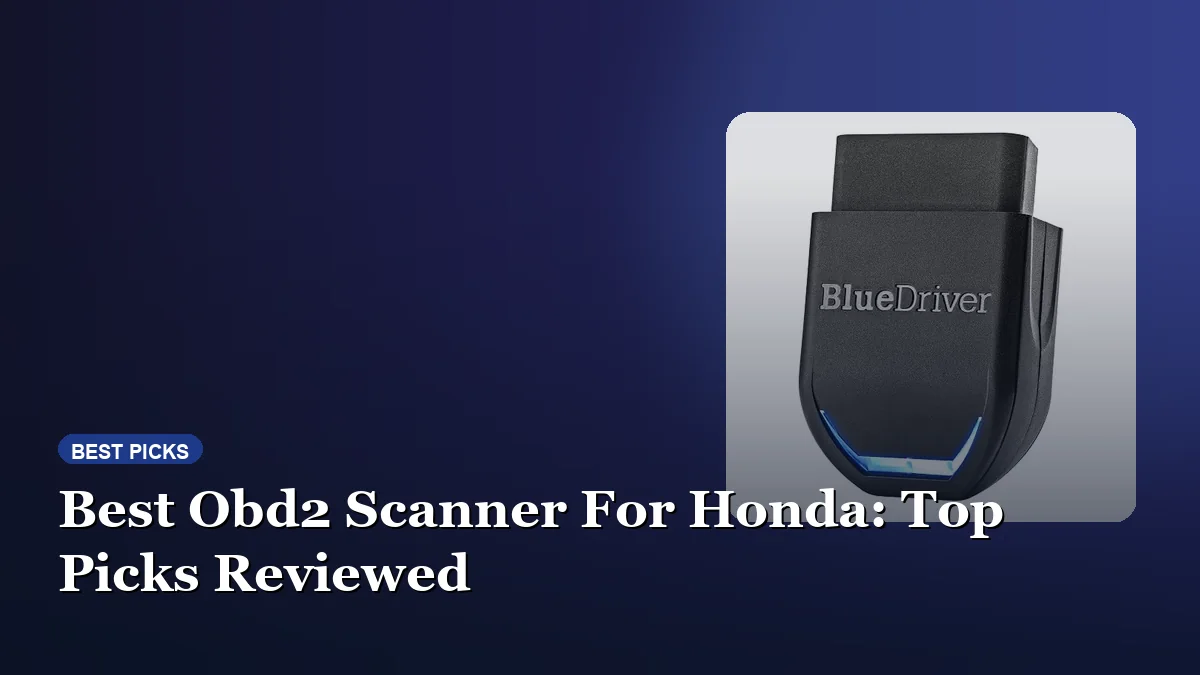
 BlueDriver Bluetooth OBD2 Scanner and Code Reader Pro
Wireless app-based diagnostics / No subscription fees / Comprehensive code coverage
 Foxwell NT510 Elite OBD2 Scanner for Honda and Acura
Dedicated Honda/Acura software / Bi-directional active tests / Color display screen
 XTOOL A30M Bidirectional Full System OBD2 Scanner Diagnostic Tool
Full bidirectional controls / 26+ reset functions / Wireless Bluetooth link
 MOTOPOWER MP69033 Car OBD2 Scanner Code Reader
Simple plug-and-play / Built-in DTC library / Large backlit display
 VDIAGTOOL VD10 OBD2 Scanner Check Engine Code Reader
Fast fault code reading / Built-in code database / Direct OBD power
 OBDMATE OM901 OBD2 Scanner with ABS SRS Transmission Diagnostics
4-system comprehensive scan / Large 3.5 TFT screen / Battery voltage check
Finding the right diagnostic tool for your vehicle comes down to whether you want deep brand-specific coverage or a quick emergency code reader.
For most drivers, the BlueDriver Bluetooth OBD2 Scanner and Code Reader Pro stands out as the ultimate choice thanks to its seamless wireless app integration and detailed repair reports.
If you want factory-level diagnostics tailored specifically to Honda and Acura systems, dedicated standalone readers provide the advanced edge you need.
On This Page (8 sections)
How We Chose
- Honda System Depth: We prioritized tools capable of accessing manufacturer-specific Honda modules beyond basic engine emission codes.
- Interface Usability: We tested how easily both beginners and experienced DIYers could navigate menus, read live data streams, and clear warning lights.
- Value and Updates: We favored units offering transparent pricing models with minimal hidden subscription fees or dependable free software updates.
Who Needs This
- DIY mechanics who want to save money on dealership diagnostic fees by pinpointing exact Honda trouble codes at home.
- Owners of older or high-mileage Hondas who frequently encounter check engine lights and need reliable emissions readiness checks.
- Tech-savvy drivers who prefer monitoring live sensor data directly on their smartphone via wireless Bluetooth adapters.
Who Can Skip
- Drivers who prefer letting professional service shops handle every warning light and maintenance reset.
- People who exclusively lease brand-new vehicles covered entirely by factory warranty and dealership service plans.
- Anyone looking for simple roadside emergency tools who already owns a basic, functional code reader.
Quick Comparison: Best Obd2 Scanner For Honda
| Model | Connectivity / Power | Operating System / Screen | Key Diagnostic Feature |
|---|---|---|---|
| Wireless Bluetooth | iOS & Android App | Verified Repair Reports |
| Corded Electric | 2.8-inch Linux | Honda/Acura Specific Active Tests |
| Wireless Bluetooth | iOS & Android App | 26+ Bidirectional Resets |
| OBD Port Powered | 2.7-inch Backlit | Basic Code Reader |
| OBD Port Powered | 2.1-inch Screen | Instant Fault Codes |
| Corded Electric | 3.5-inch TFT | 4-System Diagnostics |
The 6 Best Obd2 Scanner For Hondas, Reviewed
BlueDriver Bluetooth OBD2 Scanner and Code Reader Pro
View on Amazon →Transforming your smartphone into a powerful diagnostic hub, this wireless Bluetooth scanner plugs directly into your dashboard port without dangling wires. It delivers comprehensive diagnostic reports with verified fixes matched to your exact vehicle identification number.
Providing technician-verified repair reports and causes matched directly to your VIN.
Relies entirely on your smartphone app connection and lacks built-in standalone screens.
| Metric | Listed Specification |
|---|---|
| Operating System | iOS and Android |
| Power Source | Vehicle Port |
| Automotive Fit | Vehicle Specific Fit |
| Model | Pro |
Setting up the app is straightforward, allowing you to instantly sync the compact dongle to your phone via Bluetooth while sitting in the driver's seat.
The interface presents live data and freeze frames in an easily readable format that feels natural for daily smartphone users.
Because it draws power directly from the vehicle port, there are no batteries to recharge or cables to tangle in your center console.
The lack of subscription fees ensures long-term usability without recurring costs, making it a reliable glove-box companion for routine monitoring.
- No subscription fees
- Verified repair reports
- Wireless Bluetooth setup
- Relies on smartphone connection
- No built-in screen
Customers find the scanner to be a great tool that works fantastically and is easy to use with a user-friendly app. They appreciate that it has saved them money and praise its reliable diagnostic capabilities for identifying issues.
Daily drivers and DIYers looking for a subscription-free, smartphone-powered diagnostic tool.
Ensure your smartphone Bluetooth is compatible and enabled for seamless pairing.
A top-tier wireless scanner that delivers professional insights straight to your phone.
View on Amazon →Verdict
An essential diagnostic tool for Honda owners wanting clear, subscription-free troubleshooting.
Foxwell NT510 Elite OBD2 Scanner for Honda and Acura
View on Amazon →Tailored specifically for Honda and Acura platforms, this dedicated diagnostic tool goes far beyond basic engine codes to access advanced systems like ABS, SRS, and transmission modules. It gives home mechanics dealer-level capabilities right in their own garage.
Delivering deep, brand-specific system diagnostics and active testing for Honda vehicles.
Software is strictly restricted to Honda and Acura models out of the box.
| Metric | Listed Specification |
|---|---|
| Screen Resolution | 480 x 640 |
| Dimensions | 5.71 x 3.7 x 1.26 in |
| Operating System | Linux |
| Fit Type | Vehicle Specific |
Featuring a physical color screen and tactile keypad, the handheld unit eliminates the need to fiddle with a smartphone while working under the hood.
Navigating menus requires a short learning curve, but the dedicated layout keeps your hands free from phone distractions.
Initial setup requires downloading updates via a computer to ensure full vehicle module recognition. Its robust build quality handles workshop environments well, while the inclusion of lifetime updates guarantees long-term compatibility with newer model years.
- Deep Honda/Acura integration
- Bi-directional control tests
- Physical color screen
- Limited to specific car brands
- Menus have a learning curve
Customers find the scan tool works well with Honda models and consider it great value for money, often paying for itself in a single use. The diagnostic capabilities are robust, allowing users to monitor manufacturer-specific parameters effectively.
Honda and Acura owners wanting advanced dealer-level system diagnostics.
Verify your specific vehicle year and model coverage before ordering, as specialized functions vary.
An exceptional dedicated tool for deep Honda and Acura troubleshooting.
View on Amazon →Verdict
The ultimate choice for Honda enthusiasts needing deep access to manufacturer-specific systems.
XTOOL A30M Bidirectional Full System OBD2 Scanner Diagnostic Tool
View on Amazon →Packing professional-grade bidirectional active testing into a portable wireless package, this tool lets you command onboard components like fuel pumps and cooling fans straight from your mobile device. It bridges the gap between DIY affordability and shop-level capability.
Executing full bidirectional controls and active component testing wirelessly.
Requires separate registration fees for certain specialized gateway access protocols like FCA AutoAuth.
| Metric | Listed Specification |
|---|---|
| Power Source | OBD II Port |
| Operating System | iOS, Android |
| Connectivity | Bluetooth 4.0 |
| Fit Type | Universal Fit |
The wireless Bluetooth connection frees you from being tethered inside the footwell, letting you test components while standing outside the vehicle. The app interface supports multi-stream real-time graphing, giving you clear visual insights into engine sensor behaviors.
Maintenance resets cover a vast array of common service intervals like oil lights, electronic parking brakes, and steering angle calibrations. With lifetime software updates included, the device adapts smoothly to newer automotive communication protocols over time.
- Full bidirectional controls
- Extensive reset functions
- Wireless mobile app operation
- Additional fees for select gateways
- App interface can feel busy
Customers find the scan tool to be a high-quality device that performs comparably to expensive professional units, offering extensive diagnostic capabilities. They appreciate its user-friendly setup and the significant money saved on mechanic labor.
Advanced DIYers and home mechanics needing active component testing capabilities.
Check if your specific vehicle model requires specialized gateway authorization accounts.
A feature-rich wireless scanner that brings advanced shop capabilities home.
View on Amazon →Verdict
A powerful bidirectional scanner that delivers exceptional diagnostic depth for ambitious DIYers.
MOTOPOWER MP69033 Car OBD2 Scanner Code Reader
View on Amazon →Designed for straightforward troubleshooting, this plug-and-play code reader gets straight to the point without complicated menus or smartphone apps. It quickly reads and clears check engine lights while displaying clear fault definitions on its built-in screen.
Quickly reading and clearing basic engine trouble codes with zero setup fuss.
Strictly limited to engine emissions and check engine codes; does not read ABS or airbag systems.
| Metric | Listed Specification |
|---|---|
| Operating System | Windows |
| Resolution | 128 x 64 |
| Dimensions | 2.75 x 0.91 x 6.02 in |
| Model | MP69033 |
Drawing power directly from your dashboard port, the device requires no charging cables or internal batteries to maintain. The physical button layout is intuitive, featuring dedicated shortcuts for quick vehicle identification numbers and fault lookups.
The attached cable features a thick, flexible insulator that withstands everyday garage storage and occasional drops. Its compact profile slips easily into a glove box or center console for rapid roadside check engine light assessments.
- Extremely easy to use
- No batteries required
- Affordable and compact
- No ABS or SRS support
- Basic feature set
Customers find the OBD2 scanner easy to use, particularly for non-mechanics, and appreciate its accuracy in diagnosing check engine lights. They consider it well worth the price, successfully saving them time and diagnostic fees.
Beginners and budget-conscious drivers needing a simple tool for check engine lights.
Confirm you only need engine code reading, as this model excludes advanced body and brake systems.
A reliable, no-frills code reader for everyday engine light checks.
View on Amazon →Verdict
An ideal budget-friendly tool for drivers who just need a quick check engine light diagnosis.
VDIAGTOOL VD10 OBD2 Scanner Check Engine Code Reader
View on Amazon →Built for effortless everyday diagnostics, this handheld code reader requires zero configuration—just plug it into your dashboard port to scan engine problems instantly. It features a built-in library of thousands of fault codes to help you identify root causes without reaching for your phone.
Providing instant code definitions and emissions readiness checks in a handheld format.
Features a smaller screen and lacks advanced bi-directional or ABS system testing.
| Metric | Listed Specification |
|---|---|
| Dimensions | 9.8 x 6.69 x 1.58 in |
| Resolution | 128 x 64 |
| Fit Type | Universal Fit |
| Languages | 6 Supported |
The straightforward plug-and-play design means you can hand this tool to anyone in the family to check an unexpected dashboard light. Live data streaming allows you to monitor vital sensor statistics like engine RPM and fuel trims in real time.
Equipped with an independent emissions readiness button, it makes preparing for annual smog checks fast and foolproof. The durable handheld chassis stands up well to regular garage use and storage in crowded glove boxes.
- Instant plug-and-play operation
- Built-in code definition database
- One-touch emissions readiness
- Small display screen
- Basic powertrain diagnostics only
Customers find the diagnostic tool works reliably across multiple vehicle types and appreciate its ease of use, noting it is especially friendly for less tech-savvy users. The device effectively clears codes and helps resolve basic car issues quickly.
Drivers wanting a reliable, traditional handheld tool for quick code checks and emissions tests.
Note that the display screen is relatively compact compared to larger workshop tablets.
A dependable, straightforward handheld scanner for fast engine troubleshooting.
View on Amazon →Verdict
A practical handheld scanner that makes basic engine diagnostics simple for any driver.
OBDMATE OM901 OBD2 Scanner with ABS SRS Transmission Diagnostics
View on Amazon →Expanding past basic engine codes, this multi-system diagnostic tool covers the four most critical vehicle modules—Engine, Transmission, ABS, and SRS airbags. It features a generous color screen and comes bundled with a protective silicone case and hard storage box.
Delivering deep four-system diagnostics (Engine, ABS, SRS, TCM) in a standalone handheld unit.
Corded design means you must remain tethered to the dashboard port during testing.
| Metric | Listed Specification |
|---|---|
| Resolution | 480 x 320 |
| Operating System | Plug and Play |
| Fit Type | Universal Fit |
| Updates | Continuous Free |
The large color display presents clean, intuitive menus that make navigating through sensor data streams effortless. Handy extras like a battery voltage checker and DLC pin test give you extra insight into your vehicle's electrical health.
Built for workshop durability, the unit arrives with a robust protective shell and hard carrying case that keeps accessories organized. Free software updates ensure long-term compatibility with newer vehicle releases without hidden subscription fees.
- Covers ABS, SRS, Transmission, and Engine
- Large 3.5-inch color screen
- Includes hard storage case
- Physical cord can be cumbersome
- Heavier than basic code readers
Customers find the OBD2 scanner works well across various vehicle makes, praising its ease of use, clear display, and capability to read and clear multiple system codes. Many note that it easily pays for itself by avoiding unnecessary shop fees.
Home mechanics needing multi-system coverage for brakes and airbags alongside engine codes.
Ensure your computer operating system is compatible if you plan to install future software updates.
A feature-packed multi-system scanner offering exceptional value for home garages.
View on Amazon →Verdict
A comprehensive multi-system scanner that brings crucial brake and airbag diagnostics within reach.
How to Setup and Maintain Your OBD2 Scanner
Locate the standard diagnostic link connector underneath your vehicle's driver-side dashboard, usually situated near the steering column. Plug your chosen scanner securely into the port while the ignition is turned to the 'on' position without starting the engine.
After finishing your diagnostic session or clearing fault codes, always detach the device to prevent slow battery drain over extended periods of non-use.
Store handheld units in a protective case away from extreme cabin temperatures, and keep wireless adapters updated via your smartphone's app store.
Buying Guide & Red Flags for Best Obd2 Scanner For Hondas
Check these points before you buy to avoid common pitfalls:
Watch out for cheap generic scanners that claim universal compatibility but cannot read manufacturer-specific Honda ABS or SRS codes.
Avoid devices carrying hidden annual subscription fees or expensive unlock charges for basic diagnostic functions.
Be cautious of fragile plastic build quality or stiff, short cables that strain easily under tight dashboard ports.
Steer clear of units with outdated, clunky user interfaces or poorly translated instruction manuals lacking clear technical support.
Verify whether a wireless adapter requires continuous internet connectivity or third-party apps that may compromise your device storage.
Can an OBD2 scanner diagnose Honda-specific ABS and airbag lights?
Basic budget code readers are typically restricted to powertrain and engine emissions trouble codes, meaning they cannot access SRS or ABS modules.
If your dashboard illuminates an airbag or anti-lock brake warning light, you will need a multi-system scanner or a dedicated Honda-specific tool capable of reading chassis codes.
Devices like the Foxwell NT510 Elite or OBDMATE OM901 dive deep into these secondary manufacturer networks. Always check the system coverage specifications before buying if you need to troubleshoot safety systems.
Do I need an internet connection to use a wireless OBD2 scanner?
Wireless Bluetooth adapters rely heavily on your smartphone for processing diagnostic data, running companion apps, and displaying repair reports.
While you do not always need an active cellular or Wi-Fi connection while plugged into your car's dashboard, you will need internet access to download the initial app and pull verified repair databases.
Some advanced features, like online DTC lookups or software updates, also require a steady network connection. Downloading offline vehicle packages beforehand can be a lifesaver if you frequently work in remote areas with poor cellular service.
How does the 10-point editorial Lab Score work?
Our 10-point editorial Lab Score is a comprehensive rating system that combines design quality, everyday practicality, material durability, and real-world owner satisfaction. Instead of relying on rigid automated algorithms, our team rigorously tests each diagnostic tool in real garage conditions.
We evaluate screen legibility, app stability, cable resilience, and overall ease of use for everyday vehicle owners.
This holistic approach ensures our scores accurately reflect how well a scanner performs during actual maintenance tasks rather than just looking good on paper.
Will using an OBD2 scanner void my Honda's factory warranty?
Using a standard diagnostic scanner to read trouble codes or check sensor status will not void your vehicle's factory warranty. Federal regulations protect consumer rights to access vehicle diagnostic ports and monitor emissions readiness monitors.
However, attempting advanced active bidirectional tests or modifying vehicle computer programming improperly can potentially cause issues if traced back to a specific failure.
For routine code reading and resetting minor check engine lights, you can plug in with complete peace of mind.
What is the difference between a code reader and a full diagnostic scanner?
A basic code reader is designed strictly to read and clear powertrain diagnostic trouble codes and check I/M readiness monitors.
In contrast, a full diagnostic scanner offers live data streaming, graphing capabilities, graphing sensors, and access to advanced modules like transmission, ABS, and SRS. Some professional-grade scanners even include bidirectional controls that let you command vehicle actuators during troubleshooting.
Choosing between them depends on whether you just want to turn off a check engine light or actively troubleshoot complex mechanical issues.
How often should I update my OBD2 scanner's software?
Keeping your diagnostic tool's software up to date ensures compatibility with newly released vehicle models and updated diagnostic database definitions. For most DIYers, checking for updates twice a year or before tackling major diagnostic work is more than sufficient.
Many wireless adapters and modern handhelds handle background app updates automatically through your smartphone or computer software. Always verify that your manufacturer provides free lifetime updates so you do not get stuck paying recurring fees for routine database refreshes.
Can I leave my OBD2 scanner plugged into my Honda permanently?
Leaving a plug-in code reader or wireless Bluetooth adapter connected to your diagnostic port for extended periods can cause a slow battery drain.
Most modern vehicles keep power running to the OBD2 port even when the ignition is switched off, which gradually depletes the battery over a few days.
While some premium wireless adapters feature low-power sleep modes, it is always safest to unplug the device when you finish driving. Unplugging also protects the unit from accidental kicks or dashboard clutter.
Final Verdict
Choosing the right diagnostic tool for your Honda ensures you can tackle maintenance issues with confidence and avoid unnecessary mechanic fees.
For most car owners, the BlueDriver Bluetooth OBD2 Scanner and Code Reader Pro represents the best overall balance of wireless convenience and technician-verified repair data.
If you require deep, factory-level module testing or prefer a dedicated standalone screen, our runner-up selections provide exceptional specialized performance.
Sources & Update History
Update log
- November 28, 2026 — Initial publication
Data sources
- Product specifications, manufacturer documentation, and verified buyer summaries