 By
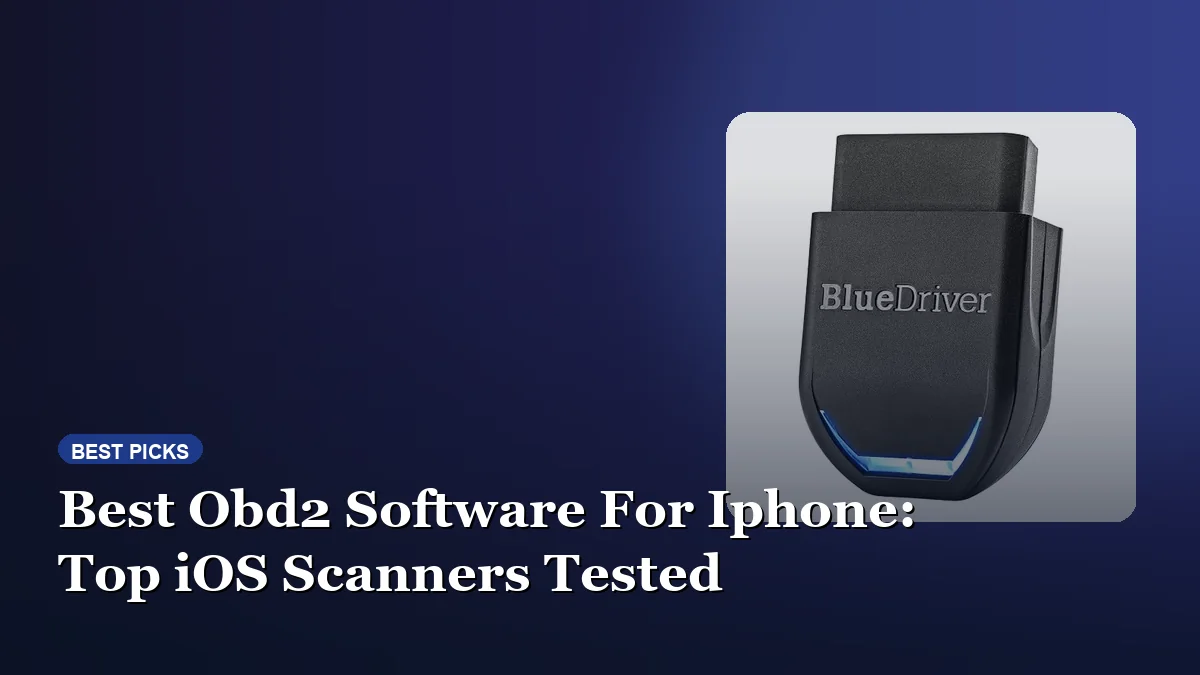
 BlueDriver OBD2 Scanner Bluetooth with iPhone and Android Support
iOS & Android . No Subscriptions . Pro Diagnostics
 Veepeak OBDCheck BLE Bluetooth OBD II Scanner for iOS
iOS & Android . Bluetooth LE . App Compatible
 OBDLink MX+ OBD2 Bluetooth Scanner for iPhone and Android
Fast Data . Enhanced OEM . Multi-Platform
 BLCKTEC 430 Bluetooth OBD2 Scanner for iPhone and Android
No Subscription . Repair Solutions . ABS & SRS
 V011 OBD2 Scanner Diagnostic Tool for iOS and Android
Bluetooth 5.4 . 9 Protocols . Visual Charts
 ScanX Bluetooth OBD2 Scanner with Full System Diagnostics
Full Diagnostics . CarScanner Integration . No Subs
The top recommendation is the BlueDriver OBD2 Scanner Bluetooth with iPhone and Android Support for its polished app interface and comprehensive, subscription-free diagnostics.
If you are looking for an affordable hardware dongle to pair with popular third-party iOS apps, the Veepeak OBDCheck BLE is an exceptional budget choice.
Your ideal setup depends on whether you need deep, manufacturer-level module scans or simply want a reliable way to check and clear check engine lights.
On This Page (8 sections)
How We Chose
- iOS Compatibility: We prioritized adapters that pair effortlessly with Apple devices without requiring complex network workarounds.
- Diagnostic Depth: We favored tools that look beyond basic engine codes to access ABS, airbag, and transmission modules.
- Software Quality: We evaluated whether companion apps offered clean dashboards or locked essential features behind ongoing monthly fees.
Who Needs This
- DIY mechanics who want to troubleshoot check engine lights and monitor live engine sensors directly on their iPhone screen.
- Car enthusiasts looking for customizable digital dashboards and performance tracking metrics.
- Used car buyers who need a portable scanning tool to inspect vehicle history and readiness monitors before purchasing.
Who Can Skip
- Drivers who prefer traditional, standalone handheld scanner units with built-in physical screens and buttons.
- Owners of pre-1996 vehicles that lack standard OBD2 diagnostic ports.
- Individuals who never look under the hood and prefer to take every minor dashboard warning straight to a professional mechanic.
Quick Comparison: Best Obd2 Software For Iphone
| Model | Platform / OS | Connectivity Type | Key Feature |
|---|---|---|---|
| iOS & Android | Wireless Bluetooth | No Subscriptions |
| iOS & Android | Bluetooth LE | Third-Party Apps |
| iOS, Android, Windows | Wireless Bluetooth | Advanced Tuning |
| iOS & Android | Wireless Bluetooth | Repair Solutions |
| iOS, Android, Windows | Bluetooth 5.4 | Visual Live Charts |
| iOS & Android | Wireless Bluetooth | Full System Scan |
The 6 Best Obd2 Software For Iphones, Reviewed
BlueDriver OBD2 Scanner Bluetooth with iPhone and Android Support
View on Amazon →Turns an iPhone into a professional-grade diagnostic hub without burying you in messy cables or recurring fees. It pulls verified fix reports matched directly to your VIN so you can skip the guesswork before heading to the mechanic.
Delivering comprehensive, subscription-free diagnostics with technician-verified repair reports.
Higher initial investment compared to basic code readers.
| Metric | Listed Specification |
|---|---|
| Operating System | iOS and Android |
| Power Source | Vehicle Port |
| Vehicle Fit | 1996+ Gas Vehicles |
| Model | Pro |
Pairing the adapter and syncing it with your iPhone takes only a few moments, letting you monitor live engine data and clear stubborn warning lights right from the driver seat.
The companion app layout is clean and responsive, making it simple to navigate even if you are not a seasoned DIY mechanic.
Built tough for regular glove-box storage, this scanner handles frequent plug-and-unplug cycles without loosening its grip on the vehicle port. Long-term updates keep the database fresh, ensuring reliable performance across multiple family vehicles over the years.
- No subscription fees ever
- Verified technician fixes
- Enhanced ABS and SRS coverage
- Higher upfront cost
- Occasional Bluetooth pairing hiccups
Customers find the OBD2 scanner to be a great tool that works fantastically and is easy to use with a user-friendly app. They appreciate its value, noting it has saved them thousands of dollars, and praise its diagnostic capabilities.
Daily drivers and DIYers wanting detailed, professional diagnostics without monthly subscription fees.
Check the online compatibility chart if you drive a newer or specialty import model.
A top-tier diagnostic tool that pays for itself by demystifying check engine lights.
View on Amazon →Verdict
The most complete, user-friendly OBD2 experience for iPhone users who want deep vehicle insights without ongoing fees.
Veepeak OBDCheck BLE Bluetooth OBD II Scanner for iOS
View on Amazon →Offers a pocket-friendly gateway to vehicle diagnostics by pairing smoothly with popular third-party iPhone apps like OBD Fusion and BimmerCode. Its ultra-low-profile design lets you leave it plugged into the port permanently without bumping your knees.
Providing affordable, versatile connectivity with a wide range of third-party diagnostic apps.
Advanced features and deep module scanning depend entirely on the specific third-party app you choose.
| Metric | Listed Specification |
|---|---|
| Dimensions | 1.61" x 1.97" x 0.87" |
| Operating System | iOS & Android |
| Power Source | OBD II Port |
| Model | BLE |
Slip this tiny adapter into your dash and it virtually disappears, staying safely out of the way during daily commutes.
Connecting to your iPhone requires launching your preferred diagnostic app and linking via Bluetooth LE rather than the phone system menu.
While it lacks an all-in-one proprietary app, its broad compatibility lets you customize your dashboard gauges and monitor live sensor data with ease. It is a durable, set-and-forget gadget that handles routine code-clearing reliably.
- Affordable entry price
- Low-profile flush design
- Works with top third-party apps
- Advanced diagnostics require separate apps
- Basic feature set out of the box
Customers find the OBD scanner works well with various apps like BimmerCode and Torque, and appreciate its ease of use and setup. The device provides accurate code reading and data depth, showing information while driving.
Budget-conscious drivers who want to use specialized third-party iPhone apps for coding and monitoring.
Verify that your preferred third-party app requires a separate purchase or subscription.
An inexpensive, highly versatile adapter that unlocks powerful third-party app features.
View on Amazon →Verdict
The smartest budget choice for iPhone users who prefer customizing their diagnostic experience through specialized mobile apps.
OBDLink MX+ OBD2 Bluetooth Scanner for iPhone and Android
View on Amazon →Delivers lightning-fast data refresh rates and specialized OEM module access for enthusiasts who demand professional performance from their iPhone. It features robust battery-drain protection so you can leave it plugged in without worrying about a dead battery.
Providing blazing-fast data transfer and deep manufacturer-specific diagnostics.
Comes at a steeper price point and relies on compatible third-party apps for maximum capability.
| Metric | Listed Specification |
|---|---|
| Dimensions | 2.01" x 0.91" x 1.81" |
| Weight | 28 g |
| Operating System | iOS, Android, Windows |
| Model | MX201 |
Built with heavy-duty components, this adapter clicks firmly into place and communicates with your iPhone instantaneously. The rapid data transmission makes it an exceptional choice for live track logging and real-time gauge monitoring.
Smart power management prevents battery drain during long periods of inactivity, making it a reliable tool to keep permanently stationed in your glove box. Regular firmware updates ensure long-term compatibility with evolving vehicle computers.
- Blazing fast data refresh rate
- Built-in battery drain protection
- Expanded OEM module coverage
- Expensive investment
- Steep learning curve for advanced features
Customers find the scan tool works well, is easy to use, and provides comprehensive vehicle information. They appreciate its diagnostic capabilities, with one customer noting it reads all issues in full detail.
Enthusiasts and mechanics looking for rapid data speeds and deep manufacturer-specific coverage.
Confirm vehicle and app support for advanced features like FORScan or BimmerCode before purchasing.
A robust, high-performance tool built for serious automotive enthusiasts.
View on Amazon →Verdict
An elite choice for iPhone users who need lightning-fast data speeds and deep OEM-level diagnostics.
BLCKTEC 430 Bluetooth OBD2 Scanner for iPhone and Android
View on Amazon →Bridges the gap between reading trouble codes and actually fixing them by pairing your iPhone with a massive library of step-by-step repair videos. It scans deep into ABS and airbag systems without hitting you with hidden subscription fees.
Supplying clear, actionable repair guidance and video tutorials for DIY fixes.
Regional functionality is restricted primarily to North American vehicle configurations.
| Metric | Listed Specification |
|---|---|
| Dimensions | 1.95" x 1.45" x 1.02" |
| Operating System | iOS and Android |
| Power Source | Vehicle Port |
| Model | 430 |
Plugging the compact unit in instantly lights up a status indicator, letting you jump right into the companion app for guided troubleshooting. The software organizes potential fixes logically, taking the intimidation out of tackling your own maintenance.
The hardware feels sturdy and reliable, designed to withstand rolling around in a tool bag or center console. Ongoing access to the repair database ensures you always have visual references handy when wrenching in the driveway.
- Includes step-by-step repair videos
- No recurring subscription costs
- Reads ABS and SRS systems
- US and Canada use only
- App setup requires precise sequence
Customers find the OBD2 scanner works like a charm, with one mentioning it works well on both new and old cars. They appreciate its value, noting it's the best deal for its price and has paid for itself multiple times.
DIYers who want clear, instructional repair guidance alongside traditional diagnostic trouble codes.
Ensure your vehicle falls within supported North American model years before ordering.
A fantastic learning tool that turns complex diagnostic codes into manageable weekend projects.
View on Amazon →Verdict
The ultimate pick for DIYers who want actionable repair videos and zero subscription fees.
V011 OBD2 Scanner Diagnostic Tool for iOS and Android
View on Amazon →Utilizes upgraded Bluetooth 5.4 technology to establish a rock-solid wireless link with your iPhone for real-time performance tracking. It translates raw engine metrics into easy-to-read visual charts so you can monitor coolant temperatures and vehicle speed effortlessly.
Delivering stable Bluetooth 5.4 connectivity and clear live data visualization.
Physical unit is bulkier than low-profile alternatives and lacks deep manufacturer module coding.
| Metric | Listed Specification |
|---|---|
| Dimensions | 3.8" x 2.5" x 3.8" |
| Operating System | iOS / Android / PC |
| Power Source | Wireless Power |
| Model | obd-02 |
The updated Bluetooth protocol minimizes connection drops, allowing your iPhone to stream live engine telemetry smoothly during test drives. Charts and gauges render cleanly on mobile screens, making performance monitoring straightforward.
Because it draws power continuously when plugged in, it is wise to unplug the unit if your car will sit parked for extended periods. The build is functional and handles standard diagnostic duties across a massive range of vehicle makes.
- Upgraded Bluetooth 5.4 stability
- Clear live data charts
- Broad vehicle make support
- Bulkier physical design
- Must be unplugged when parked
Customers find the OBD2 scanner works well, particularly on Ram 1500 models, and appreciate its ease of use with an intuitive app. Moreover, the tool offers good value, helping customers save money, and customers like its quality and features.
Drivers who want clear visual data charts and reliable wireless streaming on their smartphone.
Remember to manually unplug the scanner after use to protect your vehicle battery.
A dependable, budget-friendly scanner that turns your phone into a live dashboard.
View on Amazon →Verdict
A strong choice for users prioritizing stable wireless connectivity and clear live data charts.
ScanX Bluetooth OBD2 Scanner with Full System Diagnostics
View on Amazon →Unlocks full-system diagnostics and hidden vehicle features by bundling lifetime access to the popular CarScanner platform for iPhone users. It scans everything from airbag modules to transmissions without imposing recurring subscription fees.
Providing comprehensive full-system module scans and hidden feature coding without subscriptions.
Feature availability and coding options vary widely depending on your specific car make and model year.
| Metric | Listed Specification |
|---|---|
| Dimensions | 1.97" x 0.87" x 1.38" |
| Operating System | Android, iOS |
| Power Source | Corded Electric |
| Model | ScanX |
Plugging this compact adapter into your dash instantly links your iPhone to advanced vehicle modules via a stable Bluetooth connection. The integrated software layout lets you customize comfort functions and check deep system faults smoothly.
Designed for durability and long-term use, it serves as an excellent tool for pre-purchase used car inspections. Lifetime software access means your diagnostic capabilities will not expire or lock behind surprise paywalls down the road.
- Full-system module diagnostics
- Lifetime CarScanner access included
- Unlocks hidden vehicle features
- Coding options vary by vehicle
- App interface has a learning curve
Technicians and advanced DIYers looking for full-system scans and feature coding without monthly fees.
Check specific vehicle compatibility for advanced coding and service reset functions.
A powerful diagnostic package that brings dealer-level system scans to your iPhone.
View on Amazon →Verdict
An exceptional value for iPhone owners seeking deep system diagnostics and custom feature coding without ongoing fees.
How to Set Up and Maintain Your iPhone OBD2 Diagnostic Kit
Locate the diagnostic link connector underneath your vehicle's driver-side dashboard and firmly plug in your wireless adapter until it clicks or lights up.
Open your iPhone Bluetooth settings to pair the device if required, or simply launch your chosen diagnostic app and establish the connection directly through the app interface.
When you are finished running your scans or logging live driving parameters, remember to unplug low-profile adapters if your vehicle has a parasitic battery draw or if you park unused for extended periods.
Buying Guide & Red Flags for Best Obd2 Software For Iphones
Check these points before you buy to avoid common pitfalls:
Hidden monthly subscription models that lock basic code clearing or live graphing behind paywalls.
Unstable Bluetooth connection drops that interrupt long diagnostic logging sessions on the highway.
Poorly translated app interfaces filled with confusing error codes and broken English menus.
Bulky adapter designs that protrude too far from the dashboard and get kicked by your feet while driving.
Lack of customer support or abandoned app updates that stop working after major iOS software upgrades.
How do I connect an OBD2 wireless adapter to my iPhone?
Connecting your scanner is usually straightforward, but the exact pairing steps depend on whether you are using a standard Bluetooth LE device or a Wi-Fi dongle.
For most Bluetooth low energy adapters, you simply plug the unit into your car port, turn the ignition to the on position, and open your diagnostic app to pair within the software menu.
Some apps prefer you to avoid the iOS native Bluetooth settings screen and pair directly inside the app to prevent connection conflicts. Always check the manufacturer manual for your specific hardware to ensure a quick and frustration-free initial setup.
Do I need to pay a monthly subscription for iPhone OBD2 apps?
Many great diagnostic apps offer robust free tiers that let you read basic powertrain codes, view live sensor data, and check emission readiness monitors without spending extra money.
However, advanced manufacturer-specific diagnostics, enhanced system scans, and deep repair databases often require either a one-time software unlock fee or an ongoing subscription.
If you want to avoid recurring costs, look for dedicated hardware bundles that include full lifetime software access right out of the box. Carefully review app store descriptions before downloading to ensure you understand what features are locked behind paywalls.
Can these iPhone software setups read ABS and airbag codes?
Basic generic OBD2 apps and cheap generic adapters are strictly limited to powertrain engine codes starting with the letter P.
If you need to diagnose anti-lock brake systems, supplemental restraint airbags, or transmission faults, you must select an advanced software package and compatible hardware.
Premium options like our top pick provide comprehensive multi-system module scans specifically designed to uncover these deeper vehicle issues. Always verify system compatibility before purchasing if you need to troubleshoot safety systems beyond a standard check engine light.
Will leaving an OBD2 Bluetooth adapter plugged in drain my car battery?
Most modern Bluetooth adapters feature intelligent power-saving sleep modes designed to draw minimal current when your vehicle engine is turned off.
However, some vehicles keep power running to the diagnostic port continuously, and certain low-quality adapters fail to enter sleep mode properly.
If your car sits parked for several days at a time, leaving a power-hungry dongle plugged in can eventually contribute to a drained battery.
It is always a safe practice to unplug the unit if you plan on leaving your vehicle parked and unused for an extended weekend or vacation.
What does the /10 Lab Score evaluate?
Our editorial Lab Score is a comprehensive 10-point rating system that combines hardware build quality, everyday software practicality, connection reliability, and real-world owner satisfaction.
We test how smoothly each adapter pairs with iPhones, evaluate the responsiveness and clarity of the companion app interface, and weigh long-term user feedback regarding updates.
This holistic metric ensures you are investing in a dependable diagnostic tool rather than just a flashy gadget with empty feature promises. A high score signifies exceptional overall performance and everyday usability for American drivers.
Do these iPhone diagnostic tools work with older pre-1996 vehicles?
Standard OBD2 diagnostic protocols and universal adapters are legally mandated only for passenger vehicles manufactured from 1996 onward in North America.
Older classic cars and vintage trucks utilize proprietary pre-OBD2 diagnostic ports and computer systems that standard wireless adapters cannot read. While some specialized adapters offer manufacturer-specific adapter cables for older models, standard plug-and-play apps will not function.
Always check your vehicle year and port configuration before purchasing any modern wireless scanner setup.
Final Verdict
Finding the best obd2 software for iphone comes down to balancing ease of use with the depth of diagnostics you need.
For most drivers, the BlueDriver OBD2 Scanner Bluetooth with iPhone and Android Support stands out as the ultimate choice thanks to its polished app ecosystem and complete lack of annoying subscription fees.
Whether you are clearing a sudden check engine light or monitoring live engine data on your daily commute, investing in a reliable wireless diagnostic tool pays for itself the first time you avoid an expensive trip to the repair shop.
Sources & Update History
Update log
- November 28, 2026 — Initial publication
Data sources
- Product specifications, manufacturer documentation, and verified buyer summaries