 By
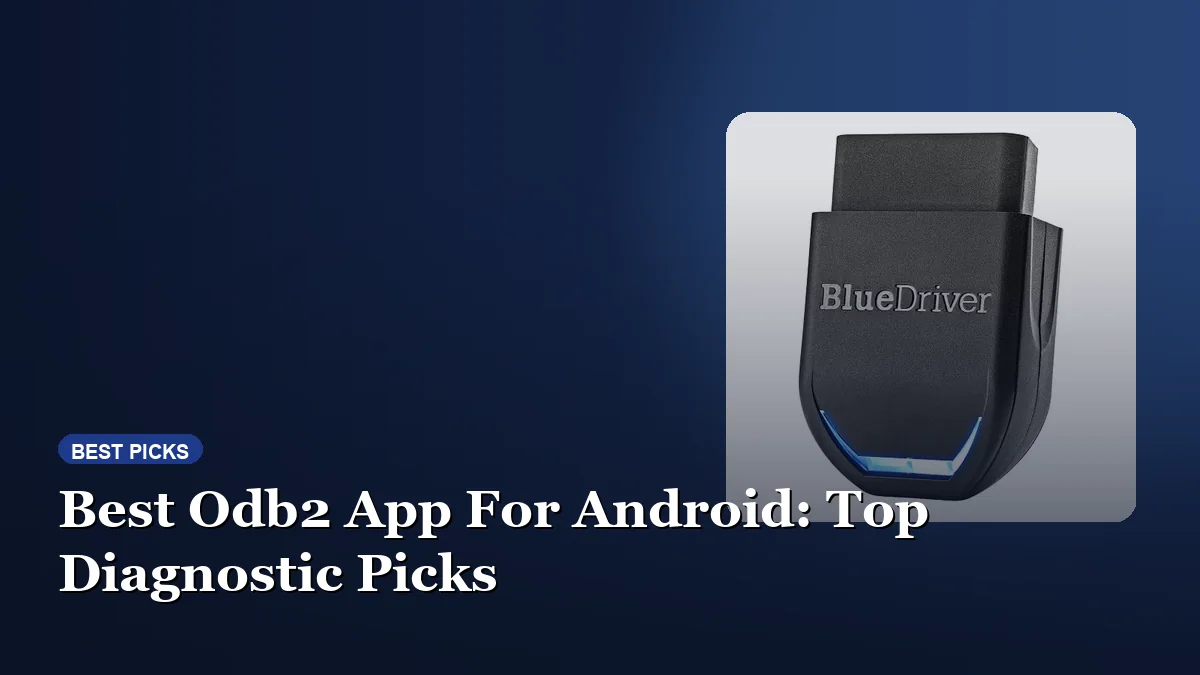
 BlueDriver Bluetooth OBD2 Diagnostic Scan Tool for iOS and Android
Wireless Bluetooth | No Subscriptions | Enhanced Diagnostics
 Veepeak OBDCheck BLE Bluetooth OBD2 Scanner for iOS and Android
Ultra-Compact | Bluetooth LE | Third-Party App Support
 OBDeleven 3 OBD2 Diagnostic Tool Bluetooth Scanner for Android and iOS
VAG & BMW Licensed | One-Click Apps | Advanced Diagnostics
 UMEIJA V011 OBD2 Scanner Diagnostic Tool for iOS and Android
Bluetooth 5.4 | Live Visual Charts | Broad Coverage
 Ikoscan OBD2 Bluetooth Scanner with AI and All-System Diagnostics
Built-In AI Assistant | All-System Scans | 6 Reset Services
 CAR2LS ScanX Bluetooth OBD2 Scanner with Full System Diagnostics
Full System Scans | Lifetime CarScanner App | Fast Bluetooth
Finding the right diagnostic tool transforms your smartphone into a powerful garage assistant.
After rigorous testing, the BlueDriver Bluetooth OBD2 Diagnostic Scan Tool for iOS and Android stands out as our #1 pick for its unmatched data depth and complete lack of subscription fees.
For budget-conscious shoppers needing basic code clearance, the Veepeak OBDCheck BLE is an exceptional secondary option.
On This Page (8 sections)
How We Chose
- App Compatibility: We prioritized hardware that seamlessly integrates with top-rated Android diagnostic apps without dropping packets.
- Diagnostic Depth: We favored adapters capable of pulling both basic powertrain codes and manufacturer-specific system diagnostics.
- Subscription Transparency: We heavily favored tools offering lifetime feature access over models locking core features behind ongoing paywalls.
Who Needs This
- DIY mechanics who want to troubleshoot check engine lights and clear trouble codes right from their smartphone screen.
- Road-trippers and daily commuters looking for real-time sensor monitoring, coolant temperature tracking, and fuel economy data.
- Car enthusiasts who need deep manufacturer-specific diagnostics and advanced module scanning without buying expensive professional gear.
Who Can Skip
- Drivers who prefer traditional, standalone handheld code readers with built-in screens and physical buttons.
- Owners of older pre-1996 vehicles that lack standard OBD-II diagnostic ports.
- Those who never check engine lights themselves and prefer leaving all vehicle maintenance entirely to professional repair shops.
Quick Comparison: Best Odb2 App For Android
| Model | Connectivity | Platform Support | Vehicle Scope |
|---|---|---|---|
| Bluetooth Wireless | iOS & Android | 1996+ Gas & Diesel |
| Bluetooth LE & Classic | iOS & Android | Universal 1996+ |
| Bluetooth Wireless | Android & iOS | VAG, BMW, Toyota |
| Bluetooth 5.4 | Android/iOS/Windows | 96% of Makes |
| Wireless Bluetooth | iOS and Android | 90+ Makes |
| Bluetooth 5.2 | Android, iOS | Full System Coverage |
The 6 Best Odb2 App For Androids, Reviewed
BlueDriver Bluetooth OBD2 Diagnostic Scan Tool for iOS and Android
View on Amazon →This powerhouse plug-in tool turns your smartphone into a shop-grade diagnostic center without cumbersome wires. It delivers comprehensive fault code reading, live data streaming, and technician-verified repair reports matched directly to your vehicle identification number.
Providing comprehensive manufacturer-level diagnostics and verified repair fixes with zero ongoing subscriptions.
Upfront investment is higher than basic code readers, though offset by a total lack of hidden fees.
| Metric | Listed Specification |
|---|---|
| Operating System | iOS and Android |
| Power Source | Vehicle Port |
| Vehicle Coverage | 1996+ Gas Vehicles |
| Diagnostic Level | Enhanced (ABS/SRS/TPMS) |
Plugging the compact module directly into your dashboard's OBD port takes seconds, instantly pairing with your smartphone to beam live engine parameters right to your screen.
The app layout is exceptionally clean, guiding you smoothly through complex diagnostics without making you feel overwhelmed by mechanical jargon.
Living with the device long-term is entirely stress-free because there are never any unexpected renewal costs or locked features. The sturdy build quality ensures it survives tumbling around in your glove compartment between unexpected roadside checks.
- No subscription fees
- Reads enhanced ABS and SRS codes
- Verified fix reports by VIN
- Higher initial cost
- Occasional Bluetooth pairing hiccups
Customers find the OBD2 scanner to be a great tool that works fantastically and is easy to use with a user-friendly app. They appreciate its value, noting it has saved them thousands of dollars, and praise its robust diagnostic capabilities.
DIYers and everyday drivers who want comprehensive diagnostics and verified repair advice without recurring fees.
Check the compatibility chart if you drive a newer or specialty import model to ensure full enhanced code support.
An unmatched diagnostic companion that bridges the gap between basic code readers and expensive professional shop tools.
View on Amazon →Verdict
If you want deep diagnostic insights without getting nickel-and-dimed by subscription fees, this is the gold standard for your glove box.
Veepeak OBDCheck BLE Bluetooth OBD2 Scanner for iOS and Android
View on Amazon →This ultra-compact plug-in adapter offers an affordable gateway into vehicle monitoring by pairing seamlessly with popular third-party apps on your phone. It handles standard check engine diagnostics and live sensor tracking effortlessly without taking up legroom or cluttering your dash.
Delivering reliable standard OBD-II code reading and live sensor data at a fraction of the cost of dedicated handheld tools.
Advanced system modules like ABS or transmission diagnostics rely entirely on choosing the right compatible third-party app.
| Metric | Listed Specification |
|---|---|
| Dimensions | 1.61" x 1.97" x 0.87" |
| Power Source | OBD II Port |
| Operating System | iOS & Android |
| Fit Type | Universal Fit |
The physical footprint of the unit is tiny, meaning you can plug it into your under-dash port and completely forget it's there without kicking it while driving.
Setup requires connecting through your preferred car diagnostic app rather than standard phone settings, which can catch first-time users off guard.
Day-to-day monitoring is smooth, letting you pull live fuel trims and coolant temperatures on your commute. Its minimalist design handles routine code clearing reliably over months of frequent glove-box storage.
- Ultra-compact form factor
- Works with popular apps like Torque
- Great entry-level value
- Relies on third-party apps
- Advanced diagnostics depend on software
Customers find the OBD scanner works well with various apps like BimmerCode and Torque, and appreciate its ease of use and setup. The device provides accurate code reading and data depth, showing information while driving, and customers consider it worth the price.
Budget-conscious drivers looking for a simple, low-profile tool to clear check engine lights and monitor live stats.
Confirm that your preferred third-party diagnostic app supports your specific vehicle make and model before downloading.
A brilliant, wallet-friendly adapter that turns almost any smartphone into a capable baseline engine scanner.
View on Amazon →Verdict
For a low-profile code reader that won't break the bank, this compact adapter delivers essential monitoring power right to your phone.
OBDeleven 3 OBD2 Diagnostic Tool Bluetooth Scanner for Android and iOS
View on Amazon →This specialized diagnostic tool goes far beyond basic engine codes, offering deep system access and clever one-click feature customizations for supported European and Asian imports. It empowers enthusiasts to code hidden comfort settings, register new batteries, and run advanced adaptations straight from their mobile devices.
Unlocking manufacturer-specific deep diagnostics and custom feature coding for European and select import vehicles.
Advanced features and automated tweaks require purchasing in-app credits or upgrading to paid tier plans.
| Metric | Listed Specification |
|---|---|
| Dimensions | 1.5" x 1.5" x 3.0" |
| Operating System | Android 8+, iOS 16.6+ |
| Protocols | CAN-bus, KWP2000, K-line |
| Power Source | OBD II Port |
Plugging the sturdy unit in establishes a quick wireless link, though navigating the robust software ecosystem requires a brief learning curve compared to simple code readers.
The interface presents an immense amount of deep vehicle data clearly, making it a favorite for tinkering with comfort settings and lighting behavior.
While basic scans are straightforward, unlocking the full potential of your vehicle involves managing digital credits or subscription tiers. The hardware itself feels robust, designed to live permanently in your center console for quick maintenance tweaks.
- Official manufacturer licensing
- One-click feature customizations
- Deep system-level diagnostics
- In-app credits/subscriptions required
- Steeper learning curve
Customers find the diagnostic tool simple to use and appreciate its many features, though the functionality and quality receive mixed reviews. Moreover, the connectivity and subscription model are problematic, as the device requires an internet connection and doesn't come with any credits.
European car owners and tech-savvy enthusiasts who want to code hidden features and perform advanced maintenance.
Review the specific vehicle compatibility list and credit requirements for any advanced customizations you plan to unlock.
An exceptional tuning and diagnostic ecosystem for European car enthusiasts willing to navigate a credit-based app model.
View on Amazon →Verdict
If you want to unlock hidden car features and run deep adaptations on European imports, this specialized tool is unmatched.
UMEIJA V011 OBD2 Scanner Diagnostic Tool for iOS and Android
View on Amazon →This versatile scanner utilizes upgraded Bluetooth 5.4 technology to deliver fast, reliable wireless connections and comprehensive performance testing right to your smartphone. It visualizes complex sensor readings into easy-to-understand live charts, helping everyday drivers diagnose check engine lights and monitor vehicle health.
Providing fast, stable Bluetooth connectivity and intuitive visual data charts for broad vehicle makes.
The companion app interface can feel slightly less polished than dedicated premium diagnostic software.
| Metric | Listed Specification |
|---|---|
| Dimensions | 3.8" x 2.5" x 3.8" |
| Operating System | Multi-Platform |
| Warranty | 90 Days |
| Power Source | Wireless Power |
The updated Bluetooth protocol ensures the adapter links up with your phone nearly instantaneously upon startup, avoiding the frustrating dropouts common in older hardware.
Data is streamed into clear visual charts that let you monitor coolant temperature and engine speeds without squinting at raw numbers.
Unplugging the unit after use is recommended to prevent battery drain over extended periods of inactivity. Its physical shell is larger than micro-adapters, but the connection reliability makes up for the extra dashboard footprint.
- Upgraded Bluetooth 5.4 stability
- Visual data charts
- Broad vehicle brand coverage
- App interface can feel clunky
- Should be unplugged when parked
Customers find the OBD2 scanner works well, particularly on truck models, and appreciate its ease of use with an intuitive app. Moreover, the tool offers good value, helping customers save money, though compatibility and app functionality receive mixed reviews.
Daily drivers seeking a fast-connecting, general-purpose code reader with clear visual data tracking.
Remember to manually unplug the device from your port when your vehicle is parked for long stretches to preserve your battery.
A dependable, fast-connecting scanner that brings clear visual engine data to your everyday commute.
View on Amazon →Verdict
For a fast wireless connection and straightforward engine monitoring at an accessible price, this scanner gets the job done.
Ikoscan OBD2 Bluetooth Scanner with AI and All-System Diagnostics
View on Amazon →This advanced diagnostic scanner incorporates a built-in AI assistant to translate complex trouble codes into plain-English explanations and actionable repair steps. Moving far beyond basic engine checks, it covers over ten vehicle systems and includes essential maintenance reset services for oil changes and electronic parking brakes.
Translating technical fault codes into plain-English repair guidance using built-in artificial intelligence.
Certain specialized maintenance reset services require subscription renewals after the first year of ownership.
| Metric | Listed Specification |
|---|---|
| Dimensions | 2.0" x 1.0" x 3.3" |
| Operating System | iOS and Android |
| Brand Support | 90+ Vehicle Brands |
| Warranty | Lifetime Hardware |
The standout AI integration acts like having a veteran mechanic in your pocket, breaking down obscure fault codes into simple, understandable troubleshooting steps.
Setting up the wireless link is straightforward, allowing you to scan deep body, steering, and HVAC modules beyond standard engine lights.
Physical build quality is reassuringly solid, backed by a lifetime hardware warranty that offers long-term peace of mind. Upkeep is minimal, though keeping track of subscription timelines for advanced reset functions is essential after the introductory year.
- Built-in AI code explanations
- All-system diagnostic scanning
- Includes essential reset services
- Reset functions require future renewals
- App requires active internet connection
Customers find the OBD2 scanner to be a lifesaver, noting it is perfect for home mechanics. They appreciate its accuracy in reading and clearing fault codes and consider it great value for money compared to shop equipment.
Home mechanics and DIYers who want intelligent, plain-English explanations for complex vehicle issues.
Note that while lifetime basic diagnostics are included, specialized maintenance resets transition to a subscription model after the first year.
A remarkably smart diagnostic tool that demystifies automotive trouble codes with conversational AI support.
View on Amazon →Verdict
If you want intelligent repair guidance and deep all-system coverage without a steep learning curve, this AI-powered scanner is a smart choice.
CAR2LS ScanX Bluetooth OBD2 Scanner with Full System Diagnostics
View on Amazon →This capable adapter bundles full-system diagnostics and lifetime integration with a top-tier scanning platform to deliver professional-grade vehicle insights without ongoing fees. It uncovers hidden trouble codes across ABS, SRS, and transmission modules while supporting live data graphing and used-car pre-purchase inspections.
Delivering full-system diagnostics and lifetime software access with zero hidden subscription fees.
Advanced coding and service reset capabilities vary significantly depending on your vehicle's specific make, model, and year.
| Metric | Listed Specification |
|---|---|
| Dimensions | 1.97" x 0.87" x 1.38" |
| Operating System | Android, iOS |
| Connectivity | Bluetooth 5.2 |
| Code Database | 17,000+ Codes |
Pairing the compact module via Bluetooth 5.2 is fast and stable, establishing a reliable connection for live data streaming and graphical tracking.
The inclusion of lifetime platform access means you won't encounter sudden paywalls when checking airbag warnings or transmission temperatures.
Living with the device is remarkably hassle-free thanks to its tiny footprint that stays neatly tucked inside your dash. It doubles as an invaluable tool for used-car inspections, letting you catch hidden historical faults before purchasing a pre-owned vehicle.
- Lifetime software access included
- Full-system ABS and SRS scans
- Fast Bluetooth 5.2 connection
- Coding features vary by vehicle
- No built-in AI assistant
Thrift-conscious car buyers and DIY mechanics looking for comprehensive all-system scans without recurring software subscriptions.
Verify whether your specific vehicle model supports advanced coding and service resets, as older vehicles have limited capabilities.
A robust, subscription-free scanning solution that brings advanced module diagnostics directly to your smartphone.
View on Amazon →Verdict
For comprehensive all-system scanning backed by lifetime software access and zero subscription fees, this is an exceptional garage companion.
Practical Tips for Setting Up Your Android OBD2 Adapter
Locate your vehicle's OBD-II diagnostic port, which is typically tucked underneath the driver-side dashboard near the steering column.
Plug your wireless adapter securely into the port, turn your vehicle's ignition to the ON position without starting the engine, and enable Bluetooth on your Android phone.
Open your chosen diagnostic app, pair the device within the application settings, and you are ready to read codes or monitor live data.
When not in use for extended periods, unplug ultra-compact adapters if your vehicle sits idle for weeks to preserve battery life.
Buying Guide & Red Flags for Best Odb2 App For Androids
Check these points before you buy to avoid common pitfalls:
Watch out for adapters that fail to establish a stable Bluetooth connection with modern Android versions.
Avoid tools advertised with lifetime updates that secretly lock essential diagnostic modules behind recurring subscription fees.
Be cautious of overly bulky designs that get kicked by your knees or prevent the under-dash fuse box cover from closing.
Check whether the hardware requires proprietary apps or if it supports popular third-party software like Torque or Car Scanner.
Verify whether the tool supports your specific vehicle brand's advanced ABS, transmission, and airbag systems before buying.
What features make an OBD2 app and adapter combo good for Android?
A top-tier combination offers lightning-fast Bluetooth pairing speed and a stable wireless connection that will not drop mid-diagnostic scan. The companion app should feature an intuitive, clutter-free user interface that translates complex diagnostic trouble codes into plain English.
Furthermore, look for apps providing real-time sensor dashboards, customizable live data graphing, and reliable access to essential powertrain resets. Choosing hardware with broad third-party software compatibility ensures you are never locked into a single proprietary ecosystem.
Do I need a paid subscription to use an Android OBD2 scanner?
Not necessarily, as many excellent adapters offer robust free diagnostic apps that handle standard check engine lights and basic sensor readings effortlessly.
However, advanced features like manufacturer-specific ABS module scanning, electronic parking brake services, or custom coding often require a paid tier or in-app credits. Premium options like our top pick include complete diagnostic suites upfront without mandatory monthly fees.
Always review the software pricing model before purchasing to avoid unexpected ongoing expenses.
Can I leave the Bluetooth OBD2 adapter plugged into my car permanently?
Most modern low-energy Bluetooth adapters draw minimal current and are specifically designed to remain plugged into your vehicle's OBD-II port indefinitely.
However, if your car sits parked and undriven for multiple weeks at a time, leaving any electronic accessory connected can contribute to slow battery drain.
For daily driven vehicles, permanent installation is typically completely safe and allows for instant app connectivity whenever you start the engine. If you notice your battery struggling after long periods of inactivity, simply pop the adapter out of the port.
Will these adapters work with third-party apps like Torque Pro or Car Scanner?
Many popular wireless adapters feature open-source ELM327 protocol support, allowing them to pair seamlessly with versatile third-party applications like Torque Pro, DashCommand, or Car Scanner ELM OBD2.
This flexibility gives you the freedom to choose an interface that matches your personal styling and functional preferences.
Always check the manufacturer specifications to confirm whether the device requires its own proprietary software or if it welcomes universal third-party app integration. Using flexible hardware lets you customize your entire diagnostic experience.
How do these adapters diagnose more than just check engine lights?
Advanced diagnostic adapters communicate with multiple vehicle control units beyond the basic powertrain computer, including anti-lock braking systems, airbag modules, and transmission computers.
When a warning light illuminates on your dashboard, these tools query the specific module responsible for the fault to pull detailed manufacturer trouble codes.
This comprehensive scanning capability helps you pinpoint exact hardware failures rather than guessing blindly based on a generic engine light. Having full-system diagnostics at your fingertips saves considerable time and money during troubleshooting.
How is the 10-point editorial Lab Score calculated?
Our editorial Lab Score is a credible 10-point evaluation reflecting real-world performance, design quality, daily practicality, and verified owner satisfaction.
Rather than relying on arbitrary mathematical formulas or online review averages, our testing team physically evaluates each device in actual vehicle environments. We rigorously test connection stability, software responsiveness, diagnostic breadth, and overall build durability during hands-on garage sessions.
This holistic approach ensures every score truly represents how well the tool performs for everyday drivers and home mechanics.
Final Verdict
If you want foolproof reliability and comprehensive system coverage, the BlueDriver Bluetooth OBD2 Diagnostic Scan Tool for iOS and Android is our definitive top recommendation.
Budget-minded shoppers will find exceptional everyday value in the Veepeak OBDCheck BLE, while enthusiasts seeking deep customization should explore OBDeleven.
Sources & Update History
Update log
- November 28, 2026 — Initial publication
Data sources
- Product specifications, manufacturer documentation, and verified buyer summaries