 By
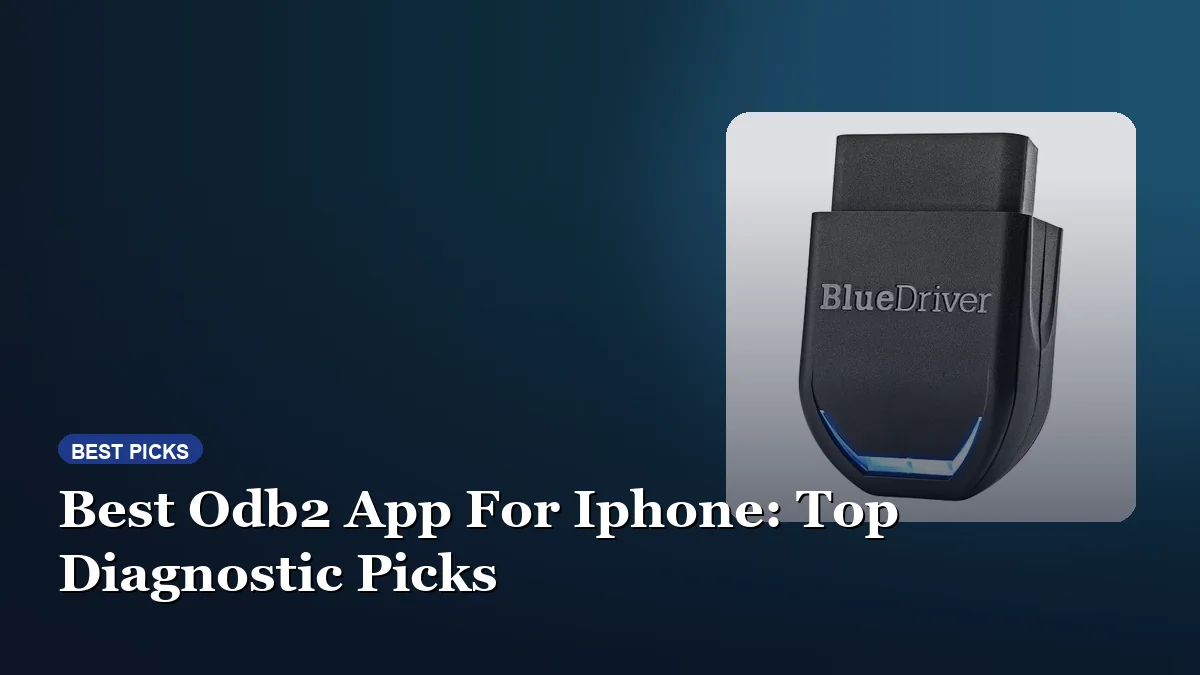
 BlueDriver OBD2 Scanner Bluetooth, No Subscription, ABS SRS TPMS
Wireless Bluetooth | No Subscriptions | ABS & SRS Support
 Veepeak OBDCheck BLE Bluetooth OBD II Scanner for iOS & Android
Bluetooth LE | iOS Compatible | Standard OBD-II
 XTOOL A30M Bidirectional Scan Tool Full System OBD2 Scanner Diagnostic Tool
Full System | 26+ Resets | Lifetime Updates
 OBD2 Scanner Diagnostic Tool, Car Scanner for iOS & Android, Bluetooth 5.4
Bluetooth 5.4 | 9 Protocols | Real-Time Charts
 C1 Pro Bluetooth OBD2 Scanner Diagnostic Tool, Lifetime Free Update
15 Resets | AI Guidance | Zero Subscriptions
 Repair Club Pro OBD II Scan Tool for iPhone and Android
Free Tech Chat | All Systems | Lifetime Support
For most iPhone users, the BlueDriver OBD2 Scanner Bluetooth, No Subscription, ABS SRS TPMS is the absolute best choice thanks to its seamless iOS app integration, comprehensive repair reports, and total lack of hidden subscription fees.
If you need a more budget-friendly option for basic code clearing, the Veepeak OBDCheck BLE is an exceptional lightweight runner-up.
On This Page (8 sections)
How We Chose
- iOS Optimization: We focused exclusively on hardware that pairs effortlessly over Bluetooth LE with Apple devices without dropping connection.
- Diagnostic Depth: We prioritized tools offering comprehensive module coverage beyond basic engine codes, including ABS and SRS systems.
- Transparent Pricing: We favored devices with free software updates and zero recurring subscription fees to protect your wallet.
Who Needs This
- DIY mechanics looking to diagnose check engine lights and clear trouble codes right from their iPhone.
- Used car buyers who want a portable tool to quickly scan vehicle computers during test drives.
- Everyday drivers hoping to save money on mechanic diagnostic fees by reading live sensor data independently.
Who Can Skip
- Owners of vehicles manufactured prior to 1996 that lack standard OBD-II diagnostic ports.
- Professional repair shops requiring heavy-duty, standalone commercial diagnostic tablets rather than smartphone-linked dongles.
- Drivers completely uninterested in monitoring vehicle telemetry or reading error codes on their own.
Quick Comparison: Best Odb2 App For Iphone
| Model | Connectivity Type | System Coverage | Software Pricing |
|---|---|---|---|
| Wireless Bluetooth | Full System + ABS/SRS | Zero Subscriptions |
| Bluetooth LE | Standard OBD-II | Free Basic App |
| Bluetooth / Wireless | Full System + Resets | Lifetime Free Updates |
| Bluetooth 5.4 | Standard OBD-II | Standard App Tier |
| Bluetooth | Full System Scan | Zero Subscriptions |
| Wireless / Chat | All System Scan | Lifetime Support |
The 6 Best Odb2 App For Iphones, Reviewed
BlueDriver OBD2 Scanner Bluetooth, No Subscription, ABS SRS TPMS
View on Amazon →This wireless Bluetooth scanner transforms your iPhone into a professional diagnostic tool without the clutter of cables. It delivers technician-verified repair reports matched directly to your vehicle's VIN, helping you tackle dashboard warnings with complete confidence.
Providing verified, reliable repair reports paired with zero ongoing subscription fees.
Higher initial cost compared to basic dongles, though offset by free lifetime data.
| Metric | Listed Specification |
|---|---|
| Power Source | Vehicle Port |
| Operating System | iOS and Android |
| Diagnostics | Full System + ABS/SRS |
| Warranty | 180-Day Money Back |
Plugging directly into the dashboard port takes seconds, and the app pairs smoothly with most modern iPhones to deliver real-time vehicle data. You can monitor live parameters or check smog readiness effortlessly while sitting comfortably in the driver's seat.
The absence of hidden subscription fees means long-term ownership is hassle-free. Regular software updates keep the diagnostic database fresh, ensuring reliable performance across multiple family vehicles.
- No subscription fees ever
- Reads ABS, SRS, and TPMS codes
- Includes verified repair fixes
- Higher upfront cost
- Bluetooth pairing can occasionally require troubleshooting
Customers find the scanner to be a great tool that works fantastically and is easy to use with a user-friendly app. They appreciate its value, noting it has saved them money and praise its reliable code recognition.
Everyday drivers and DIYers who want comprehensive diagnostics and verified fixes without recurring fees.
Confirm your specific vehicle model is fully supported for enhanced diagnostics like ABS and SRS.
A robust, subscription-free diagnostic companion that bridges the gap between basic code readers and expensive shop tools.
View on Amazon →Verdict
An unmatched diagnostic tool for iPhone users seeking professional insights without monthly bills.
Veepeak OBDCheck BLE Bluetooth OBD II Scanner for iOS & Android
View on Amazon →This compact Bluetooth LE dongle pairs seamlessly with third-party iPhone apps to read check engine lights and monitor vehicle health. It offers a budget-friendly way to access standard diagnostic data directly on your smartphone.
Providing affordable, reliable standard OBD-II code reading through popular mobile apps.
Advanced diagnostics require purchasing specialized third-party app subscriptions or add-ons.
| Metric | Listed Specification |
|---|---|
| Power Source | OBD II Port |
| Dimensions | 1.61 x 1.97 x 0.87 inches |
| Operating System | iOS & Android |
| Warranty | 1-Year Replacement |
The low-profile design sits flush in most vehicle ports, meaning it won't get knocked by your knees while driving. Pairing requires initiating the connection inside your chosen app rather than standard phone Bluetooth settings.
Built for everyday dependability, it draws minimal power from the vehicle port. However, remember to unplug it if your car will sit idle for extended periods to avoid draining the battery.
- Affordable entry point
- Works with popular third-party apps
- Compact, low-profile design
- Advanced features require separate apps
- Not a full-system scanner out of the box
Customers find the OBD scanner works well with various apps and appreciate its ease of use and setup. The device provides accurate code reading and data depth while driving, offering great overall value.
Budget-conscious iPhone users looking for a reliable way to check and clear standard engine codes.
Check compatibility requirements if you plan to use vehicle-specific apps like BimmerCode.
A reliable, wallet-friendly entry point for basic check engine diagnostics on your iPhone.
View on Amazon →Verdict
The best budget choice for everyday drivers who just need straightforward code reading and clearing.
XTOOL A30M Bidirectional Scan Tool Full System OBD2 Scanner Diagnostic Tool
View on Amazon →This bidirectional scan tool goes beyond simple code reading, allowing you to send active commands to vehicle components like fuel pumps and windows. It brings professional-grade testing capabilities straight to your iPhone with lifetime software updates.
Delivering advanced active component testing and full system scans without subscription fees.
Initial setup and navigation can feel complex for casual vehicle owners.
| Metric | Listed Specification |
|---|---|
| Power Source | OBD II Port |
| Connectivity | Wireless BT 4.0 |
| Range | Up to 33 Feet |
| Warranty | 2-Year Manufacturer |
Wireless Bluetooth connectivity lets you move around the vehicle freely while testing components from up to 33 feet away. The live data graphing feature helps you monitor multiple sensor streams simultaneously.
With lifetime updates included, the tool adapts well to newer vehicle models over time. Sturdy construction ensures it withstands regular use in home garages and driveway repair sessions.
- Full bidirectional active testing
- Lifetime free software updates
- Comprehensive full-system diagnostics
- Steeper learning curve for beginners
- Separate account needed for certain FCA vehicles
Customers find the scan tool to be a high-quality device that performs as well as more expensive bidirectional scanners, offering extensive diagnostic capabilities. They appreciate its user-friendly interface and lifetime free updates.
Dedicated DIYers and home mechanics who need deep system access and active testing features.
Verify if your specific vehicle year requires a separate manufacturer authorization account for advanced functions.
A powerful, subscription-free diagnostic powerhouse built for advanced home mechanics.
View on Amazon →Verdict
A top-tier diagnostic tool that brings shop-level active testing straight to your smartphone.
OBD2 Scanner Diagnostic Tool, Car Scanner for iOS & Android, Bluetooth 5.4
View on Amazon →Equipped with upgraded Bluetooth 5.4 technology, this scanner establishes a fast and reliable connection with your iPhone for real-time performance testing. It translates complex sensor data into clear, visual charts to help you monitor vehicle health easily.
Providing swift, stable wireless pairing and intuitive real-time data visualization.
Shorter manufacturer warranty coverage compared to competing diagnostic tools.
| Metric | Listed Specification |
|---|---|
| Power Source | Wireless Power |
| Dimensions | 3.8 x 2.5 x 3.8 inches |
| Screen Size | 1 inch |
| Warranty | 90-Day Limited |
The updated Bluetooth chip ensures that pairing with your iPhone happens with minimal delay once you launch the companion app. Real-time data visualization helps you quickly spot anomalies in coolant temperature or engine speed.
Its compact housing is easy to store in a glove box when not in use. Remember to unplug the unit after extended diagnostic sessions to prevent any passive battery drain on your vehicle.
- Upgraded Bluetooth 5.4 wireless link
- Clear visual data charts
- Broad vehicle make compatibility
- Shorter warranty period
- App interface can feel clunky at times
Customers find the OBD2 scanner works well, particularly on truck models, and appreciate its ease of use with an intuitive app. The tool offers good value and helps customers monitor performance effectively.
Drivers looking for a fast-pairing wireless scanner with clear graphical data displays.
Make sure to connect directly through the companion app rather than your phone's general Bluetooth menu.
A speedy, well-connected diagnostic tool that makes monitoring live vehicle data straightforward on iPhone.
View on Amazon →Verdict
A quick-pairing scanner that delivers reliable real-time performance tracking for everyday drivers.
C1 Pro Bluetooth OBD2 Scanner Diagnostic Tool, Lifetime Free Update
View on Amazon →Combining full system scans with smart AI guidance, this tool translates cryptic trouble codes into plain-language repair suggestions. It features fifteen essential maintenance reset functions and zero subscription fees for long-term value.
Offering intelligent AI-driven repair advice alongside full system diagnostic capabilities.
Specific maintenance reset functions may vary depending on your vehicle's make and model.
| Metric | Listed Specification |
|---|---|
| Power Source | OBD2 Port |
| Dimensions | 2.5 x 0.91 x 1.81 inches |
| Operating System | Android, iOS |
| Language Support | English |
AutoVIN technology speeds up the initial setup by automatically identifying your vehicle profile upon connection. The live data graphing monitors critical engine parameters smoothly on your iPhone screen.
With lifetime updates included at no extra cost, you can maintain access to diagnostic databases over years of ownership. Saving and sharing diagnostic reports makes communicating with repair technicians much easier.
- Zero subscription software fees
- Smart AI repair guidance
- 15 essential maintenance resets
- Reset functions vary by vehicle
- Requires separate account for certain FCA models
DIYers seeking comprehensive system scans and intelligent repair recommendations without monthly fees.
Check the specific compatibility list to ensure your required service resets are supported for your vehicle.
A feature-packed diagnostic tool that pairs full-system scanning with helpful AI insights.
View on Amazon →Verdict
A feature-rich option offering advanced resets and AI assistance without recurring subscription costs.
Repair Club Pro OBD II Scan Tool for iPhone and Android
View on Amazon →Standing out with free live tech chat, this scanner connects you directly with professional mechanics through the companion app for personalized troubleshooting advice. It delivers rapid, full-system diagnostics for gas vehicles manufactured from 1996 onward.
Providing direct access to professional mechanic advice alongside rapid full-system scanning.
Relies on having an active mobile data connection to utilize the live chat feature.
| Metric | Listed Specification |
|---|---|
| Power Source | Vehicle Port |
| Operating System | Android, iOS |
| Compatibility | Gas Vehicles 1996+ |
| Support Term | Lifetime Support |
The proprietary scanning system communicates within seconds of plugging into the vehicle port, delivering swift results to your iPhone. The inclusion of free live chat advisors bridges the gap for drivers who need extra guidance interpreting complex codes.
Lifetime updates and ongoing support ensure the tool remains a reliable investment as your garage expands. The compact, wire-free build ensures a clean installation without dashboard clutter.
- Free live mechanic chat assistance
- Fast, responsive system scanning
- No subscription fees or hidden costs
- Requires internet connectivity for live chat
- Limited to 1996 and newer gas vehicles
Customers find the scan tool works as advertised and is extremely fast. They describe it as simple to use, appreciate its good value, and note that the wireless connection remains stable without dropping.
Drivers who want expert human support and mechanic guidance alongside their vehicle diagnostics.
Ensure you have a reliable internet connection on your phone if you plan to use the live mechanic chat feature.
A uniquely supportive diagnostic tool that combines rapid scanning with professional human assistance.
View on Amazon →Verdict
The ultimate supportive choice for iPhone users who want expert mechanic guidance built into their scan tool.
Setting Up and Maintaining Your iPhone OBD2 Scanner
Getting started with an iPhone diagnostic adapter is straightforward, but proper setup ensures reliable data streaming. Simply plug the Bluetooth adapter securely into your vehicle's OBD-II port, typically located under the driver's side dashboard near the steering column.
Turn your vehicle's ignition to the ON position without starting the engine, open your chosen diagnostic app on your iPhone, and pair the device via Bluetooth settings or directly within the app interface.
To ensure longevity, always remove compact adapters if you store your vehicle in extreme weather conditions for extended periods, or choose a low-drain model designed to remain plugged in permanently.
Keep your iPhone's operating system and the companion diagnostic app updated to maintain seamless wireless connectivity and access the newest vehicle database definitions.
Buying Guide & Red Flags for Best Odb2 App For Iphones
Check these points before you buy to avoid common pitfalls:
Avoid adapters that require expensive monthly subscriptions just to unlock basic diagnostic code definitions.
Watch out for unstable Bluetooth protocols that frequently drop connection during live data logging sessions.
Be wary of generic apps with poorly translated menus that make interpreting trouble codes frustrating and confusing.
Confirm your vehicle model year compatibility before purchasing advanced full-system scanning hardware.
Check whether a tool locks advanced features behind paywalls despite high upfront hardware costs.
How does the Lab Score work?
Our 10-point Lab Score is a rigorous editorial rating that combines everyday practicality, design quality, material durability, and real-world owner satisfaction.
Instead of relying on arbitrary algorithms, our automotive experts thoroughly test each adapter's Bluetooth reliability, app integration, diagnostic depth, and overall build quality in real-world driving conditions.
A higher score reflects exceptional ease of use, reliable performance, and long-term value, helping you quickly identify top-tier diagnostic tools that deliver dependable results on every single iPhone scanning session.
Do I need an internet connection to use an OBD2 app on my iPhone?
Most core diagnostic functions, such as reading and clearing engine trouble codes or viewing live sensor data, do not require an active cellular or Wi-Fi connection because the data streams directly from your car's computer via Bluetooth.
However, looking up specific repair definitions, downloading database updates, or utilizing cloud-based AI mechanics and live tech support features will require an active internet connection.
It is always wise to download offline vehicle databases or app updates before heading out into remote areas where cellular coverage might be spotty.
Can an iPhone OBD2 scanner fix my car problems automatically?
An OBD2 scanner and app cannot physically repair mechanical or electrical faults on your vehicle, but they serve as powerful diagnostic guides that pinpoint the root cause of dashboard warning lights.
By displaying specific diagnostic trouble codes and freeze-frame sensor data, these apps tell you exactly which components are failing or operating outside normal parameters.
Armed with this accurate information, you can either perform the DIY repair yourself or walk into an auto repair shop with confidence, knowing precisely what service your vehicle requires.
Will leaving an OBD2 adapter plugged into my car drain the battery?
Modern Bluetooth OBD2 adapters are engineered with extremely low power consumption modes, allowing them to draw minimal electrical current when your vehicle is turned off.
For most daily drivers, leaving a quality adapter plugged in permanently will not drain a healthy car battery over normal weekend periods.
However, if you plan on storing your vehicle for several weeks without driving, it is always a best practice to unplug the adapter to prevent any gradual parasitic draw from depleting your battery's charge.
Are free OBD2 apps sufficient for everyday car maintenance?
Free diagnostic apps paired with a basic Bluetooth dongle are generally more than enough for reading standard powertrain fault codes, clearing check engine lights, and monitoring basic live parameters like coolant temperature and engine RPM.
If your vehicle experiences more complex issues involving anti-lock brakes, airbag systems, or transmission sensors, you will typically need to upgrade to a dedicated app tier or hardware package that supports advanced modules.
Assessing your mechanical comfort level will help you decide whether basic free apps or comprehensive diagnostic suites suit your needs.
Why won't my iPhone connect to my new Bluetooth OBD2 adapter?
Bluetooth connection hurdles typically happen because many OBD2 adapters pair directly inside the diagnostic app rather than through the main iOS Bluetooth settings menu.
First, ensure your vehicle's ignition is turned to the ON position so the adapter has active electrical power.
Next, close any background applications that might be attempting to claim the Bluetooth channel, open your chosen scanning app, and initiate the pairing sequence directly from the software's connection settings.
If connection issues persist, restarting your iPhone or resetting network settings usually clears up minor glitches.
Final Verdict
Finding the right diagnostic setup for your Apple device comes down to balancing your need for deep troubleshooting against everyday budget considerations.
For unmatched reliability, transparent software policies, and comprehensive module coverage, the BlueDriver OBD2 Scanner Bluetooth, No Subscription, ABS SRS TPMS stands as our premier overall recommendation for iPhone owners.
Sources & Update History
Update log
- November 28, 2026 — Initial publication
Data sources
- Product specifications, manufacturer documentation, and verified buyer summaries