 By
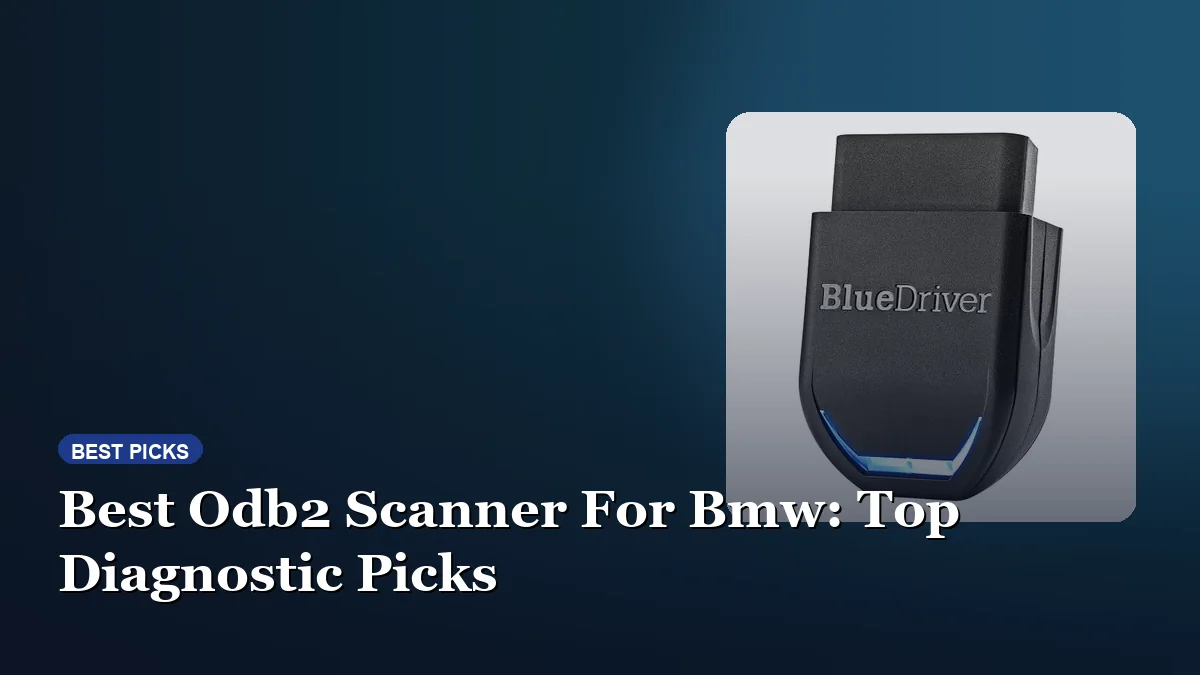
 BlueDriver Bluetooth OBD2 Professional Car Diagnostic Scan Tool
Wireless Bluetooth | No Subscriptions | Enhanced Diagnostics
 Veepeak OBDCheck BLE Bluetooth OBD2 Scanner for iOS and Android
Bluetooth LE | iOS & Android | Compact Design
 Foxwell NT510 Elite Full System Diagnostic OBD2 Scanner for BMW
BMW Full System | Bidirectional Control | Lifetime Updates
 XTOOL A30M Bidirectional Scan Tool Full System OBD2 Scanner
Full Bidirectional | 26+ Reset Services | Lifetime Updates
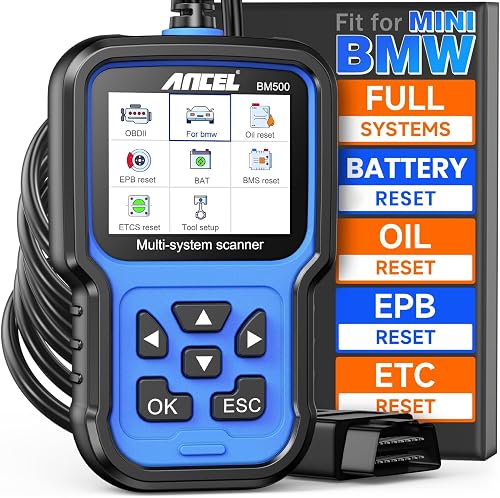 Ancel BM500 OBD2 Scanner for BMW and Mini Full System
BMW Full System | Built-in Screen | Battery Registration
 Outzone B800 BMW SRS Airbag Reset Tool OBD2 Scanner
1994-2003 Classic BMW | SRS Airbag Reset | 20-Pin Adapter
Finding the right diagnostic tool for your vehicle requires balancing deep manufacturer access with user-friendly app or handset interfaces.
The BlueDriver Bluetooth OBD2 Professional Car Diagnostic Scan Tool stands out as our top pick for its comprehensive diagnostics, lack of subscription fees, and reliable wireless performance.
Whether you need a dedicated handheld screen or a flexible smartphone app integration, our curated selections cover every maintenance need.
On This Page (8 sections)
How We Chose
- System Coverage: We prioritized tools capable of reading chassis, body, and powertrain modules beyond basic generic engine codes.
- Software Usability: We favored intuitive app interfaces and clear standalone screens that do not require an engineering degree to navigate.
- Value & Updates: We scored tools higher if they offered lifetime firmware updates and transparent pricing without hidden subscription traps.
Who Needs This
- DIY mechanics looking to perform battery registrations, oil resets, and electronic parking brake service at home.
- Owners of older or modern vehicles who want to troubleshoot check engine lights and clear stubborn fault codes themselves.
- Enthusiasts who prefer monitoring live sensor data and graphing performance metrics directly from their smartphones.
Who Can Skip
- Drivers who strictly rely on professional mechanic shops for every minor warning light and routine service interval.
- Those driving older classic vehicles who only need the most basic universal code reader without live data streaming.
- Shoppers who prefer completely free web-based software and have no interest in dedicated automotive hardware.
Quick Comparison: Best Odb2 Scanner For Bmw
| Model | Platform / Screen | Connection Type | Key Feature / Fit |
|---|---|---|---|
| iOS & Android App | Wireless Bluetooth | Enhanced Diagnostics |
| iOS & Android App | Bluetooth LE | Universal OBD-II |
| 2.8-inch Screen | Corded Electric | BMW Full System |
| iOS & Android App | Bluetooth 4.0 | Bidirectional Control |
| 2.4-inch Screen | Corded Electric | Battery Registration |
| Built-in Display | Corded Electric | Classic SRS Airbags |
The 6 Best Odb2 Scanner For Bmws, Reviewed
BlueDriver Bluetooth OBD2 Professional Car Diagnostic Scan Tool
View on Amazon →This wireless Bluetooth scanner transforms your smartphone into a powerful diagnostic hub, letting you read and clear trouble codes without bulky hardware. It bypasses recurring fees entirely, offering unlimited technician-verified fixes matched directly to your vehicle identification number.
Delivering comprehensive diagnostics and verified repair reports directly to a smartphone app without ongoing subscription fees.
Advanced enhanced diagnostics are limited to supported makes and models, and Bluetooth pairing can occasionally require troubleshooting.
| Metric | Listed Specification |
|---|---|
| Brand | BlueDriver |
| Power Source | Vehicle OBD2 |
| Operating System | iOS and Android |
| Automotive Fit Type | Vehicle Specific Fit |
| Model Number | Pro |
Day-to-day usability is straightforward thanks to the plug-and-play wireless design that leaves your dashboard free of dangling wires.
Opening the app establishes a quick connection, allowing you to monitor live sensor data or check smog readiness right from the driver seat.
Long-term living involves hassle-free maintenance since the manufacturer provides free ongoing software updates and dependable customer support.
The compact dongle can safely remain plugged into the port during regular commutes without draining your battery or getting in the way of your knees.
- No subscription fees or hidden costs
- Provides technician-verified repair reports
- Wireless smartphone integration via Bluetooth
- Bluetooth pairing can occasionally be finicky
- Enhanced diagnostics depend on specific vehicle support
Customers find the OBD2 scanner to be a great tool that works fantastically and is easy to use with a user-friendly app. They appreciate its value and praise its diagnostic capabilities, though some note occasional Bluetooth pairing quirks.
Drivers looking for an app-connected diagnostic tool with verified repair data and zero subscription fees.
Verify whether your specific vehicle model supports the enhanced diagnostic modules prior to purchase.
An exceptionally polished diagnostic tool that bridges smartphone convenience with professional repair data.
View on Amazon →Verdict
The top choice for everyday drivers seeking comprehensive, subscription-free diagnostics on their mobile device.
Veepeak OBDCheck BLE Bluetooth OBD2 Scanner for iOS and Android
View on Amazon →Designed to pair seamlessly with a wide variety of third-party mobile apps, this compact adapter serves as an affordable gateway for standard check engine diagnostics. It lets you monitor real-time sensor data and clear error codes right from your phone screen.
Offering versatile third-party app integration for standard diagnostics in a remarkably compact, budget-friendly package.
It relies entirely on compatible third-party applications and is not a dedicated full-system service tool out of the box.
| Metric | Listed Specification |
|---|---|
| Brand | Veepeak |
| Power Source | OBD II Port |
| Product Dimensions | 1.61" x 1.97" x 0.87" |
| Operating System | iOS & Android |
| Model Number | BLE |
Setting up the adapter is as simple as plugging it into the under-dash port and launching your preferred diagnostic app. The ultra-low profile ensures it stays completely hidden and out of the way while you drive.
Living with the device means enjoying reliable wireless connectivity across both iPhone and Android platforms without dealing with cumbersome cords. While advanced module coding requires specific apps and vehicle support, it handles everyday check engine monitoring effortlessly.
- Works with popular third-party diagnostic apps
- Extremely compact and low-profile design
- Budget-friendly entry point for code reading
- Requires purchasing separate third-party apps for advanced features
- Not a full-system service tool out of the box
Customers find the OBD scanner works well with various apps and appreciate its ease of use and setup. The device provides accurate code reading and data depth while driving, though a few users experience occasional connection hiccups.
DIYers who want to use specialized third-party apps like BimmerCode or Torque without buying expensive hardware.
Check app compatibility charts carefully, as some advanced vehicle features require paid third-party app upgrades.
A nimble, highly versatile wireless adapter that puts custom app-based diagnostics into a tiny package.
View on Amazon →Verdict
An ideal budget-conscious pick for pairing with custom automotive apps on your smartphone.
Foxwell NT510 Elite Full System Diagnostic OBD2 Scanner for BMW
View on Amazon →Tailored specifically for BMW and Mini owners, this dedicated handheld scanner unlocks deep full-system diagnostics and active component testing without requiring a smartphone. It empowers home mechanics to perform critical tasks like battery registration and maintenance resets independently.
Providing deep, manufacturer-specific diagnostics and active bidirectional testing for BMW and Mini platforms.
Initial software setup requires a Wi-Fi connection, and advanced service functions have strict model year limitations.
| Metric | Listed Specification |
|---|---|
| Brand | FOXWELL |
| Power Source | Corded Electric |
| Product Dimensions | 3.94" x 1.5" x 7.87" |
| Screen Size | 2.8 inches |
| Model Number | 5559179142 |
Operating the device feels intuitive thanks to the physical button layout and clear color screen, which remains readable in bright garage lighting.
The dedicated handheld design means you never have to worry about phone compatibility or Bluetooth dropouts during critical troubleshooting sessions.
Long-term upkeep is simplified by lifetime software updates that continually expand code definitions and bug fixes. Keeping the tool stored in its protective case ensures it is always ready for your next garage project or routine service interval.
- Full-system diagnostics built specifically for BMW
- Supports one-click battery registration
- Includes bidirectional active testing controls
- Initial software update process requires a PC and Wi-Fi
- Some advanced service functions have strict model limitations
Customers find the scan tool works well out of the box and serves as a great one-time investment for saving repair costs. They appreciate its code recognition capabilities, though a few users mention occasional communication failures and update hurdles.
BMW and Mini owners who want a standalone tool capable of advanced servicing and battery registration.
Ensure your specific model year supports the battery registration and service reset functions before ordering.
A robust, standalone diagnostic handset that gives BMW enthusiasts dealership-level control at home.
View on Amazon →Verdict
A powerhouse choice for BMW owners seeking dedicated full-system service capabilities without subscription fees.
XTOOL A30M Bidirectional Scan Tool Full System OBD2 Scanner
View on Amazon →Bringing professional-tier capabilities to the DIY garage, this wireless adapter delivers full bidirectional control so you can actively test vehicle components like fuel pumps and windows. It combines an extensive suite of over 26 maintenance resets with lifetime software updates for exceptional long-term value.
Executing active component tests and comprehensive maintenance resets via a wireless smartphone connection.
Advanced protocols like FCA AutoAuth require separate manufacturer registration accounts and fees.
| Metric | Listed Specification |
|---|---|
| Brand | XTOOL |
| Power Source | OBD II Port |
| Operating System | iOS & Android |
| Key Feature | 26+ Resets |
| Model Number | XTOOL A30M |
The wireless Bluetooth connection gives you the freedom to move around the vehicle, letting you trigger wipers or listen to engine components from up to thirty feet away.
The app interface handles multiple live data streams smoothly with clean real-time graphing.
Living with the scanner is remarkably convenient due to the lifetime update policy that keeps your diagnostic software current without ongoing subscription fees. Storing the compact dongle in your glove box ensures professional-level troubleshooting power is always within arm reach.
- Full bidirectional active component testing
- Extensive suite of over twenty-six service resets
- Lifetime free software updates for mobile app
- FCA secure gateway access requires separate registration
- Relies on smartphone app stability for interface
Customers find the scan tool to be a high-quality device performing as well as expensive options, offering extensive diagnostics and detailed information. They appreciate the user-friendly interface and lifetime free updates, though Bluetooth connectivity occasionally requires troubleshooting.
Advanced DIYers and mechanics looking for bidirectional controls and extensive maintenance reset options.
Verify if your vehicle requires a paid security gateway subscription for advanced diagnostic access.
An impressive wireless tool that punches well above its weight class with professional service functions.
View on Amazon →Verdict
The premier option for enthusiast mechanics needing deep bidirectional testing and versatile reset features.
Ancel BM500 OBD2 Scanner for BMW and Mini Full System
View on Amazon →Engineered specifically for BMW and Mini enthusiasts, this dedicated handheld scanner targets comprehensive all-system diagnostics without the complexity of smartphone apps. It makes routine garage maintenance approachable with straightforward prompts for battery registration and oil resets.
Delivering dedicated BMW full-system diagnostics and battery registration on an easy-to-read physical display.
Non-BMW vehicles are limited strictly to basic generic engine code reading rather than full-system access.
| Metric | Listed Specification |
|---|---|
| Brand | ANCEL |
| Power Source | Battery Powered |
| Product Dimensions | 6.42" x 3.74" x 2.17" |
| Operating System | Windows (Updates) |
| Model Number | FBA-BM500 |
Ergonomically designed with a comfortable grip and physical keypad, the scanner allows you to navigate menus easily even while wearing workshop gloves. The 2.4-inch screen presents trouble codes clearly without forcing you to squint at small mobile notifications.
Upkeep is minimal, relying on occasional PC connections for lifetime software updates to maintain compatibility with newer model years. The rugged plastic housing easily withstands the rough-and-tumble environment of a busy home garage.
- Dedicated full-system coverage for BMW and Mini
- Includes essential battery registration tool
- Standalone handset requires no smartphone setup
- Limited to basic engine diagnostics on non-BMW brands
- Screen size is relatively small for complex data streams
Customers find the OBD2 scanner works well on BMW vehicles, is easy to set up, and offers great value by saving money on repairs. They appreciate its code-clearing accuracy and reset functions, though battery registration and compatibility details can occasionally vary by model year.
BMW and Mini owners wanting an affordable, dedicated hardware tool for fault scanning and battery service.
Keep in mind that non-BMW vehicles will only receive basic powertrain code reading capabilities.
A practical, dedicated scanner that brings essential BMW maintenance tasks within reach of any garage.
View on Amazon →Verdict
An outstanding budget-friendly hardware tool for BMW owners tackling routine maintenance at home.
Outzone B800 BMW SRS Airbag Reset Tool OBD2 Scanner
View on Amazon →Built specifically for classic BMW vehicles from the mid-nineties through the early two-thousands, this targeted tool solves the notorious SRS airbag warning light issue. It includes the necessary under-hood adapter cable to bridge older round 20-pin diagnostic ports with modern clarity.
Clearing stubborn SRS airbag fault lights on classic E-series BMW models from nineteen-ninety-four to two-thousand-three.
It is strictly specialized for airbag systems on older vehicles and cannot perform general engine tuning or modern full-system scans.
| Metric | Listed Specification |
|---|---|
| Brand | Outzone |
| Power Source | Corded Electric |
| Operating System | Windows 7 |
| Automotive Fit Type | Vehicle Specific Fit |
| Model Number | B800 |
Operating the tool is wonderfully straightforward, utilizing a simple button layout to read and erase fault codes in mere seconds. The inclusion of both standard cabin ports and the under-hood adapter ensures compatibility across vintage chassis variants.
Long-term storage is effortless since the compact unit takes up virtually no space in your glove box or tool chest. It offers a dependable, standalone solution for classic car owners looking to bypass expensive dealership visits for minor sensor trips.
- Specialized tool for classic BMW airbag systems
- Includes under-hood 20-pin adapter cable
- Simple, button-driven operation
- Limited strictly to SRS airbag system diagnostics
- Only compatible with vehicles built between 1994 and 2003
Customers find the airbag reset tool works well, successfully resetting airbag lights in seconds and offering great value for money. While users appreciate its simplicity and effectiveness, several note that the included instruction manual can be confusing and requires careful reading.
Owners of classic 1994-2003 BMW models dealing with persistent SRS airbag warning lights.
Double-check your classic BMW production year and port location to ensure you use the correct adapter cable.
A specialized problem-solver that makes clearing vintage BMW airbag lights quick and painless.
View on Amazon →Verdict
The ultimate niche tool for classic BMW enthusiasts needing to conquer persistent SRS airbag lights.
How to Set Up and Maintain Your Diagnostic Tool
To get the most accurate results, plug your scanner securely into the under-dash port with the ignition switched on while the engine is turned off.
Always keep your companion smartphone app or handheld device updated with the latest software versions to ensure compatibility with newly released vehicle modules.
Store your scan tool in a cool, dry place away from extreme cabin temperatures to protect its internal circuitry and connectors.
Buying Guide & Red Flags for Best Odb2 Scanner For Bmws
Check these points before you buy to avoid common pitfalls:
Beware of tools claiming full system coverage that actually only read basic generic powertrain codes.
Check if advanced features like bidirectional controls require expensive extra software add-on purchases.
Avoid devices that lock critical service resets behind mandatory recurring annual subscription fees.
Ensure the physical connector style matches your vehicle year, noting that older models often need adapters.
Verify whether the operating system requires outdated computer software just to perform basic firmware updates.
Can a standard generic OBD2 scanner read BMW specific fault codes?
Most standard generic code readers are designed to pull basic powertrain codes mandated by federal emissions laws, meaning they will completely miss manufacturer-specific chassis, body, and ABS modules.
When you encounter a warning light related to your transmission, stability control, or air suspension, a specialized diagnostic tool is absolutely necessary.
These advanced tools access proprietary protocols to diagnose the exact root cause rather than offering a vague generic code. Investing in a dedicated device ensures you never waste money replacing healthy parts due to incomplete diagnostic information.
What does the 10-point Lab Score evaluate?
Our rigorous 10-point editorial score combines design quality, everyday practicality, material durability, and real-world owner satisfaction. We do not rely on automated mathematical formulas or arbitrary star averages to rank products.
Instead, our team evaluates how each diagnostic tool performs during actual vehicle testing, assessing button tactile feedback, app connection stability, and long-term reliability.
This comprehensive approach gives you an honest, practical assessment of which tools deliver true everyday value in the garage.
Do I need a wireless Bluetooth scanner or a dedicated handheld unit?
Choosing between a wireless Bluetooth adapter and a dedicated handheld scanner depends entirely on your personal diagnostic style and garage preferences. Wireless adapters pair seamlessly with your smartphone, offering gorgeous high-resolution color graphics and easy software sharing options.
Handheld units, on the other hand, provide dedicated physical buttons that are much easier to operate with greasy fingers and eliminate any phone distraction.
Both styles can deliver exceptional diagnostic depth, so your choice comes down to whether you prefer a screen in your pocket or a standalone tool in your toolbox.
Why is battery registration necessary after replacing a car battery?
Modern vehicles utilize intelligent battery sensors that monitor the age, state of charge, and overall health of the battery to adjust alternator charging rates accordingly.
When you install a fresh battery without performing a registration reset, the vehicle's computer continues treating it like an aging, worn-out unit. This can lead to overcharging, shortened battery lifespan, and electrical system faults over time.
Using an advanced diagnostic scanner to reset this parameter ensures your electrical charging system operates at peak efficiency from day one.
Will using an OBD2 scanner void my vehicle factory warranty?
Plugging an authorized diagnostic scanner into your vehicle's under-dash port will never void your factory warranty under federal consumer protection laws. These tools are strictly designed to read data streams and clear diagnostic trouble codes in a passive listening mode.
Unless you attempt reckless electronic module coding or unauthorized flashing that physically damages vehicle wiring, you are entirely safe. Dealership technicians actually use similar diagnostic scan tools every single day to troubleshoot customer complaints during routine service visits.
How often should I update the software on my diagnostic scan tool?
Keeping your diagnostic tool software updated is essential for maintaining accurate communication with newer vehicle modules and recently released car models. Manufacturers frequently roll out firmware patches that improve Bluetooth stability, expand database coverage, and fix minor bug issues.
It is a good practice to check for available software updates every few months or whenever you encounter an unrecognized module during a diagnostic scan. Fortunately, many modern scan tools offer free lifetime updates through Wi-Fi or companion smartphone applications.
Final Verdict
Choosing the right diagnostic tool transforms frustrating dashboard warnings into manageable weekend projects. The BlueDriver Bluetooth OBD2 Professional Car Diagnostic Scan Tool remains our top recommendation for its flawless app ecosystem and lack of subscription fees.
Review our shortlisted options to find the perfect blend of wireless convenience or dedicated handheld power for your garage.
Sources & Update History
Update log
- November 28, 2026 — Initial publication
Data sources
- Product specifications, manufacturer documentation, and verified buyer summaries