 By
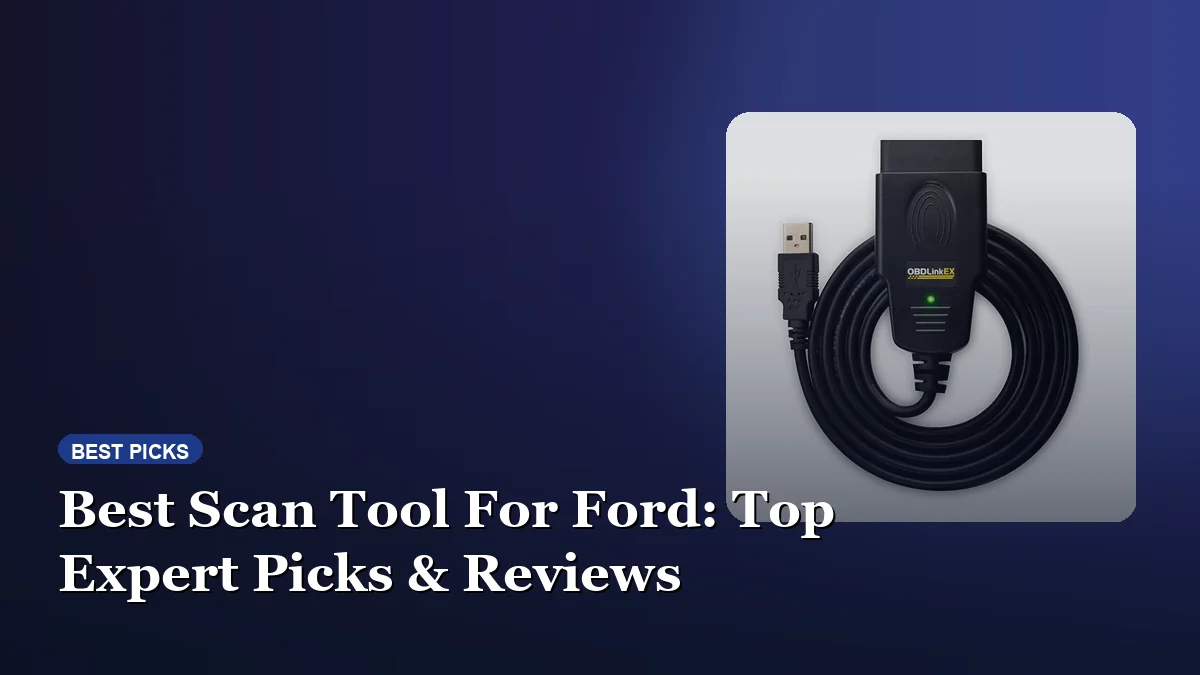
 OBDLink EX FORScan OBD Adapter for Ford Vehicles
Windows compatible . Fast data throughput . FORScan specialized
 BlueDriver Bluetooth OBD2 Professional Car Diagnostic Scan Tool
No subscriptions . Bluetooth wireless . iOS and Android
 XTOOL A30M Bidirectional Scan Tool Full System OBD2 Scanner
Lifetime free updates . Active testing . Wireless Bluetooth
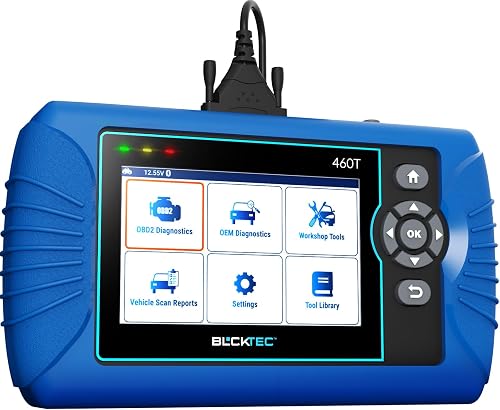 BLCKTEC 460T OBD2 Scanner Car Code Reader Diagnostic Tool
Built-in 4.3 screen . 12+ reset services . AutoVIN tech
 ANCEL FD500 OBD2 Scanner for Ford Lincoln and Mercury
Ford specific design . Battery registration . Color LCD screen
 VDIAGTOOL D502 Bidirectional Scan Tool OBD2 Scanner for Ford
J2534 pass-thru ready . 37+ Ford services . Wireless app
The OBDLink EX FORScan OBD Adapter for Ford Vehicles is our top pick for deep factory-level module access and configuration.
Depending on whether you prefer a Windows laptop setup or a wireless Bluetooth mobile app, our expert roundup highlights the absolute best choices for modern Ford owners.
On This Page (8 sections)
How We Chose
- Ford Compatibility: We prioritized tools offering deep access to proprietary Ford networks like MS-CAN and HS-CAN.
- Software & Apps: We favored reliable apps and software with frequent updates and user-friendly diagnostic interfaces.
- Real Value: We weighed upfront hardware investment against recurring subscription fees to ensure lasting economy.
Who Needs This
- DIY Ford owners looking to program keys, clear specific trouble codes, and adjust module settings.
- Home mechanics who want advanced bidirectional controls to test components before replacing expensive parts.
- Budget-conscious drivers seeking reliable code readers without recurring annual software subscription fees.
Who Can Skip
- Drivers who only ever need to read basic universal emission codes using a cheap gas station reader.
- Owners who prefer taking their vehicle to a dealership or professional mechanic for all maintenance work.
- Individuals who do not own a compatible smartphone, tablet, or Windows laptop to run diagnostic software.
Quick Comparison: Best Scan Tool For Ford
| Model | Connection Type | Operating System | Key Feature |
|---|---|---|---|
| Wired USB | Windows PC | FORScan Tailored |
| Bluetooth Wireless | iOS & Android | Lifetime Free Updates |
| Bluetooth Wireless | iOS, Android | Full Bidirectional |
| Standalone Unit | iOS and Android | 4.3-inch Screen |
| Battery Powered | Win7/8/10 | Ford Group Only |
| Battery Powered | Android, iOS | J2534 Pass-Thru |
The 6 Best Scan Tool For Fords, Reviewed
OBDLink EX FORScan OBD Adapter for Ford Vehicles
View on Amazon →This specialized adapter bridges your Ford directly to a Windows laptop, unlocking deep dealership-level programming without high shop fees. Its built-in electronic switch automatically handles complex CAN buses smoothly, making it the go-to tool for advanced vehicle tinkering.
Deep module configuration and diagnostics via FORScan.
Requires a Windows laptop since it does not support iOS or Android mobile apps.
| Metric | Listed Specification |
|---|---|
| Brand | OBDLink |
| Operating System | Windows |
| Model Number | EX101 |
| Dimensions | 3.5" x 1" x 1.8" |
Setting up the USB connection with a laptop is straightforward, and the automatic electronic switching removes the hassle of manual toggle buttons found on cheaper models.
The sturdy physical build and rock-solid connection ensure stable data transfer during lengthy module coding sessions without dropped packets.
- Custom-designed for FORScan
- Automatic electronic switching
- Lightning-fast data transfer
- Windows PC required
- Wired connection limits movement
Customers find the scan tool works flawlessly with Forscan and other diagnostic programs, offering excellent value by saving money on dealer calibration costs. They appreciate its ease of use, quick setup, and automatic switching feature that eliminates the need for manual toggling between modes.
Ford owners looking to run deep software modifications and advanced diagnostics via a laptop.
Confirm you have access to a Windows laptop or tablet to run the necessary software.
An indispensable tool for Ford enthusiasts wanting total control over their vehicle's computer systems.
View on Amazon →Verdict
The premier choice for deep Ford diagnostics and customization.
BlueDriver Bluetooth OBD2 Professional Car Diagnostic Scan Tool
View on Amazon →Turning your smartphone into a powerful diagnostic hub, this adapter bypasses tedious cables for a seamless wireless experience. It pairs technician-verified repair reports directly with your vehicle's live data streams to take the guesswork out of troubleshooting.
Delivering user-friendly wireless diagnostics with verified repair fixes.
Occasional Bluetooth pairing hiccups can occur depending on the mobile device.
| Metric | Listed Specification |
|---|---|
| Brand | BlueDriver |
| Power Source | Vehicle Port |
| Fit Type | Vehicle Specific |
| Model Number | Pro |
Plugging the compact dongle into the dashboard takes seconds, and the mobile app launches quickly for everyday driveway code checks.
The subscription-free model ensures you receive ongoing app updates and repair database access without facing hidden recurring fees down the road.
- Zero subscription fees
- Wireless smartphone convenience
- Verified repair reports
- Intermittent Bluetooth pairing
- Higher initial investment
Customers find the OBD2 scanner to be a great tool that works fantastically and is easy to use with a user-friendly app. They appreciate its value, noting it has saved them thousands of dollars, and praise its diagnostic capabilities, particularly in diagnosing minor issues and helping figure out problems.
Everyday drivers wanting a clean, wireless tool with straightforward repair guidance on their phone.
Ensure your smartphone's Bluetooth settings are fully updated for stable connectivity.
A top-tier wireless companion that brings professional insights straight to your mobile screen.
View on Amazon →Verdict
The ultimate plug-and-play solution for wireless mobile diagnostics.
XTOOL A30M Bidirectional Scan Tool Full System OBD2 Scanner
View on Amazon →Moving beyond simple code reading, this bidirectional scanner lets you actively command vehicle components like fuel pumps and windows right from your smartphone. Backed by lifetime free updates, it punches well above its weight class for home mechanics.
Full bidirectional active component testing without costly subscriptions.
Certain advanced gateway functions require separate manufacturer account registrations.
| Metric | Listed Specification |
|---|---|
| Brand | XTOOL |
| Connectivity | Bluetooth 4.0 |
| Model Number | XTOOL A30M |
| Operating System | iOS & Android |
The wireless connection lets you stand outside the vehicle in the garage while testing window motors, wipers, or fuel injectors without needing an assistant.
The inclusion of lifetime software updates keeps the device compatible with newer car models without forcing you into annual renewal fees.
- Active bidirectional controls
- Lifetime free software updates
- Simultaneous live data graphing
- FCA gateway requires separate setup
- App interface has a slight learning curve
Customers find the scan tool to be a high-quality device that performs as well as more expensive bidirectional scanners, offering extensive diagnostic capabilities and detailed DTC information. They appreciate its user-friendly interface, ease of setup, and value for money.
Hands-on DIYers needing active component testing and extensive reset functions.
Check if your specific model year requires an external gateway authorization for full access.
An exceptional value package that brings professional bidirectional testing into the home garage.
View on Amazon →Verdict
The top choice for advanced active testing on a budget.
BLCKTEC 460T OBD2 Scanner Car Code Reader Diagnostic Tool
View on Amazon →Featuring a crisp standalone screen and rapid AutoVIN identification, this tool cuts down diagnostic time significantly. It pairs heavy-duty reset functions with cloud-backed repair reports to streamline your garage workflow.
Fast standalone diagnostics paired with comprehensive repair app integration.
Function availability can vary heavily depending on the specific vehicle make and model.
| Metric | Listed Specification |
|---|---|
| Brand | BLCKTEC |
| Screen Size | 4.3 inches |
| Dimensions | 7.75" x 1.5" x 4.4" |
| Model Number | 460T |
The ergonomic handheld design and physical buttons mean you never have to fumble with a smartphone app while your hands are greasy.
Free lifetime updates and cloud report storage via the companion app ensure your diagnostic logs remain accessible and up-to-date over years of vehicle ownership.
- Large built-in color display
- Rapid AutoVIN code scanning
- Free RepairSolutions2 app integration
- Feature support varies by vehicle
- Bulkier than smartphone dongles
Customers find the OBD2 scanner works well, noting it successfully diagnoses vehicle issues quickly. They appreciate its value, noting it saves money, and find it simple to use for reading all engine and ABS codes.
Mechanics who prefer a dedicated handheld screen over phone-based apps.
Review the online compatibility checker to verify which reset functions apply to your specific vehicle.
A reliable standalone diagnostic partner that keeps your smartphone free while you work.
View on Amazon →Verdict
The finest traditional handheld scanner for garage enthusiasts.
ANCEL FD500 OBD2 Scanner for Ford Lincoln and Mercury
View on Amazon →Tailored strictly for Ford, Lincoln, and Mercury vehicles, this dedicated scanner dives deep into proprietary modules that universal tools often miss. It handles crucial routine maintenance like battery registration and oil resets without requiring complicated menu navigation.
Deep, dedicated factory-level diagnostics specifically for Ford family vehicles.
Limited compatibility with non-Ford brands and older operating systems for updates.
| Metric | Listed Specification |
|---|---|
| Brand | ANCEL |
| Compatibility | Ford, Lincoln, Mercury |
| Operating System | Windows Compatible |
| Model Number | R5 |
The straightforward physical layout allows for quick menu navigation right in the driver's seat during pre-trip inspections.
The dedicated battery registration function proves essential when swapping out aging power sources on modern Ford trucks and SUVs.
- Dedicated Ford system coverage
- Built-in battery registration tool
- Straightforward physical button layout
- Limited use on non-Ford brands
- Smaller display screen
Customers find the scan tool easy to use and appreciate its diagnostic capabilities, including live data streams of all components and the ability to clear codes. They consider it a helpful system that saves time and money.
Ford, Lincoln, and Mercury owners wanting a dedicated tool designed strictly for their vehicle family.
Verify that your exact model year supports the specialized battery registration function.
A must-have specialty tool for any household maintaining multiple Ford Group vehicles.
View on Amazon →Verdict
The premier dedicated diagnostic tool for Ford loyalists.
VDIAGTOOL D502 Bidirectional Scan Tool OBD2 Scanner for Ford
View on Amazon →Packing elite capability into a pocket-sized wireless device, this scanner features J2534 pass-thru readiness to interface with official factory software. It covers over thirty-seven specialized service functions tailored strictly for modern Ford platforms.
Advanced Ford service resets and J2534 factory software compatibility.
Official OEM software subscriptions for advanced programming must be purchased separately.
| Metric | Listed Specification |
|---|---|
| Brand | VDIAGTOOL |
| Connectivity | Wireless Bluetooth |
| Operating System | iOS & Android App |
| Model Number | D502 |
The wireless companion app keeps your workbench clutter-free while tackling complex system resets and module calibrations in the driveway.
Having professional-tier J2534 capability allows advanced users to interface directly with official factory programming suites when deep ECU flashing is required.
- J2534 pass-thru protocol support
- Over 37 Ford service resets
- Convenient wireless smartphone app
- OEM software requires paid subscription
- Smartphone dependency for interface
Advanced DIYers and mechanics looking for professional-tier Ford programming capabilities.
Confirm whether your repair projects require separate official Ford software subscriptions.
A powerhouse wireless tool that brings dealership-level programming capabilities to your home workshop.
View on Amazon →Verdict
The ultimate professional-grade upgrade for serious Ford technicians.
How to Safely Diagnose and Maintain Your Ford
Always ensure your Ford's ignition is turned on with the engine off before plugging any scanner into the dashboard OBD-II port.
If you are using a laptop-based software setup like FORScan, maintain a steady battery voltage by connecting a trickle charger during extended module programming sessions to prevent data corruption.
Buying Guide & Red Flags for Best Scan Tool For Fords
Check these points before you buy to avoid common pitfalls:
Beware of generic scanners that claim to support Ford diagnostics but cannot access MS-CAN modules.
Avoid devices locked behind costly mandatory subscription models unless professional shop features are strictly required.
Watch out for unstable wireless Bluetooth connections that drop out midway through critical diagnostic procedures.
Check whether your chosen scanner requires a Windows PC or supports iOS and Android before making your purchase.
Verify if advanced reset functions like battery registration or electronic parking brake service require extra software activation.
What does the 10-point editorial Lab Score evaluate for Ford scan tools?
Our 10-point editorial Lab Score is a comprehensive metric combining everyday practicality, material durability, software responsiveness, and verified owner satisfaction.
We thoroughly test how quickly a tool connects to Ford network modules, the clarity of its diagnostic menus, and its long-term reliability in garage environments.
Rather than relying on rigid mathematical formulas, our specialists grade each scanner on how well it performs during actual troubleshooting and routine maintenance tasks.
This ensures our score truly reflects the overall value and usability you can expect out in the real world.
Do I need a special scan tool for Ford compared to other vehicle makes?
Yes, while standard universal OBD-II scanners can read basic engine emission codes on almost any car, Ford vehicles utilize specific manufacturer networks like MS-CAN and HS-CAN.
A dedicated Ford scan tool or software package like FORScan unlocks access to body control modules, ABS, airbag systems, and transmission data that generic code readers simply cannot see.
Investing in a Ford-optimized diagnostic tool saves you from frustrating compatibility roadblocks when tracking down complex electrical or sensor issues.
What is the difference between a basic code reader and a bidirectional scan tool?
A basic code reader only retrieves and clears diagnostic trouble codes stored in your vehicle computer.
In contrast, a bidirectional scan tool allows you to send commands directly to vehicle control modules to actively test components such as fuel injectors, cooling fans, and door locks.
This active testing capability helps you definitively confirm whether a component is failing before you spend money replacing expensive hardware parts unnecessarily.
Can I use my smartphone with a Ford diagnostic scan tool?
Many modern diagnostic tools feature Bluetooth wireless connectivity that pairs seamlessly with both iOS and Android smartphones via dedicated mobile apps.
However, certain advanced configuration and programming tools specifically require a Windows laptop running desktop software to access deep factory parameters.
Always review the operating system requirements of your chosen scanner to ensure it matches the electronic devices you already own at home.
Are there ongoing subscription fees for these Ford scan tools?
Subscription models vary widely across different diagnostic tool brands on the market today. Several top-tier options include lifetime free software updates, allowing you to keep your vehicle database current without any recurring yearly costs.
Always check the manufacturer policy before purchasing, as professional-grade bi-directional scanners sometimes require paid renewals to maintain access to newer vehicle year databases and advanced cloud features.
How do I perform a battery registration on my modern Ford using a scan tool?
Modern Ford vehicles feature a Smart Charge System that monitors battery age and health, requiring a computer reset whenever you install a new battery.
To perform this reset, plug your compatible scan tool into the OBD-II port, navigate to the special service functions menu, and select the battery management system registration utility.
Following the simple on-screen prompts will reset the charging profile, ensuring your new battery charges correctly and lasts as long as possible.
Final Verdict
If you want deep module access and factory-level diagnostics on your Ford, the OBDLink EX FORScan OBD Adapter for Ford Vehicles is our top recommendation for its unbeatable software depth.
For everyday wireless convenience or advanced active testing, the alternative picks on our list provide outstanding performance for any DIY mechanic.
Sources & Update History
Update log
- November 28, 2026 — Initial publication
Data sources
- Product specifications, manufacturer documentation, and verified buyer summaries