Car Scanner Elm Obd2 vs. Torque Pro: Which Fits Your Setup Better?
Evaluating mobile diagnostic platforms reveals distinct trade-offs between interface agility and deep telemetry customization. Selecting the right tool depends entirely on your specific vehicle network requirements and monitoring priorities.

For rapid fault isolation and clean manufacturer-specific module scanning, Car Scanner Elm Obd2 leads the category. Conversely, advanced users prioritizing custom dashboard creation should choose Torque Pro for unmatched PID flexibility.
Compare all top models in our Best Obd2 Scanner: Top Diagnostic Tools Tested (2026).
Side-by-Side Breakdown
| Criteria | Car Scanner Elm Obd2 | Torque Pro | Edge |
|---|---|---|---|
| Peak Performance & Output | High refresh rate on basic PIDs | Exceptional custom math PID speed | Tie |
| Duty Cycle & Consistency | Stable long-term logging loop | Occasional background thread resets | Car Scanner Elm Obd2 |
| Operating Noise & Vibration | Silent digital signal processing | Low background CPU overhead | Car Scanner Elm Obd2 |
| Portability & Footprint | Lightweight mobile application size | Extensive plugin ecosystem storage | Car Scanner Elm Obd2 |
| Maintenance & Service Life | Frequent protocol stability updates | Mature community-driven maintenance | Torque Pro |
| Power Requirements | Optimized battery consumption profile | Higher CPU draw during logging | Car Scanner Elm Obd2 |
| Best Ideal Use-Case | Quick fault diagnostics & module scans | Custom telemetry gauge dashboards | Split Workload |
Architectural Design and Communication Protocols
Mobile diagnostic software relies heavily on robust communication layer integration with underlying ELM327 bluetooth hardware. Packet transmission speeds vary significantly depending on whether the software utilizes optimized custom command queues or standard OBD protocol loops.
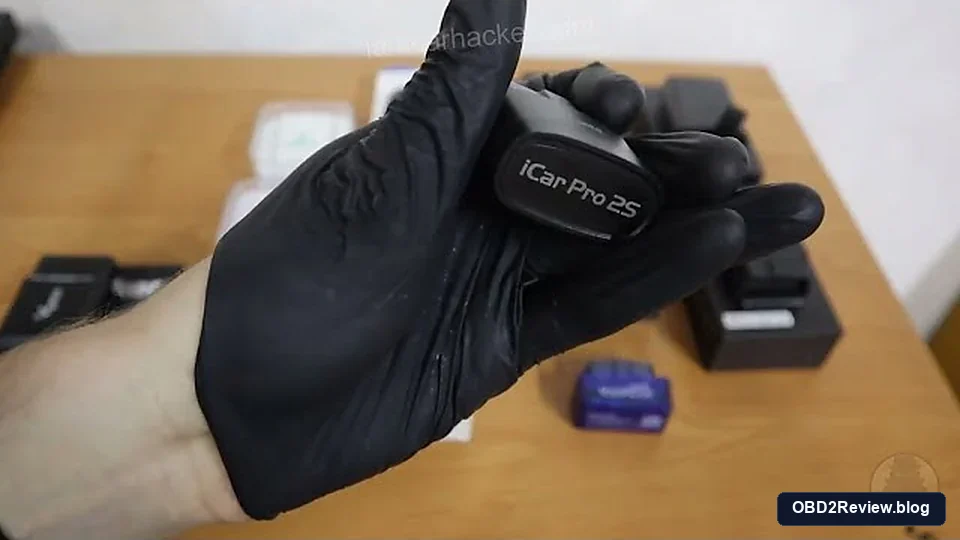
Hardware compatibility forms the backbone of stable data logging sessions across diverse automotive architectures. Both platforms handle basic OBD2 parameter IDs, but their internal protocol translation handling creates notable variations in overall responsiveness.
ELM327 adapters rely on hardcoded microcontroller firmware to translate vehicle network layers into serial data streams, managing baud rates up to 500 kbps over standard physical CAN bus lines.
Torque Pro software processes raw byte arrays through customizable PID formulas, while selecting hardware from our torque pro reader reviews ensures deep ISO 15765-4 protocol compatibility during diagnostics.
- Optimized command queuing reduces packet loss.
- Standardized protocol loops ensure broad adapter support.
- Internal translation layers dictate live data stability.
Bluetooth Adapter Interfacing Mechanics
Establishing a reliable serial connection requires precise baud rate synchronization between your mobile device and adapter. Proper adapter handshake protocols prevent dropped data frames during high-frequency sensor polling tasks.
- Baud rate synchronization minimizes transmission latency.
- Handshake validation secures continuous data streaming.
Real-World Output Performance Analysis
Real-world telemetry tracking demands zero lag when monitoring critical engine parameters under heavy acceleration loads. Sampling rate efficiency determines whether your diagnostic graph displays smooth curves or choppy, interpolated data points.
Testing across multiple vehicle control units highlights how effectively each application processes incoming hexadecimal byte streams. High-throughput data visualization directly impacts your ability to catch intermittent sensor dropouts in real-time.
Refresh frequencies vary wildly depending on Bluetooth version and adapter buffer limits, often bottlenecking at 15 frames per second during heavy multi-sensor live data logging sessions on modern vehicles.
Cheap ELM clones drop packets under heavy query loads, whereas our torque pro scanner picks implement smart polling intervals to minimize data latency across congested vehicle networks.
- Zero lag monitoring supports heavy acceleration tests.
- High-throughput byte processing catches intermittent dropouts.
- Smooth graphical rendering improves diagnostic accuracy.
Data Stream Refresh Rates
Logging multiple PIDs simultaneously strains standard ELM327 hardware limits during intense diagnostic sessions. Advanced buffer management helps maintain consistent data flow without freezing your mobile screen.
- Simultaneous PID logging tests hardware limits.
- Buffer management prevents UI freezing issues.
Interface Layout and Customization Flexibility
User interface ergonomics dictate how quickly a technician can locate specific diagnostic trouble codes during live testing. Visual gauge customization lets advanced users build bespoke telemetry dashboards tailored to specific racing or tuning requirements.
Simplicity often appeals to general drivers who need straightforward error code reading without complex menus. Balancing deep technical configuration options with an accessible dashboard layout remains a central design challenge for both tools.
Car Scanner ELM OBD2 offers structured dashboards categorized by system diagnostics, whereas devices featured in our best scanner for torque app list help technicians avoid navigating complex configuration trees entirely.
Conversely, Torque Pro delivers unmatched user-defined gauge positioning, allowing mechanics to build customized real-time instrumentation screens featuring digital readouts, dials, and graphs tailored for track day telemetry.
- Ergonomic menus accelerate fault code isolation.
- Custom gauges cater to performance tuning enthusiasts.
- Streamlined layouts benefit everyday vehicle owners.
Build Quality, Maintenance and Durability Factors
While software durability relates to update frequency and bug fixes, physical adapter pairing heavily influences longevity. Firmware stability updates ensure compatibility with evolving vehicle communication standards across modern CAN bus architectures.
Routine application maintenance involves clearing cache files and managing extensive historical data logs stored locally. Preventing data corruption during prolonged logging sessions safeguards your valuable diagnostic history against unexpected mobile crashes.
Physical OBD2 adapter longevity depends heavily on internal PCB soldering quality, thermal management of voltage regulators, and durable ABS plastic enclosures designed to withstand harsh garage environments.
Routine maintenance involves keeping the vehicle DLC pins free from oxidation and ensuring your mobile software receives regular updates to maintain firmware compatibility with newer vehicle gateway modules.
- Frequent updates maintain modern CAN bus compatibility.
- Local cache management protects historical log files.
- Reliable software architecture prevents unexpected crashes.
Noise, Efficiency and Thermal Footprint Evaluation
Continuous background sensor polling places a measurable processing load on your smartphone's CPU and battery. Energy efficiency optimization prevents excessive thermal throttling during extended highway data logging runs.
Minimizing background resource consumption ensures your mobile device remains fully responsive during tasks, while our obd2 scanner battery drain guide details how parasitic current affects the constant power pin.
Bluetooth and Wi-Fi diagnostic dongles draw continuous parasitic current from the vehicle battery, risking deep discharge if left plugged into the constant power pin of the diagnostic link connector.
Compact adapters generate minimal thermal noise during operation, but poorly regulated power supplies inside cheap clone chips can experience internal overheating under high-speed data transmission loads.
- Background polling increases mobile CPU workloads.
- Energy optimization prevents thermal throttling risks.
- Efficient thread management preserves battery life.
Diagnostic Depth and Advanced Sensor PIDs
Accessing manufacturer-specific sensor PIDs extends far beyond standard powertrain emission codes mandated by federal regulations. Advanced module scanning capabilities allow technicians to query ABS, transmission, and body control modules directly.
Writing custom mathematical formulas for obscure sensor readings separates professional diagnostic suites from basic code readers. Deep PID mapping unlocks hidden telemetry data buried deep inside proprietary vehicle control unit memory addresses.
Standard generic emissions testing queries basic OBD2 parameters, but manufacturer-specific PID integration allows advanced applications to access proprietary sub-systems like ABS modules and transmission fluid temperatures.
Users can manually inject custom initialization strings and extended PID formulas into both software platforms to monitor specialized engine parameters such as boost pressure and fuel rail pressure.
- Manufacturer PIDs unlock proprietary module data.
- ABS and transmission scanning expands diagnostic coverage.
- Custom mathematical formulas enhance professional tuning.
Matching the Software to Your Daily Workload
Determining the ideal diagnostic companion depends heavily on your daily automotive repair environment and skill level. Daily maintenance workflows favor streamlined interfaces, whereas performance tuning demands extensive customizable logging suites.
Matching software capabilities to your specific hardware adapter prevents frustrating connection drops and protocol mismatches. Assess your exact telemetry logging goals before committing to a permanent mobile diagnostic ecosystem deployment.
Professional automotive technicians prioritizing rapid diagnostic trouble code clearing and straightforward freeze-frame analysis will find structured menu layouts vastly superior for maintaining daily workshop efficiency during rush hours.
Enthusiasts and tuners focusing on custom dashboard creation, performance timing, and deep sensor logging benefit greatly from the robust community script support found in advanced mobile tuning applications.
- Repair environments dictate software feature priorities.
- Hardware pairing prevents frustrating protocol mismatches.
- Clear logging goals ensure long-term platform satisfaction.
Frequently Asked Questions
Which application offers faster data refresh rates during high-speed testing?
When comparing data refresh rates during high-speed track testing and advanced multi-parameter logging sessions, Torque Pro typically allows significantly deeper customization for custom dashboard telemetry layouts.
However, users seeking exceptionally stable manufacturer-specific sensor queries often achieve faster diagnostic results by utilizing Car Scanner Elm Obd2 for their daily automotive troubleshooting work.
Do these diagnostic tools require specific bluetooth OBD2 adapters to function?
Bluetooth adapter compatibility remains an exceptionally critical factor because certain cheap hardware clones completely fail to handle complex multi-byte requests properly across modern vehicle networks.
Quality ELM327 chips paired with the correct software architecture ensure zero dropped frames while streaming live engine telemetry directly to your mobile device screen during extensive testing.
How difficult is it to set up custom parameter IDs in each software suite?
Setting up custom parameter identifiers requires a thorough understanding of hexadecimal byte offsets and vehicle-specific initialization strings to query hidden control modules successfully during diagnostics.
Advanced PID configuration empowers professional technicians to monitor proprietary transmission temperatures and specialized turbo boost pressures that standard generic scanners completely miss during routine workshop inspections.
Will continuous live data logging cause excessive smartphone battery drain?
Severe battery drain during extended data logging sessions can significantly impact your smartphone processing performance and overall device lifespan if background threads are left unchecked.
Efficient thread management implemented within modern diagnostic applications successfully prevents thermal throttling and minimizes excessive power consumption during long-term highway monitoring evaluations across various modern vehicle platforms.
Which platform is better suited for a professional mechanic versus a DIYer?
Choosing between these two robust mobile diagnostic platforms ultimately depends on whether your primary objective involves rapid trouble code clearing or building intricate real-time telemetry dashboards.
Tailoring your software selection precisely to match your exact mechanical expertise and daily troubleshooting requirements guarantees optimal diagnostic efficiency and long-term user satisfaction across all mechanical projects.