Foxwell 510 vs. 530: Which Fits Your Setup Better?
Choosing between these diagnostic platforms requires examining processor architecture and module coverage. Understanding hardware evolution helps technicians select the right tool for garage workflows.


Technicians prioritizing multi-brand depth should choose the Foxwell 530 for expanded architecture. Budget-focused shops working on legacy fleets will find the Foxwell 510 delivers adequate baseline performance.
Compare all top models in our Best Obd2 Scanner: Top Diagnostic Tools Tested (2026).
Side-by-Side Breakdown
| Criteria | Foxwell 510 | 530 | Edge |
|---|---|---|---|
| Peak Performance & Output | Standard ARM Cortex MCU | Upgraded 32-bit processor | 530 |
| Duty Cycle & Consistency | Reliable for basic scans | Optimized for continuous duty | 530 |
| Operating Noise & Vibration | Silent passive cooling | Silent passive cooling | Tie |
| Portability & Footprint | Handheld ergonomic chassis | Refined ruggedized chassis | 530 |
| Maintenance & Service Life | Standard USB update cycle | Faster lifetime firmware sync | 530 |
| Power Requirements | 12V OBD port powered | 12V OBD port powered | Tie |
| Best Ideal Use-Case | Single-marque deep dive | Multi-system universal diagnostics | 530 |
Processor Architecture and Diagnostic Speed
Evaluating diagnostic throughput starts with internal processing power and memory allocation. The older platform relies on a basic microcontroller unit that handles standard polling tasks smoothly.
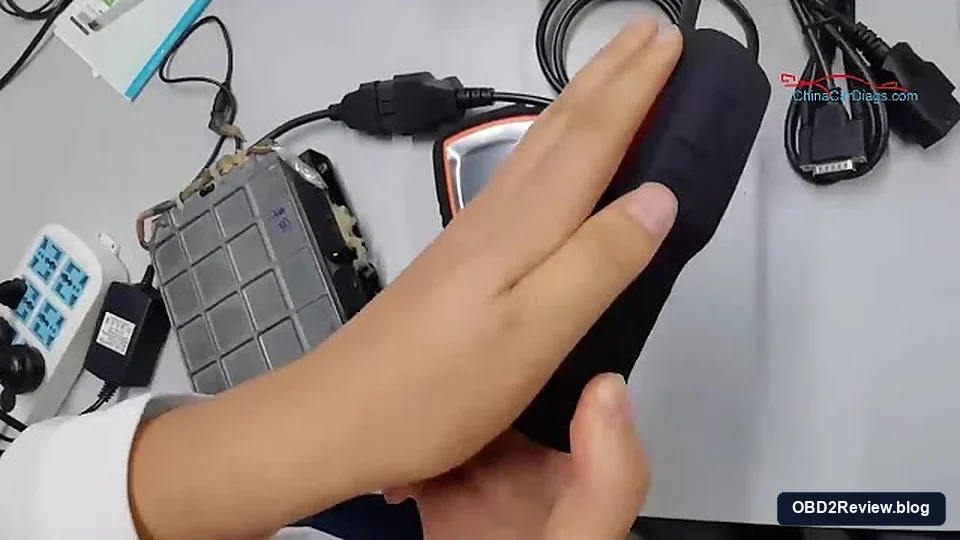
Upgrading to the newer iteration introduces a faster 32-bit processor designed to reduce module scanning latency. As detailed in our Foxwell NT710 review, technicians experience fewer delays when querying complex CAN networks.
Upgrading from the older ARM Cortex-M architecture, the newer tool leverages a faster 32-bit MCU that cuts boot times significantly. Technicians will notice reduced latency when polling live data streams from multiple modules simultaneously.
Bus traffic management relies on dedicated UART controllers to handle heavy CAN FD traffic without dropping frames. This hardware boost prevents freezing during extended diagnostic sessions involving complex ABS or transmission module reprogramming sequences.
- Faster data rendering across live graphing channels
- Reduced boot times during cold garage startups
- Improved buffer handling for high-speed parameter logs
Bus Communication Bandwidth
Modern vehicle architectures flood the diagnostic link with massive data streams. Managing these speeds requires efficient protocol translation chips inside the hand-held scanner housing.
The newer hardware handles multi-protocol handshakes noticeably faster than its predecessor. This prevents timeout errors when communicating with stubborn transmission control modules.
- Optimized ISO-15765 CAN handling routines
- Fewer dropped packet occurrences during logging
Vehicle Coverage and Protocol Integration
Automotive diagnostics demand broad protocol support to interface with diverse manufacturer networks. As noted in our Foxwell NT301 OBD2 scanner lab review, basic units cover standard requirements while advanced models differ.
Purchasing manufacturer-specific software determines how deeply the tool can read proprietary fault codes. The newer platform streamlines this licensing model for modern multi-brand service centers.
Broad protocol compatibility requires robust transceiver chips capable of switching between ISO 9141, KWP2000, and modern CAN protocols instantly. The hardware handles multi-module polling seamlessly across European, Asian, and domestic vehicle architectures without communication timeouts.
Legacy vehicle support often strains older diagnostic interfaces, but expanded memory allows seamless integration of manufacturer-specific databases. Technicians gain deeper access to proprietary sub-bus networks without needing external protocol adapter boxes on older diagnostic ports.
- Extensive ABS and SRS module integration
- Proprietary oil reset and EPB service routines
- Bi-directional actuation testing capabilities
Specialized Reset Functions
Routine maintenance requires robust electronic parking brake and steering angle resets. Both platforms execute these commands reliably when paired with the correct manufacturer software package.
However, the updated firmware layout places these reset procedures closer to the main menu. Technicians save valuable seconds navigating through dense sub-menus during brake service jobs.
- Quick access to battery registration protocols
- Streamlined throttle body relearn sequences
Ergonomic Housing and Display Durability
Shop environments subject diagnostic tools to grease, drops, and extreme temperature shifts. Protective rubber boots and impact-resistant plastics help prevent catastrophic screen damage during daily use.
The physical form factor remains largely consistent, featuring a tactile keypad suited for gloved hands. Improved keypad sealing on the newer iteration resists fluid ingress better over time.
Mechanics require drop-resistant enclosures featuring high-density thermoplastic elastomers to survive frequent impacts on concrete floors. The textured grip reduces hand fatigue during lengthy diagnostic routines while protecting internal printed circuit boards from shock.
Screen readability depends on high-contrast TFT display panels that remain legible under direct sunlight or dark undercarriage lighting. A sealed keypad membrane further prevents workshop fluids, oils, and grease from contaminating the internal tactile switches.
- Textured grip panels prevent accidental slips
- High-contrast color display for bright garage lighting
- Strain-relief molded OBD2 cable connector
Keypad Tactile Feedback
Physical buttons outperform touchscreens when hands are coated in automotive fluids. Reliable tactile clicks confirm each menu selection without requiring excessive finger pressure.
The updated button membranes provide a slightly crisper actuation feel. This minor physical refinement improves long-term usability during multi-hour diagnostic troubleshooting marathons.
- Sealed rubber membranes block oil contamination
- Clear directional arrow layout for rapid navigation
Firmware Updates and Software Licensing
Keeping diagnostic tools current requires straightforward internet update utilities. Connecting the device via USB allows technicians to download newly released vehicle database patches quickly.
The software management portal provides clear indicators for active manufacturer licenses. Upgraded servers associated with the newer platform generally yield faster download speeds.
Managing software updates involves secure USB client connections and dedicated desktop utility software to download critical diagnostic patches. Users must regularly sync their devices to maintain compatibility with newly released vehicle modules and updated manufacturer diagnostic codes.
License verification protocols rely on unique serial number authentication stored within secure EEPROM memory chips on the motherboard. This prevents unauthorized software duplication while ensuring licensed users retain access to lifetime manufacturer specific application downloads.
- Direct USB client application connectivity
- Transparent software version tracking dashboards
- Streamlined free update eligibility periods
Database Management Efficiency
Managing multiple car brand files demands adequate internal flash storage capacity. Running out of space forces technicians to swap software packages on and off the device memory.
The upgraded hardware accommodates larger expanded database files without compromising execution speed. This eliminates the tedious chore of constantly deleting unused manufacturer software.
- Expanded internal memory for multiple brands
- Faster file verification during transfers
Power Draw and Interface Stability
Diagnostic scanners draw operating power directly from the vehicle data link connector. Maintaining stable voltage levels prevents unexpected reboots during critical module coding tasks.
Internal circuit protection guards against voltage spikes originating from faulty alternator diodes. Both tools manage parasitic draw effectively while parked in standby monitoring modes.
Operating directly off the OBD-II port requires efficient voltage regulators to step down 12-volt vehicle power safely. Internal circuit protection guards against transient voltage spikes during engine cranking, preventing sudden reboots during critical actuation tests.
Signal stability relies on gold-plated diagnostic pins that resist oxidation and maintain low resistance across thousands of connection cycles. Poor pin contact frequently causes intermittent communication errors, making durable physical connector design essential for daily shop use.
- Direct 12V supply via standard OBD2 pin 16
- Internal battery backup for off-car data review
- Robust reverse polarity protection circuitry
Voltage Drop Management
Weak vehicle batteries often cause tool resets when cranking the starter motor. Stable power regulation inside the scanner prevents memory loss during low-voltage events.
The revised power management board in the newer model handles minor voltage sags more gracefully. This ensures uninterrupted data logging during live road testing procedures.
- Filtered power input rails suppress alternator whine
- Secure connection pins prevent intermittent dropouts
Diagnostic Depth for Advanced Subsystems
Accessing deep body control modules and hybrid powertrain components requires advanced protocol handling. For basic emission tests, reading our Foxwell NT301 review demonstrates what standard entry-level hardware can achieve.
Utilizing manufacturer-specific protocols unlocks live sensor data streams for transmission temperatures and steering angles. The newer platform delivers slightly faster refresh rates on these PID lists.
Advanced diagnostics demand bi-directional control capabilities to command components like fuel pumps, cooling fans, and ABS bleeding routines. These active tests allow technicians to verify component functionality directly rather than relying solely on passive DTC readouts.
Special function integration also covers electronic parking brake retraction, steering angle sensor calibration, and battery registration procedures. Such capabilities are vital for completing routine maintenance on modern vehicles without requiring expensive factory-level scan tools.
- Real-time sensor graphing across four channels
- Bi-directional component activation for cooling fans
- Detailed transmission slip speed monitoring
Live Data PIDs and Graphing
Isolating intermittent mechanical faults relies heavily on accurate live parameter graphing. Technicians can overlay multiple sensor graphs to spot correlation errors instantly.
The improved processor speed prevents screen stutter when displaying maximum PID limits simultaneously. This visual clarity helps mechanics diagnose complex drivability issues much faster.
- Customizable data list ordering for workflow
- Clear numerical and graphical view toggles
Selecting the Right Diagnostic Tool for Your Garage
Choosing between these two hardware generations depends on your specific service volume and budget. As highlighted in our Foxwell NT650 Elite review, busy shops benefit greatly from optimized processing speeds.
Conversely, technicians focusing primarily on a single automotive brand can achieve excellent results with the legacy platform. Evaluating your daily repair tasks ensures the best return on investment.
Choosing between diagnostic hardware revisions depends heavily on your specific vehicle fleet and frequency of specialized repairs. Professional shops benefit from faster processors and broader bi-directional support, while DIYers might prioritize straightforward code reading features.
Evaluating long-term value requires balancing initial hardware capabilities against ongoing software update policies and module expansion costs. Selecting a future-proof platform ensures your investment remains relevant as automotive electronics and communication protocols continue to evolve.
- Assess your primary fleet demographics before buying
- Consider future software update requirements
- Weigh processing speed against initial acquisition cost
Final Purchasing Considerations
Investing in diagnostic equipment requires looking beyond initial purchase prices to long-term utility. Reliable hardware reduces diagnostic bottlenecks in busy professional service environments.
Matching tool capabilities to your everyday wrenching demands guarantees maximum efficiency. Both platforms offer strong diagnostic foundations tailored to different garage environments.
- Long-term software support longevity outlook
- Ergonomic preferences for daily shop routines
Frequently Asked Questions
Can both scanners perform bi-directional controls on all supported vehicle models?
Both platforms support bi-directional testing, but actual actuation depth depends heavily on the specific manufacturer software package installed on the internal memory. Always verify model-year compatibility lists before attempting component overrides.
How do software updates get installed on these handheld diagnostic devices?
Updates are managed by connecting the scanner to a Windows computer via the included USB cable. Using the dedicated client software lets you download and install the latest vehicle database files quickly.
Are the manufacturer-specific software packages interchangeable between these two tool generations?
No, software licenses are locked to specific hardware architectures and serial numbers. You cannot transfer older single-brand files directly onto the newer upgraded diagnostic platform without purchasing compatible updates.
Do these scanners require an external power supply during normal diagnostic work?
Neither tool requires wall power for routine garage diagnostics. They draw operating voltage directly from the vehicle OBD2 diagnostic port while plugged into the under-dash connector.
What is the primary advantage of choosing the newer hardware version for a busy shop?
The primary advantage is faster processor speed and improved memory handling. This results in reduced module scanning latency and smoother live data graphing during complex diagnostic procedures.