Obd Scanner Wifi vs. Bluetooth: Which Fits Your Setup Better?
Selecting the right diagnostic adapter requires balancing raw data throughput against everyday connection convenience. Understanding wireless protocols ensures seamless integration with your diagnostic software.

Choose WiFi for maximum bandwidth during deep module flashing, or opt for Bluetooth when maintaining simultaneous internet access on mobile devices is paramount.
Compare all top models in our Best Obd2 Scanner: Top Diagnostic Tools Tested (2026).
Side-by-Side Breakdown
| Criteria | Obd Scanner Wifi | Bluetooth | Edge |
|---|---|---|---|
| Peak Performance & Output | High bandwidth throughput for fast data logging. | Moderate bandwidth suitable for standard PID polling. | Obd Scanner Wifi |
| Duty Cycle & Consistency | Stable local network link during extended sessions. | Reliable short-range pairing with automatic reconnection. | Bluetooth |
| Operating Noise & Vibration | Immune to physical vibration via solid hardware. | Solid-state construction handles cabin vibrations well. | Bluetooth |
| Portability & Footprint | Compact dongle design with integrated antennas. | Ultra-small form factor plugging flush into ports. | Bluetooth |
| Maintenance & Service Life | Firmware updates require stable wireless connections. | OTA updates sync effortlessly through mobile apps. | Bluetooth |
| Power Requirements | Higher current draw due to wireless hotspot emission. | Low power consumption preserves vehicle battery health. | Bluetooth |
| Best Ideal Use-Case | Heavy diagnostic logging and ECU programming. | Daily code scanning and real-time dashboard tracking. | Bluetooth |
Architectural Foundations and Wireless Protocols
Diagnostic adapters rely on distinct radio frequencies to transmit vehicle telemetry data to your host device. WiFi adapters create an ad-hoc local network, whereas Bluetooth interfaces pair directly via short-range radio waves.
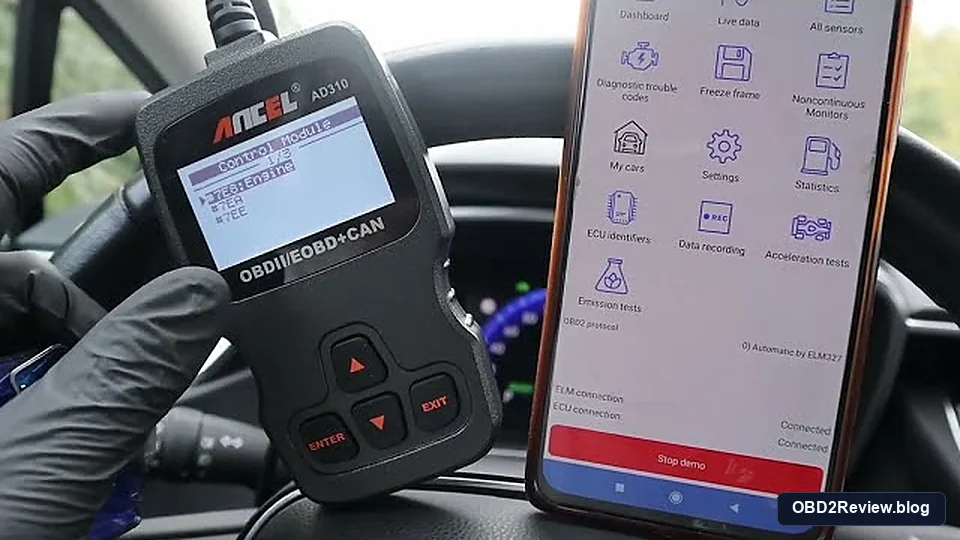
Engineers must evaluate how each protocol handles packet delivery under heavy electronic loads inside modern vehicle cabins. Protocol architecture dictates how fast diagnostic trouble codes stream from the powertrain control module.
Choosing between these underlying technologies directly impacts how your diagnostic software interacts with various vehicle buses. Hardware designers prioritize different bandwidth metrics depending on the target professional or DIY audience.
- WiFi creates dedicated local area access points.
- Bluetooth utilizes personal area network pairing profiles.
- Protocol design dictates packet loss rates under heavy loads.
Network Topologies in Automotive Diagnostics
Network topology defines how your scanning tool establishes a handshaking sequence with a smartphone or laptop. Ad-hoc routing allows WiFi adapters to bypass external routers entirely during field diagnostics.
Bluetooth devices rely on secure master-slave hierarchies to maintain stable links. Exploring our best obd-ii bluetooth scanner recommendations helps technicians troubleshoot intermittent dropouts during live data sessions.
- Ad-hoc routing eliminates external router dependencies.
- Master-slave hierarchies secure short-range pairing.
Data Transfer Speeds and Bandwidth Limitations
High-speed CAN bus networks generate massive amounts of live sensor telemetry that require substantial bandwidth. WiFi protocols easily handle rapid data streams because they offer significantly higher transfer rates than traditional radio frequencies.
Standard Bluetooth connections might experience minor bottlenecks when polling dozens of proprietary sensors simultaneously. Reviewing our best bluetooth odb2 scanner guide helps professional tuners log high-resolution parameters during dyno pulls.
Evaluating throughput capabilities ensures your diagnostic tool never drops frames while recording critical engine performance metrics. Matching interface bandwidth to your vehicle communication speed prevents frustrating data lag during live troubleshooting.
- WiFi delivers superior throughput for multi-parameter logging.
- Bluetooth can bottleneck during high-frequency sensor polling.
- Matched bandwidth prevents dropped frames during diagnostics.
Throughput Demands of Advanced ECU Flashing
Flashing electronic control units demands zero packet loss and exceptionally fast data transfer speeds throughout the process. High bandwidth capacity makes WiFi adapters the preferred choice for intensive firmware updates and module coding.
Attempting complex ECU programming over slower wireless links risks bricking sensitive vehicle computers due to data corruption. Technicians must always verify connection stability before initiating any write operations to powertrain modules.
- Zero packet loss is mandatory for ECU flashing.
- High bandwidth mitigates risks of data corruption.
Pairing Complexity, Connectivity, and Setup Stability
Initial device configuration sets the tone for how efficiently you can diagnose vehicle faults in the field. Bluetooth pairing typically requires a simple PIN entry before establishing a persistent, reliable connection with your smartphone.
WiFi dongles require users to manually disconnect from home or cellular networks and join the tool SSID. This extra manual step can slow down quick roadside diagnostics when every second counts during emergency troubleshooting.
Long-term stability depends on how well the adapter recovers after ignition cycles interrupt the power supply. Robust reconnection algorithms save technicians valuable time by automatically restoring communication links without manual intervention.
- Bluetooth offers straightforward pairing via secure PINs.
- WiFi requires manual network switching on mobile devices.
- Automatic reconnection saves time during ignition cycles.
Managing Mobile Network Conflicts
Mobile operating systems often aggressively drop WiFi connections that lack active internet access for cloud services. Cellular data fallback features help mitigate this annoyance by routing internet traffic through mobile data channels.
Configuring your diagnostic tablet correctly prevents frustrating interruptions caused by operating systems switching networks automatically. Technicians should disable smart network switch settings prior to starting extended diagnostic sessions.
- OS network switching can disrupt diagnostic sessions.
- Cellular fallback maintains cloud access during testing.
Power Consumption Profiles and Vehicle Battery Drain
Diagnostic hardware draws operating power directly from the vehicle diagnostic link connector. Checking our best obd scanner for volkswagen review highlights low energy designs that prevent adapters from draining your starter battery.
WiFi transmitters generally consume more electrical current because they project a local wireless access point constantly. Extended diagnostic sessions using power-hungry hardware require careful monitoring of vehicle system voltage levels.
Engineers incorporate intelligent sleep modes to shut down radio transmitters when vehicle ignition signals drop. This built-in protection preserves battery health across multiple diagnostic sessions in busy professional automotive workshops.
- OBD-II port supplies continuous operating power to adapters.
- WiFi transmitters exhibit higher electrical current draws.
- Intelligent sleep modes protect vehicle starter batteries.
Mitigating Parasitic Draw in Workshop Environments
Parasitic electrical draw can silently deplete vehicle batteries during lengthy diagnostic troubleshooting or software coding procedures. Automatic power-down circuits disconnect internal radio modules once ignition voltage drops below specified thresholds.
Shop foremen must educate technicians on proper tool disconnection habits to prevent unexpected battery failures on customer vehicles. Regular voltage checks during extended diagnostic procedures ensure reliable electrical system performance.
- Parasitic draw threatens vehicle battery integrity.
- Power-down circuits prevent accidental overnight discharge.
Diagnostic Software Compatibility and Third-Party Support
Software ecosystem integration determines how versatile your wireless diagnostic adapter will be across different platforms. Broad application support ensures your chosen hardware communicates smoothly with popular enthusiast and professional diagnostic apps.
Certain advanced diagnostic packages mandate specific wireless protocols to function correctly with manufacturer-specific sensor PIDs. Reviewing developer documentation before purchasing hardware guarantees full compatibility with your preferred diagnostic software suite.
Cross-platform compatibility allows technicians to switch seamlessly between mobile operating devices without changing tools. Exploring our best obd scanner app roundup highlights universal protocol translation layers bridging proprietary buses and interfaces.
- Ecosystem integration dictates overall adapter versatility.
- Developer documentation confirms specific protocol requirements.
- Cross-platform support enables flexible device switching.
Proprietary Software Limitations and Open Standards
Open diagnostic standards allow independent manufacturers to build versatile adapters compatible with multiple software titles. Standardized command sets ensure predictable communication behavior across different vehicle makes and diagnostic platforms.
Proprietary software locks sometimes restrict hardware usage to specific branded adapters, limiting overall utility for technicians. Prioritizing open-architecture tools prevents vendor lock-in and maximizes long-term return on investment.
- Open standards ensure multi-platform adapter compatibility.
- Proprietary locks restrict hardware choices for users.
Interference Susceptibility and Electromagnetic Noise
Modern vehicle engine bays generate intense electromagnetic interference from ignition coils, alternators, and high-voltage wiring. Shielded internal components protect sensitive wireless receivers from signal degradation during harsh diagnostic procedures.
Crowded 2.4 GHz radio frequencies can occasionally disrupt local WiFi networks inside busy multi-bay repair facilities. Bluetooth frequency hopping technology helps mitigate interference by rapidly switching transmission channels to avoid busy bands.
Evaluating environmental interference ensures stable data transmission even when testing vehicles near industrial machinery. Robust hardware engineering keeps diagnostic data streams clean and uninterrupted regardless of surrounding electrical noise.
- Engine bays produce heavy electromagnetic interference.
- Frequency hopping helps Bluetooth bypass crowded bands.
- Shielded components protect sensitive wireless receivers.
Managing Radio Frequency Congestion in Shops
Busy repair shops often suffer from severe radio frequency congestion across common wireless communication bands. Channel optimization strategies allow technicians to maintain stable connections despite heavy surrounding electronic noise pollution.
Isolating diagnostic testing areas minimizes signal interference from neighboring wireless routers and diagnostic equipment. Proper frequency management guarantees reliable data logging during complex vehicle troubleshooting procedures.
- Shops experience heavy radio frequency congestion.
- Isolation minimizes interference from neighboring equipment.
Ergonomics, Physical Form Factors, and Portability
Physical dimensions dictate whether a diagnostic adapter will clear dashboard panels without obstructing driver footwells. Flush-mount designs allow drivers to leave the adapter plugged in permanently without accidental impact risks.
Larger diagnostic tools feature extended housings that accommodate complex circuit boards and robust antenna arrays. Technicians must balance physical size constraints against the need for superior wireless range and connection stability.
Ergonomic considerations extend to grip textures and removal tabs that simplify extracting tight OBD-II connectors. Quality construction materials ensure the adapter withstands repeated insertions in demanding professional garage environments.
- Flush-mount designs prevent obstruction in footwells.
- Larger housings accommodate robust internal antenna arrays.
- Ergonomic removal tabs simplify connector extraction.
Dashboard Clearance and Driver Safety Standards
Under-dash placement requires careful attention to driver ergonomics and safety clearance regulations. Low-profile adapters eliminate any risk of drivers striking the diagnostic tool with their knees during operation.
Safety standards mandate that auxiliary devices plugged into the OBD-II port never interfere with pedal operation. Choosing the correct physical form factor protects both vehicle occupants and the diagnostic hardware itself.
- Under-dash placement must respect safety clearances.
- Low-profile tools eliminate knee strike hazards.
Long-Term Reliability and Cost of Ownership
Investing in durable diagnostic equipment reduces long-term operational costs for DIYers and professional shops alike. High build quality protects internal microchips from thermal stress and mechanical shock inside vehicle cabins.
Firmware update frequency reflects manufacturer commitment to supporting evolving vehicle communication protocols over time. Selecting reputable hardware brands ensures your diagnostic investment remains relevant as automotive technology continues advancing.
Evaluating total cost of ownership involves weighing initial hardware expenses against expected service lifespan and support. Reliable adapters deliver consistent performance over thousands of connection cycles without unexpected hardware failures.
- Durable construction minimizes long-term operational costs.
- Regular firmware updates ensure protocol compatibility.
- Total cost reflects expected hardware service lifespan.
Hardware Longevity and Thermal Management
Extreme cabin temperatures during summer months test the thermal limits of delicate wireless circuitry. Advanced thermal management prevents overheating and subsequent data packet loss during extended diagnostic sessions.
Quality soldering and robust circuit board coatings protect internal components from moisture and corrosion damage. Prioritizing thermal resilience guarantees reliable tool operation across diverse geographical climates and working conditions.
- Cabin heat tests internal wireless circuitry limits.
- Thermal resilience prevents data packet loss issues.
Frequently Asked Questions
Which adapter type offers faster data transfer speeds for live logging?
WiFi adapters typically deliver superior data throughput because they create an independent high-bandwidth network connection capable of handling rapid sensor telemetry streams without experiencing noticeable latency bottlenecks during intensive diagnostics.
Can I use mobile internet while connected to a WiFi OBD-II scanner?
Standard WiFi adapters require your mobile device to join their local network, which temporarily disconnects cellular data unless your operating system supports smart cellular fallback features to route web traffic seamlessly.
Do Bluetooth OBD-II scanners drain vehicle batteries if left plugged in?
Modern Bluetooth adapters incorporate low-power standby modes and intelligent sleep circuits that minimize parasitic draw, making them safe for extended plugging without immediately threatening your vehicle starter battery health.
Are WiFi scanners better suited for professional ECU programming tasks?
Yes, professional ECU flashing demands zero packet loss and high bandwidth capacity, making WiFi tools the preferred engineering choice for stable firmware updates and complex module coding procedures.
Which wireless protocol is easier to set up for casual daily code scanning?
Bluetooth offers the easiest setup experience due to seamless pairing protocols and automatic reconnection features that require no manual network switching on your smartphone or diagnostic tablet.