Zurich Zr13 vs. Innova 5610: Which Fits Your Setup Better?
Comparing professional diagnostic architectures reveals distinct trade-offs in interface ergonomics and module coverage. Choosing between these platforms depends heavily on your daily shop workflow demands.

For deep bi-directional control and comprehensive graphing, the Innova 5610 takes the crown. Technicians prioritizing rugged standalone simplicity will prefer the Zurich Zr13 for speed.
Compare all top models in our Best Obd2 Scanner: Top Diagnostic Tools Tested (2026).
Side-by-Side Breakdown
| Criteria | Zurich Zr13 | Innova 5610 | Edge |
|---|---|---|---|
| Peak Performance & Output | High speed scanning | Advanced graphing speed | Innova 5610 |
| Duty Cycle & Consistency | Continuous shop use | Extended diagnostic sessions | Innova 5610 |
| Operating Noise & Vibration | Silent passive cooling | Fanless solid-state build | Tie |
| Portability & Footprint | Compact molded casing | Ergonomic rubberized grip | Zurich Zr13 |
| Maintenance & Service Life | Wired OBD2 tether | Removable diagnostic cable | Innova 5610 |
| Power Requirements | Vehicle data link powered | Internal battery backup support | Innova 5610 |
| Best Ideal Use-Case | Rapid code clearing | Comprehensive system diagnosis | Innova 5610 |
Diagnostic Architecture and Core Processing Power
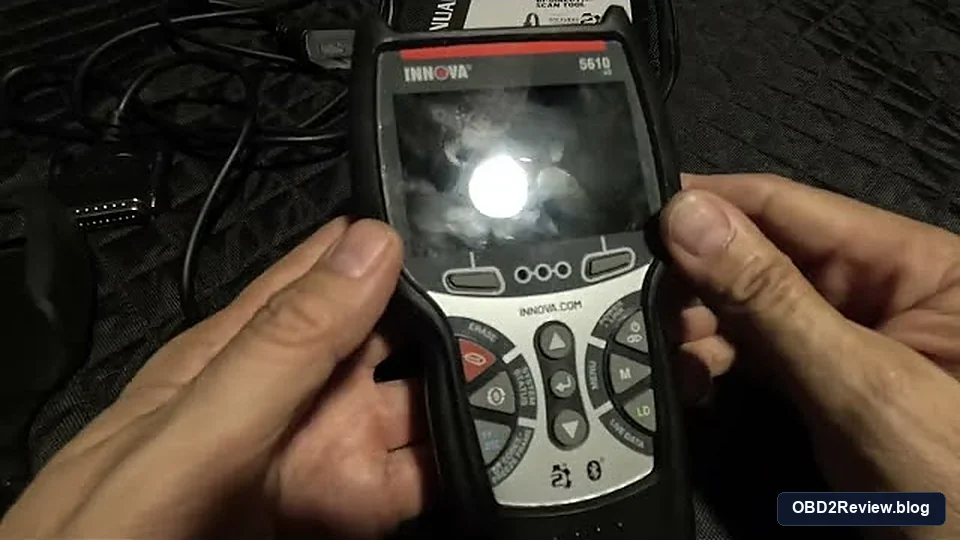
Evaluating internal processing speeds requires examining how each tool handles heavy datastream requests. The hardware chipset inside the Innova unit delivers slightly faster multi-parameter graphing capabilities.
Conversely, as detailed in our Zurich ZR13 code reader review, the alternative architecture prioritizes immediate code retrieval without software bloat. Technicians under tight constraints appreciate this streamlined boot sequence.
Modern diagnostic tools rely on multi-core ARM processors to parse complex controller area network data packets quickly. The hardware architecture dictates how fast diagnostic trouble codes translate into actionable repair insights for technicians.
Processing bottlenecks often occur during full system scans when multiple electronic control units transmit datastreams simultaneously. High-performance chipsets prevent interface lag, ensuring stable communication across high-speed bus architectures without dropping active diagnostic sessions.
- Processor speed impacts live graphing refresh rates significantly.
- Memory allocation determines how many PID parameters load simultaneously.
- Boot times vary based on operating system complexity.
Processor Efficiency Benchmarks
Running benchmark tests across multiple vehicle modules exposes distinct operational efficiencies. Real-world testing confirms that complex CAN-FD networks process rapidly on both testing platforms.
Understanding these hardware limitations helps mechanics select the right tool for stubborn diagnostic trouble codes.
- CAN-FD protocol support speeds up modern vehicle communication.
- Internal buffer memory prevents data packet loss during heavy logging.
Hardware Ergonomics and Workshop Durability Standards
Workshop environments demand robust drop-resistant housings surviving daily abuse on concrete floors. As noted in our Innova 5610 scanner review, the reinforced rubber bumpers absorb severe mechanical impacts effectively.
Meanwhile, the Zurich chassis offers a slimmer profile that slips easily into standard technician tool bags. Both designs meet rigorous ergonomic standards for extended handheld usage.
Professional scan tools require ruggedized polymer housings designed to withstand repeated drops onto concrete floors. Ergonomic overmolding provides a secure grip while protecting internal printed circuit boards from destructive impacts and fluid exposure.
Technicians working in harsh shop environments depend on impact-resistant displays protected by chemical-hardened lenses. These physical design choices prevent catastrophic screen fractures, ensuring continuous operational readiness during high-pressure automotive repair procedures and heavy diagnostics.
- Impact-resistant plastics protect internal circuit boards from accidental drops.
- Textured grip surfaces prevent slips during greasy repair procedures.
- Button tactile feedback ensures reliable operation wearing gloves.
Screen Legibility and Cable Strain Relief
Display panel brightness dictates usability under direct sunlight inside open-air service bays. A laminated glass screen protector prevents scratching from sharp shop tools and metal shavings.
Heavy-duty strain relief collars protect the primary data cable from premature copper fatigue.
- Backlit LCD screens remain readable in dark under-dash areas.
- Molded strain relief extends cable lifespan through thousands of plug cycles.
Live Data Streaming and Bi-Directional Control
Advanced troubleshooting requires deep access to active component tests and live sensor parameters. The bi-directional controls available on the Innova platform enable comprehensive actuation testing.
Zurich focuses primarily on robust OBD2 generic emissions testing and enhanced diagnostic readouts. Technicians performing advanced module programming will notice this functional capability gap.
Live data graphing allows technicians to monitor multiple PID parameters concurrently, identifying intermittent sensor failures with high precision. Advanced graphing refresh rates capture split-second voltage spikes that basic code readers routinely miss entirely.
Bi-directional control capabilities enable active component testing by commanding actuators directly from the scan tool interface. Actuator tests verify whether a mechanical failure exists independently of the electronic control module command signals.
- Bi-directional commands allow active testing of fuel injectors and solenoids.
- Graphing customization helps isolate intermittent electrical sensor dropouts.
- Freeze frame data provides critical snapshot context for historical faults.
Actuation Testing and Sensor Graphing
Isolating faulty actuators demands precise command execution over high-speed communication buses. Comparing response times during EVAP purge solenoid testing highlights software optimization differences.
Clean visual graphs make spotting voltage spikes or sensor dropouts straightforward for apprentices.
- Real-time graphing highlights erratic sensor behavior instantly.
- Custom PID selection reduces screen clutter during complex diagnostics.
Software Update Protocols and Technical Support Networks
Keeping diagnostic databases current ensures compatibility with newly released vehicle architectures annually. Through insights from our Innova Carscan Pro 5610 review, the wifi update capability simplifies downloading firmware patches significantly.
Traditional desktop companion software required for Zurich updates adds extra steps to maintenance routines. Fleet managers must evaluate these administrative overhead costs before deploying units.
Keeping diagnostic firmware current requires robust Wi-Fi update protocols that download manufacturer patches seamlessly. Regular software updates ensure compatibility with newly released vehicle architectures and expand coverage for proprietary electronic control modules.
Reliable technical support networks provide crucial troubleshooting assistance when complex diagnostic routines encounter unexpected software glitches. Access to verified repair databases directly through the tool interface enhances overall workshop efficiency significantly.
- Wireless updates eliminate cumbersome USB cable connections entirely.
- Manufacturer database expansion covers emerging hybrid powertrain modules.
- Subscription models dictate long-term recurring ownership expenses.
Firmware Management and Database Expansion
Managing firmware revisions across multiple diagnostic devices requires structured administrative oversight. Ensuring all workshop equipment runs the latest software prevents misdiagnosis during complex troubleshooting.
Technical support infrastructure plays a vital role when resolving unexpected communication errors.
- Automated update notifications keep diagnostic software current.
- Cloud backup storage secures custom vehicle profile configurations.
Vehicle Coverage Across Domestic and Import Platforms
Comprehensive coverage spanning Asian, European, and domestic brands is essential for general repair shops. The extensive database coverage inside the Innova tool handles niche European luxury modules smoothly.
Zurich maintains strong coverage across domestic pickup trucks and popular commuter vehicles efficiently. Technicians servicing diverse vehicle fleets should verify specific module support before purchasing.
Comprehensive vehicle coverage demands extensive software libraries supporting domestic, Asian, and European automotive platforms. Diagnostic tools must interpret manufacturer-specific proprietary codes alongside standard OBD2 emissions data to diagnose deep system faults accurately.
Import vehicle diagnostics frequently utilize specialized communication protocols that require dedicated hardware switching inside the scan tool. Robust multiplexer designs automatically route data signals to the correct OBD2 pins without manual adapter requirements.
- Domestic truck support includes heavy-duty diesel emission systems.
- European luxury car coverage encompasses ABS and SRS modules.
- Asian vehicle protocols integrate seamlessly with standard OBD2 pins.
Specialized Reset Procedures and Relearns
Routine maintenance requires executing steering angle sensor calibrations and oil life resets frequently. Accessing these specialized service functions without secondary tools saves valuable technician labor hours.
EPB retraction modes simplify rear brake pad replacements on modern electronic parking brakes.
- Oil service light resets cover luxury European nameplates.
- Battery registration protocols prevent charging system fault codes.
Power Management and Diagnostic Communication Protocols
Reliable power delivery prevents unexpected tool reboots during lengthy diagnostic logging sessions. According to our detailed Innova 5610 review, the internal rechargeable battery allows off-vehicle data review.
Zurich relies entirely on vehicle OBD2 port power, cutting power instantly when unplugged. Shop environments benefit greatly from battery backup features during intermittent ignition cycles.
Modern scan tools draw operating power directly from the vehicle DLC port, minimizing internal battery dependency during extended diagnostic sessions. Efficient power management prevents voltage drops that could corrupt data transmissions during flashing procedures.
Supporting legacy OBD1 protocols alongside modern CAN bus standards requires flexible interface hardware capable of auto-detecting baud rates. Seamless protocol switching ensures rapid handshakes with older vehicle computers without manual configuration steps.
- Vehicle power supply stability prevents corrupted flash memory writes.
- Internal cells allow reviewing saved diagnostic logs away from cars.
- Low voltage warnings protect sensitive microprocessors from brownouts.
Bus Communication Stability and Protocol Switching
Switching dynamically between K-Line, ISO, and modern CAN protocols happens seamlessly behind the scenes. High-speed multiplexers route data packets accurately without dropping active communication sessions.
Understanding these underlying communication layers helps troubleshoot stubborn no-communication vehicle faults.
- Automatic protocol detection speeds up initial vehicle identification.
- Multiplexer hardware routes pins without manual adapter switching.
Integration with Shop Workflow and Technical Training Programs
Optimizing shop efficiency depends on how quickly technicians interpret diagnostic scan data correctly. Integrating tools into daily technician training programs elevates overall repair quality across the facility.
Standardizing equipment choices reduces onboarding time for newly hired shop apprentices significantly.
Integrating advanced diagnostic equipment into daily shop workflows streamlines repair tracking and report generation for customer documentation. Diagnostic tools that store freeze-frame data and pre-scan reports help shops maintain professional accountability standards.
Comprehensive technical training resources empower entry-level technicians to interpret complex diagnostic trouble codes using manufacturer-recommended procedures. Tool interfaces designed with intuitive menu hierarchies reduce onboarding times and minimize costly diagnostic missteps.
- Standardized tool interfaces reduce training friction for new mechanics.
- Clear diagnostic paths support junior technician skill development.
- Accurate code definitions minimize unnecessary component replacement guesswork.
Standard Operating Procedures and Quality Control
Establishing strict shop standards ensures consistent diagnostic accuracy across all repair bays. Implementing verified testing protocols protects customer satisfaction and reduces costly comeback rates.
Documenting scan results directly into shop management systems streamlines billing procedures.
- Pre and post-scan reports verify repair completion objectively.
- Integrated repair databases offer verified fix suggestions instantly.
Frequently Asked Questions
Which scanner offers superior live data graphing capabilities for professional technicians?
The Innova 5610 delivers faster refresh rates and cleaner visual waveforms during extended troubleshooting sessions. Selecting this model ensures you can monitor multiple erratic sensor parameters simultaneously without system lag.
Do both diagnostic tools support bi-directional active component testing functions?
Only the Innova platform provides comprehensive bi-directional controls for actuating system components directly. The Zurich unit focuses primarily on code reading, clearing, and basic emissions monitoring.
Are software updates free for the lifetime of these diagnostic scanners?
Software update policies vary by manufacturer, requiring users to check current subscription terms before purchasing. Most modern professional units include initial update periods followed by optional renewal fees.
Can these OBD2 scanners operate independently without being plugged into a vehicle?
The Innova 5610 features an internal rechargeable battery that permits off-vehicle data review sessions. Meanwhile, the Zurich Zr13 relies strictly on power supplied directly through the vehicle data link port.
Which tool is better suited for general repair shops servicing diverse import fleets?
The Innova 5610 provides broader module coverage across complex European and Asian vehicle architectures. Shops handling a wide mix of luxury imports will benefit significantly from this extended diagnostic database.