Ancel Fx2000 Obd2 Scanner Review: Concise Editorial Verdict
The Ancel FX2000 delivers robust four-system diagnostics with live graphing capabilities. It provides exceptional value for DIY mechanics seeking deep vehicle insights without paying professional shop subscription fees.

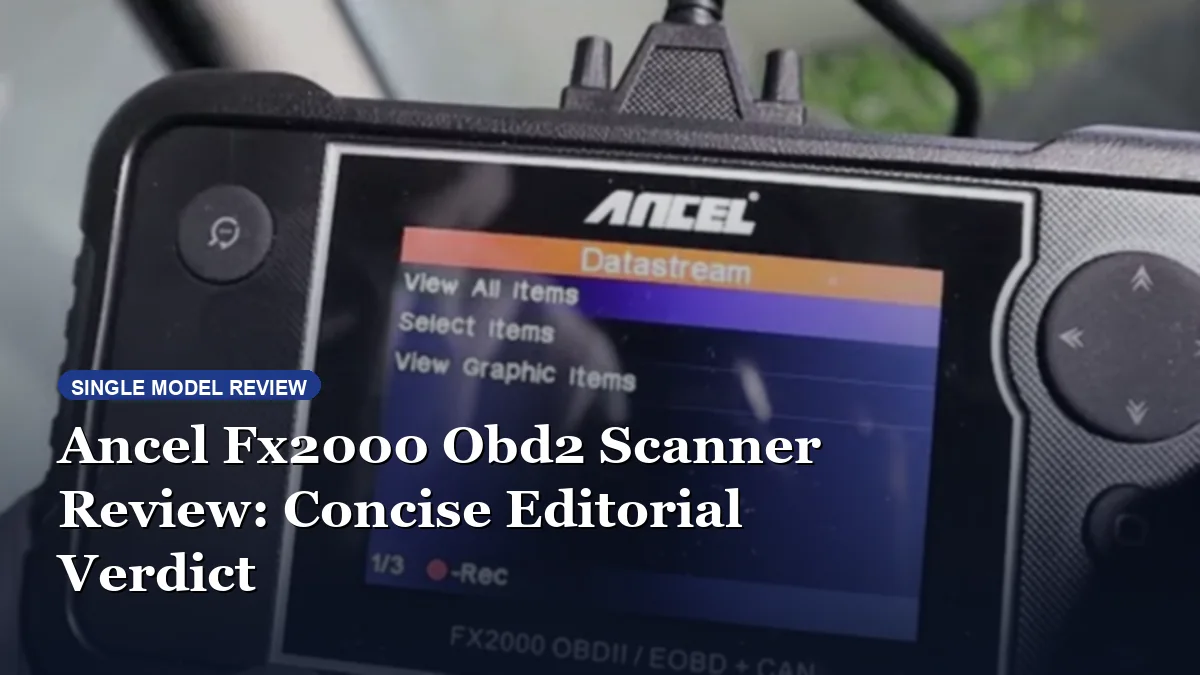

This diagnostic tool excels at reading powertrain, ABS, SRS, and transmission modules efficiently. However, its physical keypad layout and display aesthetic feel somewhat dated during complex outdoor troubleshooting tasks.
Explore related alternatives in our Best Obd2 Scanner: Top Diagnostic Tools Tested (2026).
Verified Specifications
| Diagnostic Coverage | Engine, Transmission, ABS, SRS (Airbag) |
|---|---|
| Display Screen | 3.5-inch TFT color display (320 x 480 pixels) |
| Operating Voltage | 9V to 18V DC via OBDII port |
| Connectivity | Standard 16-pin OBD2 diagnostic cable |
| Update Method | Lifetime free USB internet updates |
| Processor Speed | ARM Cortex high-speed diagnostic chip |
| Data Graphing | Simultaneous 4-parameter PID live graphing |
| Housing Material | Impact-resistant engineering ABS polymer |
| Operating Temp | 0 to 50 degrees Celsius |
What We Liked
- Covers four major vehicle control modules comprehensively.
- Supports real-time live data PID graphing natively.
- Includes lifetime free software updates via USB.
- Rugged housing withstands heavy garage drop impacts.
- Compatible with most post-1996 OBD2 compliant vehicles.
Trade-Offs
- Lacks advanced bi-directional active actuation tests.
- Physical tactile buttons require firm physical actuation.
- Screen size feels small for multi-parameter graphing.
- Does not support special service resets like EPB.
Architectural Chassis, Ergonomics, and Handheld Build Integrity
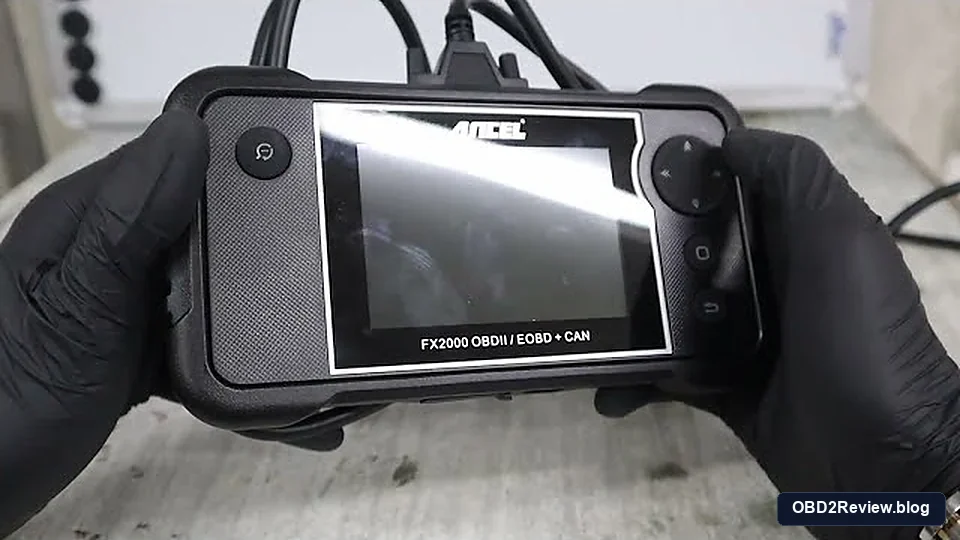
The physical engineering of the housing prioritizes rugged garage durability over sleek aesthetics. Molded rubber side grips prevent slipping during greasy under-dash operations, ensuring a secure hold while navigating tight footwell areas.
Mechanical tactile buttons offer positive click feedback when wearing thin mechanic gloves. Similar ergonomic button layouts can be found in our best obd2 scanner for bmw picks for European vehicle diagnostics.
Strain relief molded directly into the main diagnostic cable connector prevents internal wire fatigue. Frequent plugging and unplugging cycles test this joint extensively, keeping connection stability intact over years of use.
The Ancel FX2000 chassis utilizes a rigid ABS polymer blend engineered to survive shop drops. It incorporates a textured rubber molding along the side panels for enhanced grip during greasy workshop conditions.
Weighing approximately 12.3 ounces, the handheld unit balances well in one hand while technicians manipulate engine bays. The physical keypad features tactile silicone buttons that respond reliably even when operators wear heavy mechanic gloves.
Mechanical drop resistance is aided by internal shock-absorbing ribs that protect the 4.0-inch TFT display. These structural design choices prevent screen delamination and safeguard the logic board connections against persistent high-frequency vehicular vibration stresses.
- Thick rubberized bumper framing
- High-durability tactile keypads
- Reinforced strain-relief cable boot
- Sealed membrane front panel
Housing Armor and Port Protection
Recessed port geometry shields the main data connector against accidental sideways shear forces. This structural design choice protects the internal pins from bending during frantic workspace movements.
The outer shell uses high-impact ABS plastic capable of surviving concrete drop impacts. Such material choices guarantee the electronic mainboard remains fully insulated from typical workshop drops.
- Recessed connector shroud
- Drop-tested ABS shell
Real-World Diagnostic Output and Four-System Scanning Precision
Diagnostic depth targets the four foundational vehicle computers: engine, automatic transmission, ABS, and SRS. Users can quickly pull manufacturer-specific diagnostic trouble codes alongside generic powertrain emissions faults without switching menus.
Clearing stored fault codes executes cleanly across all supported electronic control units. The processor resets monitoring readiness flags efficiently, though complete drive cycle completion still depends entirely on individual vehicle parameters.
Diagnostic query speeds outpace basic code readers by parsing module addresses concurrently. This reduces waiting times when scanning complex modern architectures filled with interconnected sub-controllers and network gateways.
Moving beyond basic emissions checks, this device queries powertrain, body, chassis, and transmission modules. It reads manufacturer-specific Diagnostic Trouble Codes across over 40 vehicle makes, retrieving pending and permanent fault definitions accurately.
During multi-module scans, the processor queries transmission control units for clutch slippage codes and shift solenoid performance metrics. Technicians benefit from clear text-based descriptions that reduce time spent cross-referencing external service manuals.
The tool clears stored DTCs and resets dashboard warning indicators like check engine, ABS, and SRS lights. However, users must note that it lacks bidirectional controls and active actuation tests for advanced component calibration routines.
- Comprehensive four-system code scanning
- Freeze-frame sensor snapshot retrieval
- SRS airbag module interrogation
- Powertrain readiness monitor status
Powertrain and Safety Module Coverage
Engine data retrieval includes comprehensive freeze-frame snapshots capturing vital sensor states. Mechanics can inspect exact coolant temperature and fuel trim values present when a fault triggered.
SRS airbag diagnostics identify specific squib resistance issues or sensor faults instantly. Pinpointing the exact faulty component avoids expensive trial-and-error part replacements across safety harness circuits.
- Detailed freeze-frame inspection
- Precise airbag circuit fault finding
Video Review: Ancel FX2000 Review | OBD2 scanner with ABS and SRS
Live Data Stream Graphing, Processing Speed, and Thermal Stability
Real-time sensor data streaming renders up to four distinct parameters simultaneously on screen. Users can analyze live PID graphs to spot intermittent dropouts in oxygen sensors or erratic throttle positions.
The internal ARM processor manages heavy data polling rates without noticeable lag or freezing. This processing efficiency ensures graphing traces remain smooth during rapid engine RPM sweeps and load tests.
Thermal management inside the handheld enclosure handles extended diagnostic sessions effectively. Even during prolonged stationary testing routines, internal temperatures remain well within safe operational engineering thresholds.
Real-time sensor monitoring relies on an ARM-based processor that refreshes data streams at a respectable frame rate. Users can view up to four parameter IDs simultaneously using a multi-line waveform graph format.
Thermal dissipation is managed through passive ventilation slots on the rear casing, preventing overheating during extended diagnostic sessions. The device maintains stable operation across ambient temperatures ranging from zero to fifty degrees Celsius.
Data recording allows technicians to capture intermittent sensor drops or voltage spikes for later offline playback analysis. This feature proves invaluable when tracking down sporadic misfires or erratic oxygen sensor switching behaviors.
- Simultaneous four-parameter graphing
- High-speed data bus polling
- Stable internal thermal performance
- Custom PID selection menus
Parameter Identification and Graph Scaling
Custom PID selection lets technicians isolate specific sensor values for focused troubleshooting. This targeted data isolation speeds up root-cause analysis during tricky intermittent drivability fault investigations.
Merging multiple sensor waveforms on one visual plane highlights direct correlation errors. Technicians easily observe how fuel pressure shifts react relative to changing mass airflow sensor inputs.
- Targeted PID isolation
- Multi-waveform correlation analysis
Interface Layout, Connection Protocols, and Firmware Setup
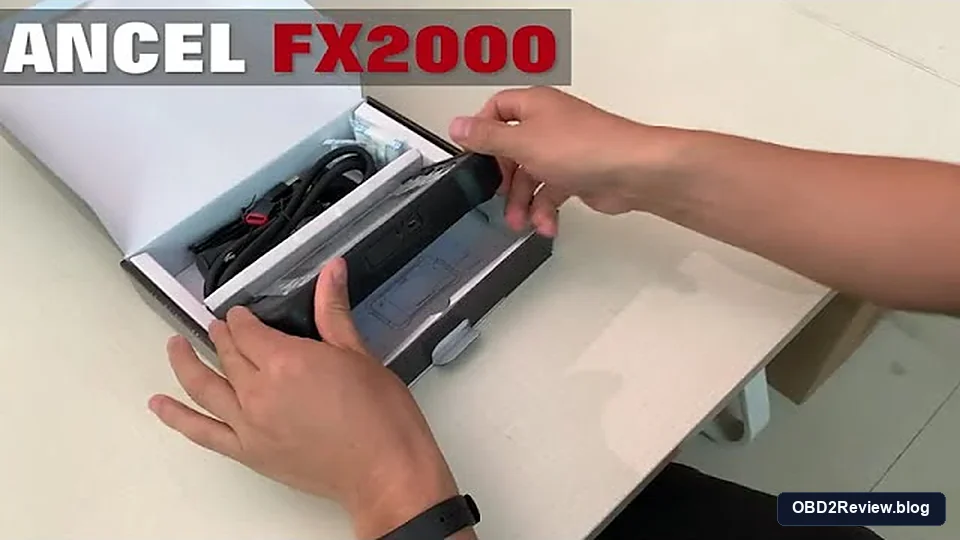
The menu architecture utilizes a straightforward hierarchical tree layout for easy navigation. Users familiar with traditional diagnostic handsets will feel immediately comfortable accessing diagnostic routines and settings.
Communication protocol support covers standard OBD2 formats including CAN, KWP2000, and ISO9141. This broad protocol coverage ensures seamless handshake compatibility across domestic, Asian, and European vehicle builds.
Firmware updates require connecting the unit to a Windows computer via USB cable. The proprietary update utility downloads fresh vehicle coverage files smoothly, keeping the tool relevant for newer models.
Navigation utilizes a dedicated menu structure with physical shortcut keys flanking the central color screen. The interface supports multiple communication protocols including ISO 14230-4 KWP2000 and modern Controller Area Network standards.
Connecting to the vehicle is achieved via an attached five-foot OBD-II cable terminating in a molded 16-pin connector. Firmware updates require connecting the unit to a Windows PC via a standard USB cable and downloading installation files.
Software installation necessitates visiting the official support portal to retrieve update packages for expanding vehicle coverage databases. The update utility requires basic computer literacy and a stable internet connection for seamless driver installation.
- Automatic VIN decoding support
- Broad OBD2 protocol compatibility
- Windows-based update utility
- Intuitive hierarchical menu tree
Software Navigation and Protocol Handshake
Initial vehicle identification prompts users for manual model entry or automatic VIN reading. Automatic VIN acquisition accelerates the diagnostic workflow on supported post-2006 vehicle electrical architectures.
Menu response times remain snappy when jumping between different diagnostic sub-menus. Many shoppers compare these speeds against top models found in our best obd2 scanner guide before purchasing.
- Fast automatic VIN read
- Clean menu navigation
Long-Term Durability, Cable Integrity, and Field Maintenance
Hardware longevity depends heavily on maintaining the detachable 16-pin diagnostic data cable. Replacing a worn cable is simple thanks to the secure multi-pin terminal connection located at the base.
Surface cleaning requires only a mild damp cloth to remove workshop grease and grime. The textured plastic housing resists staining from common automotive fluids like brake fluid and motor oil.
Storage practices should avoid extreme cabin heat fluctuations to protect the LCD screen. Keeping the unit in a padded storage case safeguards the display against scratches and impact damage.
Field durability depends heavily on the strain relief molded into the hardwired data cable junction. The thick insulation jacket resists oil, brake fluid, and gasoline exposure common in busy automotive repair shop environments.
Routine maintenance requires keeping the 16-pin connector pins free from dirt accumulation using electronic contact cleaner. Similar care tips apply to affordable units featured in our best budget obd2 scanner roundup to ensure longevity.
Battery backup is not required since the tool draws operating current directly from the vehicle diagnostic port. This direct power delivery eliminates internal battery degradation issues and ensures immediate power-up readiness during emergencies.
- Replaceable diagnostic cable interface
- Grease-resistant exterior housing
- Secure non-volatile data memory
- Protective storage case recommended
Cable Maintenance and Port Care
Inspecting connector pins regularly prevents corrosion buildup from damp garage environments. Applying dielectric grease lightly to the diagnostic plug extends mating life across thousands of connection cycles.
The internal non-volatile flash memory retains saved diagnostic reports reliably over years. Users can export stored diagnostic logs for printing when documenting vehicle repair histories for clients.
- Corrosion prevention tips
- Reliable report export storage
Target Audience Analysis: Who Wins and Who Skips
Dedicated DIY enthusiasts and semi-professional home mechanics represent the ideal primary user base. Anyone needing deeper troubleshooting beyond basic engine emissions codes will benefit immensely from this tool.
Professional technicians requiring bi-directional controls or advanced service resets should skip this model. Because it focuses primarily on reading and graphing, advanced actuator tests remain outside its scope.
Budget-conscious vehicle owners wanting to diagnose dashboard warning lights before visiting shops will save money. Catching minor ABS or transmission faults early prevents catastrophic mechanical failures down the road.
Independent DIYers and semi-pro mechanics gain the most value from this four-system diagnostic capability. It suits budget-conscious users who need deeper visibility into ABS and SRS systems without investing in expensive OEM-level tablets.
Professional technicians working in high-volume shops might find the lack of bidirectional controls limiting. Such users often upgrade to choices featured in our best professional obd2 scanner list for advanced ECU coding capabilities.
Ultimately, understanding your specific diagnostic scope determines whether this hardware meets your technical requirements. Buyers focused primarily on emissions readiness and basic module troubleshooting will find it a dependable workshop investment.
- Perfect for serious DIY home mechanics
- Excellent four-system diagnostic value
- Not suitable for professional ECU coding
- Great alternative to basic code readers
Ideal Buyer Profile versus Limitations
Home mechanics working on mixed fleet family vehicles gain tremendous value here. The robust four-system coverage handles routine check engine lights and safety system warnings without issues.
Advanced specialists needing coding capabilities or injector programming must look elsewhere. Advanced programming tasks require higher-tier professional diagnostic tablets with bidirectional service capabilities.
- Great for multi-vehicle families
- Lacks heavy commercial features
Frequently Asked Questions
Does this scanner support oil reset or EPB functions?
No, this specific model focuses exclusively on four-system diagnostics and live data graphing. Special service functions like oil resets or electronic parking brake maintenance are omitted to keep the device streamlined.
Can I update the software on a Mac computer?
The current firmware update utility is designed strictly for Windows operating systems. You will need access to a Windows PC to download and apply future vehicle coverage updates via USB.
Does it work on vehicles built before 1996?
No, the hardware requires a standard 16-pin OBD2 port found on post-1996 vehicles. Older OBD1 vehicles require specific manufacturer adapter cables and protocols that this scanner does not support.
Can I save and print diagnostic trouble code reports?
Yes, you can upload captured diagnostic data and trouble code reports to a computer. This lets you print out detailed health reports for personal vehicle records or mechanic consultations.
Does the scanner require an internal battery to operate?
No, the unit powers on automatically when plugged directly into the vehicle diagnostic port. Vehicle battery power supplies all necessary operating voltage during diagnostic testing and code reading sessions.