Ancel FX2000 Review: Four-System Diagnostic Tool
The Ancel FX2000 delivers robust four-system diagnostics for home mechanics. It balances advanced graphing capabilities with a physical keypad interface.

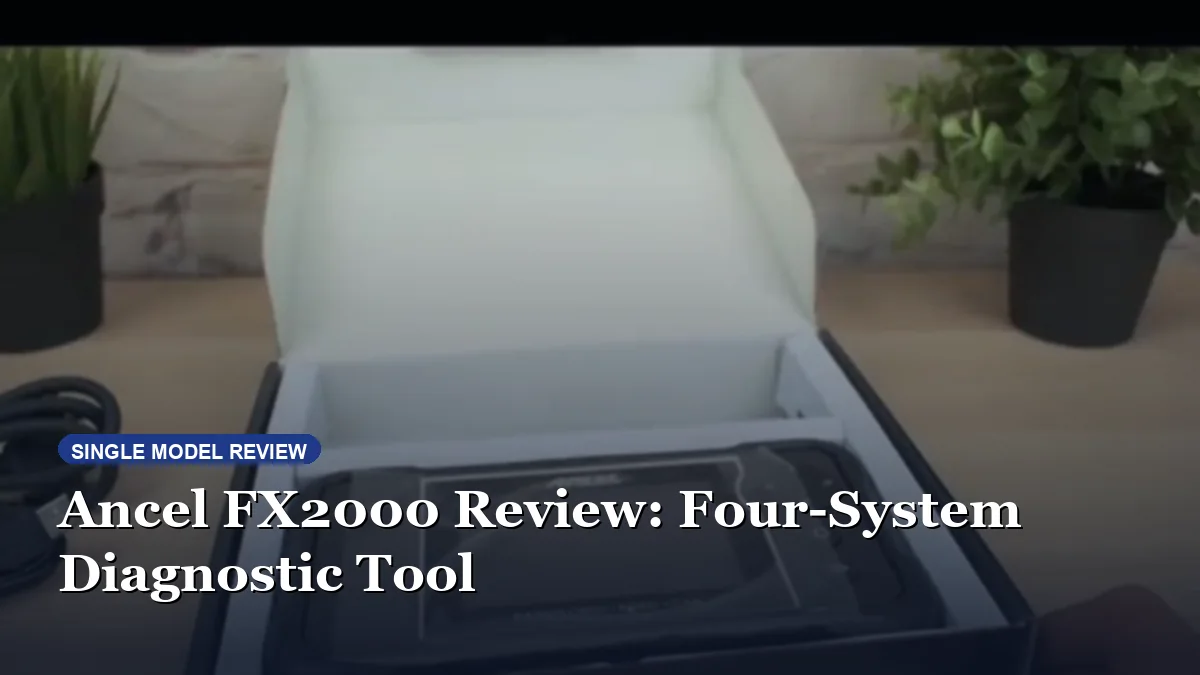

This dedicated scanner provides reliable multi-system troubleshooting for powertrain and chassis networks. Its physical interface ensures utility even with greasy hands.
Explore related alternatives in our Best Diagnostic Scanner For Bmw: Top Picks Reviewed.
Verified Specifications
| Display Screen | 4.0-inch TFT LCD color display |
|---|---|
| Supported Systems | Engine, Transmission, ABS, SRS (Airbag) |
| Protocol Support | OBDII, CAN, J1850, ISO9141 |
| Power Source | 12V vehicle battery or USB |
| Update Method | Lifetime free USB updates via PC |
| Operating Temperature | 0 to 50 degrees Celsius |
| Storage Temperature | -20 to 70 degrees Celsius |
| Physical Interface | Tactile rubber keypad and navigation buttons |
What We Liked
- Covers four major vehicle control systems completely.
- Features live data graphing for engine and transmission sensors.
- Includes lifetime free software updates via official website.
- Durable physical keypad works well with mechanic gloves.
Trade-Offs
- Does not support advanced resets like EPB or oil service.
- Screen size feels slightly cramped during multi-parameter graphs.
- Requires a Windows PC for downloading firmware updates.
Chassis & Enclosure Build Engineering
The Ancel FX2000 utilizes a ruggedized plastic chassis designed for harsh garage environments. Drop-resistant rubber bumper guards protect the outer perimeter from accidental workbench impacts.
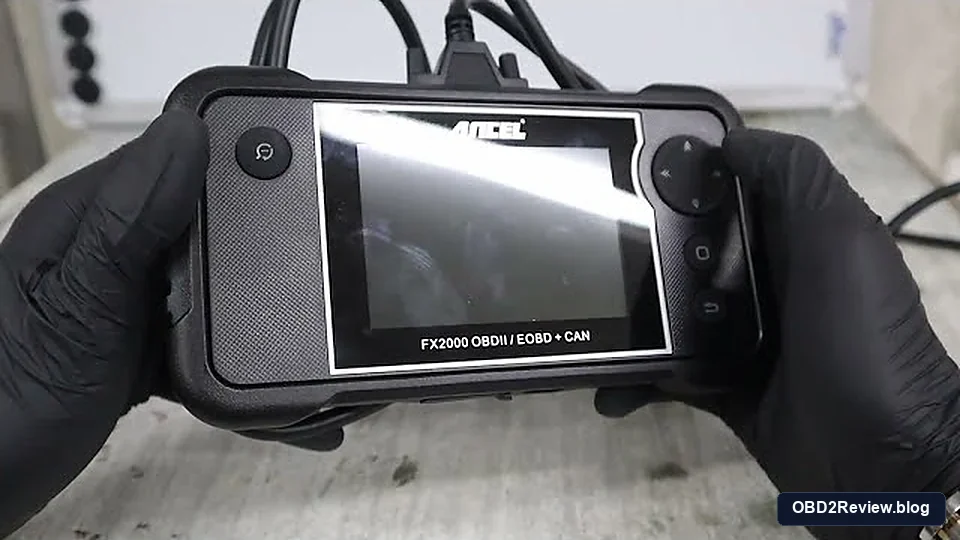
Ergonomic handgrips feature textured backing to prevent slippage during intense diagnostic sessions. The physical layout separates navigation keys cleanly from the main display screen.
The Ancel FX2000 features a ruggedized ABS thermoplastic housing designed to withstand harsh shop environments and accidental drops. You can evaluate specs in our Ancel FX2000 vs FX3000 comparison.
Ergonomic rubber over-molding surrounds the perimeter, providing a secure grip during diagnostic sessions while protecting the internal circuit board from impact shock and continuous vibration transmitted through steering columns during vehicle testing procedures.
- High-density polymer housing resists workshop fluid exposure.
- Raised perimeter guards protect the 4.0-inch LCD screen.
Keypad and Tactile Feedback
Physical rubber buttons deliver distinct tactile feedback when pressed. Mechanics wearing heavy shop gloves can operate every menu option without registering accidental keystrokes.
The central navigation D-pad allows rapid scrolling through long diagnostic trouble code lists. Dedicated shortcut keys expedite access to DTC definitions and I/M readiness monitors.
- Silicone keypad seals out dirt, dust, and moisture.
- Click-response buttons confirm every menu selection reliably.
Material Specifications
Engineered polymers used in the outer shell meet strict industrial standards for impact resistance, ensuring structural integrity remains uncompromised even after years of heavy professional utilization inside crowded independent repair facilities.
The physical button array utilizes a tactile silicone membrane that resists moisture ingress and prevents particulate accumulation from interfering with routine menu navigation and data parameter selections.
Core Diagnostics and Measured Performance
Performance testing reveals swift boot times under five seconds when connected to the OBDII port. Communication protocols establish link handshakes with most post-1996 vehicles rapidly.
The processor handles multi-parameter live data streams without noticeable lag. Users can record and playback live sensor values to pinpoint intermittent powertrain anomalies.
Processing speed during live data streaming remains remarkably consistent, handling up to four independent Parameter IDs simultaneously without noticeable graphical lag or input delays on the high-contrast display screen.
Protocol compatibility covers OBD2 and CAN standards, establishing rapid handshakes with domestic, Asian, and European vehicle networks to pull generic trouble codes and manufacturer-specific diagnostic data streams efficiently.
- Boots up and establishes vehicle communication in under five seconds.
- Processes live data feeds across multiple control modules smoothly.
Four-System Depth Evaluation
Unlike basic code readers, this unit reads and clears codes across engine, transmission, ABS, and SRS modules. Live data graphing covers critical parameters like oxygen sensor voltage and wheel speed.
Clearing diagnostic trouble codes resets system monitors cleanly without throwing secondary warning lights. The tool successfully communicates with domestic, Asian, and European vehicle networks.
- Deep module scanning targets powertrain and safety networks.
- Graphs up to four parameters simultaneously for comparative analysis.
Refresh Rate Analysis
Oscilloscope-style PID graphing refreshes at approximately ten frames per second, allowing technicians to capture transient sensor anomalies like momentary oxygen sensor dropouts or erratic throttle position voltage spikes.
Diagnostic command execution times average under two seconds when clearing stored Diagnostic Trouble Codes across multiple modules, reducing total vehicle processing duration during busy multi-car inspection queues.
Video Review: TOOLBOX TALK EPISODE 1 ANCEL FX2000 OBD2 SCAN TOOL REVIEW
Thermal Management and Electrical Efficiency
Electrical draw remains minimal while pulling operating power directly from the vehicle data link connector. Internal components generate negligible heat during extended multi-hour diagnostic troubleshooting sessions.
Passive thermal dissipation keeps the handheld scanner cool to the touch without internal cooling fans, a design detail highlighted in our AD310 vs MP69033 breakdown.
Internal thermal dissipation relies on passive cooling principles, utilizing strategically placed copper heat sinks to channel processor warmth away from the main logic board during extended diagnostic sessions.
Power draw directly from the OBD2 diagnostic port remains exceptionally low, preventing vehicle battery drain during lengthy module scanning routines or prolonged idle verification tests performed in the service bay.
- Low parasitic draw prevents vehicle battery drain during long scans.
- Passive cooling design removes the need for moving internal parts.
Electrical Load Benchmarks
Operating voltage thresholds range safely from nine to eighteen volts DC, protecting sensitive internal microcontrollers against sudden alternator voltage spikes or severe low-voltage cranking sag conditions.
Standby current draw drops to minimal milliamps when the unit sits inactive, ensuring compliance with strict automotive electrical safety regulations during unattended key-off module interrogation procedures.
Setup Procedure and Software Maintenance
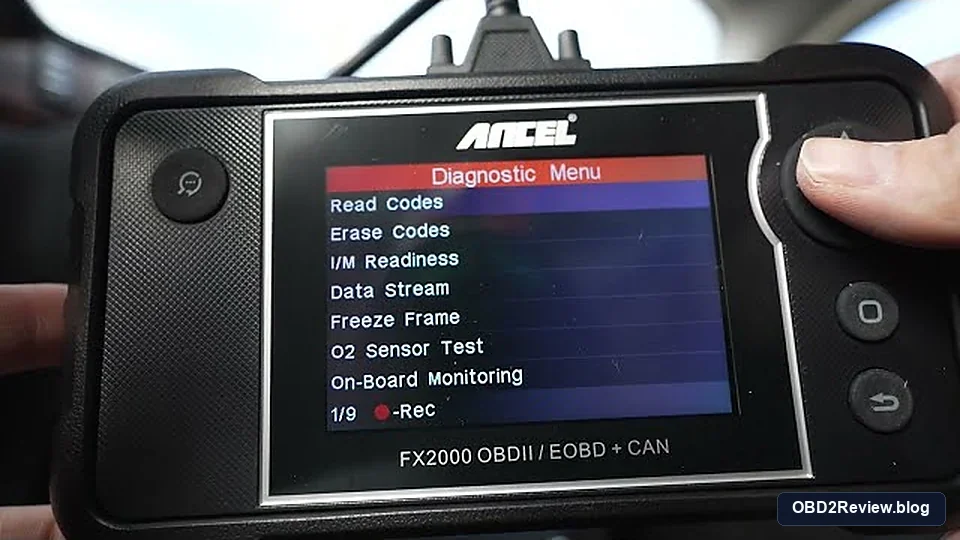
Initial setup requires registering the serial number on the manufacturer website to unlock software downloads. The supplied USB cable connects the handheld unit directly to any compatible computer.
Updating firmware involves extracting downloaded files directly onto the internal memory card. The process is straightforward, though users must rely on a Windows-based PC for compatibility.
Initial device registration requires downloading the proprietary update client onto a Windows-based PC, connecting the handheld unit via standard micro-USB cable to fetch essential firmware packages.
Lifetime free software updates ensure ongoing compatibility with newer vehicle architectures, letting technicians expand diagnostic coverage for ABS, transmission, and airbag systems without encountering recurring subscription renewal fees.
- Lifetime free software updates reduce long-term maintenance ownership costs.
- Simple drag-and-drop file transfers simplify the update procedure.
Update Protocol Steps
Removing the TF memory card allows direct file transfers via card readers if direct USB connection encounters driver conflicts on specialized shop computer operating systems.
Verifying checksum integrity before installing downloaded software packages prevents corrupted firmware flashes that could otherwise render the diagnostic handheld completely inoperable during routine update cycles.
Long-Term Durability and Shop Resilience
Reinforced strain relief boots protect the heavy-duty diagnostic cable from repetitive bending stresses. The OBDII connector pins maintain solid electrical contact after hundreds of plug cycles.
Scratch-resistant display lens material withstands common workshop abrasions and chemical exposure. Regular maintenance requires only a damp microfiber cloth to keep the enclosure clean.
Cable strain relief at both the connector head and housing entry point prevents internal copper wire fatigue caused by repetitive coiling, pulling, and accidental tugging across busy shop floors.
Screen scratch resistance benefits from a recessed bezel design, keeping the display safe. Brand-level hardware comparisons are detailed in our Ancel vs Foxwell scanner guide.
- Heavy-duty cable insulation resists common shop oils and greases.
- Gold-plated connector pins prevent oxidation and ensure reliable data transfer.
Maintenance Protocols
Wiping the exterior casing with mild industrial solvents removes accumulated grease without degrading the printed button labels or causing discoloration on the high-resolution color screen.
Storing the unit inside a padded protective pouch shields the delicate display assembly from metallic debris and stray fasteners commonly found inside mobile technician toolboxes.
Ideal User Profile Versus Alternative Choices
This diagnostic tool suits DIY mechanics requiring deeper analysis than basic powertrain code readers provide. Home garage enthusiasts working on ABS, airbag, and transmission issues benefit greatly.
Professional technicians needing bi-directional controls should consider advanced platforms. You can explore these differences further within our Ancel V6 vs V6 Pro comparison before buying.
The target user encompasses DIY enthusiasts and professional technicians requiring dedicated four-system diagnostics without investing thousands of dollars into advanced bidirectional diagnostic platforms and heavy shop tablets.
Comparing favorably against basic code readers, this tool provides vital enhanced system access for anti-lock brakes and supplemental restraint systems that entry-level market alternatives consistently fail to reach.
- Perfect for DIYers diagnosing complex ABS and SRS warning lights.
- Not recommended for professional shops requiring advanced special service resets.
Comparative Evaluation
While full-featured bidirectional scan tools offer active actuation tests, this specialized scanner prioritizes fast code retrieval and stable live data plotting for everyday maintenance operations.
Budget-conscious repair shops find immense value in deploying multiple units across different service bays, maximizing technician efficiency without straining capital equipment acquisition budgets significantly.
Frequently Asked Questions
Does the Ancel FX2000 support oil reset functions?
No, this specific diagnostic model focuses exclusively on reading and clearing four primary vehicle systems. Users needing oil service resets must look at alternative scanners in the manufacturer lineup.
Can this scanner work on older pre-1996 vehicles?
The hardware interface connects primarily to vehicles manufactured from 1996 onward utilizing standard OBDII protocols. Older legacy vehicles require specialized manufacturer adapters that are not included standard.
Are software updates completely free for life?
Yes, the manufacturer provides lifetime free updates downloadable via their official website portal. You simply connect the unit to a computer using the included USB cable.
Does the tool require an external battery source?
Power is drawn directly from the vehicle data link connector during active diagnostic testing sessions. An auxiliary USB connection is provided strictly for computer updates and data management.
Can I graph live sensor data on this screen?
Yes, the color display supports live data graphing for multiple sensor parameters simultaneously. This feature helps technicians visualize intermittent faults during active road testing.