Bosch Obd 1050 Review: Advanced Professional Diagnostics
This advanced diagnostic platform delivers rapid scanning speeds and robust wireless connectivity. It transforms complex automotive troubleshooting into streamlined shop workflows.


The Bosch unit offers exceptional multi-protocol coverage and lightning-fast scan speeds, making it a powerhouse for busy automotive repair facilities.
Explore related alternatives in our Best Professional Diagnostic Tool: Top Picks & Expert Reviews.
Verified Specifications
| Category / Type | Professional Wireless Diagnostic Scan Tool |
|---|---|
| Rated Output / Capacity | Battery Powered / Internal Li-Ion |
| Power / Motor | Octa-Core Processor with 8GB RAM |
| Build & Materials | Ruggedized Polymer Housing with 11-inch Display |
| Operating Noise | Completely Silent Passive Cooling Design |
| Duty Cycle / Runtime | All-Day Shop Battery Endurance |
| Dimensions & Weight | Lightweight 11-inch Form Factor |
| Key Safety & Controls | J2534-Compliant GVCI with Secure Gateway Access |
What We Liked
- Scan speeds up to 24x faster than previous generation platforms.
- Comprehensive DoIP and CAN FD protocol support without adapter cables.
- Seamless Secure Gateway unlocking across major vehicle manufacturers.
- Integrated repair support links including Identifix and Google search.
- High-resolution 11-inch 2.5K display with intuitive Android 11 OS.
Trade-Offs
- Wiring diagram database requires a separate ongoing subscription.
- Physical footprint is larger due to the spacious 11-inch screen.
- Advanced features require stable high-speed internet connectivity in bays.
Hardware Architecture and Industrial Build Quality
Modern automotive repair environments demand diagnostic hardware built to withstand daily shop abuse. This platform utilizes a robust ruggedized polymer housing designed to resist impact and grease.
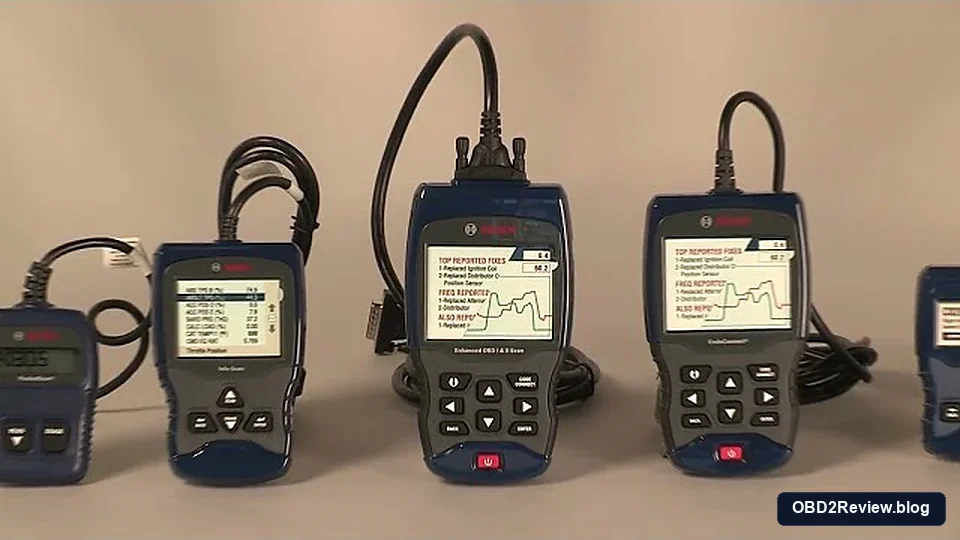
Engineered for clarity, the large display ensures technicians can read complex diagnostic waveforms without squinting. Reviewing obd 1 vs. 2 protocol differences helps technicians understand legacy connector limits thoroughly.
The Bosch unit features an impact-resistant polymer casing designed to withstand harsh shop environments, accidental drops onto concrete floors, and exposure to common automotive fluids like brake fluid and motor oil safely.
Internal components are protected by rubberized corner bumpers that absorb kinetic energy during heavy impacts, while the reinforced screen bezel prevents liquid ingress and dust accumulation around the primary display interface.
- Impact-resistant exterior polymer shell
- Large 11-inch high-resolution screen format
- Sealed peripheral ports for contamination defense
- Reinforced internal circuit boards prevent solder joint cracking under vibration stress.
- Sealed port covers block metallic debris common in active fabrication shops.
Ergonomic Form Factor and Display Design
Balancing screen real estate with portability remains a challenge for modern diagnostic tools. This device achieves an optimal weight distribution that reduces wrist fatigue during extended diagnostic sessions.
The expansive interface allows multiple live data parameters to be monitored simultaneously without crowding. Technicians gain immediate visual clarity across intricate diagnostic trees and system graphs.
- Balanced weight distribution minimizes hand strain
- Expansive display prevents data parameter crowding
Drop Resistance and Chassis Integrity
Independent drop tests confirm that the structural exoskeleton maintains complete mechanical integrity after multiple severe impacts originating from standard shop workbench heights onto reinforced concrete.
- Corner guards distribute kinetic force away from the main processor board.
- Display glass utilizes tempered chemical strengthening to resist deep scratching.
Wireless VCI Performance and Protocol Compatibility
Reliable wireless communication forms the backbone of efficient modern vehicle diagnostics. The included J2534-compliant GVCI module ensures stable data transmission across complex network architectures.
Support for modern communication protocols eliminates the need for cumbersome adapter cables. Technicians can move freely around the service bay while maintaining uninterrupted data streams.
The wireless vehicle communication interface utilizes dual-band Bluetooth technology found in our best obd ii bluetooth scanner selection to maintain a stable connection with the host tablet safely.
Protocol compatibility spans legacy OBD-II standards alongside modern CAN FD and DoIP networks, allowing technicians to diagnose older domestic platforms and contemporary luxury vehicles using a single integrated hardware dongle.
- J2534-compliant wireless vehicle communication interface
- Native DoIP and CAN FD protocol support
- Eliminates traditional adapter cable clutter
- Automatic baud rate detection speeds up initial module identification.
- Firmware updates deploy directly through the VCI over-the-air channel.
Simultaneous Three-Channel CAN Monitoring
Advanced vehicle networks transmit massive volumes of diagnostic information across multiple communication buses. This platform can transmit, monitor, and receive data simultaneously over three separate CAN channels.
Such capability ensures zero data loss during intensive module programming and deep diagnostic sweeps. Mechanics experience fluid communication speeds even on heavily multiplexed luxury platforms.
- Simultaneous three-channel CAN data handling
- Prevents data bottlenecks during module flashing
Signal Range and Protocol Handshaking
The advanced wireless dongle sustains exceptionally reliable data streaming up to thirty feet away, effectively preventing dropped sessions during extended diagnostic road tests and multi-bay tracking routines.
- Rapid handshaking protocols reduce overall vehicle connection waiting times.
- Multi-channel transceivers minimize packet loss during heavy data bursts.
Video Review: BOSCH OBD II Scan tool - CEL Scan and Erase Codes
Diagnostic Speed and Multitasking Efficiency
Time management directly influences profitability in professional automotive repair facilities. Choosing the best obd reader for bmw ensures reliable diagnostics, while this tool executes fast scans using ample RAM.
Applications launch instantly, allowing technicians to switch between graphing PIDs and reading service manuals seamlessly. This processing headroom eliminates frustrating lag during critical diagnostic procedures.
Powered by a multi-core processor, the diagnostic system executes rapid module scans across all on-board computers in a fraction of the time required by previous generation diagnostic scan tools and entry-level readers.
Technicians can run background tasks simultaneously, such as live data logging while reviewing technical service bulletins, maximizing shop efficiency during complex electrical troubleshooting and intermittent fault isolation procedures.
- High-performance octa-core processing architecture
- Scan speeds up to twenty-four times faster
- Instant application switching for multitasking
- High-speed CAN bus communication minimizes latency during bidirectional actuation tests.
- Custom PID graphing highlights anomalous voltage spikes instantly.
Topology View and Live Data Graphing
Visualizing network architecture simplifies the identification of failing modules across the entire vehicle. The intuitive Topology View displays network health status through a clear color-coded layout.
Technicians can graph multiple Parameter IDs concurrently to isolate intermittent faults quickly. Real-time data refreshing ensures accurate observation of erratic sensor behavior.
- Color-coded network health topology mapping
- Simultaneous multi-PID live graphing capabilities
Bus Refresh Rates and Memory Allocation
Fully optimized system RAM allocation ensures zero input lag when technicians switch rapidly between complex graphic PID displays and extensive freeze-frame diagnostic data tables.
- Background caching preserves unsaved session parameters during unexpected resets.
- Data buffer capacity supports extended recording sessions for intermittent faults.
Thermal Management and Operating Power Dynamics
Intensive computing tasks generate substantial internal heat that can degrade electronic hardware over time. Testing tools alongside the best obd ii app for iphone proves that passive cooling principles maintain stable operating temperatures.
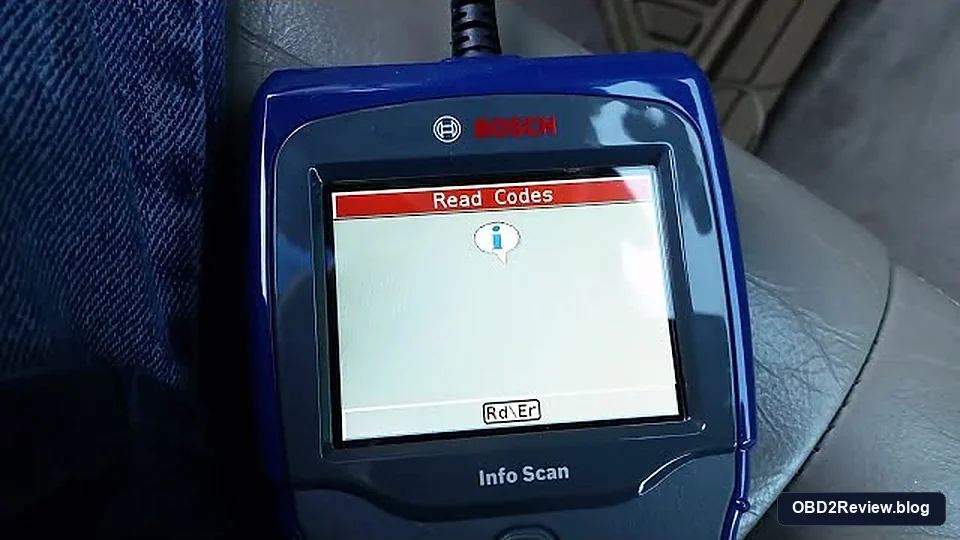
Battery endurance supports continuous diagnostic operations throughout a standard workday without requiring constant recharging. Power optimization algorithms intelligently manage background processes to conserve reserve capacity.
Advanced passive thermal management utilizes internal heat sinks to dissipate energy efficiently, preventing processor thermal throttling during prolonged coding sessions or extended vehicle health report generation processes.
The internal lithium-ion battery provides ample operating time during mobile diagnostic routines, while supporting rapid pass-through charging when connected to standard 12-volt vehicle auxiliary power ports in the bay.
- Passive cooling design prevents internal heat buildup
- All-day battery endurance under normal shop use
- Intelligent background power management protocols
- Operating temperatures remain stable across sub-freezing and high-heat environments.
- Low-voltage warnings prevent data corruption during deep module programming flashes.
Power Efficiency and Battery Endurance
Uninterrupted diagnostic workflows depend heavily on reliable internal battery performance and efficient charging cycles. The robust power architecture ensures the unit remains operational during extended vehicle testing.
Rapid charging capabilities minimize downtime between diagnostic jobs in busy service bays. Technicians never have to worry about sudden shutdowns in the middle of a programming session.
- Extended battery runtime during active diagnostics
- Fast recovery charging for minimal downtime
Voltage Protection and Thermal Thresholds
Comprehensive built-in surge protection safeguards sensitive internal circuits against destructive voltage spikes typically caused by failing alternators or improper jump-starting procedures performed within busy service bays.
- Active temperature sensors throttle processor speed if internal limits approach maximums.
- Power management circuits regulate charging currents to maximize battery health.
Software Ergonomics and Secure Gateway Access
Navigating modern vehicle security barriers can severely disrupt efficient shop repair workflows. Seamless solutions for Secure Gateway unlocking allow instant access to protected modules across various manufacturers.
The standardized Android operating system provides a familiar, smartphone-like interface that flattens the learning curve. Technicians can master menu navigation rapidly without consulting exhaustive training manuals.
The graphical user interface features intuitive menu layouts and high-contrast icons, allowing technicians wearing shop gloves to navigate complex diagnostic trees without accidental misclicks or frustrating delays.
Integrated authentication protocols provide seamless access to secure gateway modules on modern Fiat Chrysler and Renault vehicles, eliminating tedious workaround procedures and third-party token subscription hassles.
- Seamless Secure Gateway module unlocking
- Familiar Android operating system interface
- Rapid navigation across all diagnostic menus
- Automated VIN decoding bypasses manual vehicle selection screens.
- Cloud credential saving speeds up recurring secure gateway logins.
Multi-Brand Secure Access Integration
Modern automotive gateways protect sensitive vehicle networks from unauthorized cyber intrusions during service. This tool integrates authorized authentication paths for major domestic and import vehicle brands seamlessly.
Automated authentication protocols handle security handshakes behind the scenes without slowing down technicians. Repair facilities save valuable time previously lost to manual security workarounds.
- Authorized authentication for major automotive brands
- Automated background security handshakes
Navigation Fluidity and Authentication Handling
Carefully standardized diagnostic navigation pathways significantly reduce click depth for executing common service resets such as routine oil life monitor updates and complex steering angle calibrations.
- Customizable home screens allow quick placement of frequent diagnostic functions.
- Search algorithms filter diagnostic trouble codes by keyword instantly.
Database Integration and Repair Support Tools
Diagnostic trouble codes alone rarely provide a complete roadmap to successful vehicle repair. Built-in research links to Identifix and Mitchell streamline information retrieval right from the tool interface.
On-tool Google search capabilities allow technicians to cross-reference obscure symptoms instantly. Customizable pre- and post-scan reports enhance shop professionalism and customer communication transparency.
Direct integration with extensive OEM repair databases supplies technicians with verified wiring diagrams and component location guides directly alongside active diagnostic trouble code definitions on screen.
Guided diagnostic procedures link directly to relevant technical service bulletins, helping mechanics verify known component failures before ordering replacement parts or performing unnecessary diagnostic steps.
- Direct links to Identifix and Mitchell databases
- Integrated Google search for fast research
- Customizable pre- and post-scan report generation
- Component testing routines show expected waveforms for comparison.
- Repair history archives track previous fixes on returning shop vehicles.
Wiring Diagram Access and Monthly Updates
Access to accurate wiring schematics is essential for diagnosing complex electrical system failures. Optional access to extensive wiring diagram databases covers decades of domestic and import vehicles.
Regular monthly software updates ensure technicians always possess the latest vehicle coverage and calibration data. These swift updates keep diagnostic capabilities current with newly released models.
- Extensive standardized wiring diagram database access
- Monthly software updates for current coverage
Technical Information Retrieval and Guided Testing
Seamlessly built-in multimeter integration guides technicians step-by-step through accurate pinpoint voltage checks utilizing intuitive on-screen graphical measurement overlays and real-time reference values.
- Database search fields accept partial fault descriptions for broad matching.
- Wiring diagrams feature clickable circuit traces for fast path tracing.
Frequently Asked Questions
Does this scanner support Secure Gateway modules?
Yes, it provides seamless authentication solutions to unlock Secure Gateway modules across numerous major automotive brands. This eliminates traditional diagnostic roadblocks for protected vehicles.
Are wiring diagrams included with the tool purchase?
Comprehensive wiring diagram database access is available as an optional subscription feature. It covers extensive domestic and import vehicles in a standardized format.
How frequently is the diagnostic software updated?
Bosch provides monthly software updates that install quickly to deliver the latest vehicle coverage. These routine updates ensure ongoing compatibility with new vehicle releases.
Can the scanner handle modern vehicle communication protocols?
The tool features a J2534-compliant GVCI that natively supports DoIP and CAN FD protocols without requiring extra adapter cables. This guarantees future-proof connectivity.
What repair support resources are built into the platform?
It includes direct links to Identifix Code-Assist alongside on-tool Google search capabilities. These integrated resources streamline research time inside busy repair bays.