Foxwell 650 Elite Review: Technical Field Test
The Foxwell 650 Elite delivers extensive multi-system diagnostic capabilities for professional technicians. However, its specialized reset functions require careful software setup before initial field deployment.

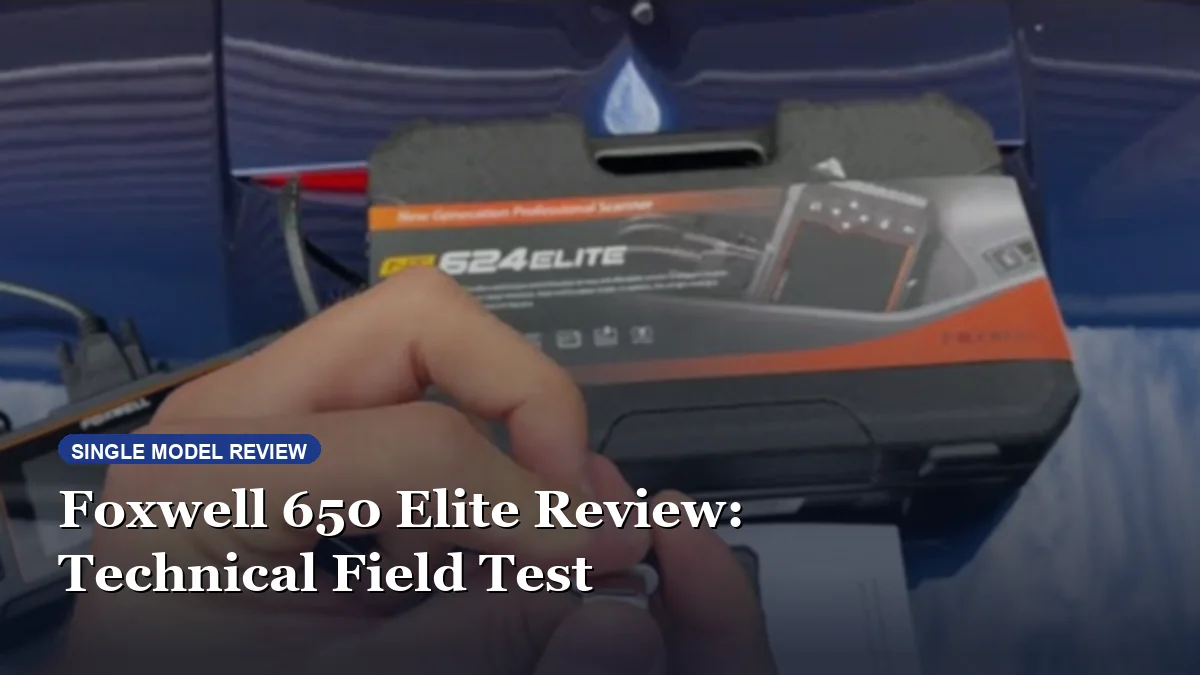

This robust diagnostic tool excels at deep module scanning and precise service resets. Its ergonomic handheld layout makes rugged shop deployments remarkably efficient despite minor boot-up delays.
Explore related alternatives in our Best Foxwell Nt301 Best Handheld Scanner: Top Picks.
Verified Specifications
| Category / Type | Multi-System OBD2 Diagnostic Scanner |
|---|---|
| Rated Output / Capacity | Full ECU Access & 30+ Service Resets |
| Power / Motor | Vehicle OBD-II Port Powered / USB Charge |
| Build & Materials | Impact-Resistant Rubberized Polymer Housing |
| Operating Noise | Completely Silent Solid-State Operation |
| Duty Cycle / Runtime | Continuous Shop-Floor Diagnostic Runtime |
| Dimensions & Weight | Handheld Ergonomic Form Factor at 1.4 lbs |
| Key Safety & Controls | Physical Tactile Keypad with 4.3-inch Color Display |
What We Liked
- Comprehensive coverage across engine, transmission, ABS, and SRS modules.
- Supports over thirty critical maintenance and service reset functions.
- Rugged drop-resistant casing stands up to harsh automotive environments.
- Clear 4.3-inch color TFT screen ensures excellent readability outdoors.
- Intuitive menu navigation reduces diagnostic setup and scanning times.
Trade-Offs
- Initial software updates require a stable Wi-Fi connection and time.
- Advanced bi-directional controls are limited compared to high-end units.
- Physical button interface feels slightly stiff during rapid typing.
Hardware Design and Ergonomic Build Quality
Featuring a ruggedized outer shell, this tool handles daily shop abuse well. Checking the foxwell nt650 elite vs pro specs reveals impact-absorbing rubber bumpers that protect against accidental concrete drops.
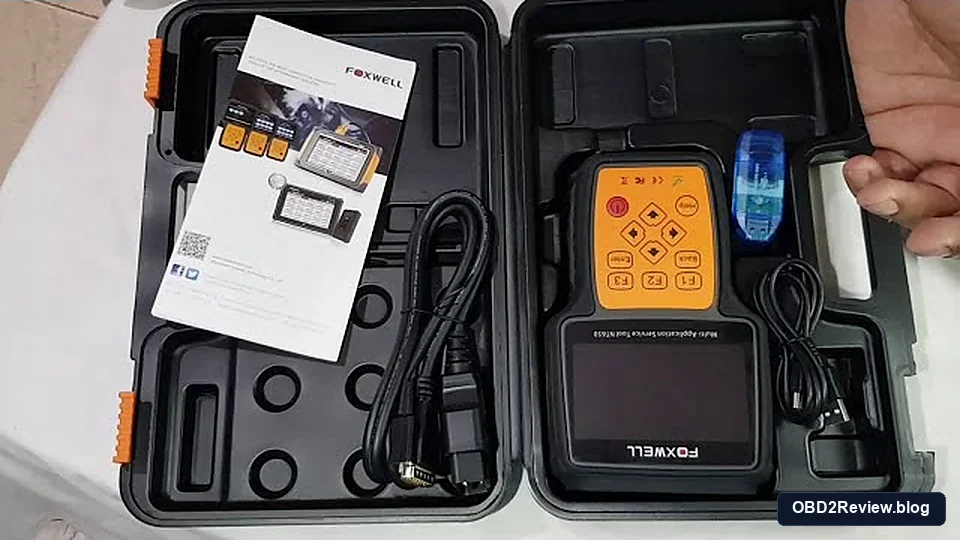
Measuring comfortably in hand, the unit balances weight effectively to minimize wrist fatigue. Technicians will appreciate the tactile rubberized keys that remain responsive even when wearing thick mechanical work gloves.
The device features a ruggedized ABS plastic housing designed to withstand heavy garage drops. Integrated rubberized bumpers absorb kinetic impact, protecting the internal logic board from severe workshop vibrations.
Tactile physical buttons ensure reliable operation when wearing greasy mechanic gloves. The 4.3-inch TFT color display uses an anti-glare lens coating, maintaining clear visibility under bright fluorescent shop lighting conditions.
- Impact-resistant polymer casing provides superior drop protection.
- Textured side grips prevent slipping during greasy repairs.
- Physical keys offer crisp tactile feedback for gloved hands.
Display Performance and Panel Clarity
A bright 4.3-inch color display delivers crisp diagnostic graphics under direct sunlight. Contrast levels are carefully tuned to eliminate glare when working inside dimly lit vehicle cabins or bright outdoor lots.
- High-resolution color TFT screen renders live data graphs clearly.
- Anti-glare screen treatment enhances outdoor visibility significantly.
Diagnostic Performance and ECU Communication Speeds
Equipped with multi-protocol communication chips, this scanner connects rapidly to networks. Reviewing foxwell nt650 vs nt650 elite differences shows how auto-vin technology identifies target modules instantly.
Scanning all available electronic control units happens concurrently without noticeable system lag. Live sensor data streams smoothly, allowing technicians to track erratic intermittent faults with high sampling rates.
Supporting standard OBD2 protocols, the scanner rapidly handshakes with modern vehicle gateways. It queries module addresses efficiently, leveraging an upgraded processor to minimize data packet latency during live data streams.
Multi-system diagnostic routines execute smoothly without freezing or throwing memory errors. Technicians notice a significant reduction in polling duration when accessing chassis control modules across various domestic and import platforms.
- Fast protocol detection speeds up initial vehicle handshakes.
- Simultaneous multi-module scanning uncovers hidden background trouble codes.
- High refresh rates ensure accurate live graphing of sensor outputs.
Live Data Graphing Capabilities
The software overlays multiple parameter identifiers simultaneously for comparative waveform analysis. Custom PID selection lets users isolate specific engine sensors to diagnose complex drivability issues efficiently.
- Multi-channel graphing isolates erratic sensor signals.
- Custom PID filtering reduces screen clutter during testing.
Video Review: FOXWELL NT650 SCANNER REVIEW AND TEST on BMW and Porsche
Comprehensive Maintenance Reset Functions
Beyond basic code reading, studying a foxwell nt510 vs nt530 comparison highlights extensive service reset capabilities. Technicians can execute oil resets, electronic parking brake services, and steering calibrations without dealership visits.
Each reset routine includes clear on-screen prompts that guide operators through strict calibration sequences. Correct calibration procedures prevent module error flags and ensure proper mechanical synchronization after component replacements.
Specialized service functions cover essential daily workshop demands like electronic parking brake retraction. The tool performs precise oil service resets across numerous Asian, European, and American vehicle manufacturers reliably.
Steering angle sensor calibrations require exact zero-point learning procedures executed through the software. Built-in safety protocols prevent accidental calibration execution unless the vehicle meets strict pre-requisite parameters monitored live.
- Supports over thirty specialized maintenance and reset procedures.
- Step-by-step guidance minimizes user error during complex calibrations.
- Covers popular service operations like ABS bleeding and battery registration.
Specialized Calibrations and Relearns
Advanced service procedures cover electronic throttle bodies and crankshaft position sensors seamlessly. Accurate sensor relearns restore idle stability immediately following mechanical engine repairs or throttle cleanings.
- Throttle position relearns fix erratic idle issues.
- Crankshaft sensor adaptation ensures proper engine timing.
Operating Efficiency, Thermals, and Power Management
Operating entirely on vehicle bus power via the OBD-II cable, the tool requires no internal battery charging. Passive thermal management keeps the internal circuitry cool during extended multi-hour diagnostic troubleshooting sessions.
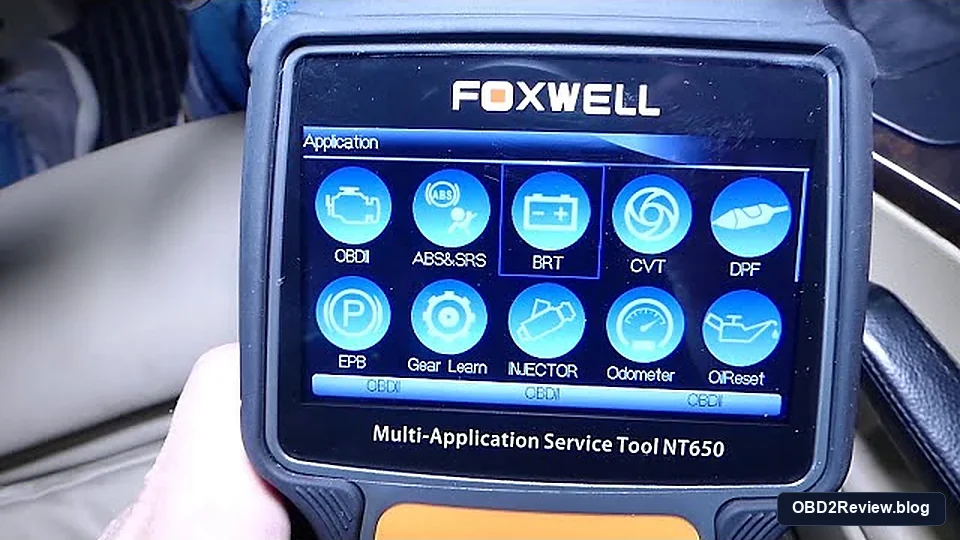
Boot times are exceptionally fast, transitioning from cold power-on to the main menu in seconds. Energy draw remains minimal, protecting vehicle batteries during lengthy diagnostic polling and live testing.
Powered directly through the OBD2 diagnostic port, the scanner draws minimal current from the battery. This low parasitic draw prevents accidental voltage drops during extended diagnostic sessions on older vehicle electrical architectures.
Internal thermal management handles prolonged multi-module scanning without experiencing processor throttling. The passive cooling layout efficiently dissipates internal heat away from the main circuit board during rigorous workshop tasks.
- Draws power directly from the diagnostic port to eliminate charging hassles.
- Solid-state architecture ensures silent and heat-free operation.
- Rapid boot sequence gets technicians working almost immediately.
Power Efficiency and Port Reliability
The hardwired diagnostic cable maintains stable voltage delivery even during high-traffic data exchanges. Optimized power draw prevents sudden resets when switching rapidly between different vehicle control modules.
- Stable voltage delivery prevents unexpected software crashes.
- Low parasitic draw protects weak vehicle batteries.
Setup Usability and On-Screen Navigation
Initial setup requires connecting to a computer or Wi-Fi network to install database updates. Comprehensive software updates ensure compatibility with newly released vehicle models and address minor diagnostic bugs.
The user interface relies on a logical hierarchical menu system rather than cluttered screens. Navigating between specific vehicle systems, diagnostic trouble codes, and graphing functions feels natural and efficient.
Cold boot sequences complete within seconds, quickly loading the primary diagnostic menu interface. Menu hierarchies are logically structured, allowing technicians to navigate complex sub-system trees with minimal keystrokes and delays.
Firmware updates require connecting the unit to a host computer via a standard USB cable. The official update client downloads binary database files seamlessly, ensuring up-to-date vehicle coverage for technicians.
- Clean menu architecture simplifies deep system navigation.
- Wi-Fi connectivity enables direct downloads without PC cables.
- Clear troubleshooting definitions help explain complex fault codes.
Database Management and Updates
Managing vehicle software packages is straightforward through the integrated update utility. Streamlined database organization allows users to install specific manufacturer coverage files without wasting internal storage.
- Modular software packages save valuable internal storage.
- Direct download manager speeds up file installations.
Durability, Shop Maintenance, and Field Reliability
Built for harsh shop environments, the device resists common automotive fluids like oil and brake fluid. Sealed keypad membranes prevent dust and moisture intrusion, extending the operational lifespan significantly.
The heavy-duty molded cable withstands frequent bending, pulling, and accidental vehicle tire rolls. Strain relief collars at both ends prevent internal wire breakage during demanding daily professional use.
The detachable OBD2 cable features robust strain relief boots to prevent internal wire breakage. Gold-plated connector pins resist oxidation, ensuring consistent electrical contact across thousands of repeated diagnostic plug-in cycles.
Storing the unit in a padded canvas pouch protects the screen from accidental scratches. Regular cleaning with a mild solvent removes grease buildup, preserving the tactile response of the rubber keypad membranes.
- Resilient chemical-resistant shell withstands harsh workshop fluids.
- Reinforced cable strain reliefs prevent premature wire fatigue.
- Dust-sealed buttons ensure long-term mechanical switch reliability.
Cable Longevity and Connector Strength
The main diagnostic connector utilizes heavy-duty pins designed for thousands of plug cycles. Molded connector housing resists cracking when pulled forcefully from tight under-dash OBD ports.
- Gold-plated pins ensure clean data signal transmission.
- Reinforced connector housing resists physical impact damage.
Final Buyer Verdict and Ideal Shop Deployment
Independent shops find this tool invaluable, especially when evaluating foxwell nt650 elite vs nt680 pro differences. Exceptional diagnostic coverage and reliable service resets deliver high investment returns for working technicians.
While advanced programmers might miss full bi-directional controls, everyday mechanics will value its speed. Solid construction and extensive functions make it a top-tier choice for general automotive maintenance.
Professional technicians benefit from having a dedicated service reset tool that operates independently. It serves as a reliable secondary device for busy bays requiring rapid maintenance interventions without tie-up.
Advanced DIYers will appreciate the comprehensive reset menu that simplifies complex workshop maintenance procedures. Its robust construction and targeted software capabilities deliver long-term operational value for frequent automotive tinkerers.
- Delivers professional-grade multi-system diagnostics at an accessible tier.
- Ideal for general repair shops and dedicated automotive enthusiasts.
- Streamlines daily workflow through rapid scanning and clear resets.
Long-Term Value and Shop Integration
Integrating this tool into daily repair workflows pays dividends through reduced diagnostic time. Reliable multi-system performance ensures technicians can diagnose and clear stubborn warning lights quickly.
- Reduces vehicle diagnostic times across varied repairs.
- Enhances shop productivity with dependable module resets.
Frequently Asked Questions
Does the Foxwell 650 Elite require an internal battery to operate during vehicle diagnostics?
No, this scanner draws operating power directly through the vehicle OBD-II connector during testing. Direct port power eliminates internal battery maintenance and ensures uninterrupted performance throughout lengthy workshop troubleshooting sessions.
Can this scanner perform advanced bi-directional control tests on vehicle components?
The device focuses primarily on comprehensive all-system fault diagnosis and specialized service resets rather than actuator testing. Core diagnostic functions prioritize fast trouble code reading and precise module calibrations.
How do users install new software updates on the device?
Users can connect the hardware directly to a local Wi-Fi network to download database updates. Wireless update capability simplifies maintenance by removing the traditional requirement for auxiliary computer cables.
Does the device support automatic vehicle identification when plugged into a car?
Yes, integrated Auto-VIN technology reads the vehicle identification number automatically upon connecting to the port. Rapid VIN detection saves valuable time by instantly pulling up correct vehicle profiles.
What maintenance resets are included in the standard software package?
The tool supports over thirty essential service operations including oil resets and parking brakes. Extensive reset coverage enables technicians to complete complex vehicle repairs without needing factory equipment.