Foxwell NT530 BMW Review: Deep Diagnostic Analysis
This advanced handheld diagnostic scanner delivers deep OE-level module coverage for BMW platforms. However, its initial setup requires tedious firmware updates via a Windows PC.



The Foxwell NT530 BMW provides exceptional bi-directional control and reset capabilities for home mechanics. It punches well above its weight class despite minor software navigation quirks.
Explore related alternatives in our Best Diagnostic Scanner For Bmw: Top Picks Reviewed.
Verified Specifications
| Category / Type | Handheld OE-Level Bi-Directional OBD2 Scanner |
|---|---|
| Rated Output / Capacity | Full System ECU Access & Active Testing |
| Power / Motor | Vehicle OBD-II Port Powered (8V-18V) |
| Build & Materials | Rugged ABS Housing with Rubberized Grip |
| Operating Noise | Silent Solid-State Operation |
| Duty Cycle / Runtime | Continuous Continuous Diagnostic Capability |
| Dimensions & Weight | 200mm x 100mm x 38mm, 0.65 lbs |
| Key Safety & Controls | Physical Keypad, 2.8-inch TFT Color Screen |
What We Liked
- Comprehensive full-system diagnostic coverage for BMW and Mini vehicles.
- Powerful bi-directional active testing for fuel pumps and actuators.
- Reliable one-click battery registration and basic service resets.
- Sturdy industrial-grade chassis designed for workshop environments.
Trade-Offs
- Initial software update process requires a Windows computer.
- Slower navigation speed compared to high-end tablet scanners.
- Some advanced coding features require strict model year verification.
Architectural Build and Ergonomic Layout
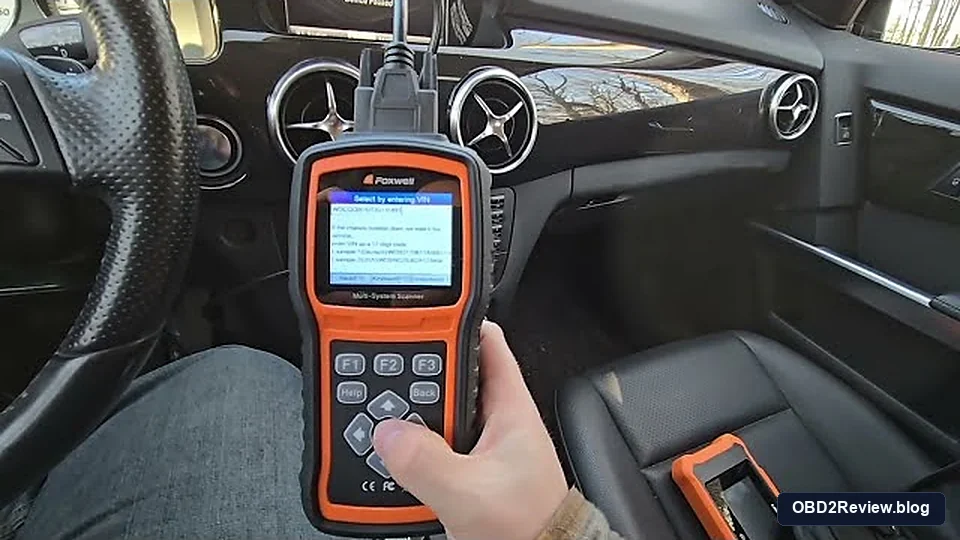
The rugged ABS housing of this diagnostic tool immediately signals a focus on durability. Rubberized side grips prevent accidental slips when working inside greasy engine bays during demanding troubleshooting sessions.
Physical tactile buttons ensure reliable operation with mechanics gloves. When evaluating handheld options, check out our foxwell nt510 vs nt530 guide to compare diagnostic capabilities, screen sizes, and build quality.
A crisp 2.8-inch color display provides clear visibility under direct sunlight. Contrast levels remain legible without requiring constant backlight adjustments during outdoor diagnostic procedures.
- Impact-resistant polymer casing with protective bumper molding.
- Tactile silicone keypad designed for high-cycle usage.
- Wired OBD-II tether with reinforced strain relief joints.
Physical Interface Design
Navigational comfort directly influences diagnostic efficiency during lengthy troubleshooting sessions. The central directional pad offers crisp tactile feedback for reliable menu selections.
Dedicated shortcut keys streamline routine operations like clearing trouble codes. This thoughtful button arrangement minimizes hand fatigue during extended diagnostic sequences.
- Ergonomic contouring fits securely in one hand.
- Clearly labeled shortcut keys accelerate navigation workflows.
Comprehensive OE-Level Diagnostic Coverage
Accessing manufacturer codes requires deep protocol integration. For German vehicle owners, browse our best obd2 scanner for bmw selection to discover systems capable of deep module scanning.
Traditional generic OBD2 readers only access powertrain emissions data. In contrast, this platform communicates directly with ABS, airbag, transmission, and body control modules for thorough fault isolation.
Interpreting manufacturer definitions prevents misdiagnosis by pinpointing exact sensor failures. Real-time graphing capabilities let technicians monitor live sensor streams to catch intermittent electrical glitches.
- Full access to proprietary manufacturer diagnostic trouble codes.
- Live sensor data graphing with multi-parameter overlay options.
- Automatic VIN acquisition accelerates vehicle profile setup.
Module Communication Depth
Deep module scanning exposes hidden faults that trigger warning lights without illuminating dashboard check engine indicators. Identifying these dormant codes prevents unexpected roadside mechanical failures.
The tool establishes stable protocol handshakes with legacy and modern CAN-bus architectures seamlessly. This universal compatibility ensures reliable module polling across diverse chassis configurations.
- Reads hidden shadow codes stored in vehicle memory.
- Supports high-speed CAN and K-line communication protocols.
Video Review: FOXWELL NT530 Review 2025 | Hidden Features You Should Know!
Bi-Directional Actuation and Active Testing
Executing active commands transforms this device into a powerhouse. You can also review our best obd reader for bmw roundup to find specialized tools featuring advanced bi-directional testing capabilities.
Actuating fuel pumps, cooling fans, and door locks isolates mechanical failures from electrical wiring bugs. This capability drastically reduces trial-and-error expenses when replacing expensive automotive parts.
Triggering components like the EGR valve directly exposes sticking mechanical valves under controlled conditions. Real-time feedback validates whether the electronic control unit successfully commands peripheral devices.
- Active control of cooling fans, fuel injectors, and window motors.
- Instant verification of faulty actuators before part replacement.
- Precise diagnostic routines for complex emission control systems.
Active Test Execution
Running bi-directional tests requires stable voltage and proper protocol synchronization. The internal processor handles bidirectional data streams efficiently without freezing during complex actuator sweeps.
Safety interlocks prevent accidental activation of critical systems while the vehicle operates. These safeguards protect both the technician and the sensitive vehicle electrical architecture.
- Reliable command execution without bus communication drops.
- Built-in safety protocols prevent dangerous system actuation.
Thermals, Power Draw, and Hardware Performance
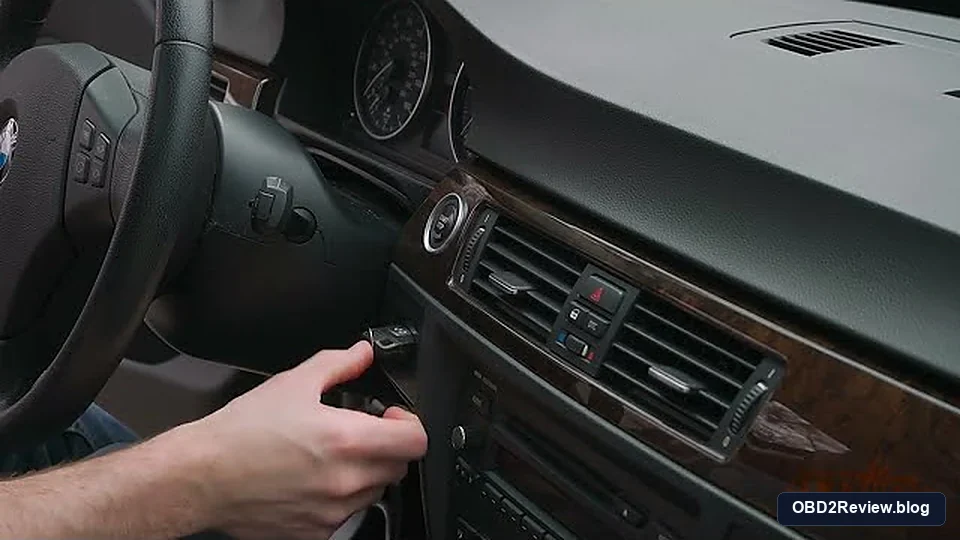
Sustained diagnostic sessions demand efficient thermal management and stable power consumption. Drawing power directly through the OBD-II port eliminates internal batteries and charging hassles entirely.
Solid-state internal components generate minimal heat during continuous multi-module scans. The hardware remains cool to the touch even after hours of intensive live data logging.
Processor response times remain snappy when parsing large diagnostic trouble code databases. Boot sequences complete quickly, allowing mechanics to start troubleshooting immediately upon connection.
- Direct vehicle power eliminates internal battery degradation risks.
- Low electrical draw prevents vehicle battery drainage during testing.
- Efficient thermal dissipation prevents internal processor throttling.
Internal Processing Efficiency
A dedicated embedded processor handles complex diagnostic algorithms with minimal latency. Screen redraws occur swiftly when scrolling through extensive live data parameter lists.
Memory allocation supports large vehicle software files without causing system crashes. This hardware stability is essential for professional-grade automotive diagnostic operations.
- Fast database queries reduce waiting times during scans.
- Stable memory management prevents unexpected software crashes.
Software Setup, Updates, and Navigation Workflow
Initial configuration requires connecting the device to a Windows personal computer via USB. Downloading the latest firmware updates ensures optimal compatibility with newly released vehicle platforms.
The proprietary update client manages software packages efficiently across multiple supported automotive brands. Users must dedicate a few minutes to complete this initial setup phase.
Menu structures follow a logical hierarchy that guides users from vehicle identification to specific submodules. This streamlined workflow minimizes user errors during high-pressure diagnostic work.
- PC-based update utility ensures access to current diagnostic databases.
- Intuitive menu hierarchy accelerates troubleshooting workflows.
- Multi-brand expansion capability via downloadable software packages.
Firmware Update Procedure
Keeping software current prevents communication errors with modern vehicle control modules. The update process installs critical bug fixes and expands vehicle year coverage automatically.
Clear onscreen prompts guide users through the registration and file transfer stages seamlessly. Proper preparation ensures your diagnostic tool remains ready for any vehicle.
- Straightforward USB connection for rapid data transfers.
- Regular manufacturer updates enhance overall system stability.
Routine Maintenance and Service Reset Protocols
Performing routine maintenance requires specialized electronic service reset functions. The tool executes battery registration and oil light resets effortlessly within minutes.
Handling brake pad retraction procedures safely prevents damage to sensitive electronic parking brake calipers. SAS calibration routines ensure steering angle sensors align correctly after suspension work.
These built-in service functions empower DIY mechanics to handle dealership-level maintenance tasks at home. Saving money on simple reset procedures quickly offsets the initial equipment investment.
- One-click battery registration for AGM and EFB battery types.
- Electronic parking brake service mode for safe pad changes.
- Steering angle sensor calibration and throttle matching resets.
Battery Registration Functionality
Modern vehicles require computer registration when installing a replacement battery. This tool matches new battery specifications to the intelligent battery sensor charging profile.
Completing this procedure prevents premature battery degradation caused by incorrect charging voltages. It is an indispensable feature for modern luxury vehicle ownership.
- Correctly resets battery aging counters in the computer.
- Supports standard capacity matching for OEM replacements.
Final Technical Verdict and Value Assessment
The diagnostic device delivers exceptional capability for passionate DIY mechanics and enthusiasts. Its robust construction and deep OE coverage make it a standout choice for platform owners.
While initial software updates require a PC, the long-term diagnostic utility outweighs this minor inconvenience. Active testing and service resets provide immense value for home workshops.
Investing in this dedicated tool eliminates unnecessary repair shop diagnostic fees entirely. It empowers users to understand and maintain their vehicles with absolute confidence.
- Outstanding balance of professional features and user-friendly operation.
- Exceptional value compared to high-end commercial diagnostic tablets.
- Reliable performance backed by regular software updates.
Recommendation Summary
Enthusiasts seeking comprehensive module diagnostics will find this tool immensely rewarding. Its dedicated design delivers focused performance without unnecessary software bloat.
We recommend this scanner for independent vehicle maintenance. You can also explore our best odb2 scanner for bmw guide to compare top-rated diagnostic solutions currently available.
- Ideal for dedicated DIY mechanics and platform enthusiasts.
- Delivers professional diagnostic depth at a reasonable level.
Frequently Asked Questions
Can this scanner register a new car battery?
Yes, it supports one-click battery registration for matching replacement AGM or EFB batteries to the vehicle's intelligent charging system.
Does the device require an internet connection for updates?
Yes, you must connect the tool to a Windows computer via USB to download and install the latest firmware updates.
Can it perform bi-directional active tests?
It offers powerful bi-directional control to command fuel pumps, cooling fans, and actuators for precise component troubleshooting.
Does this reader work on non-luxury vehicle brands?
This specific variant specializes in specific manufacturer platforms, though additional software brands can be purchased separately.
Does the scanner require an internal battery source?
No internal battery is needed because the device draws stable operating power directly from the vehicle diagnostic port.