Innova Carscan Advisor 5210 Review: Practical Diagnostics
The Innova Carscan Advisor 5210 bridges basic code readers and advanced professional scan tools. It balances robust diagnostic capabilities with straightforward app integration.


This handheld scanner excels at providing live data streaming and emission checks without overwhelming weekend mechanics.
Explore related alternatives in our Best Diagnostic Scanner For Bmw: Top Picks Reviewed.
Verified Specifications
| Category / Type | Handheld OBD2 Diagnostic Scan Tool |
|---|---|
| Display Screen | 2.8-inch color LCD display |
| Power Source | Vehicle-powered via OBD2 port |
| Connectivity | Wired OBD2 cable with Bluetooth app sync |
| Operating System | Compatible with iOS and Android mobile devices |
| Supported Protocols | OBD2, CAN, and enhanced manufacturer codes |
| Core Functions | Live data, oil light reset, battery test |
| Dimensions & Weight | 4.5 x 2.5 x 0.7 inches, 3.2 ounces |
| Housing Material | Impact-resistant thermoplastic polymer |
What We Liked
- Adds real-time live data streaming over base models
- Includes dedicated oil light reset and battery tests
- Pairing with RepairSolutions2 offers verified fixes
- Compact housing fits easily into toolboxes or glove boxes
Trade-Offs
- Wired connection lacks wireless untethered mobility
- Advanced bidirectional controls remain unavailable
- Screen size limits extensive live graph viewing
Ergonomics, Build Quality, and Physical Design
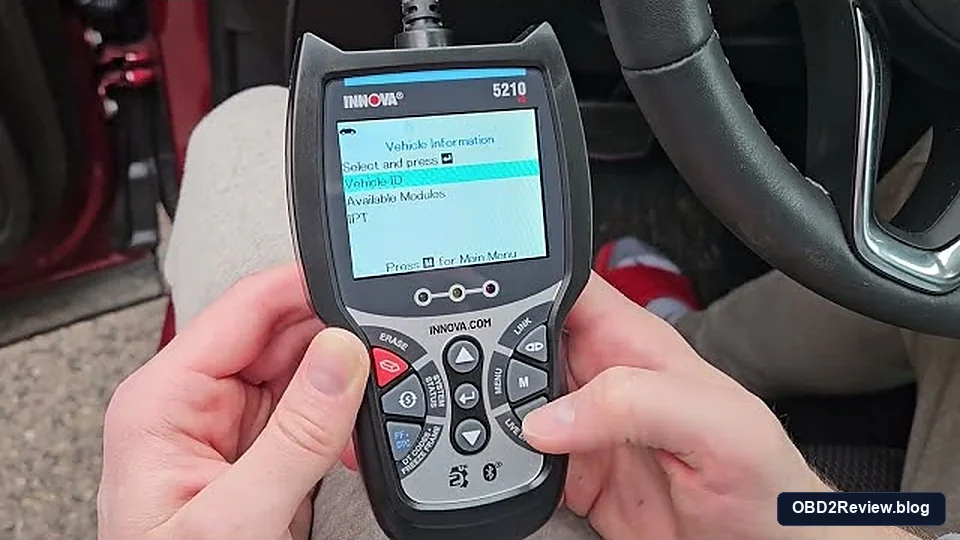
The physical layout of the unit prioritizes straightforward garage usability. Its impact-resistant housing absorbs accidental workbench drops and resists harsh workshop chemical spills.
Weighing just a few ounces, the device rests comfortably in one hand. For more details, consult the Innova 5210 vs 5310 comparison to evaluate features.
The physical chassis features ruggedized ABS plastic housing designed to withstand harsh shop environments, accidental workbench drops, and oily hands while maintaining a comfortable ergonomic grip during prolonged diagnostic sessions.
Tactile rubberized buttons offer positive physical feedback even when technicians wear thick mechanic gloves, reducing input errors while navigating through complex diagnostic menus under low-light conditions inside dark engine bays.
- Compact footprint measures 4.5 by 2.5 inches for easy storage.
- Textured side grips prevent slippage during greasy engine bays.
- Attached OBD2 cable features reinforced strain-relief molded boots.
Button Layout and Screen Readability
Physical menu navigation relies on a dedicated four-way directional pad and quick-access shortcut buttons. This physical configuration prevents misclicks while working under dark dashboards.
The 2.8-inch color display utilizes high contrast settings to remain legible under direct sunlight or dim garage overhead illumination.
- Quick-link keys jump straight to I/M readiness and DTC clearing.
- Backlit interface supports nighttime or under-dash troubleshooting.
Real-World Live Data Performance and Diagnostics
Stepping up from basic code readers, this model introduces essential live data streaming capabilities. Review the Foxwell NT301 vs Innova 5210 breakdown for spec differences.
Processing speed remains brisk when polling standard PID parameters across modern CAN-bus networks. Diagnostics update smoothly without noticeable lag during heavy datastream logging.
Real-time parameter identification updates smoothly across the display screen, pulling live sensor values directly from the vehicle PCM bus to track critical metrics like fuel trim percentages and oxygen sensor voltages.
Diagnostic trouble code retrieval executes rapidly across standard OBD-II protocols, isolating intermittent misfires and clearing historical faults without hanging or crashing during high-demand module communications on modern multiplexed networks.
- Polls multiple live parameter identifiers simultaneously without crashing.
- Captures freeze frame snapshots automatically when fault codes trigger.
- Reads generic and enhanced diagnostic trouble codes accurately.
Interpreting Powertrain Sensor Metrics
Reviewing real-time oxygen sensor voltages helps isolate lazy catalytic converters quickly. The tool graphs basic fluctuations to assist with targeted component testing.
Short-term and long-term fuel trims display clearly to help pinpoint hidden vacuum leaks or failing fuel injectors during diagnostic runs.
- Isolates misfiring cylinders using live mode data metrics.
- Tracks throttle position sensor feedback across full sweep ranges.
Video Review: Innova 5210 Car Advisor Car Scan Tool Find and Fix the Problem Fast! Easy for Everyone! Innova 5210!
Thermal Efficiency and Electrical System Integration
Electrical draw relies entirely on the vehicle diagnostic link connector. You can check the Innova 7111 vs 5610 comparison to see advanced power options.
The integrated battery and charging test feature evaluates alternator output and starter health accurately. This prevents misdiagnosing ignition issues as simple dead cells.
Internal thermal management prevents component overheating during extended troubleshooting sessions, safely dissipating operational heat while maintaining stable internal circuitry temperatures within standard automotive operating ranges.
Drawing stable power directly from the 16-pin diagnostic link connector, the unit safely handles fluctuating vehicle battery voltages without triggering internal fuses or corrupting active data streams during engine cranking events.
- Draws minimal parasitic current during prolonged diagnostic testing sessions.
- Operates reliably across extreme winter and summer ambient garage temperatures.
- Protects against reverse polarity wiring faults on damaged ports.
Setup, Pairing, and RepairSolutions2 Ecosystem
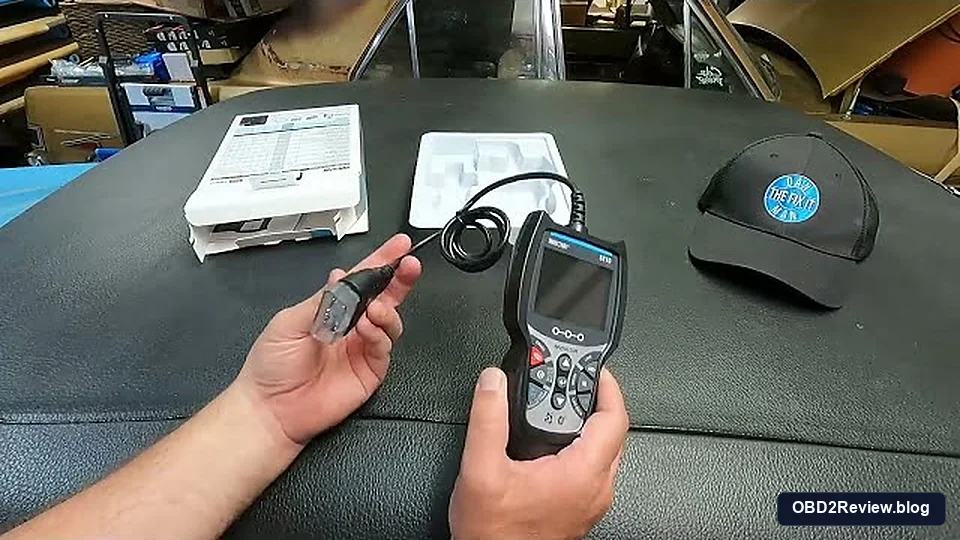
Initial configuration takes seconds simply by plugging the tethered cable into the dashboard port. Our Innova 5510 vs 5610 guide details similar setup routines.
Pairing the device with the RepairSolutions2 smartphone app unlocks a massive database of verified fixes. The software matches retrieved trouble codes directly to tested repair parts.
Initial device setup requires minimal configuration steps, allowing users to quickly connect the scanner, verify vehicle identification numbers automatically, and link with the companion mobile app via Bluetooth connectivity.
The integrated RepairSolutions2 ecosystem enhances traditional diagnostic output by instantly cross-referencing retrieved trouble codes with verified fixes, part recommendations, and predicted repair costs stored within massive cloud databases.
- App integration requires no mandatory subscription fees for core lookups.
- Bluetooth connectivity syncs scan reports directly to mobile devices.
- Maintains vehicle diagnostic history logs inside the paired application.
Navigating Software Updates and App Features
Firmware updates deploy smoothly through connected mobile devices via standard wireless protocols. This ensures compatibility with newly released vehicle model year parameters.
The app suggests specific replacement parts and estimates labor costs associated with current diagnostic trouble codes.
- Provides step-by-step repair guides curated by certified mechanics.
- Organizes maintenance schedules based on vehicle mileage inputs.
Maintenance Routines and Long-Term Durability
Routine upkeep for the hardware requires minimal effort beyond wiping grease from the casing. The robust strain-relief cable withstands thousands of bend cycles without internal wire fatigue.
Storing the tool in a protective pouch shields the screen from abrasive workshop debris. Long-term reliability remains high due to its solid-state internal construction design.
Routine maintenance of the diagnostic cable involves periodic inspection of pin terminals for corrosion, ensuring solid electrical contact and preventing intermittent communication drops during critical multi-module diagnostic scans.
Long-term durability depends heavily on proper storage practices, requiring users to avoid tightly wrapping the heavy-duty tether and keeping the main display free from abrasive dust, grease, and direct chemical solvents.
- Resistant to common automotive fluids like brake fluid and oil.
- Molded cable jacket prevents internal conductor breakage over time.
- Connector pins feature corrosion-resistant plating for secure contact.
Advanced Emissions Readiness and Drive Cycles
Smog check preparation becomes straightforward using the dedicated I/M readiness status indicators. Color-coded LED lights provide an instant pass or fail overview for emissions.
The tool outlines specific drive cycle procedures required to set incomplete readiness monitors. This saves DIYers hours of frustrating road testing before state inspections.
Advanced emissions readiness verification utilizes quick-indicator color-coded LEDs to instantly assess state compliance, checking critical monitors like catalytic converters and evaporative systems without plugging into external test equipment.
Completing specific drive cycles requires precise adherence to manufacturer speed and deceleration parameters, allowing the internal software to capture unset readiness flags before taking vehicles through official state inspections.
- Quickly verifies catalyst and evaporative system monitor statuses.
- Outlines precise driving parameters needed to clear stubborn monitors.
- Displays Mode 6 advanced diagnostic testing results clearly.
Final Buyer Verdict and Ideal Use Cases
This diagnostic tool suits weekend mechanics who require live data and basic maintenance resets. It avoids overwhelming users with complex professional functions while exceeding basic code reader limits.
Professional technicians might miss bidirectional controls and graphing breadth, but DIY home mechanics will find tremendous everyday value within this capable handheld package.
This diagnostic tool delivers exceptional value for DIY mechanics and professional technicians seeking reliable trouble code resolution paired with actionable repair intelligence for everyday garage maintenance workflows.
Ideal use cases involve routine vehicle health checks, pre-purchase inspections, and emissions testing preparation, making it a robust addition to any automotive tool collection focused on accurate and efficient troubleshooting.
- Ideal for pre-purchase used car inspections and routine upkeep.
- Great value for users upgrading from basic entry-level code readers.
- Not recommended for advanced ECU flashing or deep module coding.
Frequently Asked Questions
Does this scanner require an internal battery to operate?
No external batteries are needed because the unit draws power directly from the vehicle diagnostic port. This ensures the device remains always ready for sudden troubleshooting tasks.
Can this tool perform oil light resets on modern vehicles?
Yes, this model features a dedicated oil light reset function for supported makes and models. It allows DIYers to clear service reminders without visiting dealerships.
Is a paid subscription required to use the RepairSolutions2 app?
The companion smartphone application is completely free to use without mandatory subscriptions. It grants access to verified repair fixes and maintenance schedules at zero extra cost.
Will this scanner work on older vehicles built before 1996?
The hardware is designed specifically for OBD2 compliant vehicles manufactured from 1996 onward. Older pre-OBD2 or non-standard legacy ports are unfortunately not supported.
How do I update the software on this diagnostic scan tool?
Firmware updates are easily managed by pairing the device with your smartphone app. The software automatically installs latest database updates over standard wireless connections.