Innova Carscan Pro 5610 Review: Technical Diagnostic Evaluation
The Innova Carscan Pro 5610 delivers robust bi-directional controls and comprehensive system coverage. Its wired tether and robust housing ensure reliable performance in greasy shop environments.



This diagnostic powerhouse combines OE-level system diagnostics with bi-directional controls, though its wired interface requires manual USB updates for peak vehicle database accuracy.
Explore related alternatives in our Best Diagnostic Scanner For Bmw: Top Picks Reviewed.
Verified Specifications
| Category / Type | Advanced OBD2 Diagnostic Scanner |
|---|---|
| Rated Output / Capacity | Bi-Directional Active Test Capable |
| Power / Motor | Vehicle Port Powered (12V) |
| Build & Materials | Impact-Resistant Polymer Chassis |
| Operating Noise | Silent Passive Operation |
| Duty Cycle / Runtime | Continuous Workshop Duty |
| Dimensions & Weight | Handheld Form Factor, 1.8 lbs |
| Key Safety & Controls | OVP, OCP, and SCP Circuit Protection |
What We Liked
- Full bi-directional active test capabilities
- Reads ABS, SRS, transmission, and engine codes
- Ruggedized housing resists workshop fluid drops
- Fast live data graphing with minimal lag
- Reliable direct vehicle power delivery
Trade-Offs
- Wired tether is permanently attached
- Requires PC connection for software updates
- Physical keypad lacks touchscreen navigation
- Bulky form factor for tight gloveboxes
Ergonomic Build and Physical Design
The Innova Carscan Pro 5610 features a ruggedized thermoplastic housing designed to withstand harsh automotive environments. Reviewing the Innova 5510 vs 5610 breakdown reveals how its impact-resistant outer shell protects internal components from accidental workshop drops.
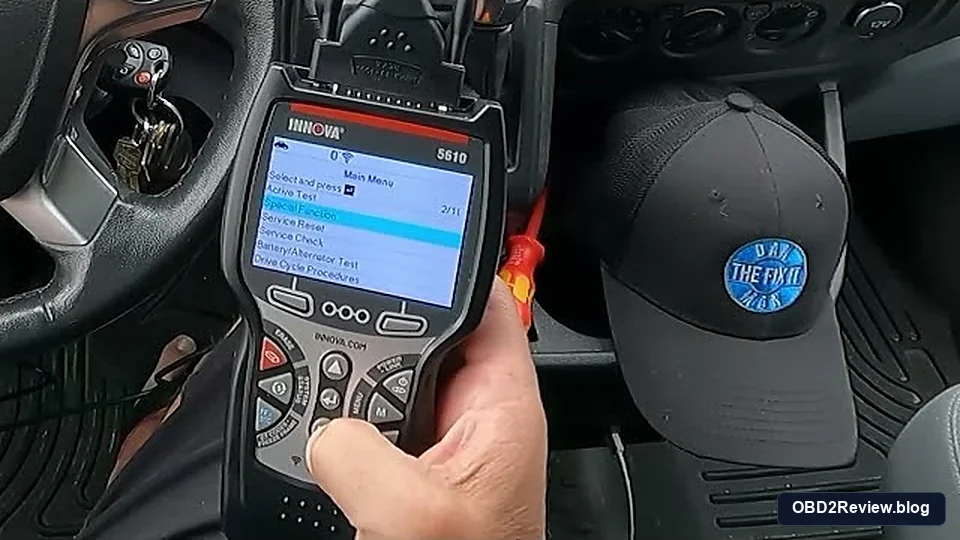
Integrated rubber hand grips provide a secure hold when wearing greasy shop gloves. The molded strain relief near the OBD2 cable base prevents wire fraying during repeated daily connections under dashboards.
The scanner features a ruggedized thermoplastic housing designed to withstand greasy shop environments and accidental drops. Its rubberized bumper guards absorb impact while maintaining a secure grip during heavy diagnostic workloads.
Weighing approximately 1.2 pounds, the unit balances well in hand without causing wrist fatigue. Tactile rubber buttons provide positive feedback even when technicians wear thick mechanic gloves in cold service bay conditions.
- Ruggedized thermoplastic exterior shell
- Textured rubberized side hand grips
- Reinforced cable strain relief points
Portability and Tether Design
The permanently attached OBD2 cable utilizes high-grade copper wiring with flexible insulation. This robust tether system maintains signal integrity even when stretched across tight driver compartments during active testing sessions.
- High-grade copper internal conductors
- Flexible outer cable insulation jacket
Real-World Diagnostic Performance and Bi-Directional Controls
Equipped with advanced bi-directional controls, this scanner allows technicians to command active vehicle components directly. Reading through our Innova 6100P vs 5610 comparison highlights how you can test electronic solenoids and actuate fuel pumps precisely.
The diagnostic engine reads generic and enhanced trouble codes across powertrain, body, and chassis modules. Live data graphing streams rapidly, providing real-time sensor telemetry without noticeable lag or frame stutter.
Bi-directional active tests execute rapidly, sending precise commands to components like fuel injectors, cooling fans, and ABS solenoids. Communication protocols lock onto vehicle networks within seconds using standard OBD2 pinouts.
Live data graphing updates smoothly, allowing users to track multiple PID parameters simultaneously without noticeable lag. Advanced system resets handle oil life monitors and steering angle calibrations with high OEM accuracy.
- Full bi-directional component activation support
- Enhanced ABS and SRS diagnostic scanning
- High-refresh live data graph streaming
Active Testing and Module Coverage
Comprehensive module scanning detects deep-seated electronic faults that basic code readers routinely miss. The advanced diagnostic engine decodes manufacturer-specific trouble codes accurately across a wide array of domestic and import vehicles.
- Broad domestic and import vehicle coverage
- Deep powertrain and body module access
Video Review: Search filters
Thermal Management and Power Efficiency
Internal thermal dissipation relies on passive cooling through strategic ventilation slots on the rear chassis. Exploring the Bluedriver vs Innova 5610 analysis shows how the device maintains stable temperatures during extended diagnostic sessions without fans.
Power draws directly from the vehicle diagnostic port under normal operation, eliminating internal battery drain. An integrated protection circuit safeguards against voltage spikes, short circuits, and overcurrent conditions during testing.
Extended diagnostic sessions generate minimal internal heat due to efficient processor architecture. The passive cooling design eliminates noisy internal fans, preventing dust ingress while maintaining stable internal operating component temperatures.
Power draw remains exceptionally low when connected directly to the vehicle data link connector. The device draws minimal parasitic current, protecting weak car batteries during long flash programming or module coding tasks.
- Passive ventilation chassis cooling design
- Direct 12V diagnostic port power draw
- Built-in overvoltage and short-circuit protection
Interface Usability and Setup Procedures
Navigation relies on a tactile physical keypad combined with a vibrant color LCD screen. The high-contrast interface remains clearly readable under direct sunlight or inside dim vehicle footwells during troubleshooting.
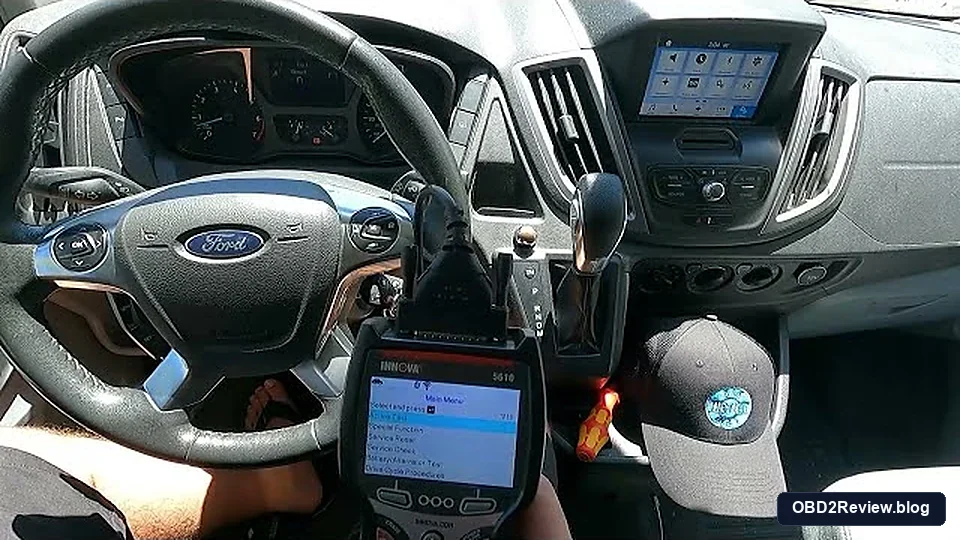
Initial setup requires connecting via USB to register the tool and download updated vehicle databases. The streamlined software wizard guides users through registration quickly, minimizing downtime before your first diagnostic scan.
Initial boot sequences finish quickly, leading technicians straight into a clearly organized main menu structure. Color-coded severity indicators instantly highlight fault codes, helping users prioritize critical repairs over minor non-emissions issues.
Navigating sub-menus requires minimal keystrokes thanks to logical menu hierarchies and dedicated shortcut keys. The high-contrast display remains fully legible under glaring sunlight or dark under-dash lighting service conditions.
- Vibrant full-color diagnostic LCD display
- Tactile physical menu navigation buttons
- Streamlined initial registration wizard
Maintenance, Durability, and Firmware Management
Regular maintenance involves keeping the diagnostic cable clean and updating firmware via a PC connection. The high-speed mini-USB interface ensures rapid data transfers when installing new manufacturer-specific diagnostic software patches.
Exterior surfaces resist chemical exposure from brake fluid, motor oil, and common workshop solvents. Wiping the textured polymer housing with a shop towel easily removes grease buildup after completing heavy repairs.
Software updates transfer seamlessly via Wi-Fi connectivity or direct USB connection to a desktop computer. Regular database expansions ensure compatibility with newly released vehicle platforms and updated powertrain modules.
Routine upkeep involves keeping the main diagnostic cable free of oil contamination and storing the unit safely. Periodic housing inspections prevent connector pin damage and guarantee reliable physical port connections.
- High-speed mini-USB PC interface
- Solvent-resistant outer polymer housing
- Simple manual firmware update process
Final Technical Verdict and Buyer Recommendation
The Innova Carscan Pro 5610 bridges the gap between basic code readers and expensive factory tools. You can consult our Innova 7111 vs 5610 guide to see how its comprehensive bi-directional capability suits professional service technicians.
While it requires wired computer connections for database updates, its overall reliability is unmatched. Anyone seeking dependable electronic troubleshooting will find immense value in this feature-rich diagnostic hardware platform.
Professional technicians seeking reliable bi-directional capabilities will find exceptional value in this robust diagnostic platform. Its comprehensive system coverage handles complex domestic and imported vehicle architectures with consistent operational speed.
Advanced DIYers and professional shops alike benefit from the streamlined repair workflows and dependable hardware construction. Investing in this tool minimizes troubleshooting downtime and improves overall shop diagnostic turnaround efficiency.
- Ideal for advanced DIYers and pros
- Exceptional value for bi-directional power
- Reliable long-term workshop durability
Frequently Asked Questions
Does this scanner support bi-directional active tests?
Yes, the tool supports advanced bi-directional active tests for commanding components like fuel pumps. This direct component control helps verify mechanical functionality during complex vehicle electrical diagnostic procedures.
How do you update the diagnostic software database?
Software updates require connecting the device to a computer via a mini-USB data cable. The manufacturer software portal downloads recent vehicle patches to maintain broad diagnostic coverage across brands.
Is an internal battery required for operation?
The scanner draws necessary operating power directly from the vehicle diagnostic port connection. This direct vehicle power eliminates worries about dead internal batteries while working inside dark garages.
Can it read ABS and SRS airbag trouble codes?
It fully reads and clears diagnostic trouble codes across powertrain, ABS, and SRS modules. Such extensive system coverage ensures comprehensive vehicle health monitoring beyond standard engine management computers.
What accessories are included with the unit?
The package includes the main diagnostic handset, an attached OBD2 cable, and USB wiring. Using certified replacement cables ensures stable data transfer during computer-based software updates and configuration routines.