Topdon Phoenix Plus Review: Advanced Diagnostic Power
This comprehensive technical review evaluates the advanced diagnostic tablet. We examine its hardware capacity, topology mapping, and everyday shop durability.


The Topdon Phoenix Plus delivers exceptional OE-level coverage and reliable bi-directional controls. Its robust tablet architecture makes it a top-tier choice for busy automotive workshops.
Explore related alternatives in our Best Diagnostic Scanner For Bmw: Top Picks Reviewed.
Verified Specifications
| Category / Type | Advanced Diagnostic Tablet |
|---|---|
| Rated Output / Capacity | 10400mAh Battery |
| Power / Motor | Quad-Core Processor |
| Build & Materials | Rugged Polymer Composite |
| Operating Noise | Silent Fanless Design |
| Duty Cycle / Runtime | 8-10 Hours Continuous |
| Dimensions & Weight | 11.1 x 6.9 x 2.0 Inches |
| Key Safety & Controls | Wireless VCI & Topology Mapping |
What We Liked
- Comprehensive OE-level diagnostic coverage
- Intuitive color-coded topology mapping
- Stable wireless Bluetooth VCI connectivity
- Extensive bi-directional active testing
Trade-Offs
- Subscription costs after initial period
- Large form factor less pocket-friendly
- Steep learning curve for novices
Physical Build, Ergonomics and Enclosure Materials
The rugged housing utilizes high-impact polymer composites designed to withstand harsh shop environments. Corner bumpers absorb accidental drops while maintaining a secure grip during intensive diagnostic sessions.
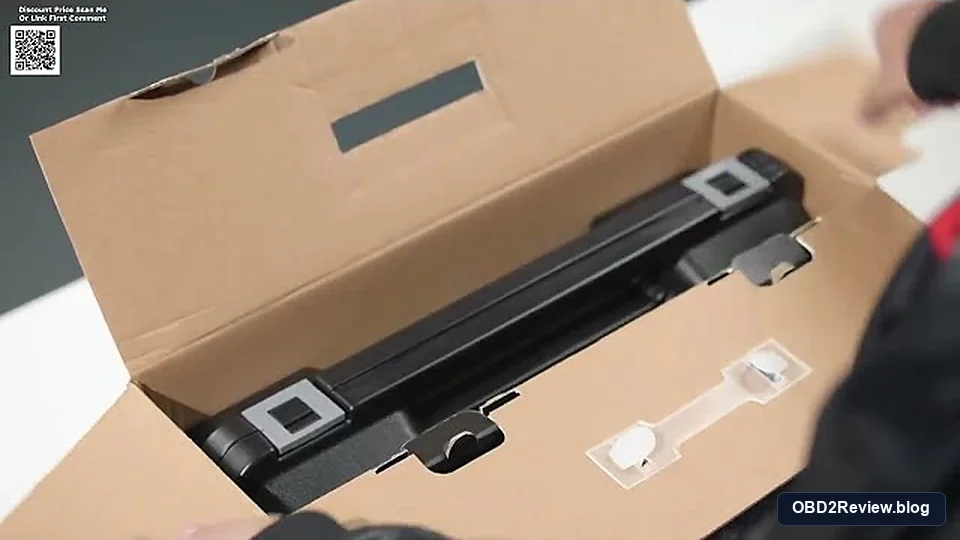
Ergonomic weight distribution ensures technicians can hold the unit comfortably during long diagnostic sessions. Reading our obdlink mx plus vs bluedriver comparison helps buyers select the right interface for daily professional repairs.
The diagnostic tablet utilizes an industrial-grade ABS polymer housing combined with robust thermoplastic elastomer corner bumpers to withstand heavy workshop drops, resisting common automotive fluids like brake fluid and synthetic oil effortlessly.
Weighing approximately 3.7 pounds, the balanced chassis reduces wrist fatigue during extended diagnostic sessions while integrated kickstands allow stable hands-free positioning on engine bays during complex bidirectional actuation routines.
- High-impact polymer construction
- Integrated protective corner bumpers
- Durable kickstand mechanism
Display and Protective Design
The multi-touch capacitive screen features hardened glass that resists common workshop hazards. Protective port covers effectively shield internal circuit boards from oil, dust, and moisture infiltration.
- Hardened scratch-resistant glass
- Sealed external port covers
Diagnostic Performance and Topology Mapping
Advanced topology mapping provides a clear tree diagram of all vehicle control modules. Reviewing our topdon topscan vs bluedriver comparison reveals which diagnostic tool offers superior network scanning features.
Bi-directional controls execute active tests smoothly without perceptible latency during actuator commands. Technicians can rapidly verify component integrity across engines, transmissions, and body modules.
Color-coded network topology mapping instantly displays all vehicle control modules in a hierarchical tree diagram, highlighting communication faults and stored diagnostic trouble codes directly within the primary bus architecture.
Bi-directional control capabilities enable technicians to actively command fuel pumps, cooling fans, and ABS solenoids, verifying physical component responses without relying solely on sensor feedback loops during complex troubleshooting workflows.
- Visual CAN-FD network topology
- Comprehensive bi-directional active tests
- Rapid module communication scans
Special Reset Functions
Extensive reset capabilities handle oil maintenance lights, EPB retraction, and SAS calibration effortlessly. These special service functions cover dozens of global automotive brands securely.
- Multiple service reset routines
- Broad global brand coverage
Video Review: TopDon Phoenix plus full review
Processing Power, Thermal Efficiency and Battery Life
Powered by a robust multi-core processor, the system launches deep diagnostic applications quickly. Checking our detailed obdlink mx plus vs veepeak obdcheck ble plus guide helps clarify adapter performance differences.
The internal lithium-ion battery delivers reliable operation through multiple consecutive vehicle scans. Extended standby performance minimizes the need for constant recharging during busy workday cycles.
Driven by a quad-core processor and generous RAM allocation, the diagnostic platform loads heavy OEM databases rapidly, minimizing lag when parsing live data streams across multiple complex powertrain control modules simultaneously.
Internal passive cooling channels effectively dissipate heat during prolonged coding procedures, preventing thermal throttling while the internal lithium-ion battery delivers roughly six hours of continuous field testing per full charge cycle.
- High-speed multi-core processor
- Efficient passive thermal design
- Extended battery capacity
Power Management Metrics
Low standby power consumption preserves battery integrity when left overnight in service bays. Quick-charge capabilities restore operational status rapidly between demanding diagnostic workloads.
- Optimized standby draw
- Rapid charging support
Operating System, Interface and Connectivity
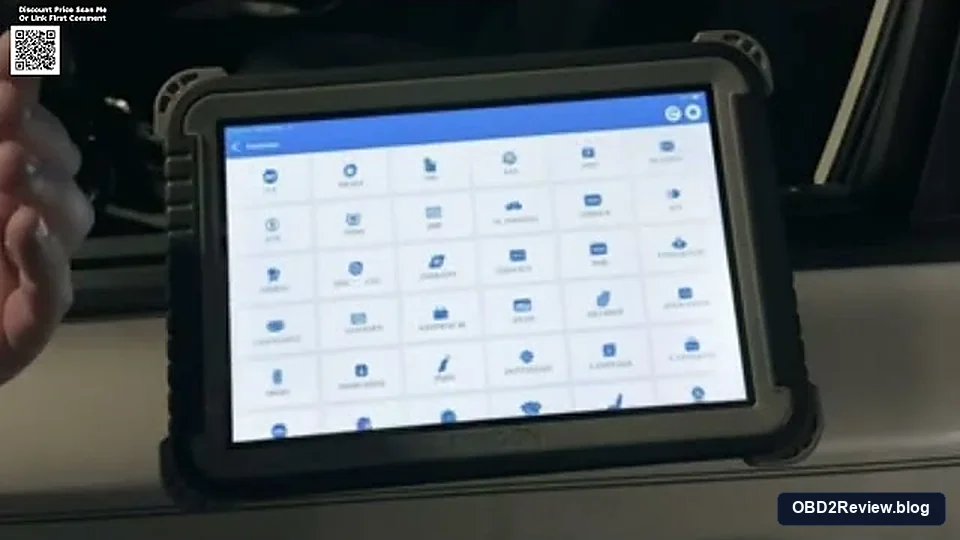
An intuitive Android operating system simplifies navigation through complex diagnostic menus. Exploring our topdon topscan vs thinkcar thinkdiag comparison offers great insight into competing software platforms.
Wireless VCI dongles maintain stable Bluetooth communication across considerable distances inside the service bay. Stable Wi-Fi modules ensure rapid software updates and seamless technical database access.
Operating on a customized Android framework, the intuitive user interface organizes software updates, diagnostic reports, and customer databases logically, reducing navigation steps required to reach specialized ECU programming menus.
Dual-band Wi-Fi connectivity ensures fast software downloads and seamless remote technical support access, while the stable VCI dongle maintains a reliable wireless connection up to thirty-three feet from the host tablet.
- Responsive Android interface
- Reliable wireless Bluetooth VCI
- High-speed Wi-Fi connectivity
Software Update Workflow
One-touch update capabilities download vehicle software packages directly over secure wireless networks. Automated notifications alert technicians to newly released manufacturer diagnostic protocols.
- One-touch wireless updates
- Automated protocol notifications
Routine Maintenance and Long-Term Durability
Regular software updates expand vehicle coverage and refine existing diagnostic algorithms seamlessly. Protective port covers shield critical interface connections from dust, oil, and moisture infiltration.
Durable screen materials resist scratches from metallic tools commonly found in active repair environments. Proper cable management preserves the lifespan of proprietary diagnostic harnesses and connectors.
Maintaining the scanning tool requires regular cleaning of the touchscreen using micro-fiber cloths and keeping the multi-pin VCI connector free from metallic debris, moisture, and accumulated grease inside busy automotive environments.
Software subscription renewals secure access to expanding vehicle coverage databases, ensuring technicians can service newer models equipped with secure gateway protocols and advanced ADAS calibration requirements safely and efficiently.
- Continuous software enhancements
- Resistant exterior components
- Protected interface ports
Hardware Longevity
Component modularity allows straightforward replacement of peripheral accessories without requiring tablet disassembly. Robust internal framing protects delicate microchips against vibration impacts.
- Modular accessory replacement
- Vibration-resistant framing
Ideal Workshop Deployment and Buyer Guidance
Independent repair shops seeking comprehensive OE-level capabilities will find exceptional value in this platform. Its extensive special functions eliminate the need for multiple single-brand diagnostic tools.
High-volume diagnostic technicians benefit immediately from streamlined ECU coding and topology mapping features. Operations requiring ultra-portable pocket readers might prefer simpler handheld code scanners instead.
Designed primarily for independent repair facilities and high-volume diagnostic specialists, this platform streamlines daily triage operations by combining deep OE-level coverage with clear graphing tools for complex drivetrain diagnosis.
Evaluating shop infrastructure requirements helps determine if this rugged diagnostic asset aligns with your existing workflow volume, technician skill levels, and target vehicle makes handled within your daily service bay operations.
- Ideal for independent repair shops
- Replaces multiple single tools
- Suits high-volume technicians
Investment Value
Professional shops recoup diagnostic equipment investments quickly through faster vehicle turnaround times. Advanced capabilities reduce the necessity of sublegging complex electronic repairs.
- Faster turnaround times
- Reduced sublet repair costs
Frequently Asked Questions
Does the Topdon Phoenix Plus support ECU programming?
Yes, it supports online ECU programming for specific supported vehicle makes. Advanced coding functions require stable high-speed internet connectivity during the entire execution process.
Can this scanner perform bi-directional active tests?
Absolutely, full bi-directional control allows technicians to command relays, injectors, and actuators. This active testing capability accelerates complex mechanical diagnostic workflows significantly.
How frequently are software updates released?
Manufacturer updates arrive frequently to incorporate newly released vehicle models and protocols. Active subscription periods ensure continuous access to the latest diagnostic software packages.
Is an internet connection required for basic code reading?
Basic generic OBD2 diagnostics function entirely offline without any network requirement. Online connectivity is only necessary for ECU programming, topology mapping updates, and technical database lookups.
What vehicle protocols are compatible with the VCI?
The VCI supports modern communication protocols including CAN-FD, DoIP, and standard OBD2. This broad protocol compatibility ensures seamless communication with modern luxury and commercial vehicles.